Skip to content
Servire – The POS system for your hospitality business
Get started

Everything a busy evening needs.

Servire brings together 80+ features for service, payment, kitchen and back office in one POS: table plan, course control, bill splitting, Tap to Pay on iPhone, kitchen display, print hub, real-time statistics, TSE and DSFinV-K. Everything included, no modules, no surcharges.

Start without payment details. Cancel monthly.

The menu of features

Everything on the menu.

What Servire can do, set like a good menu: four courses, no footnotes.

Keep scrolling to browse

Service1st course

  • Table planYour place, exactly as it stands
  • Course control with timerThe kitchen knows when the main is due
  • Split billsBy guests or items, in seconds
  • Move ordersTable 4 becomes table 9, no void detour
  • Entertainment receiptPrinted along on request
  • 12 languagesYour team works in their language

Payments2nd course

  • Tap to PayCard payments right on the iPhone, no terminal
  • SumUp integrationYour terminals, firmly connected
  • Digital receiptsVia QR to the phone, as a pass in Apple Wallet
  • Offline modeTake payments without internet, signs automatically later

Kitchen & floor3rd course

  • Kitchen monitorTickets by course and time, no paper
  • Print hubEpson receipt printers, centrally managed
  • Customer displayGuests see what they order
  • Digital menuAlways current, no reprints

Back office4th course

  • Menu editorMaintain your menu without a technician
  • AI menu importPhoto or PDF of your menu in, menu done
  • Real-time statisticsThe evening in numbers, while it happens
  • Cash book & Z reportsKept digitally, exportable anytime
  • VouchersSell, redeem, keep track
  • Shifts & rolesWho works when and may do what
In detail

Three things you feel every shift.

Paid in seconds.

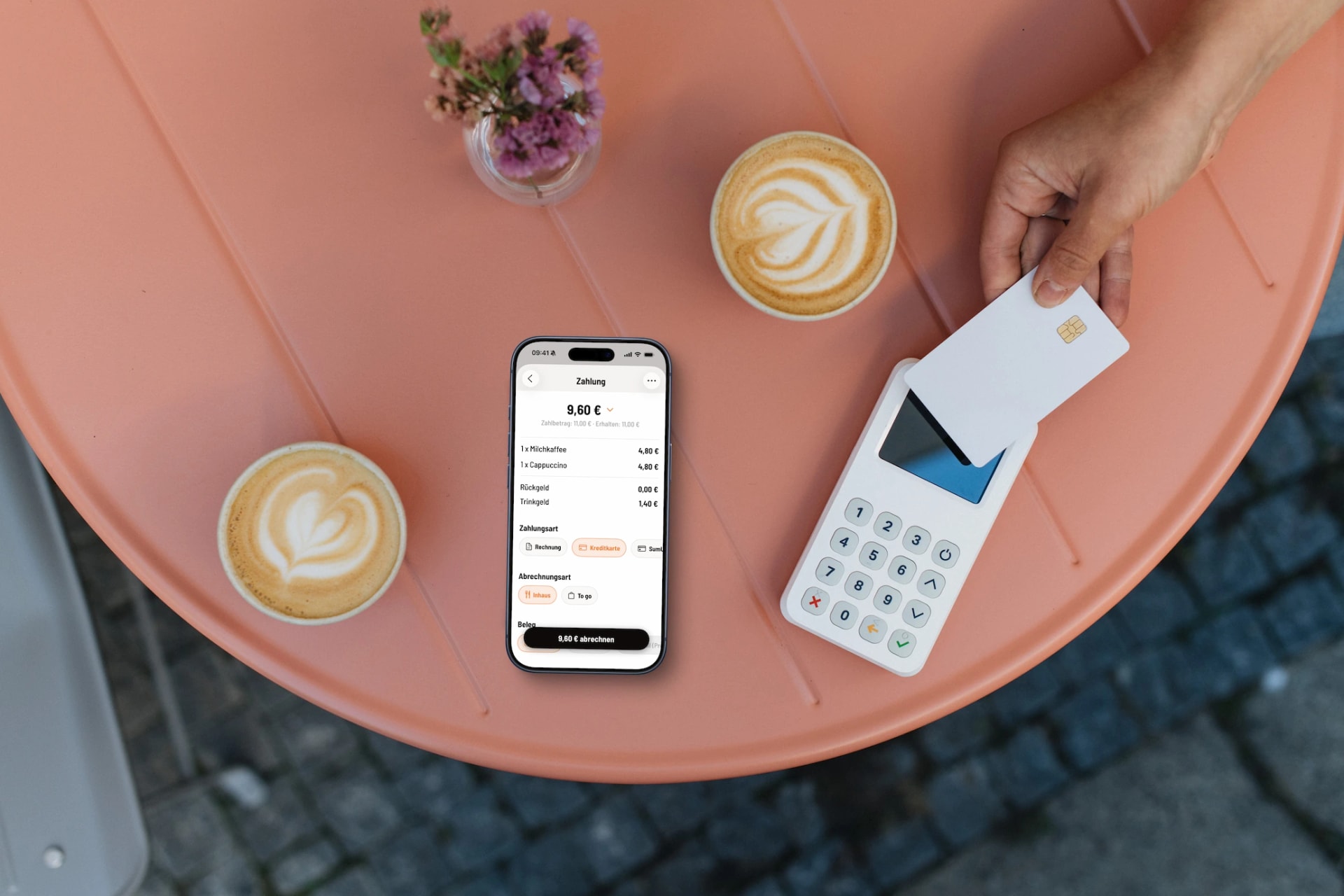
Your iPhone is the terminal: Tap to Pay accepts debit cards, credit cards, Apple Pay and Google Pay right at the table, no extra hardware. Prefer terminals? SumUp is fully integrated. Tips and vouchers are settled during payment.

  • Tap to Pay: your iPhone becomes the card terminal
  • SumUp terminals fully integrated, any other terminal works too
  • Tips and vouchers settled right at payment
  • Digital receipts via QR code, Apple Wallet included
Guest paying contactless on an iPhone with Servire Tap to Pay in a coffee shop
Card payment at the table: the iPhone takes the card, the receipt lands on the phone via QR.

The tax office is taken care of.

The certified Fiskaly cloud TSE is built in and signs every transaction automatically. You file the §146a cash register report right from the Web desk, and DSFinV-K and DATEV exports are ready when you need them. You serve your guests, Servire handles compliance.

  • Certified TSE under KassenSichV, no extra hardware
  • Every transaction signed automatically
  • §146a cash register report filed from the Web desk
  • DSFinV-K for audits, DATEV for your accountant
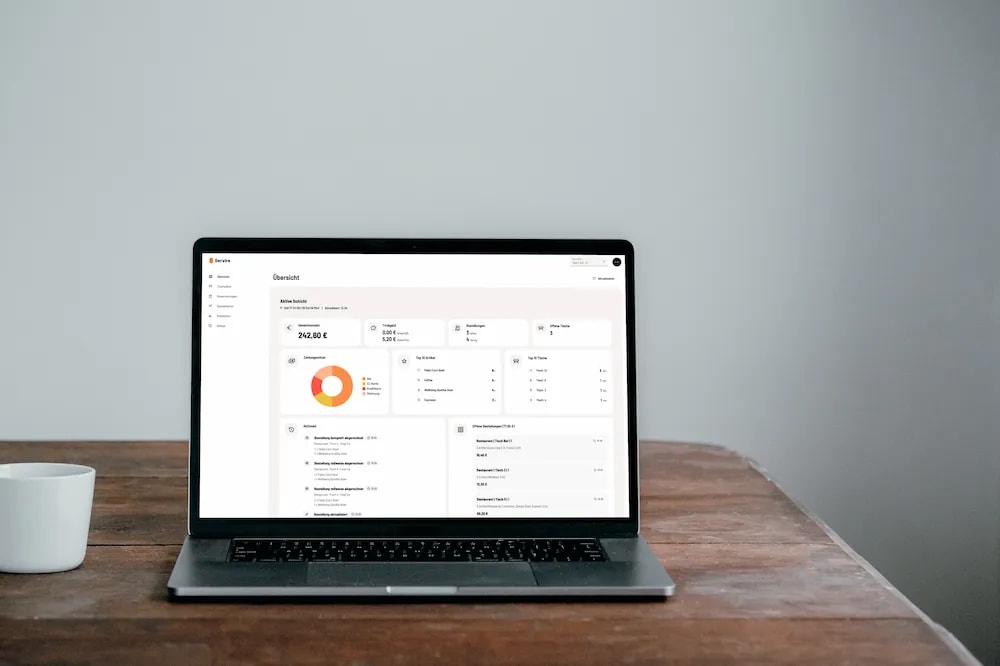
Web desk with reports and cash register filing on a MacBook
Web desk at closing time: Z report, cash book and register filing in one place.

No connection? No drama.

Take orders, settle bills, print receipts: everything keeps running without internet. Once the connection is back, Servire syncs all data and re-signs TSE transactions automatically. Your guests never notice.

  • Take orders, settle bills and print without internet
  • TSE signatures are caught up automatically
  • Syncs as soon as the connection returns
  • Built as a failover for every single service
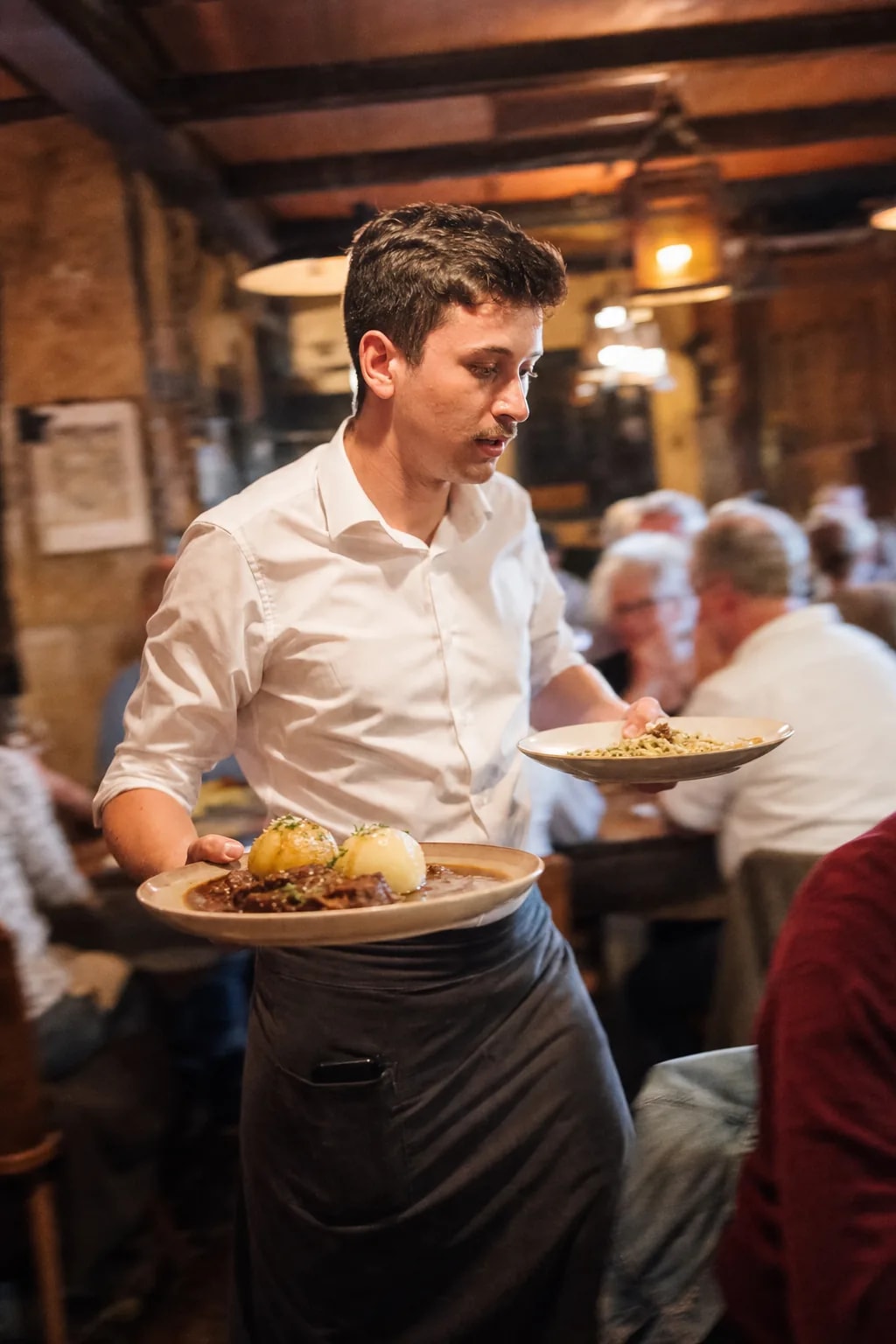
Waiter taking payment on a tablet at the bar counter
Service keeps going: the POS works offline and catches up on everything.

The full directory.

Every feature, honestly sorted by what you need it for. And whatever is still in the works says so, just as honestly.

Order Management

  • Course ManagementControl the order of courses manually or time-based for perfect timing in the kitchen.
  • Split BillsSplit bills flexibly by item. You can always see what has already been settled.
  • Transfer & MoveMove items between tables or orders.
  • Order NotesAdd individual notes and special requests to items.
  • CancellationsCancel items with a reason and complete documentation.
  • Table Management & Floor PlanGraphical room plans with occupancy status, table transfers and customizable table names.
  • Mobile OrderingTake orders via iPhone or iPad directly at the table.
  • Intuitive InterfaceShort training time – new staff are productive in minutes.
  • Manage PartiesSplit or merge parties and settle bills flexibly.
  • To-Go & TakeawaySeparate orders for takeaway and delivery with correct VAT.
  • Delivery ServicesIn DevelopmentIntegration with Lieferando, Wolt & Co. or own online ordering.

Menu & Pricing

  • Manage everything yourselfMenus, floor plans, staff and more – edit everything independently via the Web desk.
  • Variants & ExtrasDefine sizes, extras and individual customizations for items.
  • DiscountsApply discounts to individual items, the entire invoice, or a combination of both.
  • FavoritesQuick access to frequently ordered items.
  • VAT ManagementFreely define VAT rates and assign them individually to each item.
  • AI Menu ImportSimply upload an image or PDF – items and prices are automatically recognized and imported by AI.
  • Price CategoriesMultiple price levels per item – e.g. happy hour, lunch specials or event pricing.
  • Scheduled menusShow menus automatically only at certain times – e.g. a happy hour or breakfast menu that appears and disappears on its own at the right time.
  • Recipes & PreparationPreparation instructions and recipes directly on the item for your kitchen team.
  • Deposit ManagementAssign deposits to items. Process returns individually or credit them directly during settlement.
  • Item ImagesAdd photos to menu items – for faster orientation in the menu.
  • Allergens & AdditivesLabel allergens and additives per item.
  • Category IconsChoose icons for menus and item categories — for better distinction and visual presentation.
  • Inventory ManagementPlannedAutomatic ingredient deduction on sale, stock overview and inventory.

Guest Experience

  • VouchersSell, redeem and manage single-purpose and multi-purpose vouchers. Design them in your own style, print or share them digitally, with no extra system and no commission.
  • Digital ReceiptsReceipts via QR code or email – per the German receipt obligation (Section 146a AO) and paper-saving.
  • Email InvoicesSend invoices as PDF via email directly to the guest.
  • Customer DisplaySecond screen for guests with order overview and price display.
  • ReservationsIn DevelopmentTable reservations with calendar view, guest management and table assignment.
  • Self-OrderingIn DevelopmentGuests order themselves, pay directly — and the order goes straight to the kitchen.
  • Customer ManagementIn DevelopmentRegular guest profiles with preferences, birthdays and visit history.
  • Loyalty ProgramsIn DevelopmentDigital stamp cards and points systems for customer retention.

Employees

  • Employee ManagementManage your team with individual access and roles.
  • Shift ManagementOpen and close shifts — incl. cash count and Z-report.
  • User PermissionsGranular permissions for different employee roles.
  • Employee StatisticsAnalyze revenue and performance per employee.
  • Staff Cash DrawerIndividual waiter cash drawers with opening balance, target/actual comparison and settlement.
  • Tip SettlementDefine whether cash or card tips are automatically paid out from the staff cash drawer at shift end.
  • Time TrackingIn DevelopmentIntegrated time clock with minute-accurate work time tracking per employee.

Finance & Compliance

  • TSE/KassenSichVCertified cloud TSE per KassenSichV – automatic signing of every transaction.
  • Cash Register RegistrationRegister your POS directly with the tax office via Web desk – in just a few steps.
  • DSFinV-K ExportThe required export format for cash register audits and tax inspections.
  • Cash Register Closing & Z-ReportLegal cash register closings at the push of a button incl. X and Z reports.
  • Cashless PaymentsDebit/credit card, Apple Pay, Google Pay – seamlessly integrated via SumUp.
  • Tip FunctionAdd and split tips during payment. Tax-configurable – define whether tips are taxed or tax-free.
  • Digital CashbookAutomatic cash management with deposits and withdrawals.
  • DATEV ExportExport data directly for your tax advisor.
  • Cash CountPhysical cash counting by denomination with automatic target/actual comparison.
  • Reports & AnalyticsComprehensive statistics on revenue, items and payment methods.

Technology & Integration

  • Offline ModeKeep working seamlessly when the connection drops — data and TSE signatures sync automatically once you're back online.
  • Cloud SyncAll devices sync in fractions of a second – no manual reload needed.
  • Receipt PrintingReceipts, invoices and kitchen orders across any number of printers. Configurable by item group – drinks go to a different printer than food.
  • ScalableFrom one device to multiple locations – grows with your business.
  • Kitchen Display / KDSPaperless kitchen display for direct routing of orders to kitchen and bar.
  • Multi-Location ManagementCentral control of multiple locations with separate menus and pricing.
  • 24/7 AI SupportQuick help via AI chat – right in the app, available anytime.
  • Automatic UpdatesLow IT effort through automatic cloud software updates.
  • Dynamic Font SizesAdjust the app's font size individually – for optimal readability on every device and in every situation.
  • Multi-DeviceUse multiple iPads and iPhones simultaneously – all devices sync in real-time.
  • Multi-Language12 languages: German, English, Chinese, Hindi, Spanish, French, Bengali, Portuguese, Turkish, Polish, Russian, Arabic
  • Android AppIn DevelopmentNative Android app for smartphones and tablets – the same features as on iPhone and iPad.
  • API & IntegrationsPlannedOpen interfaces for third-party systems – marketing, HR, BI and more.

Also on board

  • Business Meal ReceiptGuests fill in the details themselves online
  • Interim BillPreliminary bill before final settlement
  • X-ReportInterim report without closing the shift
  • Dark ModeDark theme across the entire app
  • Send MessagesQuick messages to kitchen or staff
  • Invoice LogoCustom logo on invoices and receipts
  • Payment TermsConfigurable payment deadlines on invoices
  • Cancellation ReasonsDefine custom reasons for cancellations
  • Top Seller AnalysisBest-selling items by quantity and revenue
  • Digital Menu DisplayMenu on any screen with 4 design themes
  • Wait Time IndicatorColor-coded wait times in kitchen display
  • Apple Wallet ReceiptSave receipt as Apple Wallet pass
  • E-Invoice: XRechnung & ZUGFeRDCompliant e-invoices as XRechnung (XML) and ZUGFeRD (PDF with embedded XML).
  • Print HubCentralized print management via browser
  • Sold Out StatusMark items as sold out in real-time
  • Fullscreen ModeKiosk display with optional PIN lock
  • Item SearchFind items by name or PLU code
  • Cash SkimmingWithdraw excess cash during an active shift
  • Invoice AddressAdd address details to invoices – with all mandatory details
  • Pay LaterPark open bills and settle them at a later time
  • Table SearchQuickly find tables by name or number
  • Context MenuLong press to transfer, settle or print directly
  • Guest CountRecord number of guests per table or party

What our customers say

Restaurateurs across Germany trust Servire

I showed my temp for 5 minutes how to open a table. Half an hour later she was serving on her own, no manual, no training session.
Kathrin Weigel · Owner, Café am Gärtnerplatz, München
I used to run to the kitchen myself when things got mixed up. Now the courses come out when they should: the chefs are more relaxed, and so am I.
Jürgen Haas · Gasthof Schwabenstüble, Stuttgart
Friday night, packed bar: someone always wants to split or transfer. It used to be a brief interruption every time. Now it's two or three swipes, maybe 10 seconds.
Elif Demir · Bar Nachtfalter, Berlin
I'd been putting off the TSE for a long time. A friend told me it would be a huge hassle. It wasn't: Servire just handled it.
Luca Ferretti · Pizzeria Il Cortile, Frankfurt

Read all testimonials

Ready to get started?

Download the app. Register. Start immediately.