Playing loads the video from YouTube and sends data to Google. Clicking allows external media. Privacy
Record tips and change
The guest rounds up and pays with a large note: enter the tip and the POS shows you the change.
Step by step
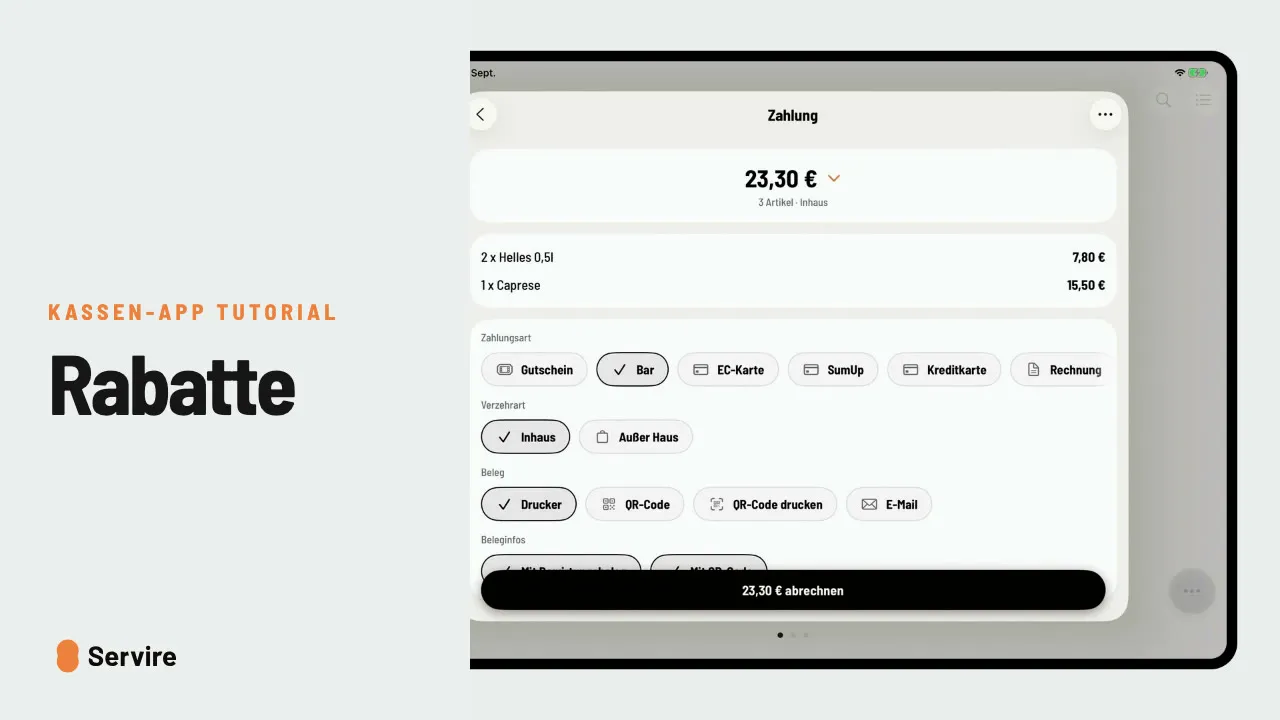
- 01Open the table, select everything, go to “Payment” and choose “Cash”.
- 02Tap the amount at the top and enter, for example, 25 € as the “Amount paid”. The difference is the tip.
- 03Under “Received”, tap the note. The POS shows the “Change”.
- 04“Check out”: the tip is booked and the change is correct.
Read along
The detailed guide with screenshots is in the handbook.
Transcript
The video is narrated in German, so the transcript is in German.
Der Gast zahlt bar, rundet auf und gibt dir einen großen Schein. Trinkgeld und Rückgeld rechnet die Kasse für dich aus. Öffne den Tisch, wähle alle Artikel und geh zur Zahlung. Zahlungsart: bar. Die Rechnung macht 23,30 Euro, der Gast sagt: Mach 25. Tipp oben auf den Betrag und trag 25 Euro als Zahlbetrag ein. Er gibt dir einen Fünfziger? Tipp auf „Erhalten“ und dann auf den Schein. Die Kasse zeigt dir sofort: 25 Euro zurück. Jetzt nur noch abrechnen. Das Trinkgeld ist gebucht, und das Rückgeld stimmt. Das war's auch schon! Noch mehr Anleitungen findest du im Handbuch auf servire.de.