
tip and change
Enter the payment amount and the cash received, or let the guest choose the tip themselves.
The cash register calculates tip and change from two fields: Amount paid (incl. tip) and, only for cash transactions, Received (cash from guest).
Playing loads YouTube (Google).Playing loads the video from YouTube and sends data to Google. Clicking allows external media. Privacy
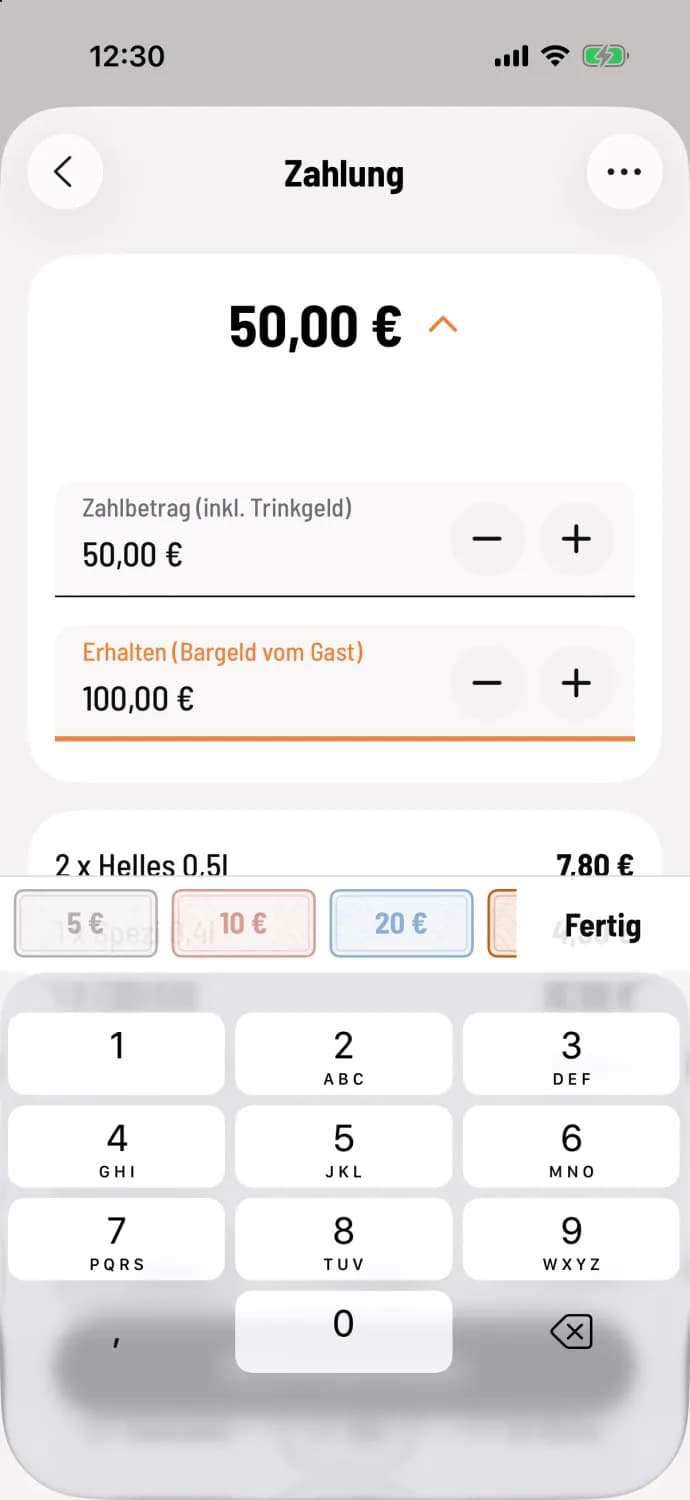
Step 1 of 2
Tap the amount
On the Payment screen, tap the amount at the top. For cash, the cursor will automatically be in the Receive field. Enter, for example, 50.00 as the payment amount and 100.00 as the receipt amount. There are money icons above the keyboard; smaller denominations are grayed out.
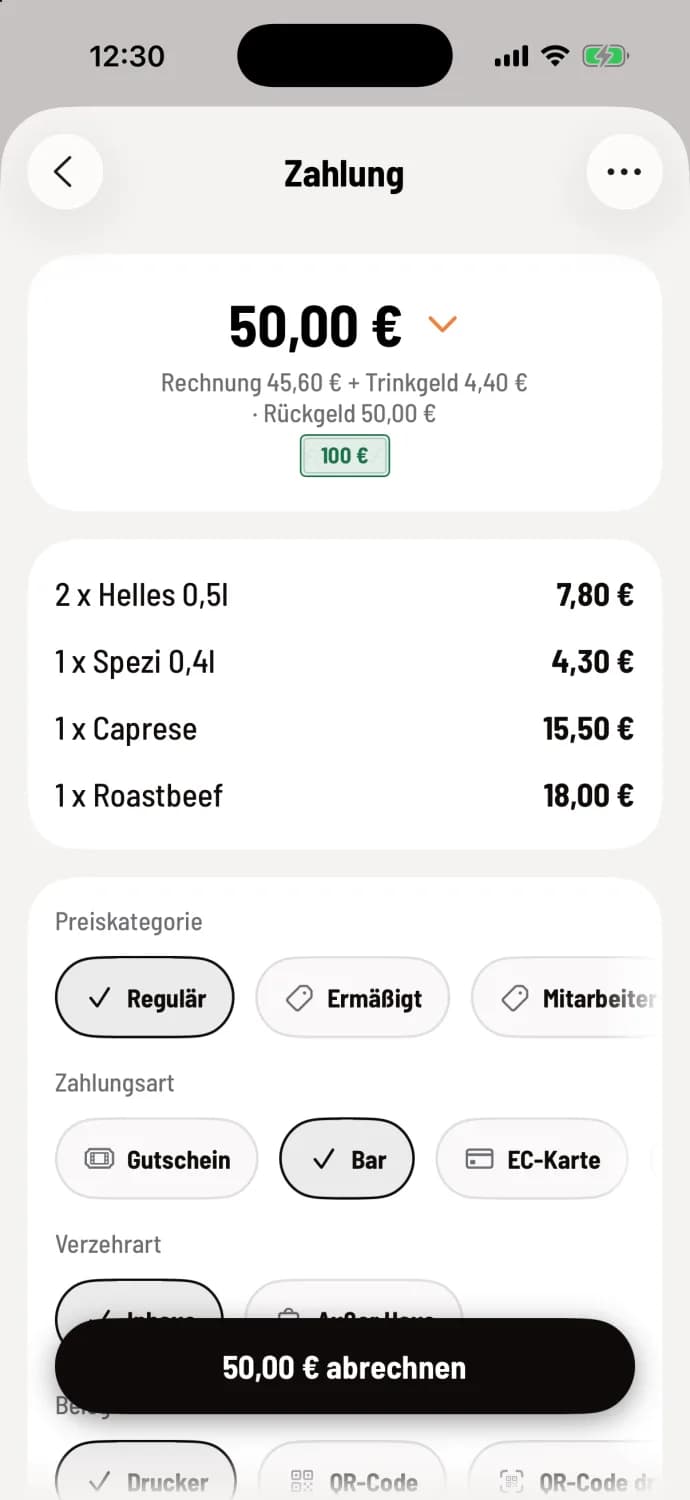
Step 2 of 2
Read the result
The top shows the bill, tip and change, for example Bill €45.60 + tip €4.40 and Change €50.00, below which is the selected bill, for example €100.
The amount paid above the bill is ** tip**, whether for cash or card.
Any amount received above the payment amount is change due.
+ first places the payment amount on the invoice, then on the next whole euro. − never goes below the invoice.
A banknote always registers as receive, never the tip.
The guest chooses the tip themselves.
Turn your smartphone to landscape mode: On the Payment screen or in the self-checkout receipt, rotate your smartphone to landscape mode. The amount will appear large for the customer, with No tip, 5%, 10%, and 15% below. Use % / € to display rounded amounts instead. When the customer taps a tile, the POS system automatically enters the payment amount. Turn the device back and complete the transaction.
The amount is displayed on smartphones (iPhone and Android), but not on tablets or when paying with a voucher. On tablets, a customer display shows the amount. What happens to the tip at the end of the shift: tip to the tip register balance.