
Setting up DATEV header data and accounts
This is how you enter the consultant number, chart of accounts and the accounts for payment methods, tax rates and cash book.
In the Web desk under Settings → DATEV Export, you define how the DATEV export posts your sales. Each card has a pencil icon in the upper right corner, which opens the corresponding dialog box. Please coordinate the numbers and accounts with your tax advisor.
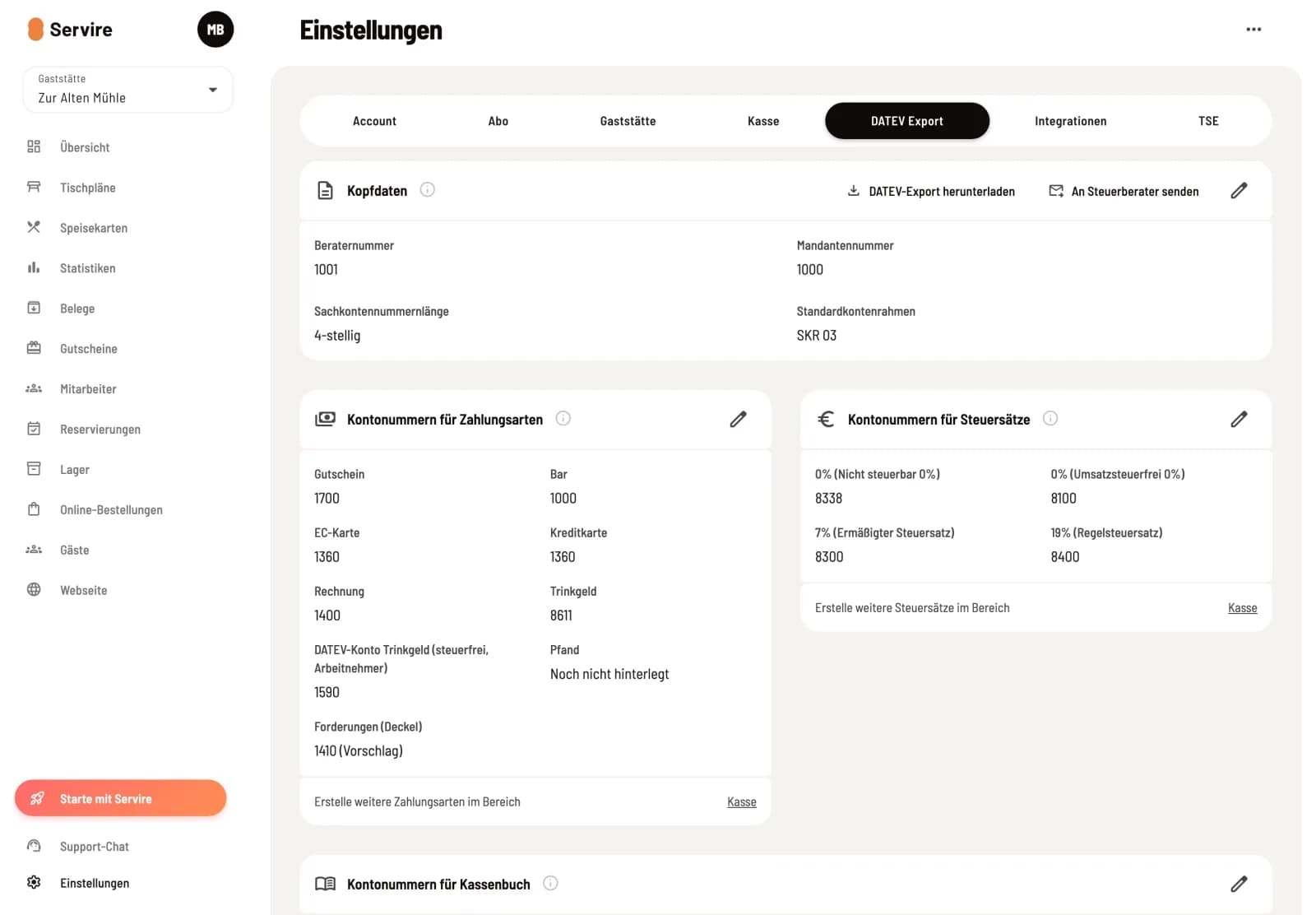
Overview
The page displays header data, account numbers for payment methods, account numbers for tax rates, and account numbers for the cash book. If an account does not match the set length, a message appears above the card.
Header data
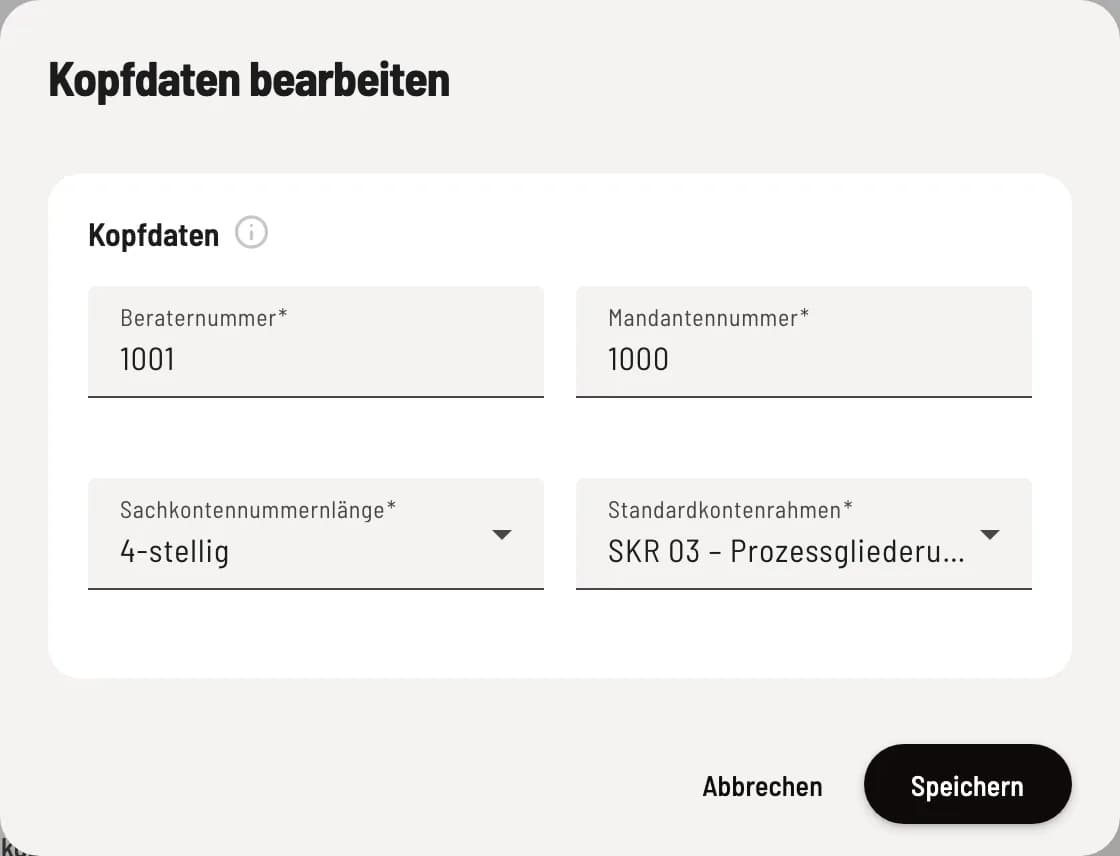
Edit header data
You will receive your advisor number (1001 to 9999999) and client number (1 to 99999) from your tax advisor. Account number length: 4 or 8 digits, usually 4. Standard chart of accounts: in the hospitality , usually SKR 03 or SKR 04.
Each account number on this page requires the specified length or one more digit. If you change the length, Servire will warn you beforehand how many accounts will no longer fit.
Account numbers for payment methods
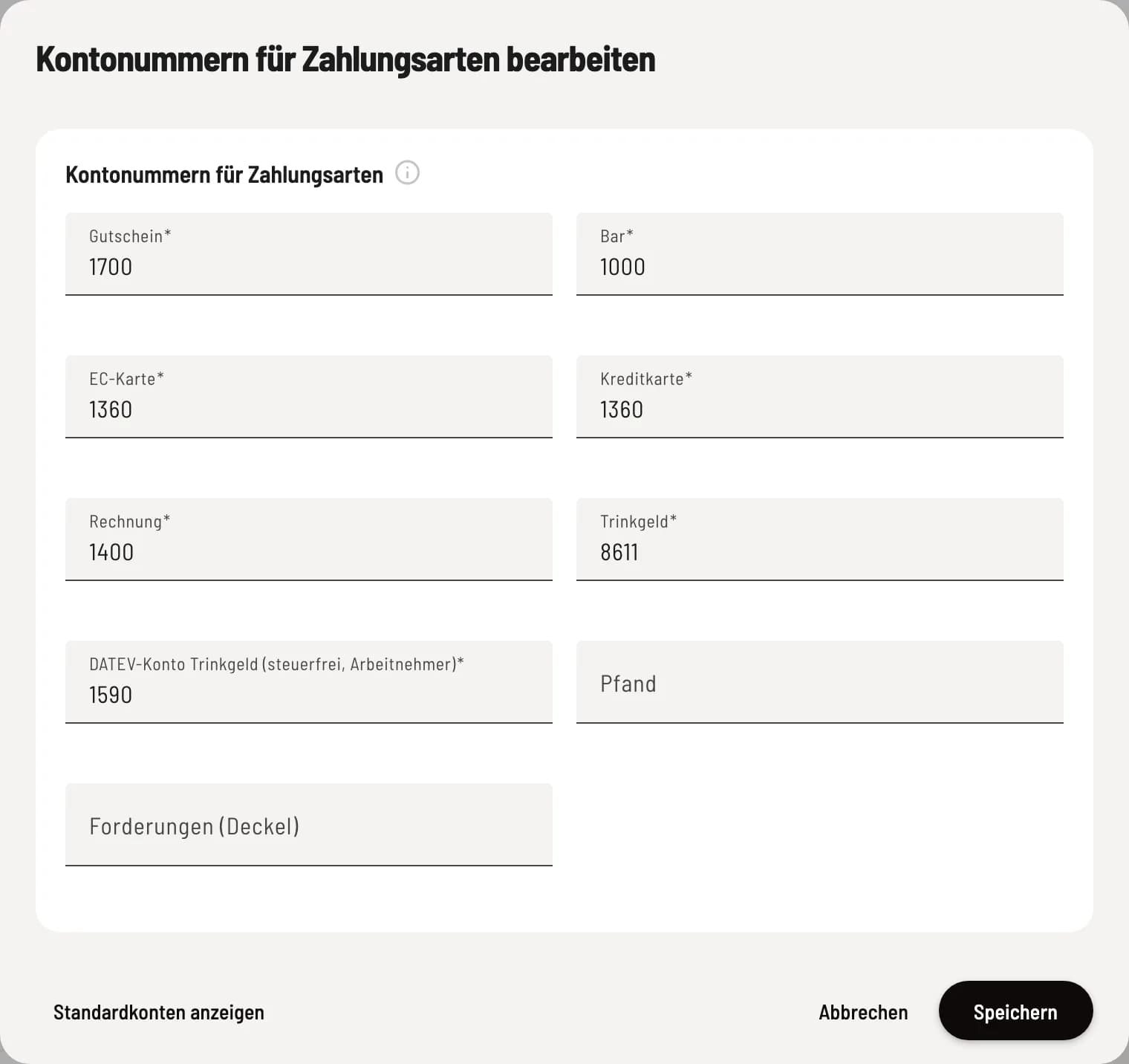
Step 1 of 2
Account per payment method
For each payment method, the account to which the money arrives, e.g., cash register for cash, money transit for card. For vouchers, the account for voucher liabilities.
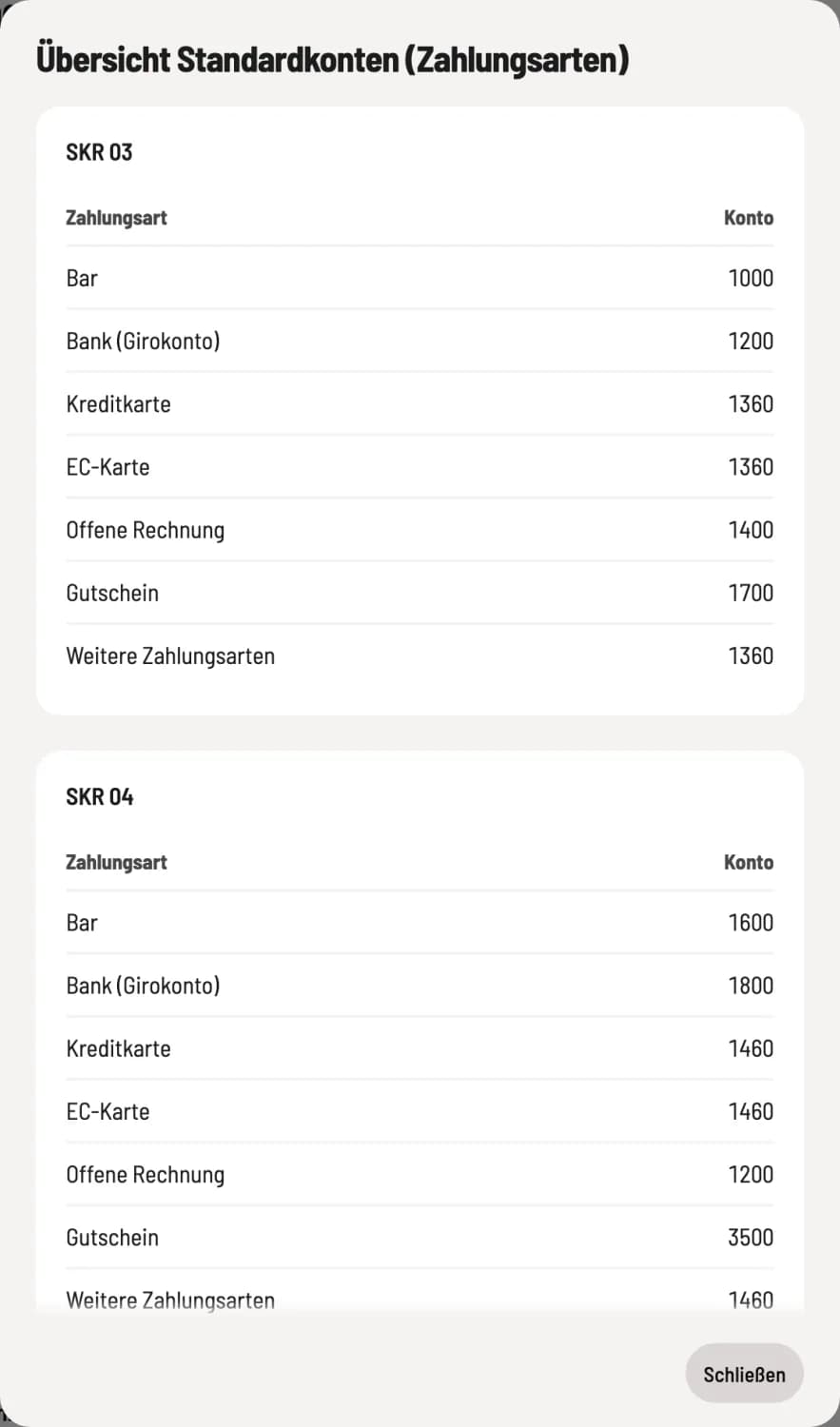
Step 2 of 2
Look up default accounts
Show standard accounts The bottom left corner displays the standard accounts for each chart of accounts. Only use them after consulting your tax advisor.
** tip**: tip that the employer collects directly, e.g., you as the owner. These are taxable (SKR 03 chart of accounts: 8611).
** DATEV account for tip (tax-free, employees)**: tip from your service staff, a pass-through item (suggestion: 1590).
Deposit: only for deposits without a tax rate. Deposits with a tax rate are credited to the revenue account for that rate.
Accounts Receivable (Outstanding): what is outstanding until the guest settles it. If empty, the code is 1410, or 1210 in the SKR 04 chart of accounts.
You can add further payment methods in the Checkout tab: Manage payment methods.
Account numbers for tax rates
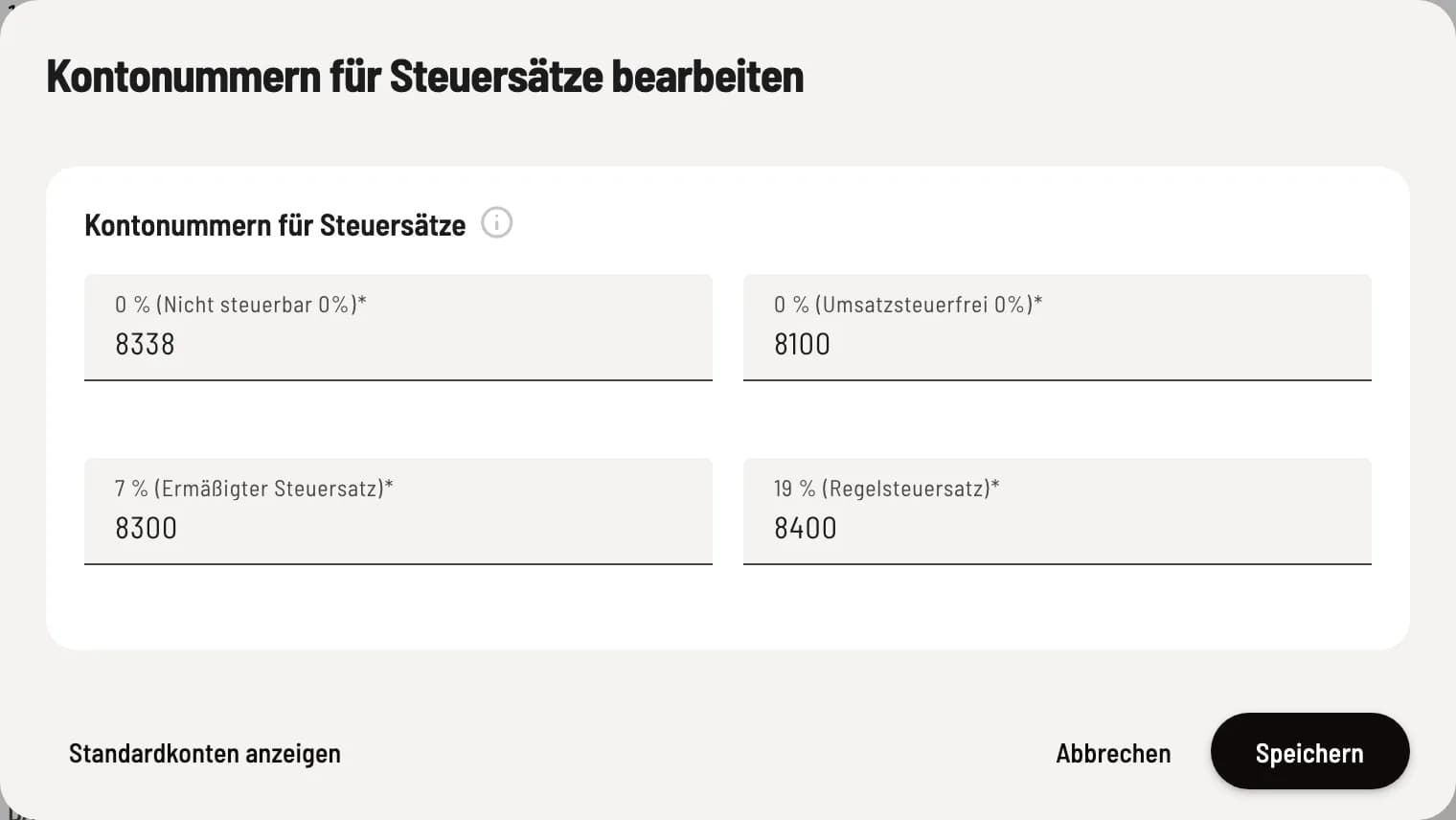
Revenue account per tax rate
Use one revenue account per tax rate, e.g., 8400 for 19% in the SKR 03 chart of accounts. Use accounts with automatic tax calculation: The export does not include a tax code.
If the account is missing for a tax rate, the export will omit the cash register statements with that tax rate.
Account numbers for cash book
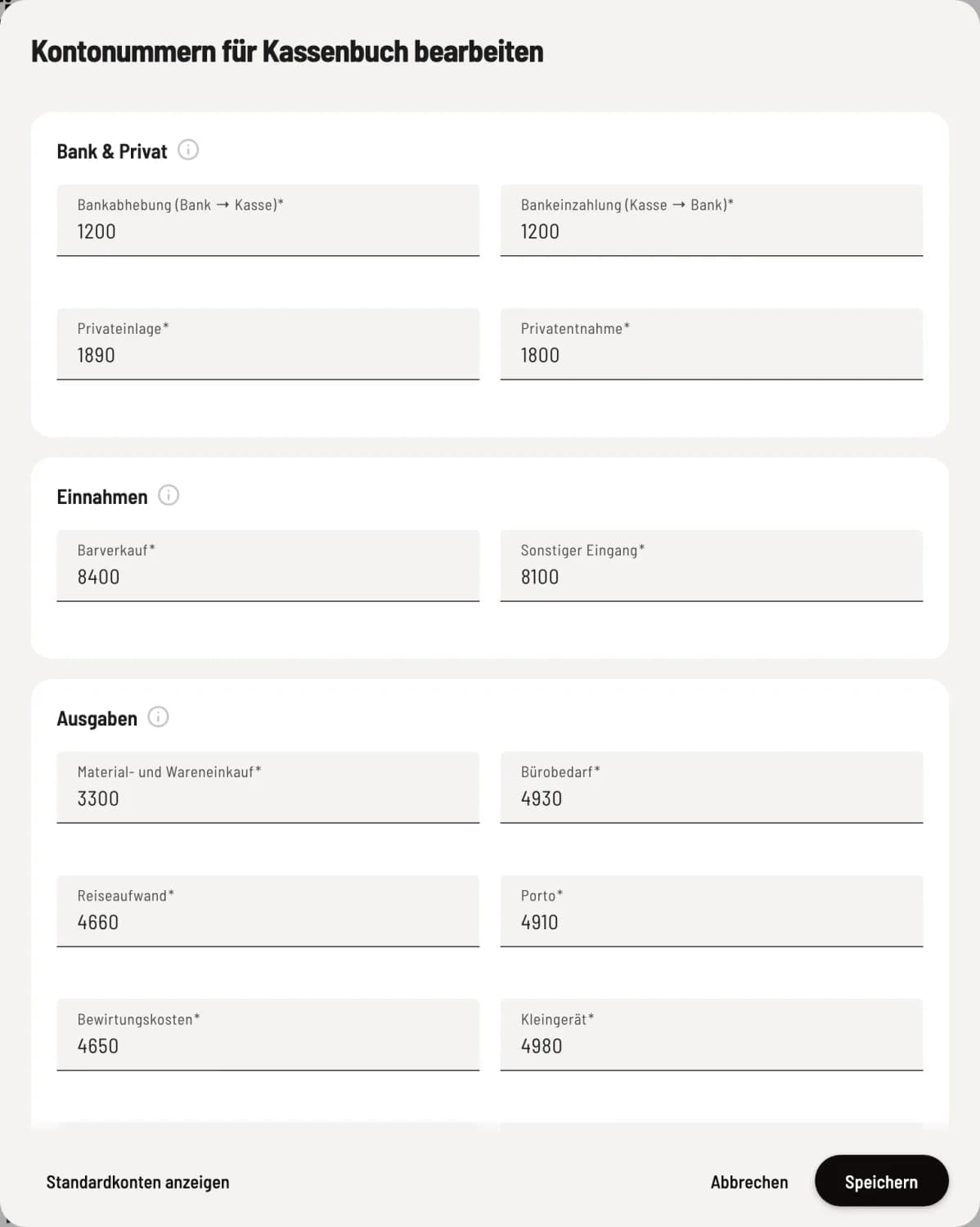
Counter account per category
Each cash book category has a corresponding account, divided into Bank & Private, Income, Expenses, and Other Transactions. The information icon in each section explains the categories.
Cash sales only apply to cash receipts that you manually enter into the cash book; cash register transactions are recorded in the revenue accounts. Cash surplus and Cash difference are recorded during the cash count. You can download the completed files via DATEV files or send the documents to your tax advisor.