
Manage TSE
Check the status and identifiers of your TSE , load the certificate and deactivate or reactivate the TSE .
In the Web desk under Settings → TSE you can see if your TSE is working. Below that you'll find information on cash register registration, exports, and failed transactions.
Prerequisite: A subscription from Solo upwards or the trial period. Without a subscription, the tab will display ** Servire- Subscription required**; a previously created final DSFinV-K export will still remain downloadable.
Status and identifiers
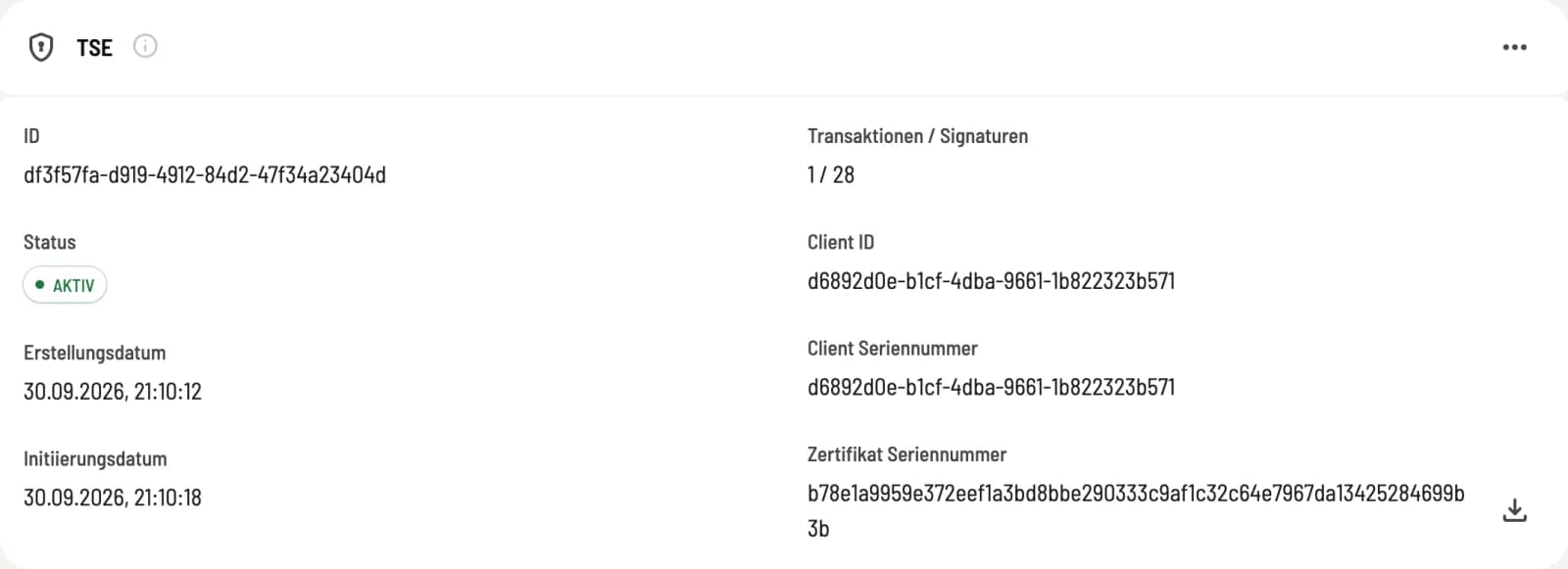
TSE card
The card displays ID, Status, Creation Date, Initiation Date, Transactions/Signatures, Client ID, Client Serial Number, and Certificate Serial Number. The icon next to the serial number downloads the certificate. ACTIVE means the TSE is signing.
You need the serial numbers, for example, if your tax advisor reports the cash register themselves.
Disable TSE
Next to the heading, select **Deactivate TSE ** and confirm with Yes. After that, new receipts will no longer be digitally signed; the cash register will continue to function.
A deactivated TSE cannot be reactivated. Instead of the card, the message This business's TSE is deactivated appears, followed by **Reactivate TSE **: This creates a new TSE with new identifiers. If you have already registered the cash register, resubmit the registration afterward using Correct data. Deactivation is not the same as deregistration with the tax office; see Deregister cash register.
Other areas in the tab
Cash Register Registration: Register your cash register with the tax office
** TSE Exports** and ** DSFinV-K Exports**: Download exports
Failed transactions: resubmit
Delete test data (only if any exists): Remove practice data