
Manage tax rates
This is how you add additional tax rates that you can select on the item .
The Tax Rates card under Settings → Cash Register in the Web desk shows the rates you select for in-house and takeaway item .
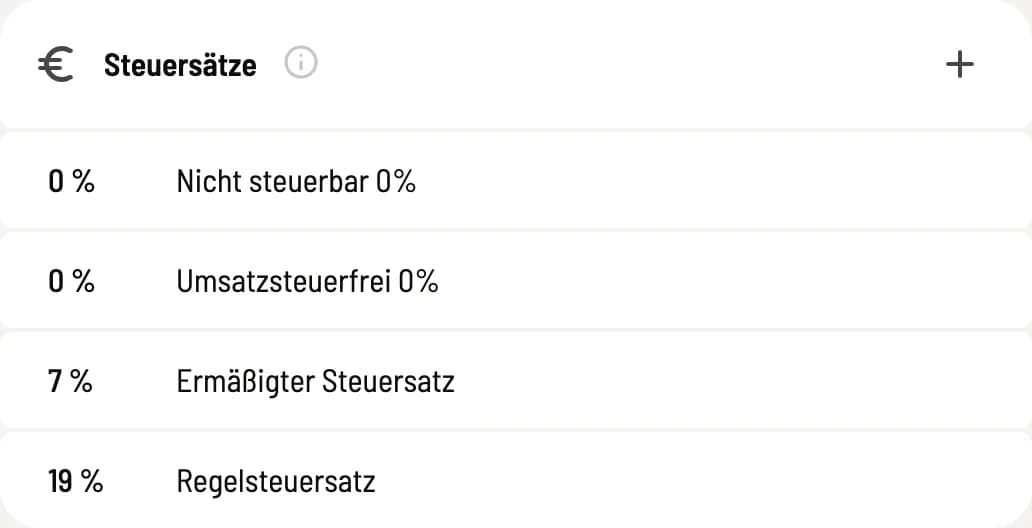
List of tax rates
The four standard rates (0% non-taxable, 0% VAT-exempt, 7%, 19%) are fixed. You can edit or delete your own rates via ⋯; + creates a new one.
Set tax rate
Value in %: 0 to 100. The TSE (Technical Security Device) can only correctly assign 0, 5.5, 7, 10.7 and 19%.
Label: Free name, for example "Special Rate". If left blank, the list displays "User-defined".
What you need to know
item only remember the percentage value. If you change a sentence here, the item retain their previous value; rearrange them as needed, also in batches using "Edit multiple item at once".
A new entry starts with the DATEV account "0000". Under Settings → DATEV Export, define the revenue account; otherwise, the DATEV export will fail: Set up DATEV header data and accounts. Consult your tax advisor to determine which rates apply to your offer.