
Manage payment methods
This is how you create payment methods, select their type and sort them for the checkout.
Open Settings → Cash Register. The Payment Methods list shows all payment methods in the order they appear when processing transactions in the cash register app.
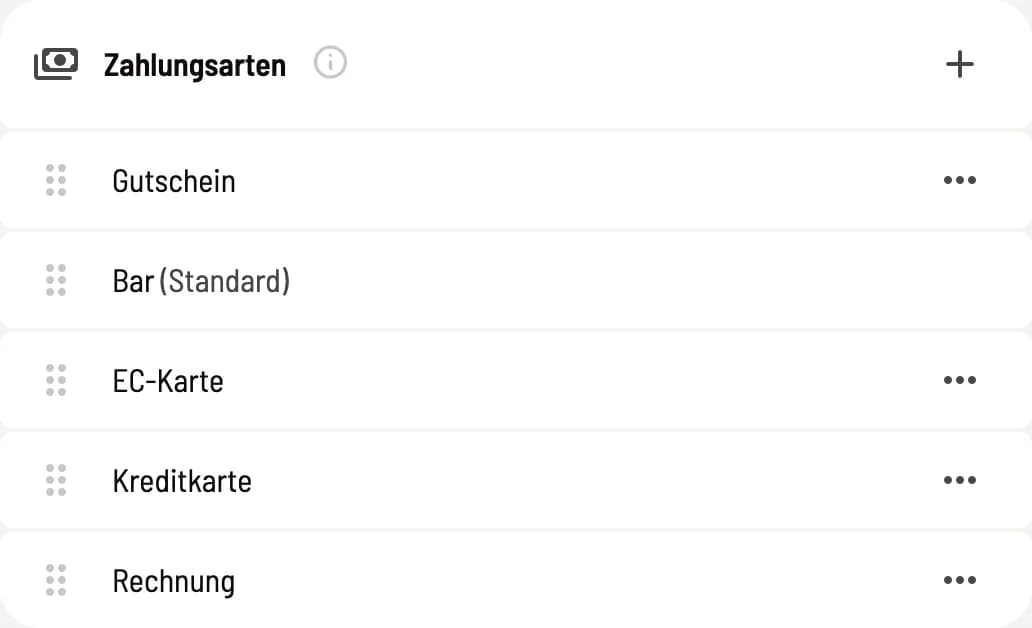
List of payment methods
Using the sort handle, you drag a payment method to a different position. + creates a new one. … offers Deactivate or Activate, Edit, and Delete. The pre-selected payment method displays (Default), and those linked to a card provider show Triggers ….
The first line in the list is the Cover Letter switch. It is fixed at the top and cannot be moved. When activated, the POS app displays the **Cover Letter ** tile next to the payment methods during checkout. When deactivated, the tile is missing; items already covered by a cover letter can still be processed. The default setting is on. Only users with the Change Payment Settings permission can toggle this switch; otherwise, it is grayed out.
Create and edit payment methods
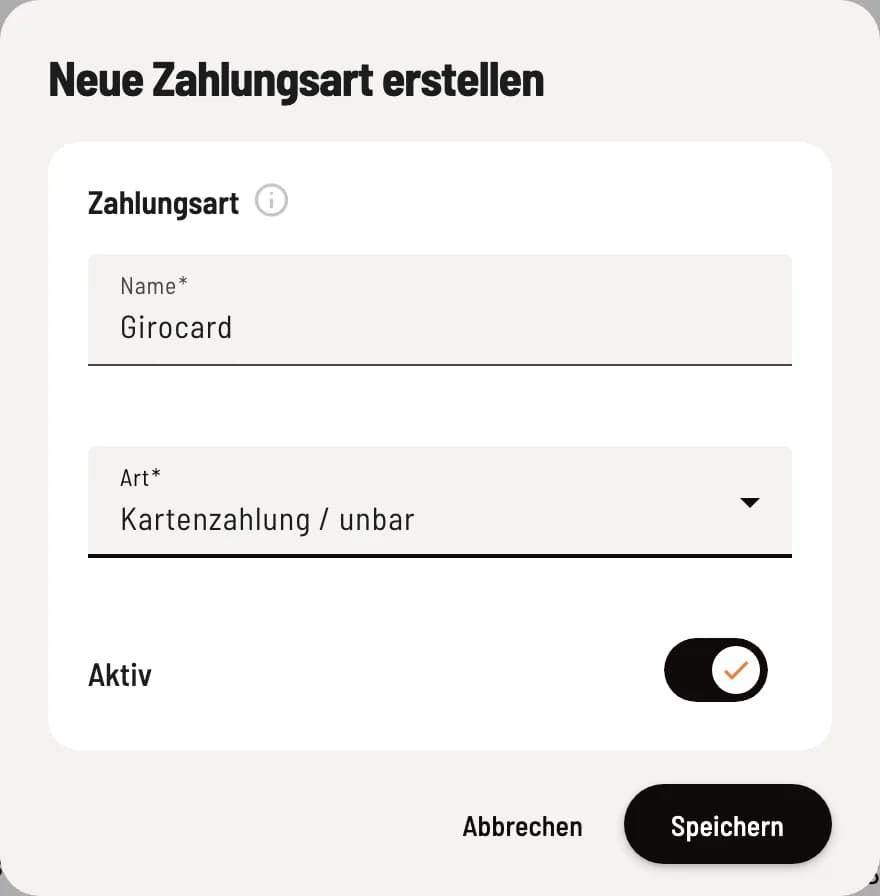
Name, type and activity
Click on +, enter the name, select the type, and leave Active enabled. Save creates the payment method. If you change the type later, it will apply from the next transaction; transactions that have already been processed will remain unchanged.
Name – this is the name given to the payment method on the cash register buttons, on the receipt and in the Z-report.
Type – determines how Servire records the payment and pre-populates the DATEV account. You can change the account under Settings → DATEV Export.
Active – only active payment methods are available for selection during checkout.
The species
Cash – counts towards the cash balance, the cash book and the service cash register. There is only one.
Card payment / cashless – for debit card, credit card, card terminal and other cashless methods. Unlimited use.
Voucher – for redeeming vouchers, with its own line in the Z-report. Only one available.
The invoice payment method is no longer available: Customers who pay later will receive a payment request. This payment method is no longer listed, and the point-of-sale apps no longer offer it. Receipts paid using this method remain unchanged.
If a payment method of the type Cash is missing, the list displays a red warning: The cash book remains empty, and the DATEV export cannot be generated. The pre-selected payment method cannot be deactivated or deleted. To do this, first select a different one under Payments → Pen → Payment Method.
A freely assigned name will not connect to a card terminal. You configure providers like SumUp or Stripe under Settings → Integrations, see Connecting Payment Providers. Here you only enable and disable payment methods. You change the accounts under DATEV- Header Data and Setting Up Accounts.