
Evidence: Z-reports, invoices and cash book
Under "Documents" in the Web desk you will find every Z-report, every invoice and every cash book entry for a given period.
Under Documents in the Web desk, you'll find all completed transactions for your restaurant, sorted into four tabs: Z-Reports, Employee Reports, Invoices, and Cash Book. You can download each file as a PDF here, individually or for the entire period.
Prerequisite: Individual reports, invoices, and the cash book as PDFs are available in every plan. ** DATEV Export**, Send to Tax Advisor, and the buttons Download All and ... Download in the tabs are available starting with the Solo plan, even during the trial period. In the Free plan, these features are labeled Solo and above and are disabled.
Select time period
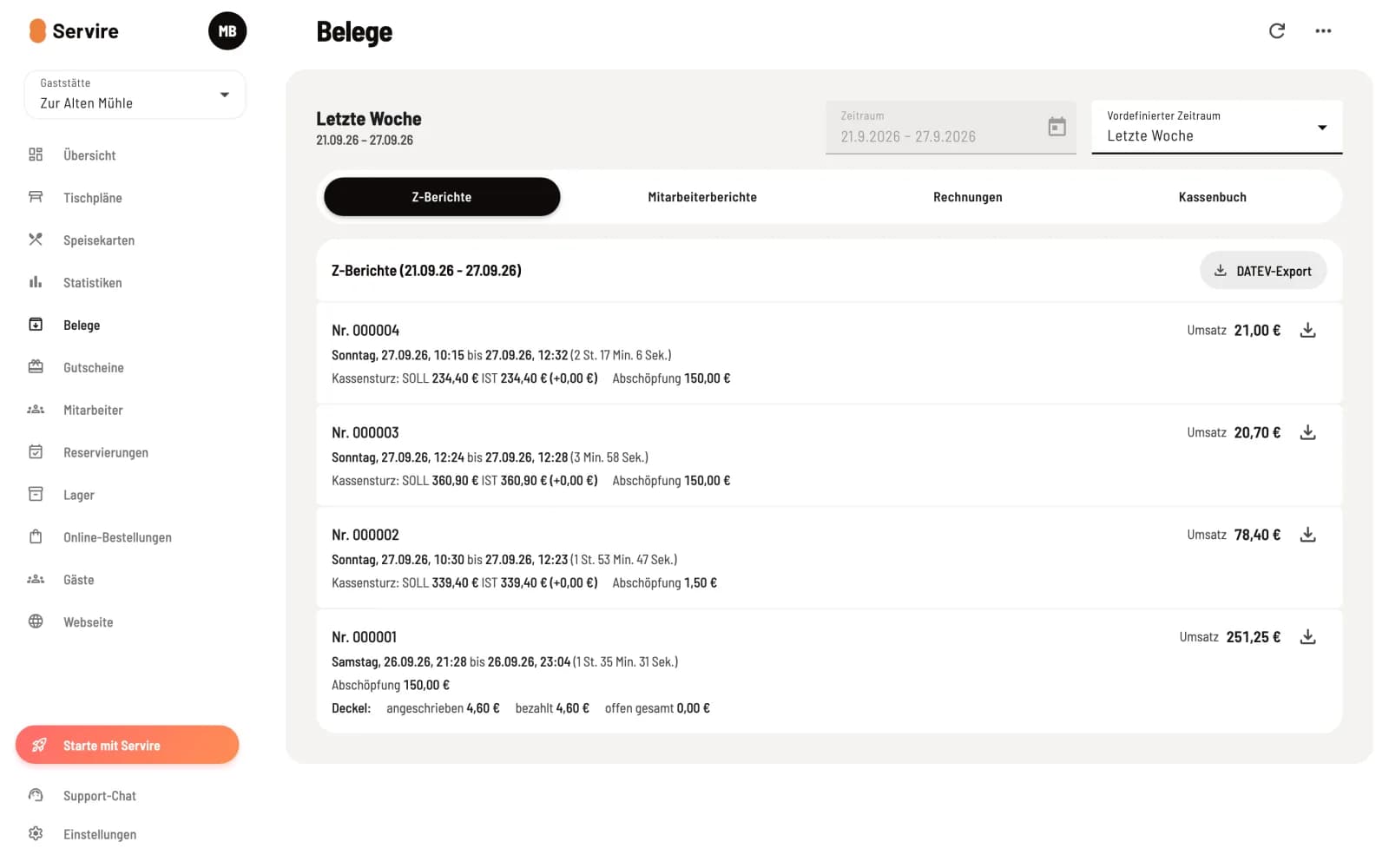
Set a time period
In the top right corner, under Predefined period, select, for example, Last week or Last month. You enter the number of days in the Period field after selecting Custom. A period can be a maximum of 14 months long. The browser will remember your selection until your next visit.
The Four Horsemen
Step 1 of 4
Z-Reports
One line per shift end: shift number, start and end shift , and sales. If the cash register has been counted, the line below shows Cash Reconciliation: TARGET and ACTUAL with the difference, along with Withdrawal and ** tip Withdrawal**. The line Marked shows what has been marked up and what has been paid, and the line Carried Over shows the open orders that were carried over to the next shift . The download icon on the right downloads the Z-report as a PDF.
Step 2 of 4
Employee reports
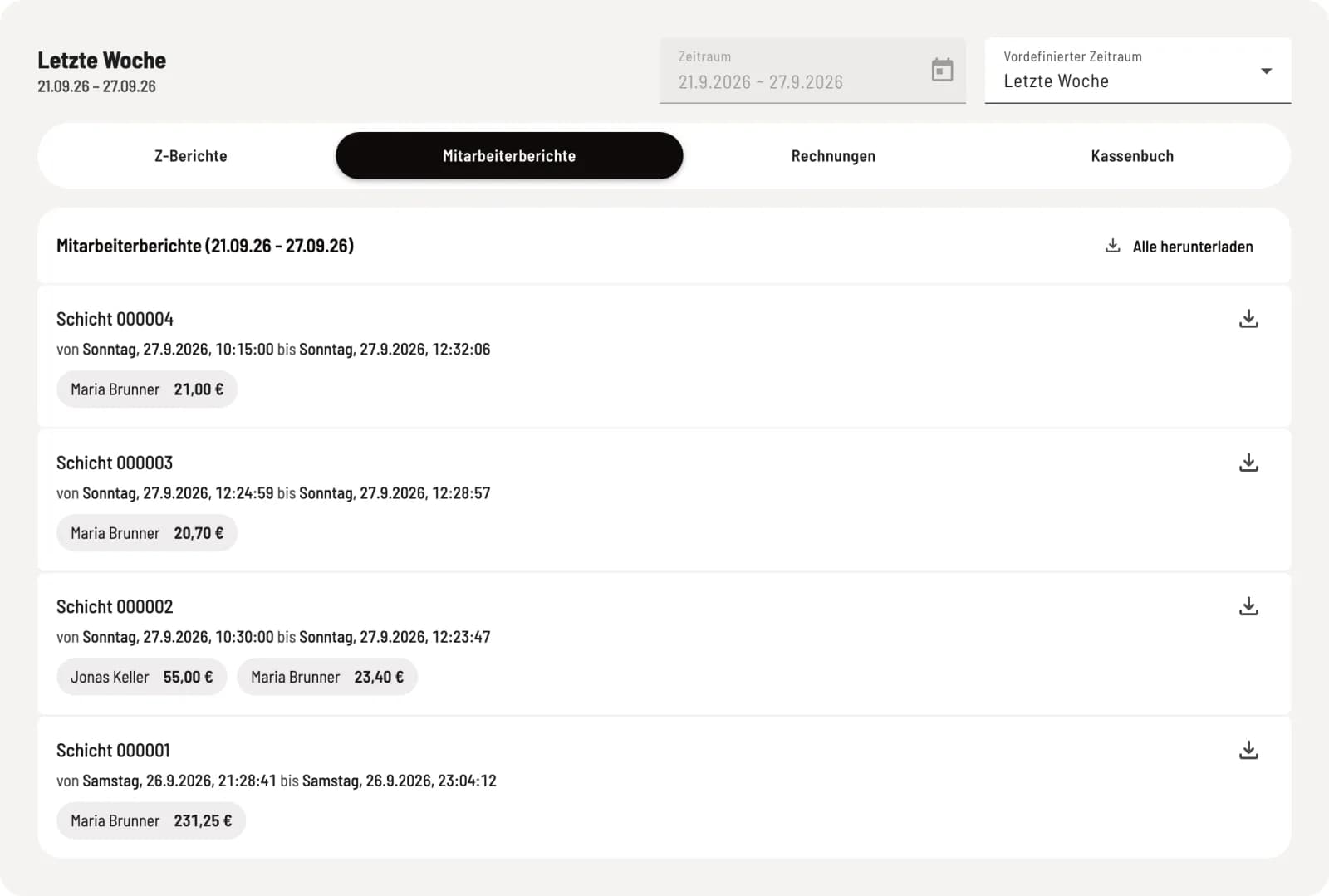
Each shift the employees and their sales figures. The download icon loads the employee reports for that shift; Download all loads the reports for the entire period.
Step 3 of 4
invoices
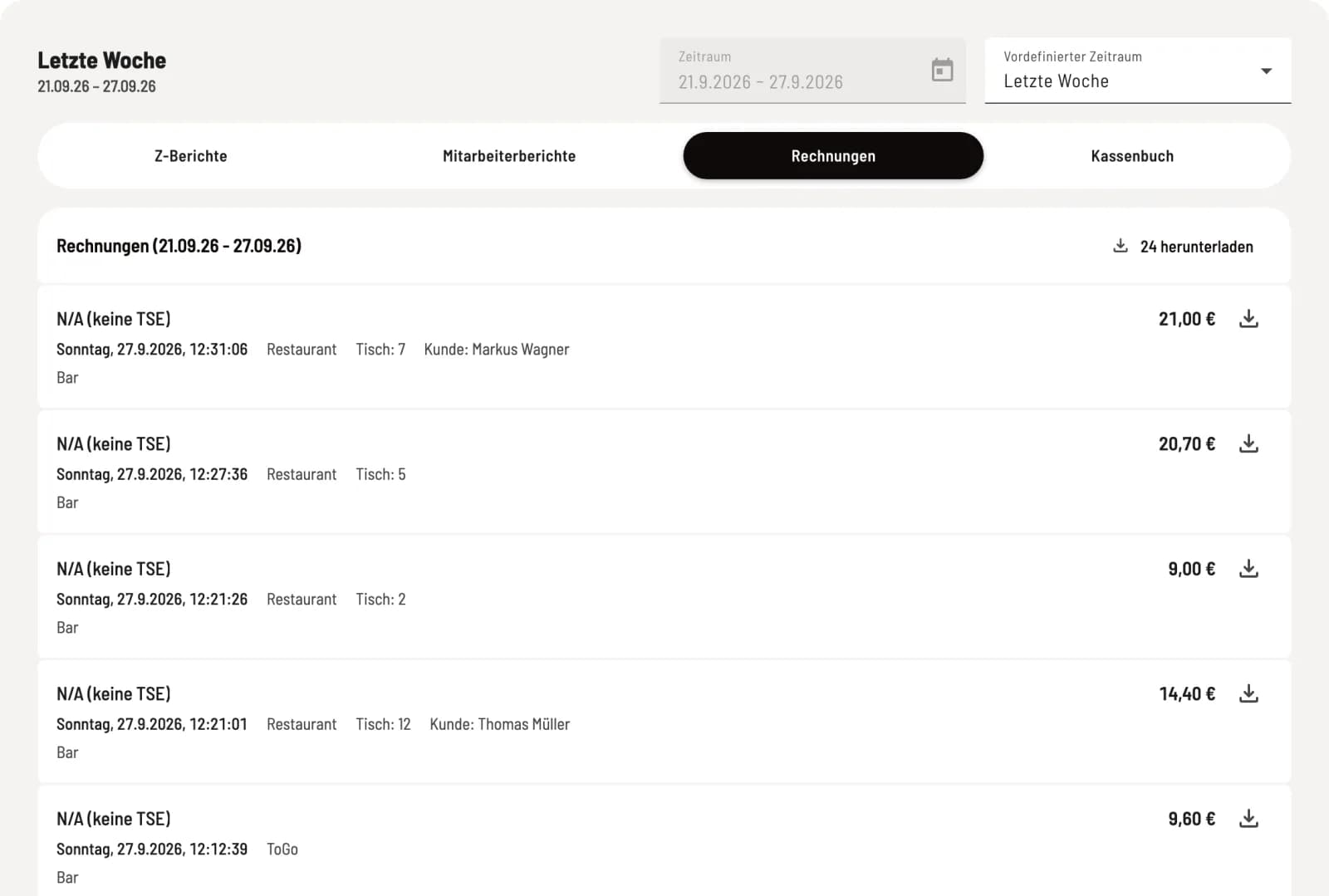
Each receipt includes the receipt number, date, area, table, guest, payment method, and amount. Markers indicate cancellation, posted, posted settled, and credit paid out. Instructions on how to download an invoice with a company address or a business meal receipt can be found under "Downloading invoices with company addresses and business meal receipt".
Step 4 of 4
Cash book
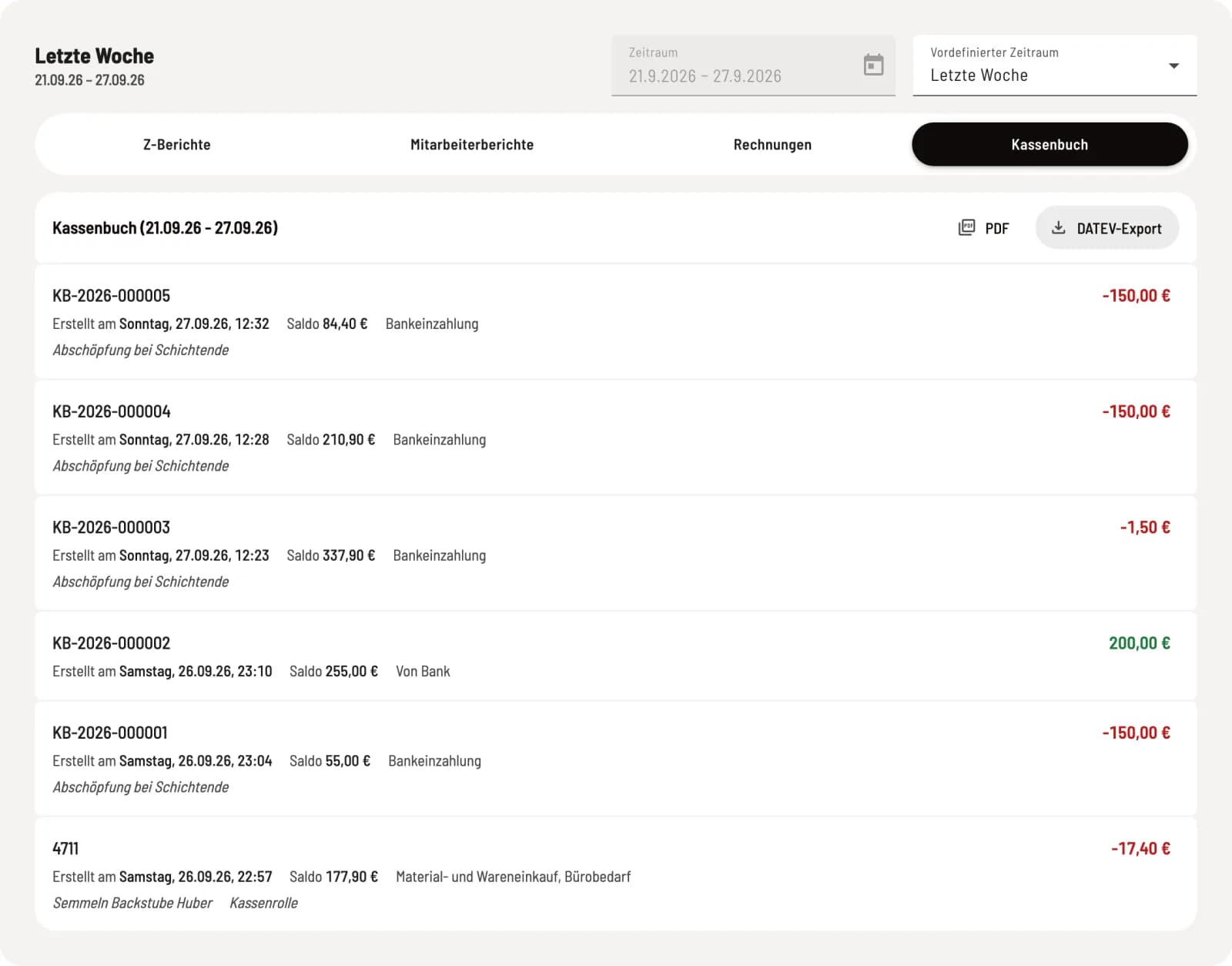
Each transaction includes a number, time, balance, category, and note. PDF offers daily totals (standard) or individual receipts, and ** DATEV export** generates the file for accounting. If the cash book is deactivated, a message appears at the top indicating Activate cash book. Cash transactions automatically recorded by the cash register, such as tip payouts, remain in the list but without a balance. PDF is disabled, but ** DATEV export** remains available. Learn more: Exporting the cash book as a PDF or DATEV file.
Download everything at once
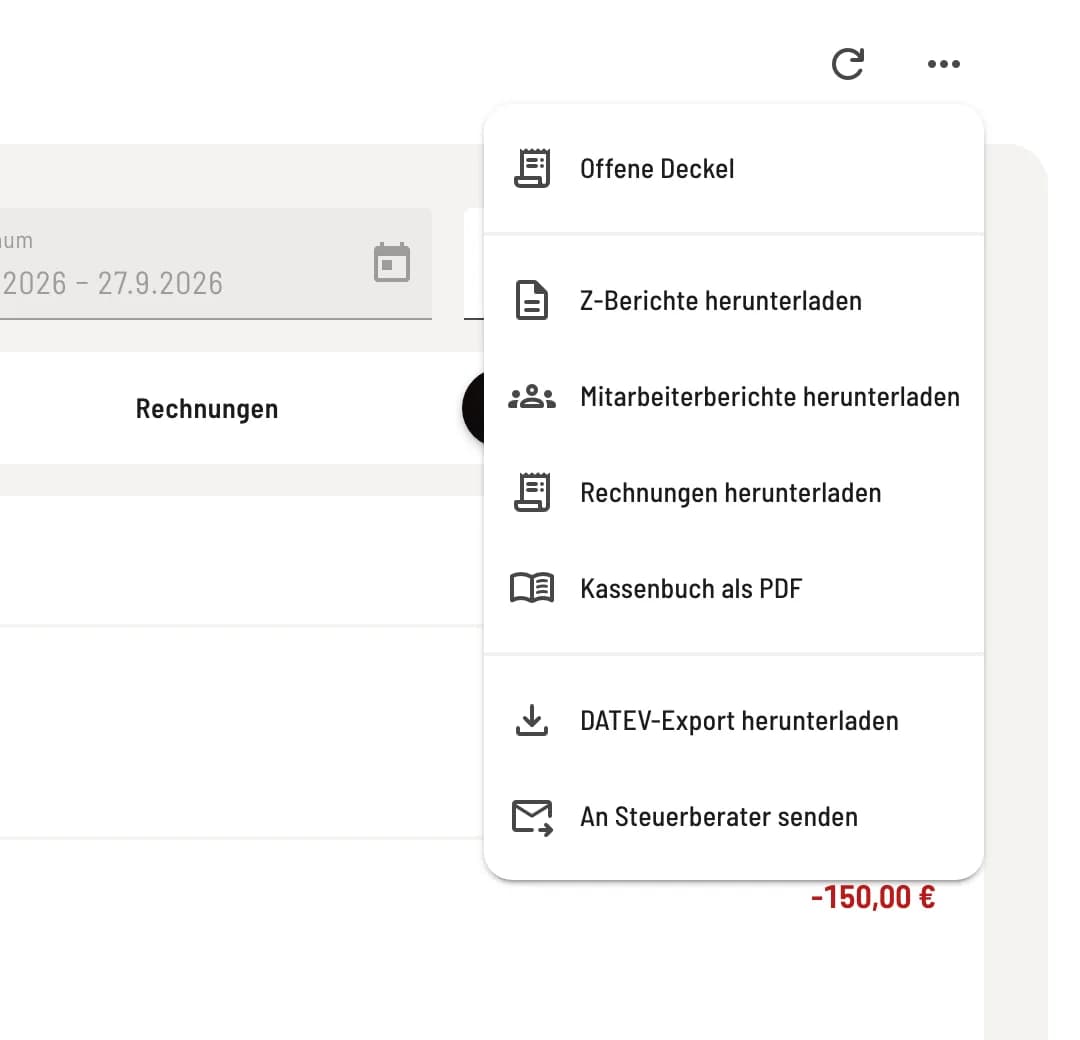
Open the "More actions" menu
Click on ⋯ in the upper right corner. There you can download Z-reports, Employee reports, and Invoices (each as a ZIP file) for the selected period, and, if the cash book is enabled, Cash book as a PDF. Download DATEV export and Send to tax advisor describe sending documents to your tax advisor. Sent to shows all correspondence, regardless of the period: Sent to in the Web desk.
Reduce the time period
Once there are 250 invoices in a given period, the batch download option is blocked in the Invoices tab: "Too many invoices. Please select a shorter period." Then download the invoices month by month.