
Manage cancellation reasons
This is how you document the reasons your employees choose to cancel.
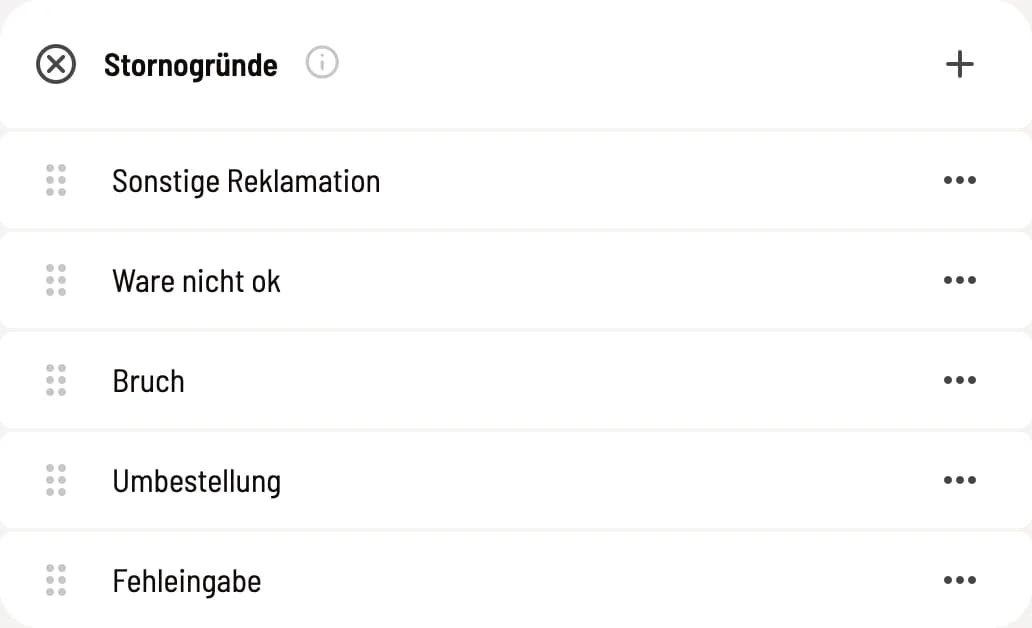
Open Settings → Cash Register. The Reasons for Cancellation list displays the reasons in the order they appear when canceling. New restaurants start with Incorrect Entry, Reorder, Breakage, Item Not OK, and Other Complaint.
Step 1 of 2
List of reasons for cancellation
+ creates a new reason. You can Edit or Delete via …, and change the order using the sort handle.
Step 2 of 2
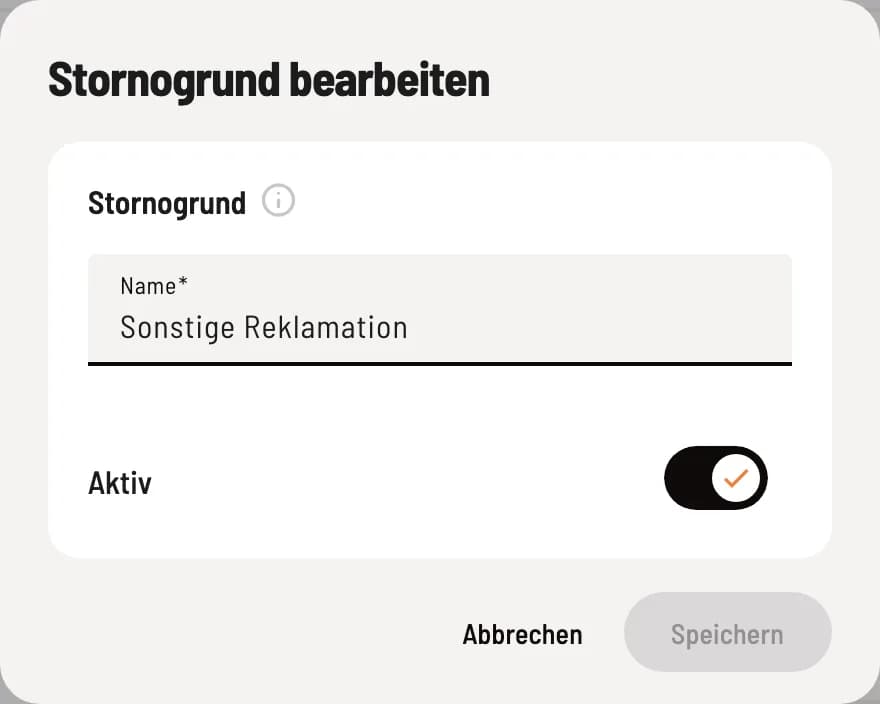
Name and Active
Enter a short name, for example "Incorrectly billed", and leave Active enabled. Save will apply the reason.
Name – When canceling, the server selects a reason from this list. The five standard reasons are displayed with a brief explanation at the register; custom reasons only show their name.
Active – only active reasons are available for selection. Inactive reasons remain in the Web desk and can be reactivated.
What happens to the ground
The reason is saved with the cancellation. It is mandatory when canceling a billed receipt; instead of a list entry, Other with custom text is also acceptable. Before billing, the server selects a reason from the list. If no reason is active, they cancel without a reason. The same reasons apply to refunds and voucher payouts.
Keep the list short and unambiguous. Check if the reason already exists before adding it. How staff can choose correctly: Choosing the right cancellation reasons.