
Manage price categories
This allows you to offer different prices for the same item , for example during happy hour.
Price categories allow the same item to have different prices, for example, for employees or during happy hour. You set them up in the Web desk under Settings → POS, card Price Categories; you enter the prices in the item , and at the checkout, you select the category when processing payments.
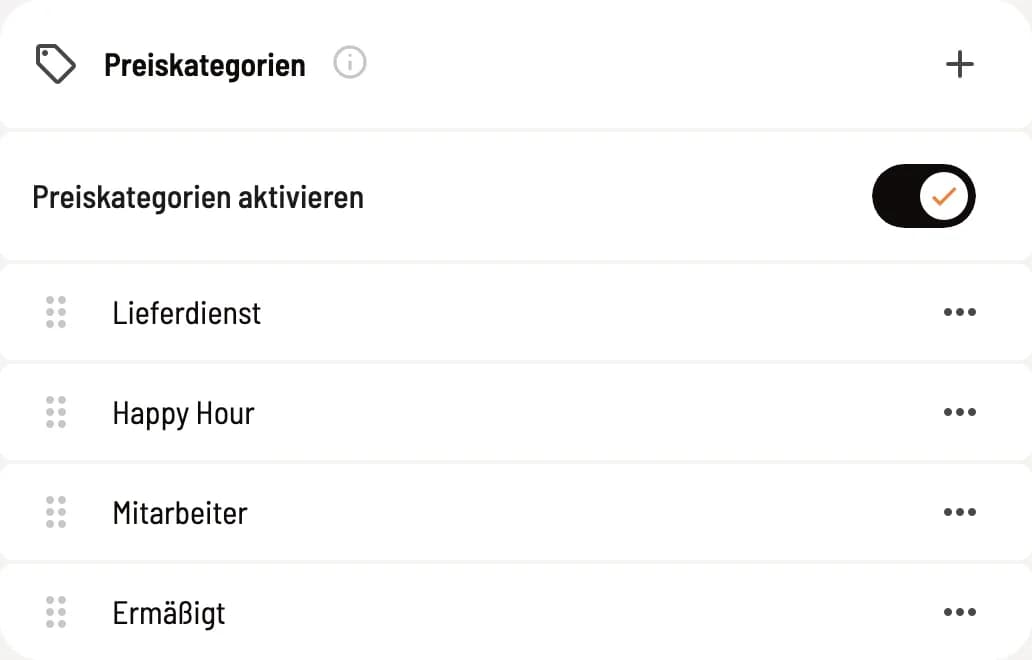
Activate price categories
Activate Price Categories; only then will the selection appear at the checkout. If no categories exist yet, Servire will create Happy Hour, Staff, and Discounted. + creates another category, ⋯ opens Edit and Delete, and the handle changes the order.
If you deactivate price categories again, the categories will remain.
Create a price category
Name: appears as a selection during billing and as a discount on the receipt.
Active: Only active price categories are available for selection at checkout.
This is how the category price works
The item contains a field for each active price category, such as Happy Hour in €. An empty field means the regular price applies. When you select a category during checkout, every item with a lower category price will be discounted by the difference; this will appear as a discount line on the receipt. A higher category price will never be added. Here's how to select the category: Change price category before checkout.