
Manage account settings in the Web desk
Change your account's email address, password, profile picture, personal data, and language in the Web desk .
Under Settings → Account you manage your own account. This applies to Web desk, the POS app, and all other Servire products. Information about your business can be found in the Restaurant tab: Restaurant settings in Web desk.
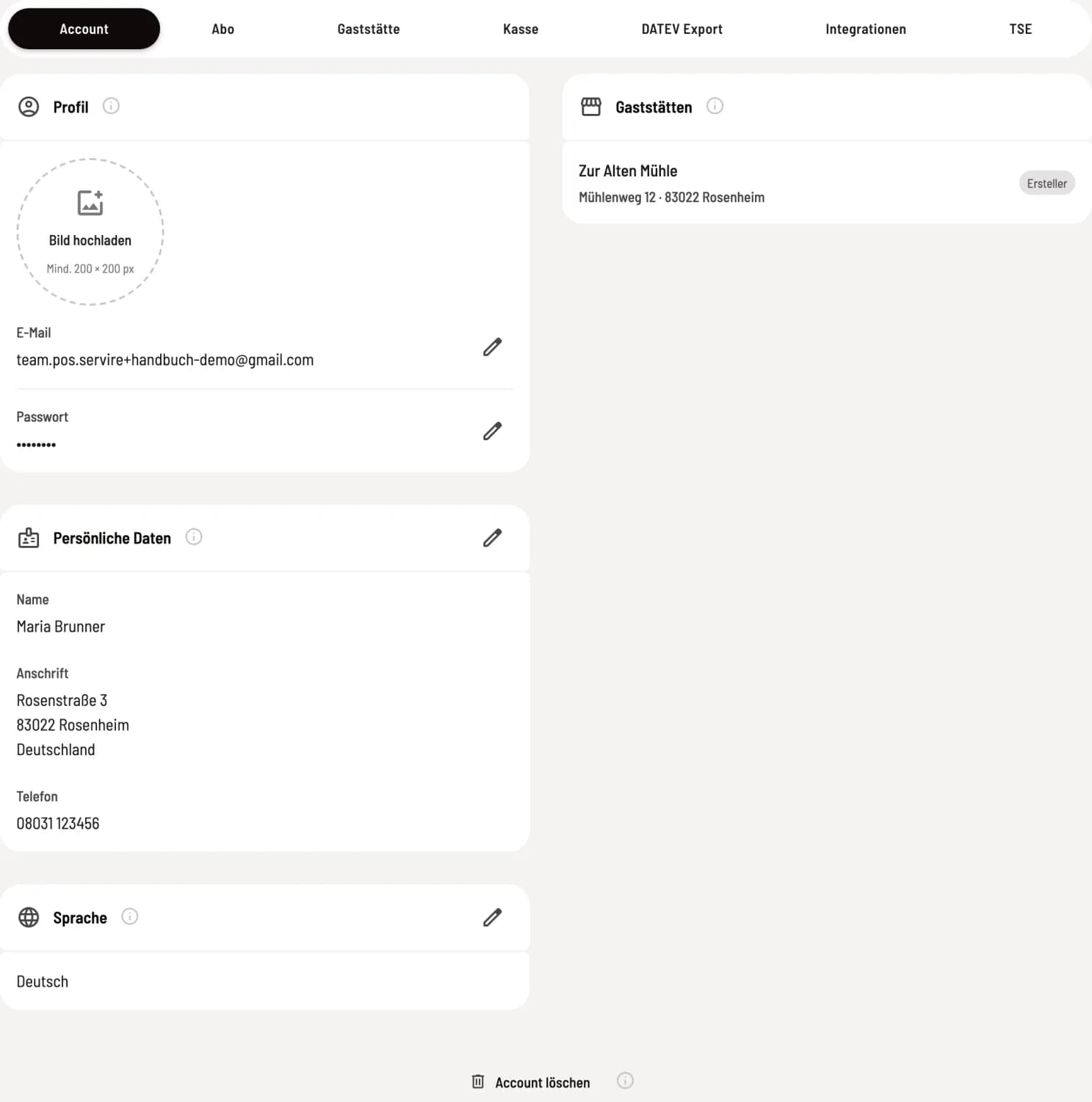
Account tab
On the left are Profile, Personal Data, and Language; on the right are your Restaurants. Each card has an info icon with a brief explanation; the pencil opens the corresponding dialog.
Email, password and profile picture
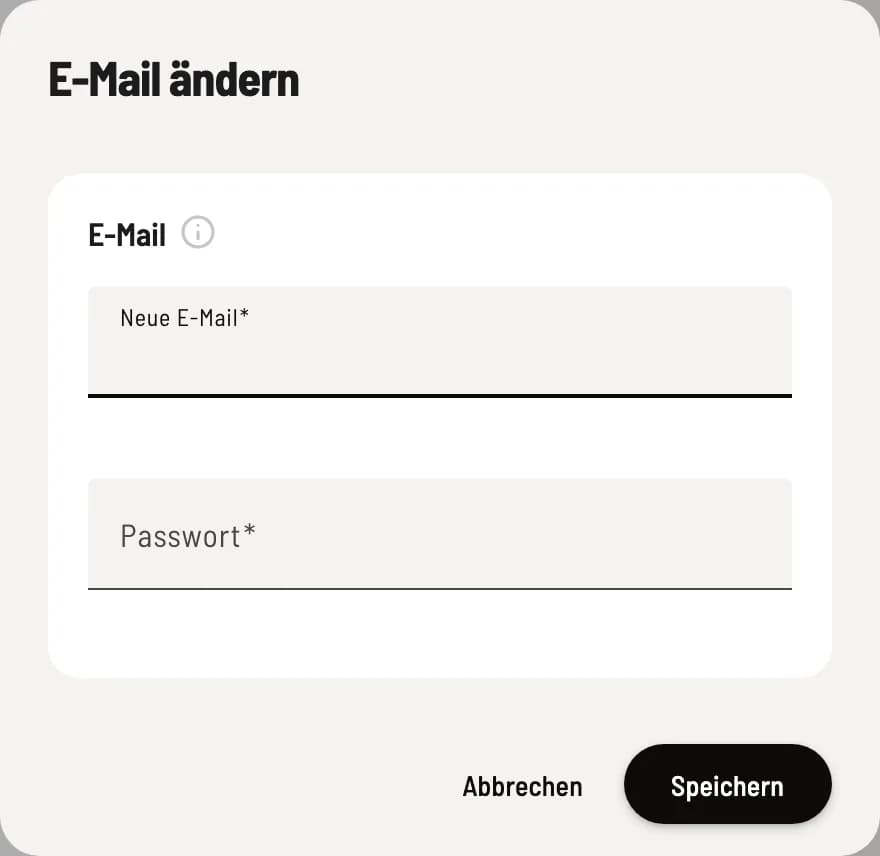
Change email or password
Click the pencil icon next to the Email and Password fields. Enter your New Email for the email address and your Current Password and New Password (at least 6 characters long) for the password. Confirm both changes with your password; they will take effect immediately everywhere.
You upload your profile picture directly on the map (minimum 200 × 200 px), select the crop, and confirm. It will appear next to your name in the Web desk .
Personal data and language
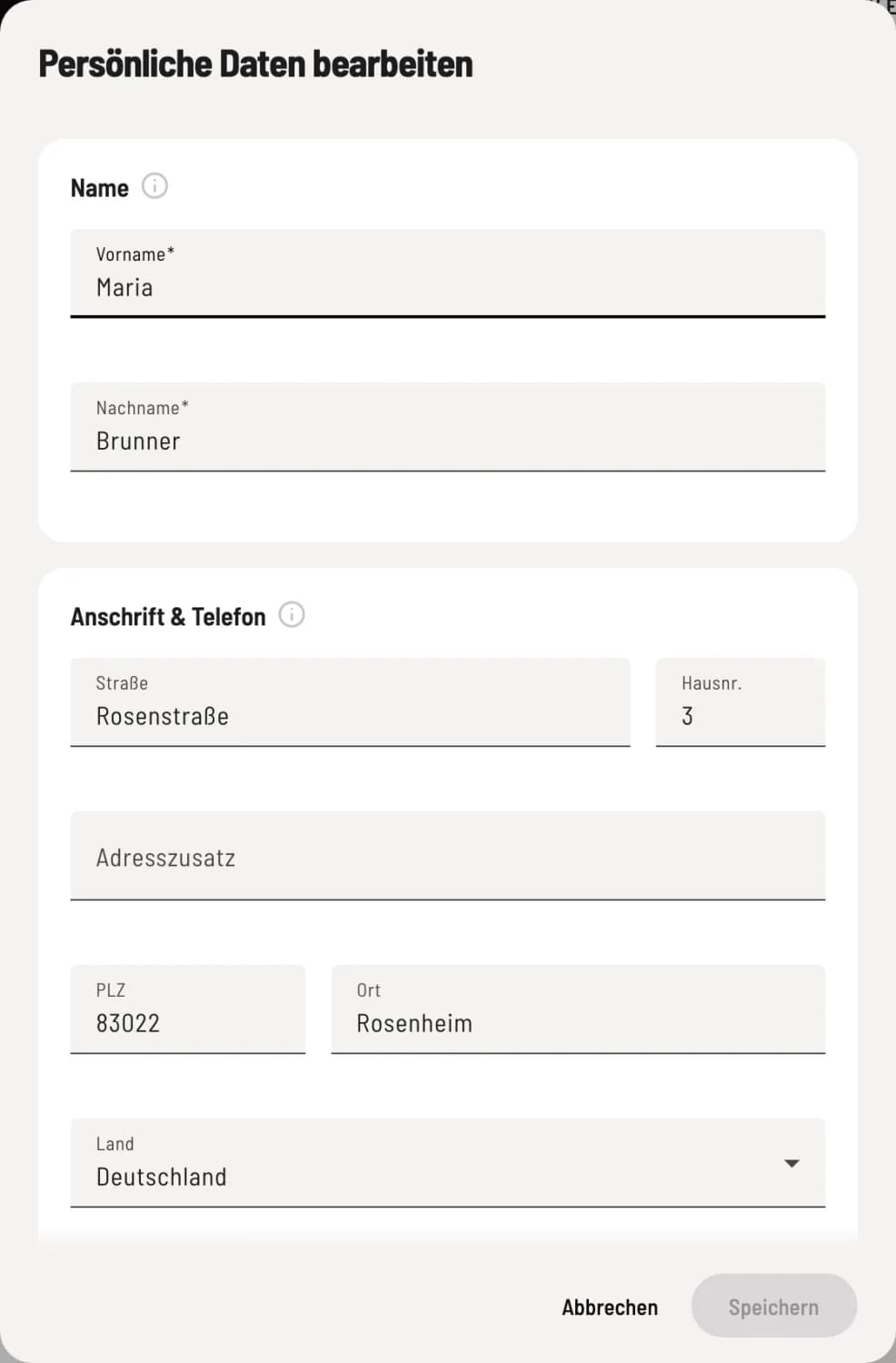
Edit personal data
First name and last name are mandatory; they will appear on the receipts. Under Address & Telephone, you may voluntarily enter Street, House number, Address supplement, Postal code, City, Country, and Telephone; the restaurants where you work will see this information in their employee lists.
Under Language, you select the language of the Web desk. This setting only applies in this browser; after saving, the Web desk will reload. The POS app will follow the language of the device.
Delete restaurants and account
The Restaurants map shows all establishments linked to your account. Creator is displayed next to establishments you created: You are the owner and have full rights there. At the very bottom is Delete Account: Delete account.