
Cash count at the end of the shift
Count the cash, compare it to the amount due, and note how much you take from the till.
At the end of your shift, you count the cash in the till. The till compares this to the target amount, i.e., the balance shown in the cash book, and automatically enters any difference into the cash book. Then you record the cash withdrawal.
Prerequisite: In the Web desk , Keep cash book is enabled and Cash count at shift end is set to Mandatory or Optional (skippable): Set up cash book and cash count.
Playing loads YouTube (Google).Playing loads the video from YouTube and sends data to Google. Clicking allows external media. Privacy
counting cash
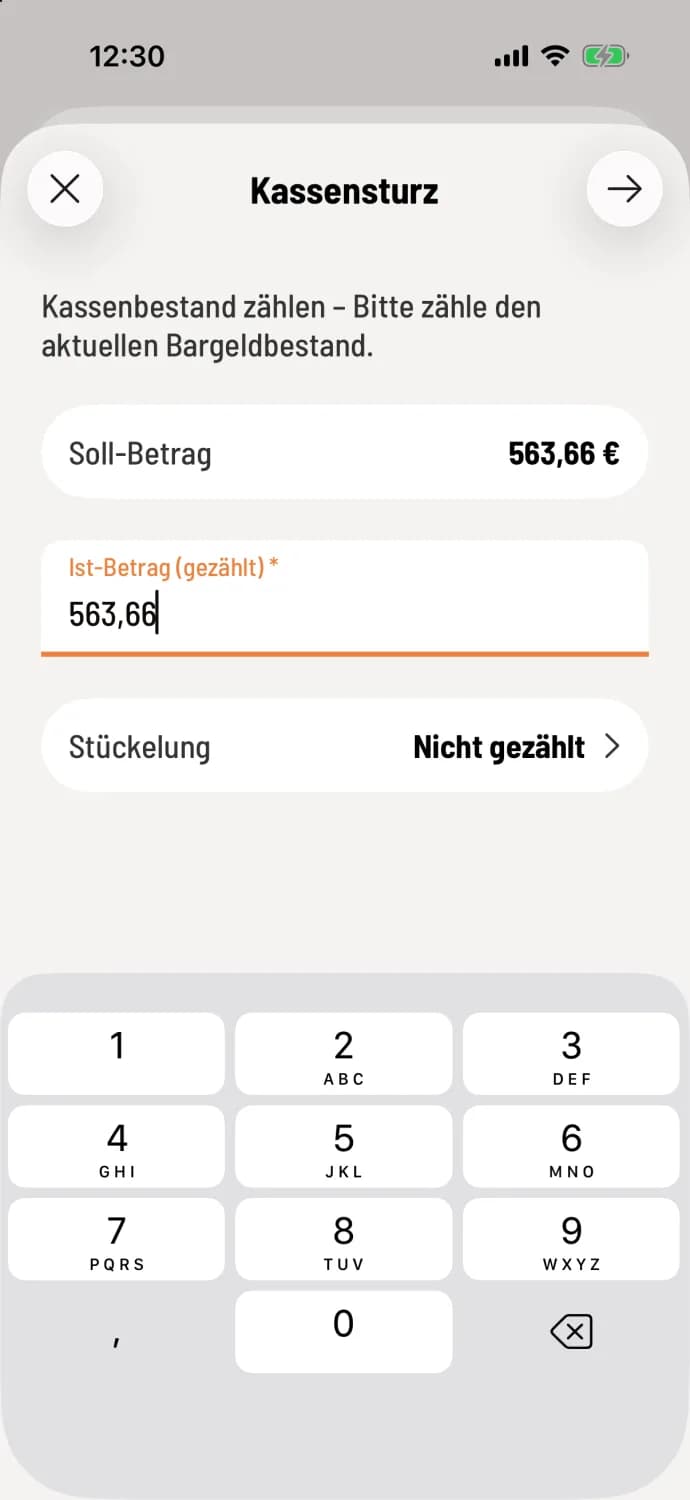
Step 1 of 2
Enter amount
After **ending shift **, cash reconciliation opens. The target amount is displayed at the top. Enter the counted amount in actual amount (counted) or count bills and coins by denomination. €0.00 is also accepted.
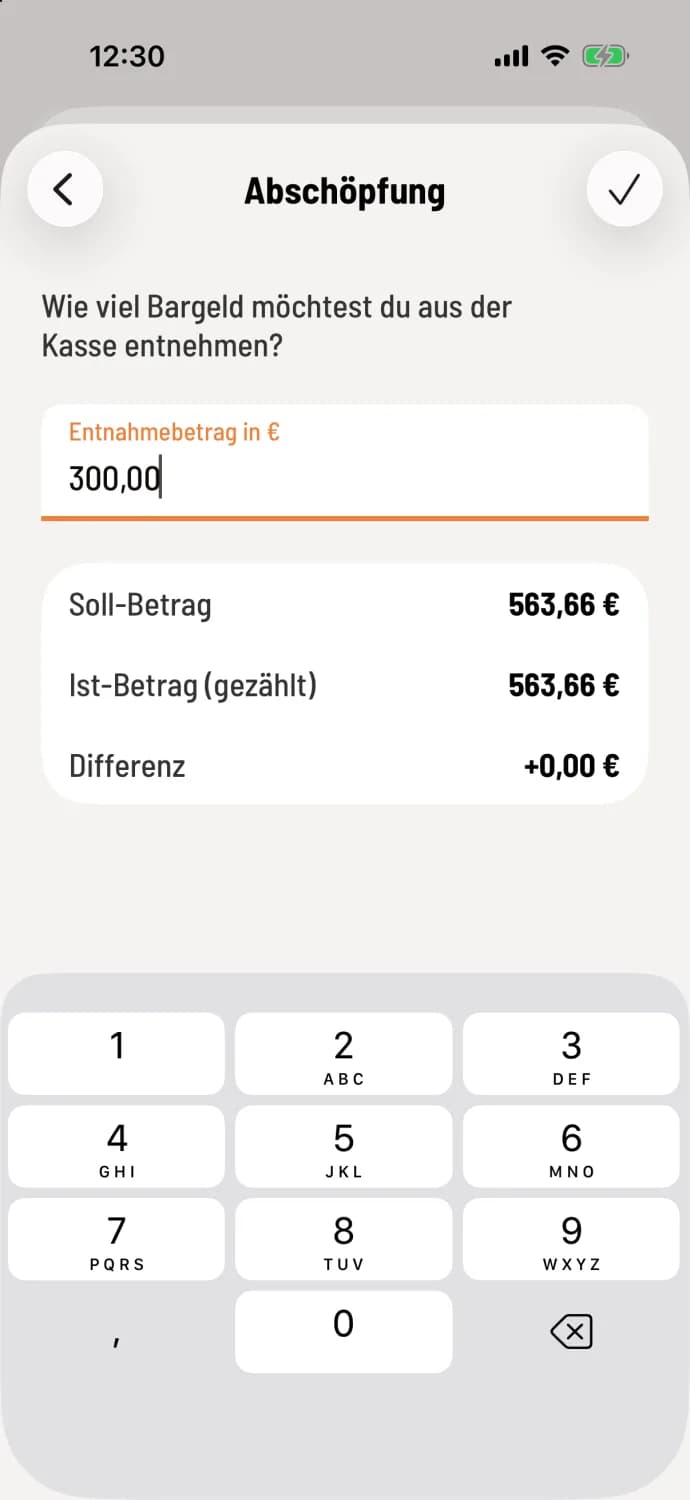
Step 2 of 2
Enter skimming
Tap the arrow in the top right corner (Android: Next). Enter the amount you are taking in the Withdrawal Amount in € field, for example, for the safe or bank. If you are not taking anything, leave the field blank or enter 0. The checkmark in the top right corner (Android: **End shift **) closes the shift.
The cash register records "end-of-shift cash withdrawal" in the cash book, and the cash balance decreases by this amount. What remains in the till is the change for the next shift. You cannot take more than has been counted; otherwise, the message "Amount too high" will appear.
What happens to the difference?
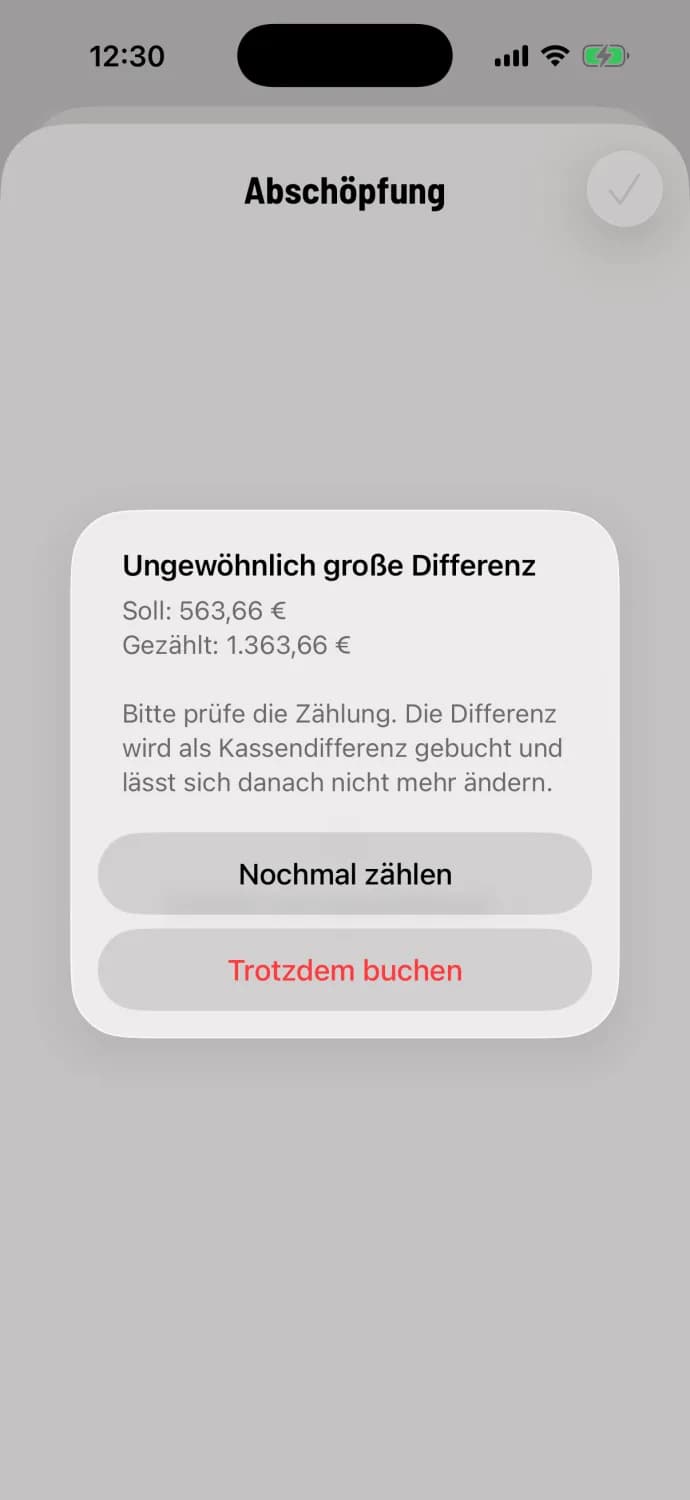
If the counted amount differs, the cash register records "Cash difference (surplus) at end of shift" or "Cash difference (shortfall) at end of shift." If the difference is greater than €500 and greater than 25% of the target amount, it first asks Unusually large difference: Count again or Book anyway. Once booked, the difference cannot be changed afterwards.
During the very first cash count, there is no balance due. It then displays "No documented cash balance yet," and the counted amount is taken as the cash balance.
If the setting is Optional (skippable), there is a Skip option with the prompt Skip count? → Continue without counting. The cash register will still ask the cashier; the target amount then serves as the upper limit. You can complete the count until the next shift starts.