
Parties split
To subsequently split one party into two parties.
If guests want to pay separately, you split one party. The selected item then go into a new party at the same table.
Playing loads YouTube (Google).Playing loads the video from YouTube and sends data to Google. Clicking allows external media. Privacy
Step 1 of 2
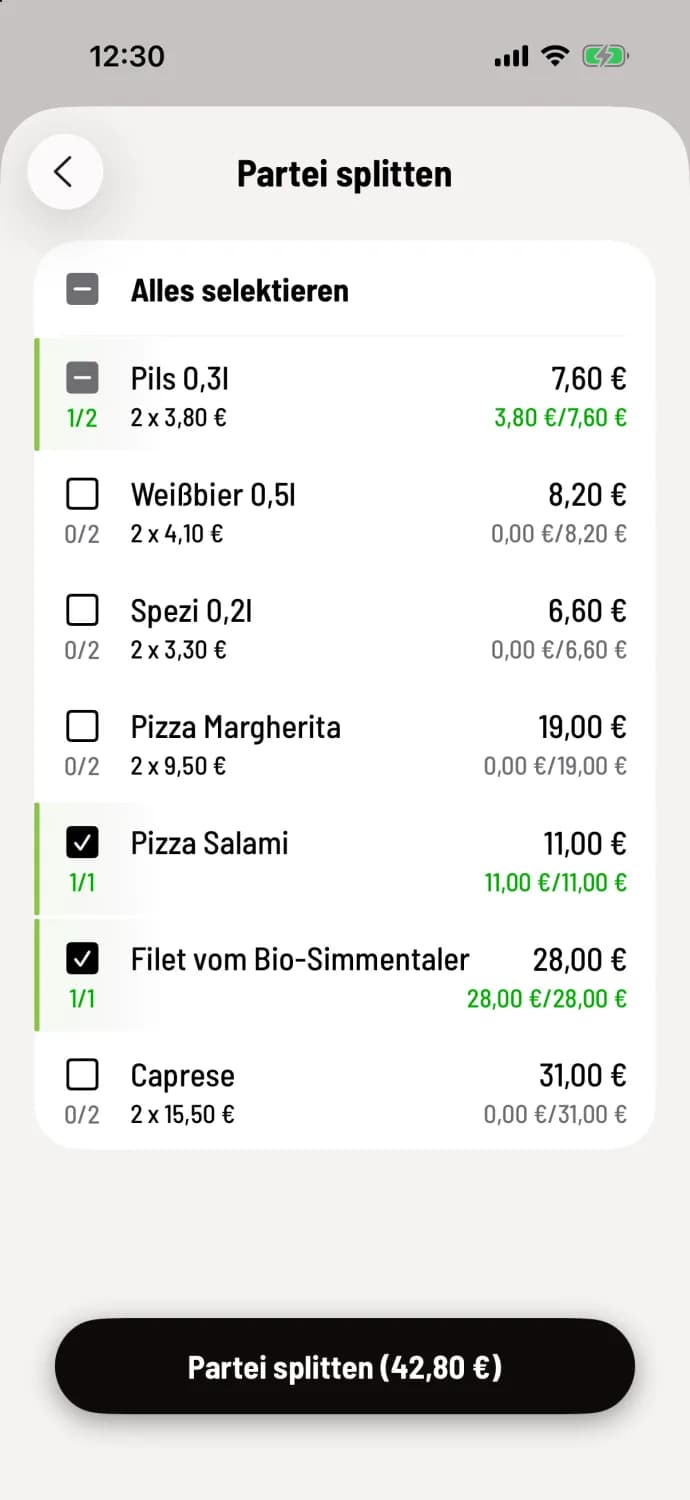
Select item
Tap … at the top of the party list, and then tap Split Party. Select the item for the new party; for multiple items, tap each one. The counter on the left will show, for example, 1/2. Select All at the top selects all items. Tap Split Party at the bottom, followed by the amount, for example, Split Party (€42.80).
Step 2 of 2
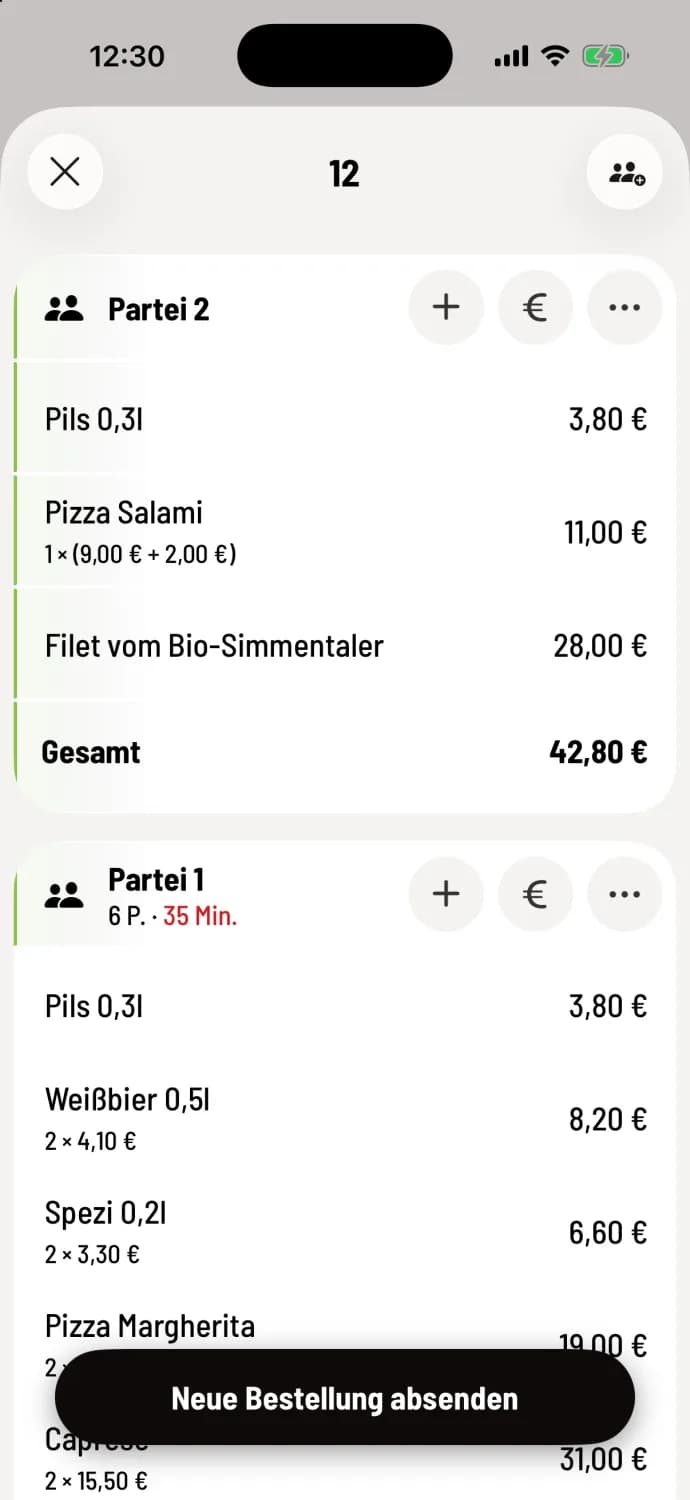
Submit
The new party is listed at the top of the table with the next number. The split is only saved after Submitting New Order.
If selected item are in a waiting aisle, the cash register will ask ** item from waiting aisle**: After being divided, they no longer belong to any aisle and will go directly to the kitchen with the next order.
Splitting a party is only possible if the party has more than one item and none of them have been paid for. You cannot split all item at once. An assigned guest remains with the original party.
If everyone is only supposed to pay their share, it's also possible to do it directly during billing without splitting: Item-wise partial billing.