
Read and find the Z-report
What's in the cash register report and where you can find it in the cash register app and Web desk .
The Z-report is the final report for a shift. It is generated at the end of the shift and given a sequential number. There is exactly one report per shift .
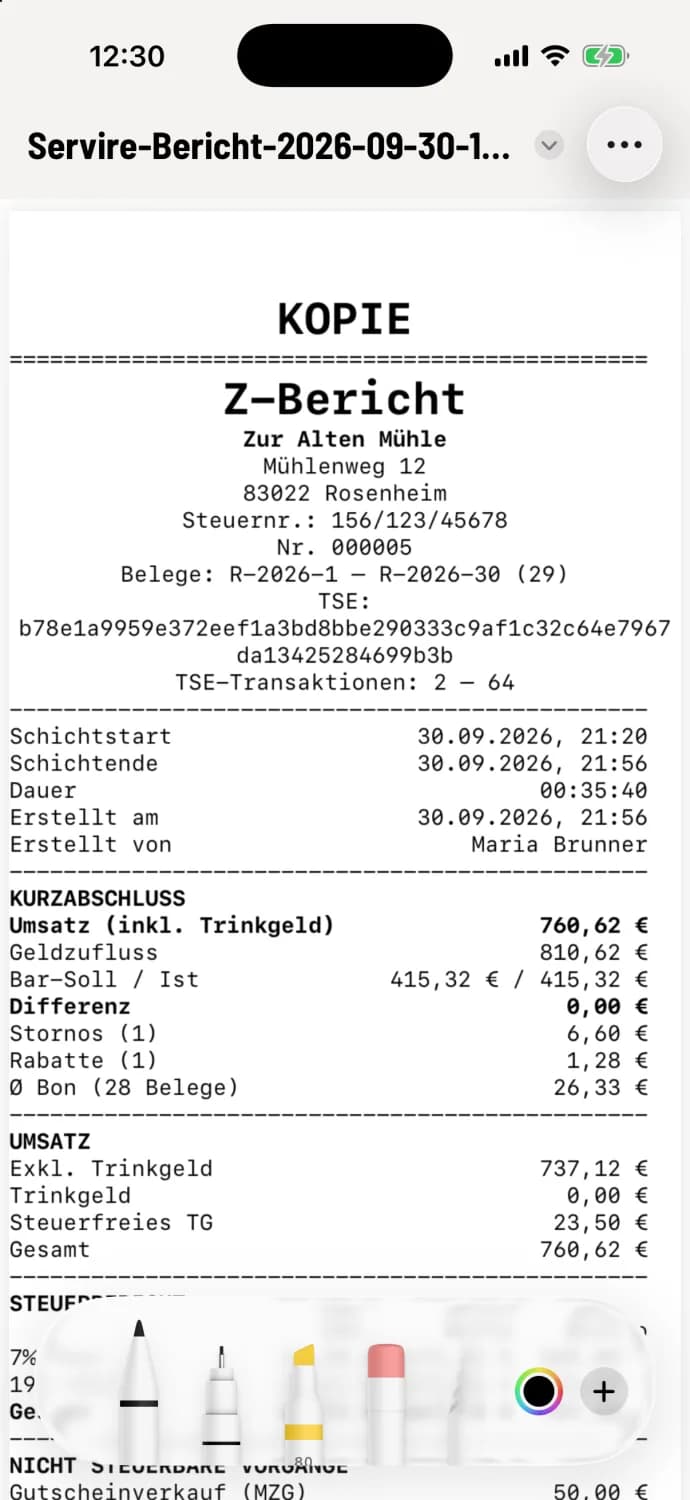
What's inside
Summary: the most important figures at a glance.
Sales and Sales after tax rates with net, tax and gross figures, plus non-taxable transactions.
Transition: why revenue and money received differ, for example through vouchers, deposits and credit notes.
Payment methods and Cash with debit, actual and difference.
Personnel, Cancellations and Discounts on Invoice; the last two always appear, even with €0.00.
Depending on shift and settings: Divide, Item groups, Deposit, Written on (newly written on, paid, total open), Carried over (open orders for the next shift, with merchandise value and the oldest) and Guests.
The X report is the same report as an interim status; the employee report only shows the actions of one person.
Find report again
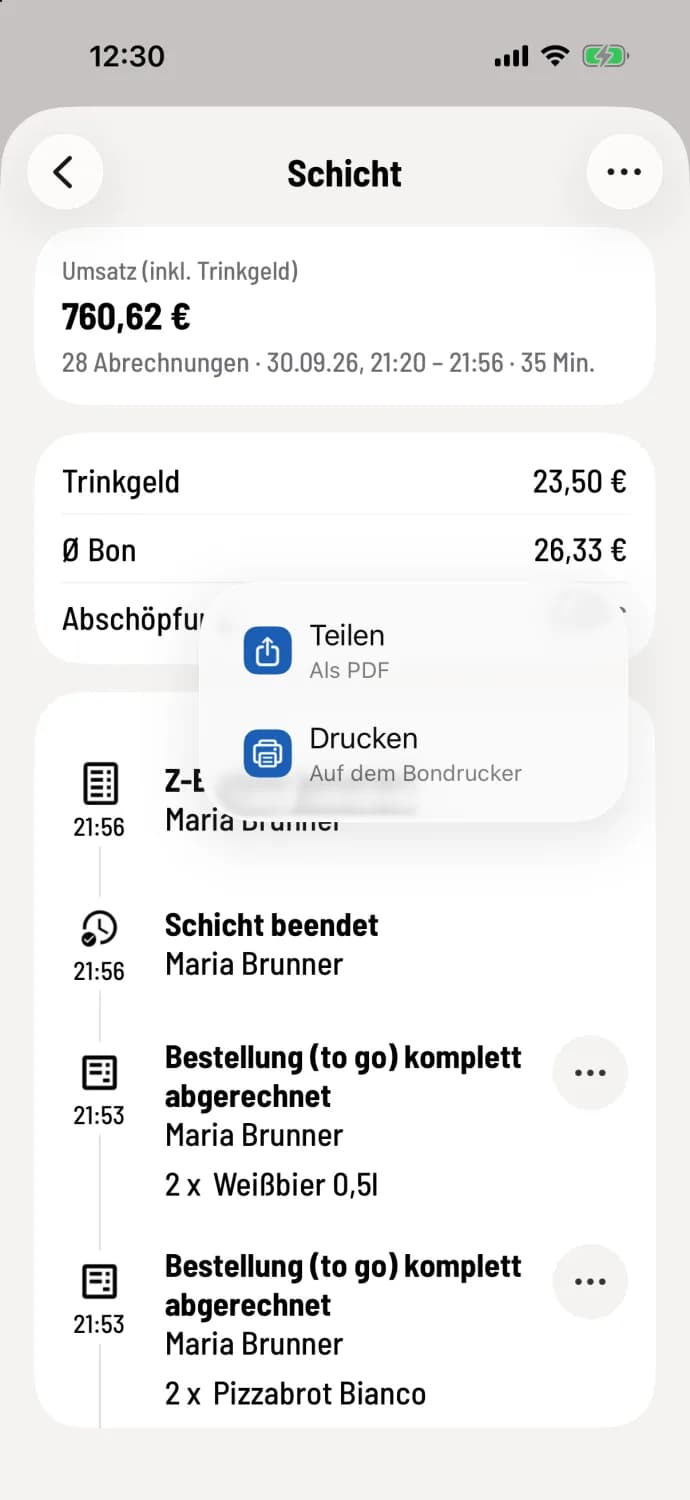
In the cash register app
Overview → Shift History → Tap on the shift . The timeline will show ** Z-report Generated**. Tap on the entry: Share gives you the PDF, Print sends it to the receipt printer. A reprint will be marked "COPY".
In the Web desk you can find all Z-reports under Documents in the Z-Reports tab, with the time period and download option: Documents.
You can configure whether the report is printed immediately at the end of your shift and which additional sections it contains in the Web desk : Report printing settings. If a Z-report is missing, contact support.