
Moving individual item between parties and aisles
To move an item to a different party or aisle.
If an item ends up in the wrong party or aisle, you move it instead of canceling it. It retains any options, notes, surcharges, and discounts.
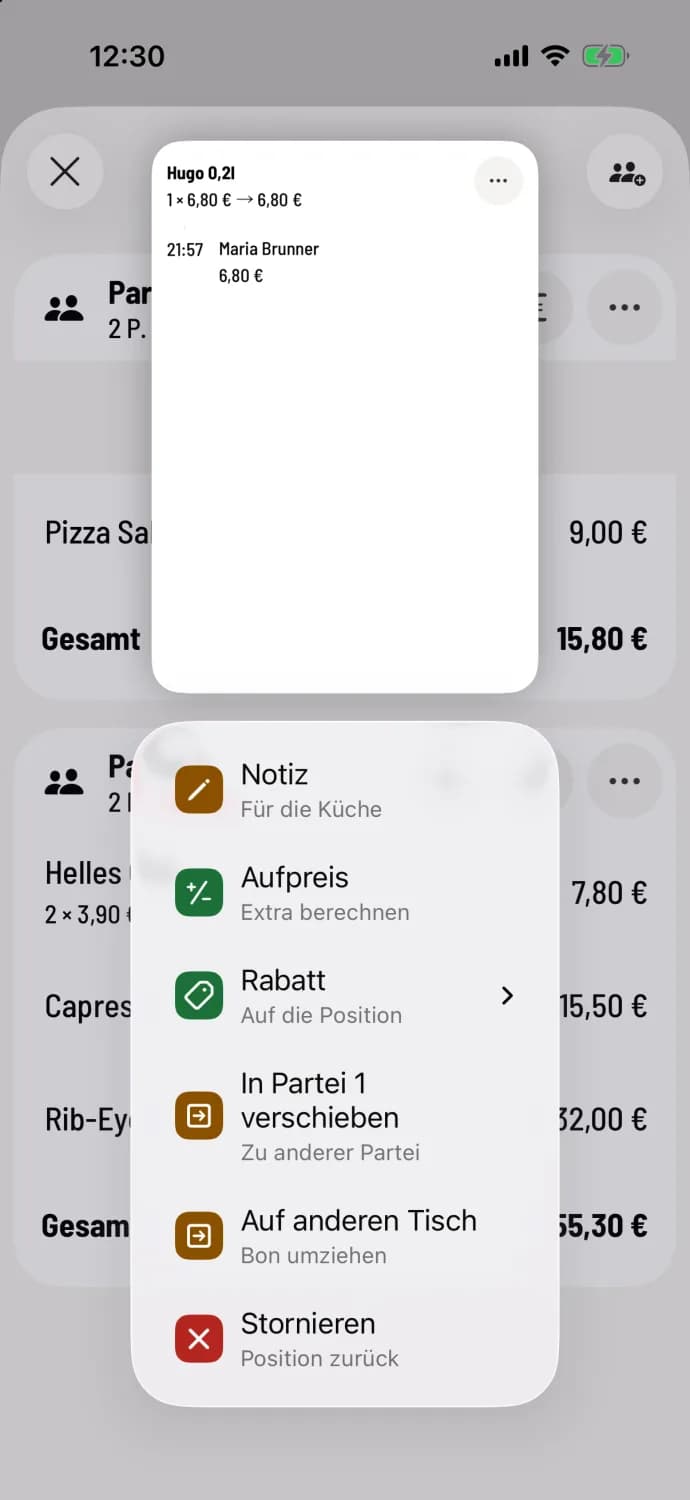
Step 1 of 2
Into another party
Press and hold the article row and select Move to Party…. This option is available when multiple parties are at the table.
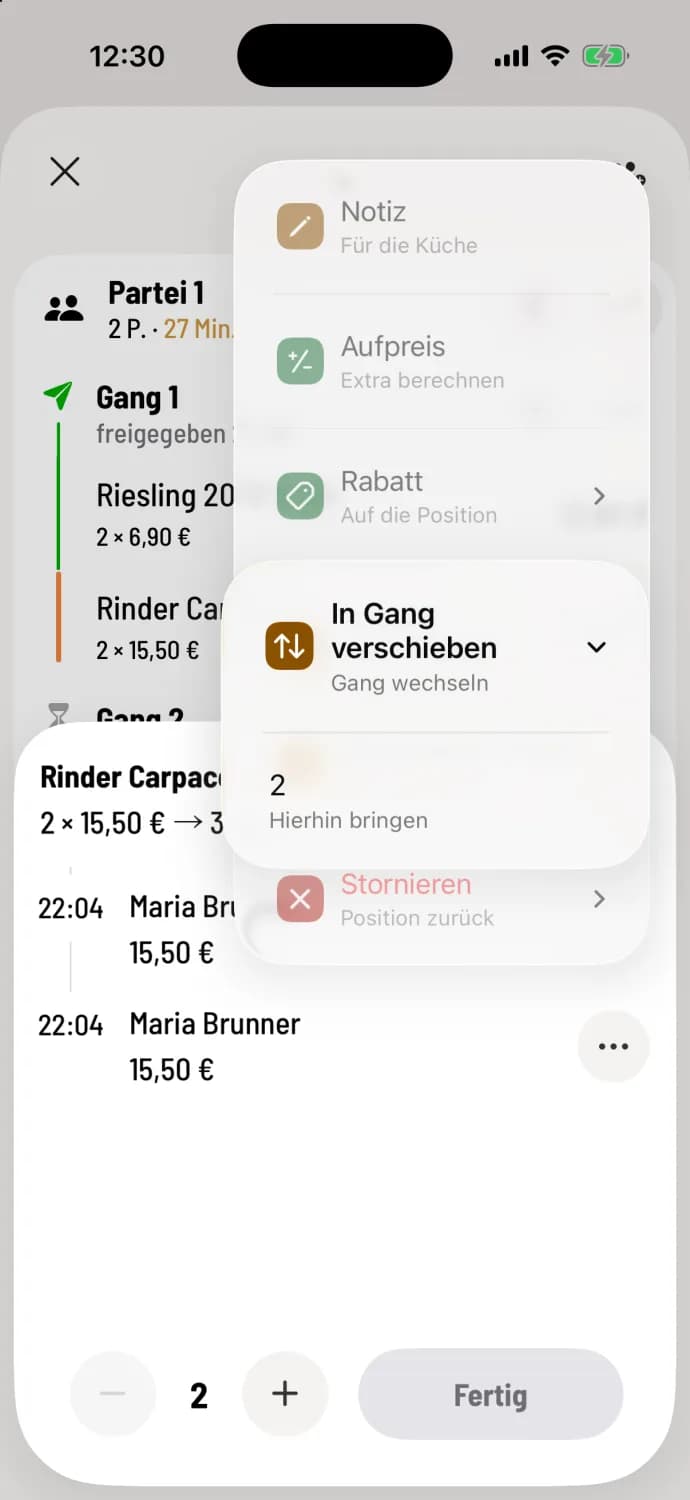
Step 2 of 2
Into another aisle
Open the row, tap … next to the item, then tap Move to aisle. The target aisles are listed below with their numbers, for example, 2 with Move here; tap the desired one. The … at the top of the details moves all items in the row at once.
If the destination aisle has already been called or the item has already been served, the cash register will ask for confirmation, for example, "Aisle 2 has already been called." If you confirm, the item will still be processed. For item that have already been sent, the cash register prints a receipt for the aisle change upon submission.
The order will only be moved after submission. Takeaway item cannot be moved. To move an order to a different table, see "Move order to a different table".