
Cancel free amount
To reverse an amount without reference to a receipt, for example as a gesture of goodwill.
If a complaint cannot be linked to a receipt, for example, a €10 goodwill gesture, you will refund a freely available amount. A cancellation invoice will be generated for this amount.
Requirement: You need the employee rights **Can cancel item ** and Can process orders and a current shift.
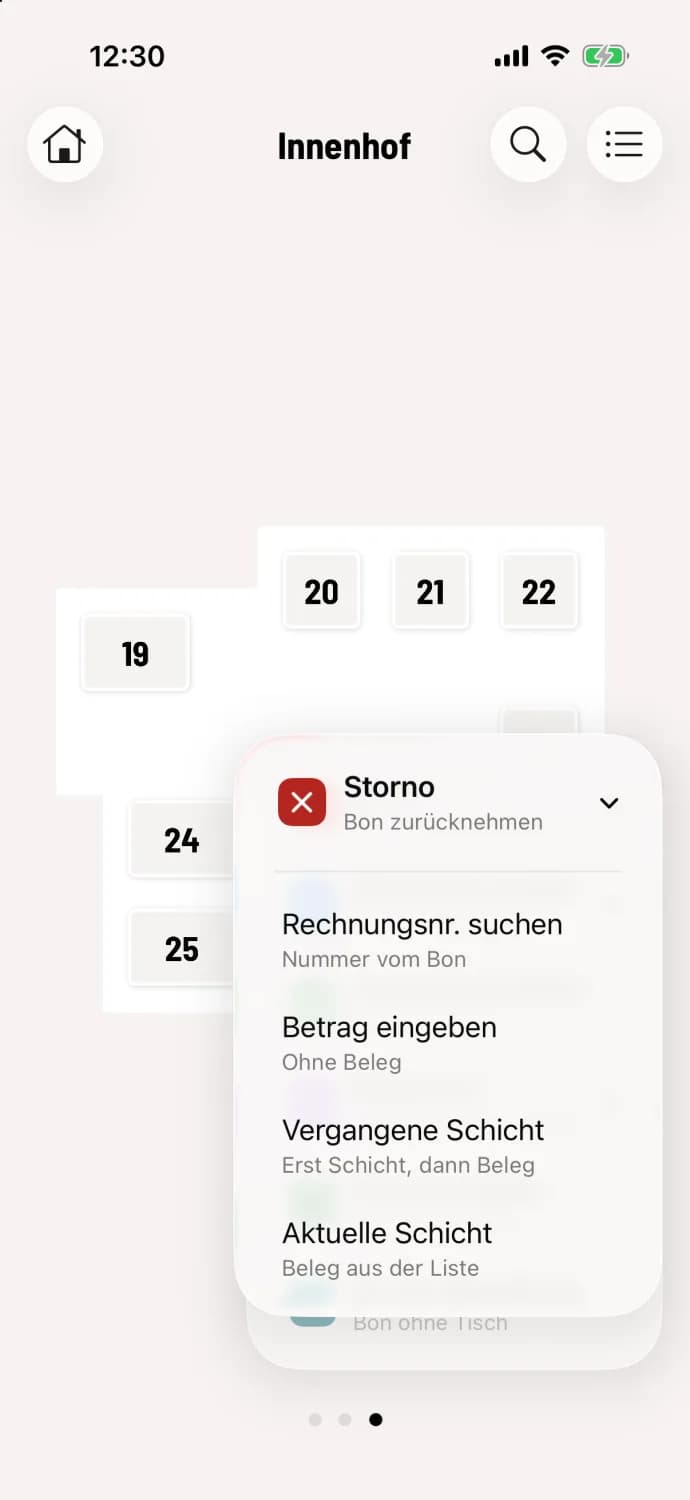
Step 1 of 2
Enter amount select
Tap the round … button, then Cancellation and Enter Amount (Subtitle No Receipt).
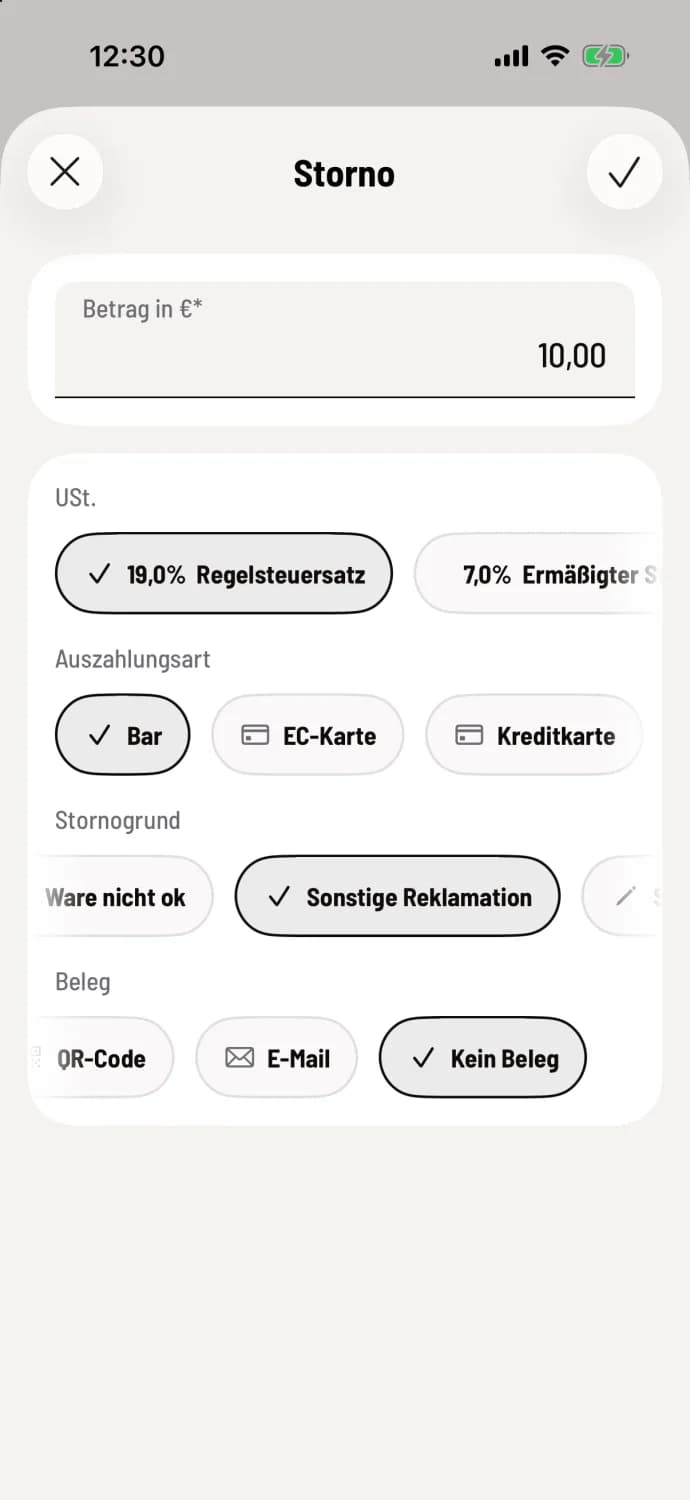
Step 2 of 2
Provide information
Enter the amount in € and select the applicable tax rate under VAT. Select payment method, reversal reason, and the receipt; No receipt can be selected by swiping the receipt icons to the side. Confirm with the checkmark in the upper right corner.
You can withdraw cash or via a payment method that doesn't require a card terminal. Vouchers and card providers are not an option here, as there is no original payment to which a refund could be returned. The reason for cancellation is mandatory; Other allows you to enter your own text.
On Android, the entry is called Free Cancellation, confirmed with Cancel Amount.
If the amount is linked to a receipt, it's best to cancel the receipt. That way, the item and tax will be correct.