
View service counter
View target balance, opening balance and every cash transaction of your service cash register, with details for each transaction.
Your service cash box is your cash during your shift. You can see at any time what it should theoretically contain and where each amount comes from.
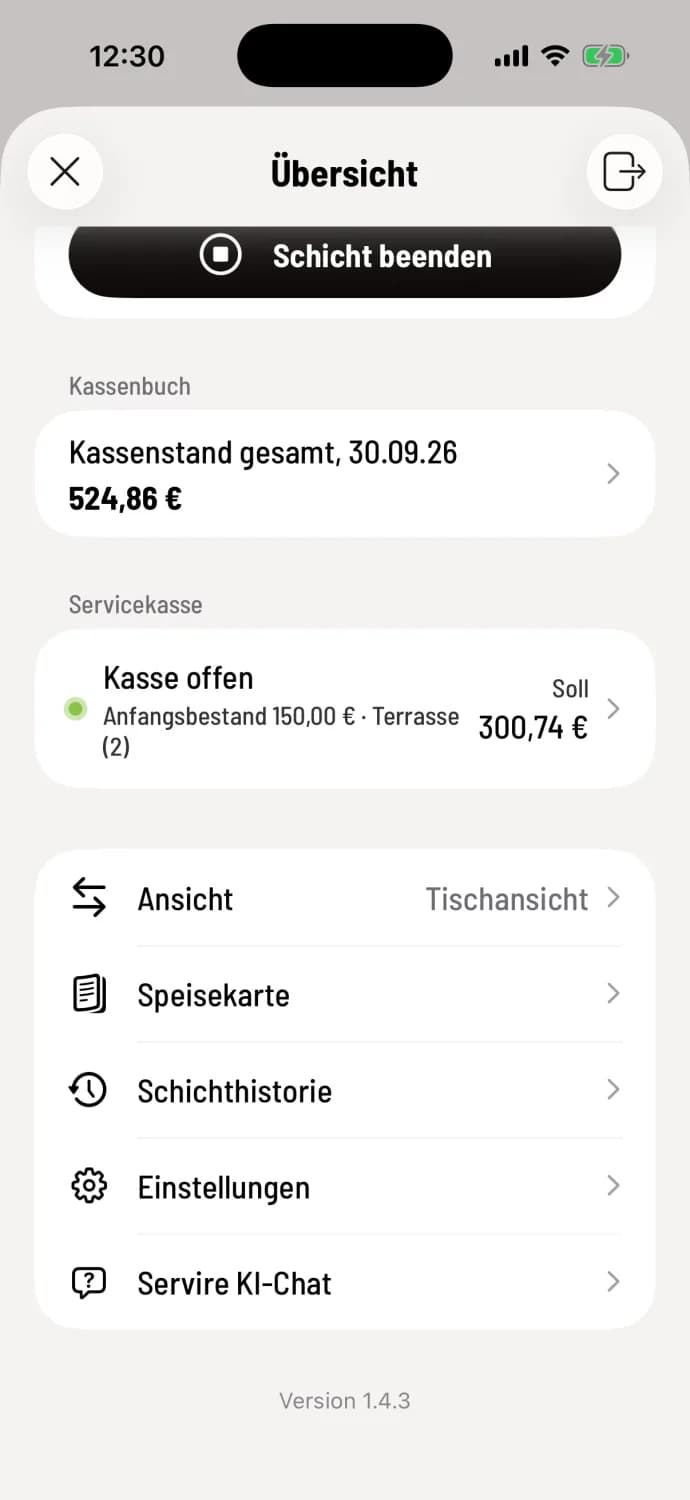
Step 1 of 3
Open service counter
In the Overview, tap the line under Service Checkout.
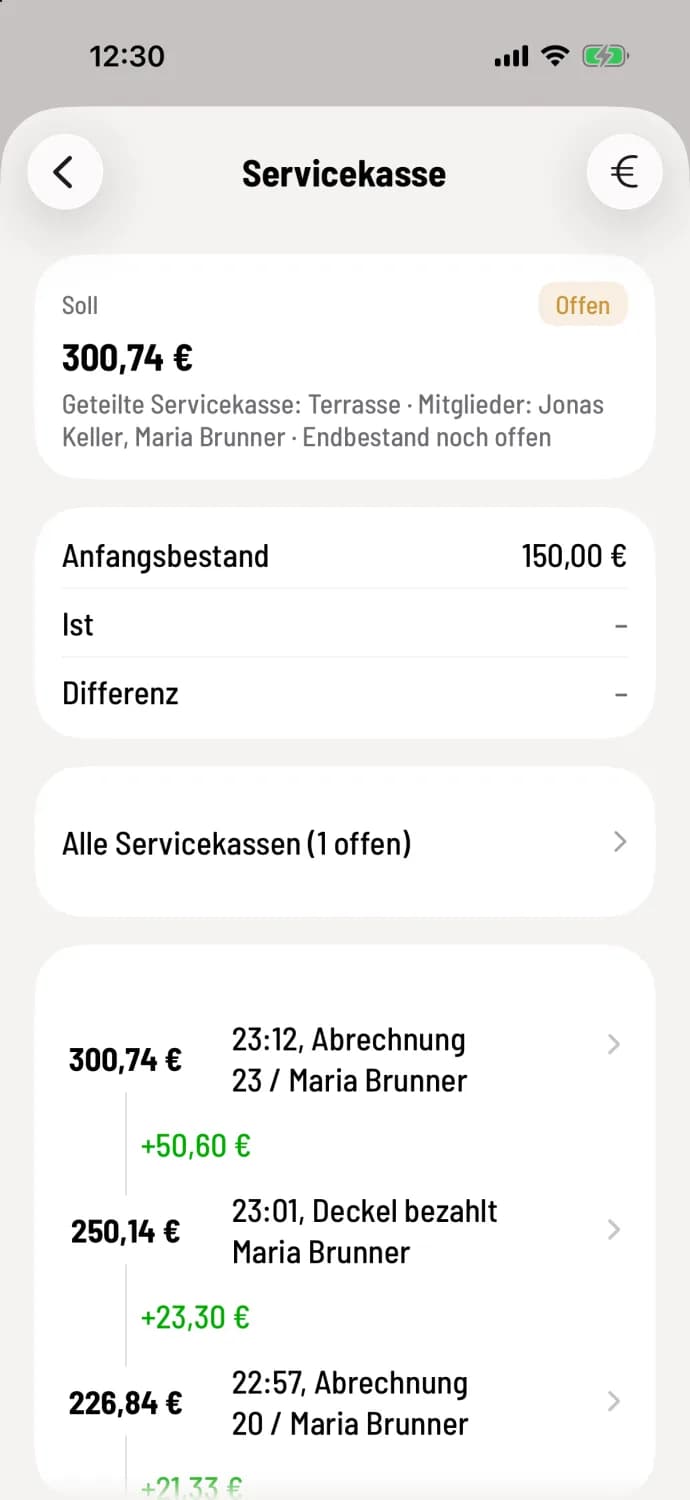
Step 2 of 3
Read the status
At the top are Debit with Open or Closed, Opening Balance, and after counting, Actual and Difference. For a shared cash register, the group and its members are also listed. Below, the timeline lists cash payments, deposit returns, and cash book entries with a running balance, the most recent at the top and Start at the very bottom.
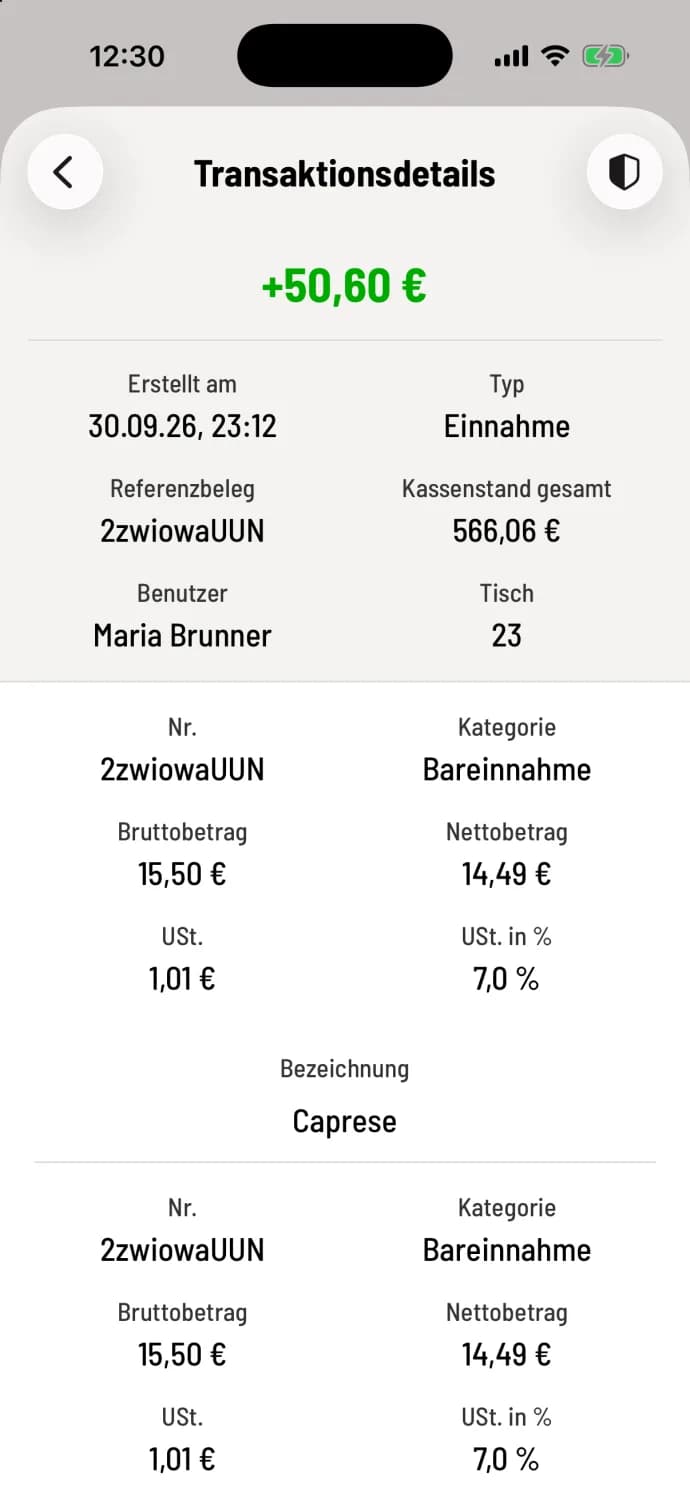
Step 3 of 3
Booking details
Tap a line. Transaction Details displays the amount (green income, red expense), Created on, Reference Receipt, User, Type, Payment Method, and table. For cash book entries, it shows the items with gross, net, and tax amounts. With TSE ( Technical Security Equipment), the icon in the upper right corner leads to the TSE information.
What's in the target
Opening balance plus cash payments including cash tip, plus or minus cash book entries with Also post to service till, minus refunded deposits. If Cash follows allocation is enabled, cash payments collected by a colleague on your behalf are also included. Card, voucher, and invoice payments are not included, as you never handled this money.
What the line in the overview says
Enter starting amount: The checkout is not yet open.
Cash register open: with beginning balance and target balance.
Final inventory still open: closed, but not yet counted ("Tap to count").
Settlement: counted, with difference.
This view is for reading only. How to count at the end: Count and close the service checkout.