
Browse menu as a list
Look up all item and their prices without opening a table.
The menu overview shows all item with their prices, for reference when guests have questions. It also works without a regular shift.
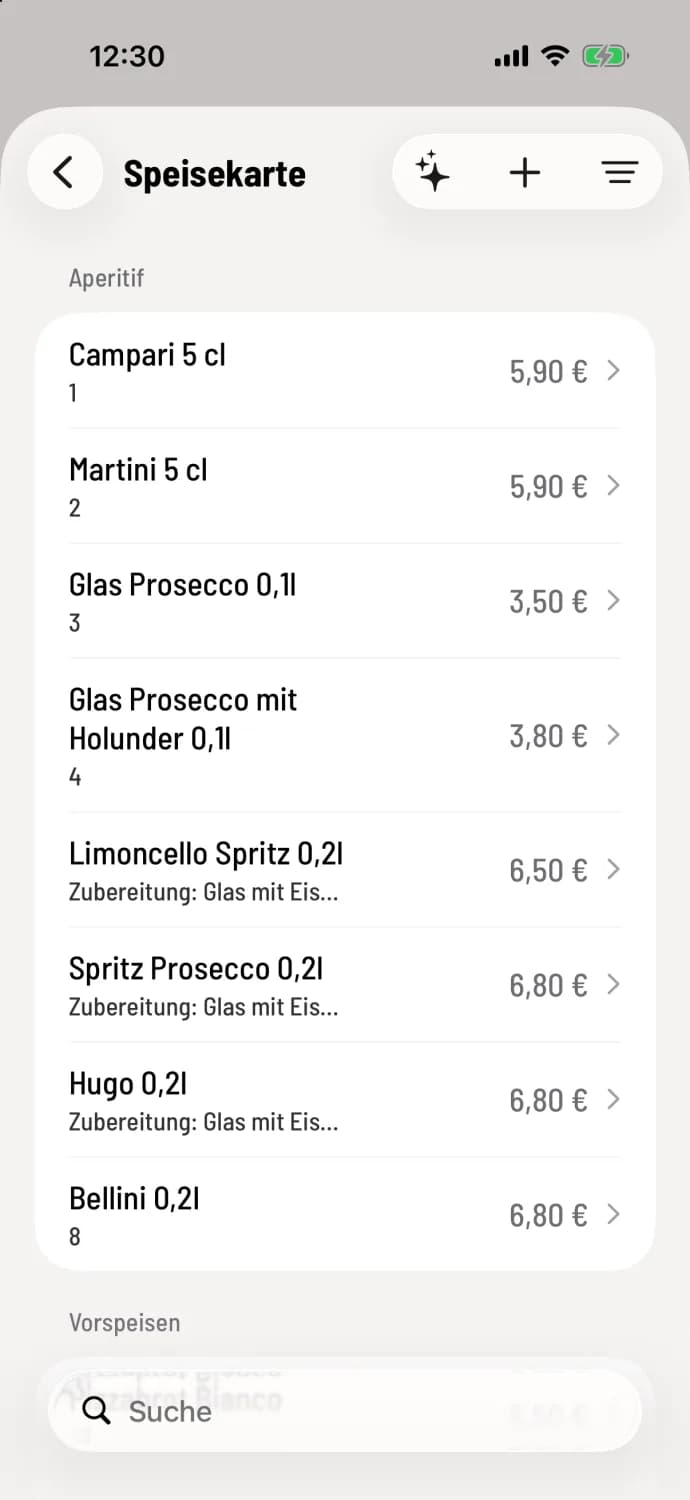
Step 1 of 3
Open menu
Tap the House icon in the top left corner, then tap ** menu**. item are listed by category, such as Aperitif, with price and PLU. Sold-out item are faded and highlighted. Depending on your screen, the spark icon, the + symbol, and the filter will appear in the top right corner.
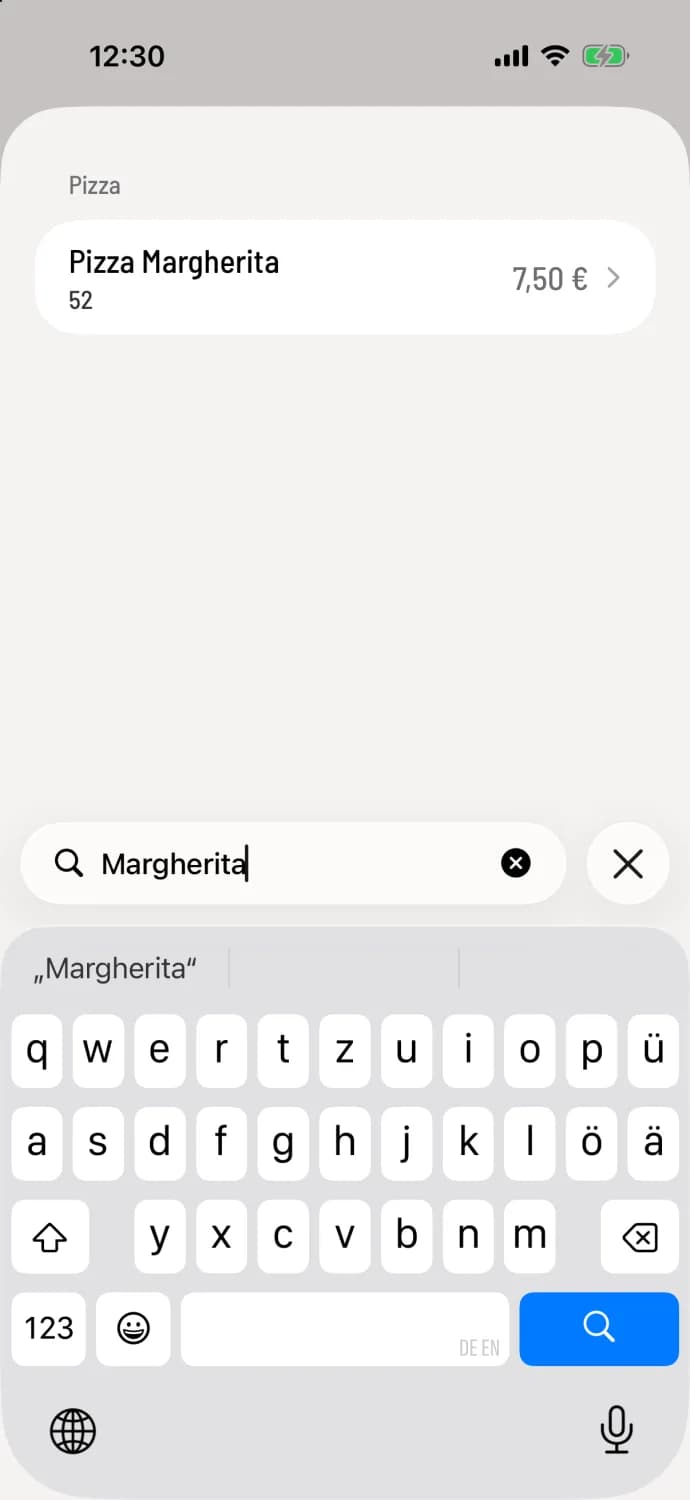
Step 2 of 3
Search or filter
Below you type a search term, for example Margherita. The filter icon in the upper right corner shows All menus or just one menu.
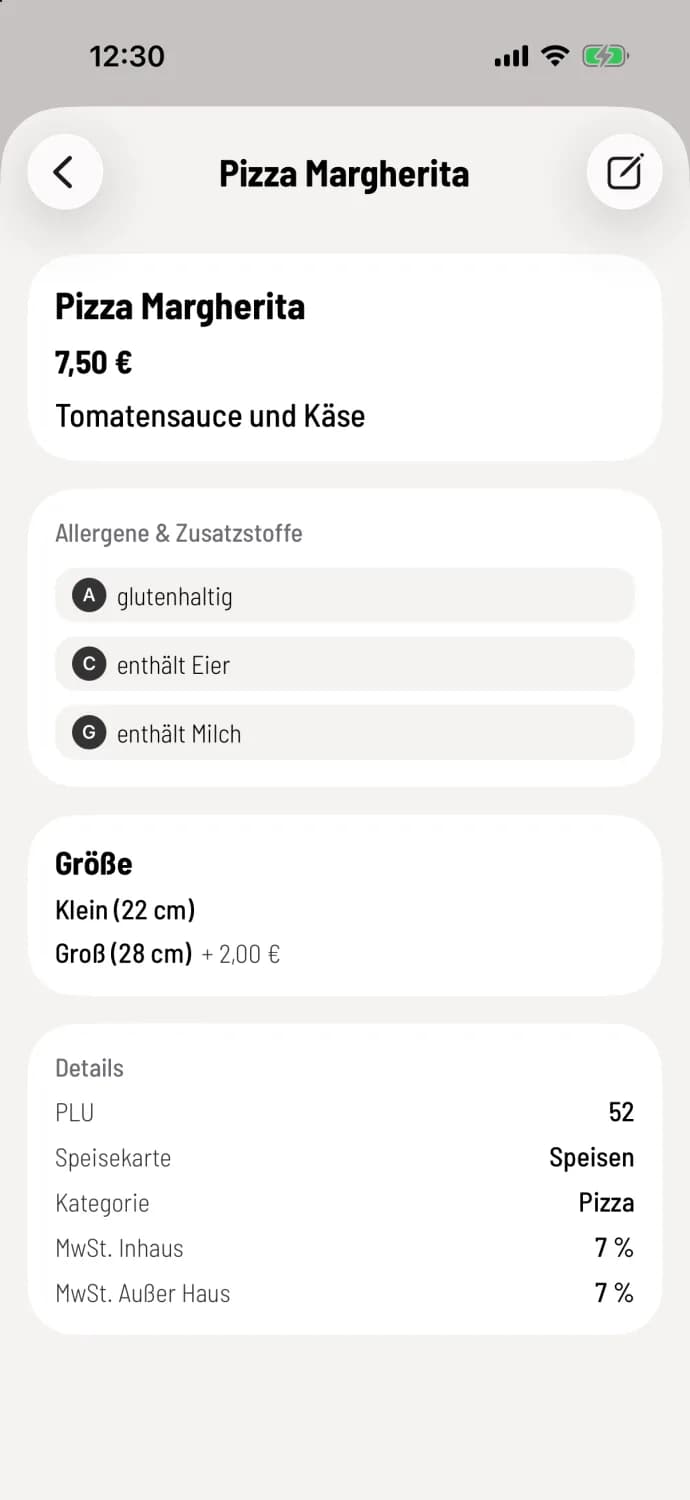
Step 3 of 3
Open item
A tip shows price, description, allergens, variants and details, see item details.
You cannot place orders here. With the permission "May create and edit item ", you will see the + and the spark symbol for AI import at the top, and the pencil icon within the item : Create item at checkout.
Time-controlled cards are always available here, even outside their time window.