
Change price category during billing
Charge at different rates, for example for employees or during happy hour.
You use a price category to charge different prices, for example, for employees. The cash register then uses the prices that are stored in the item for that category.
Prerequisite: The selection only appears if price categories are enabled and created in the Web desk : Manage price categories.
Step 1 of 2
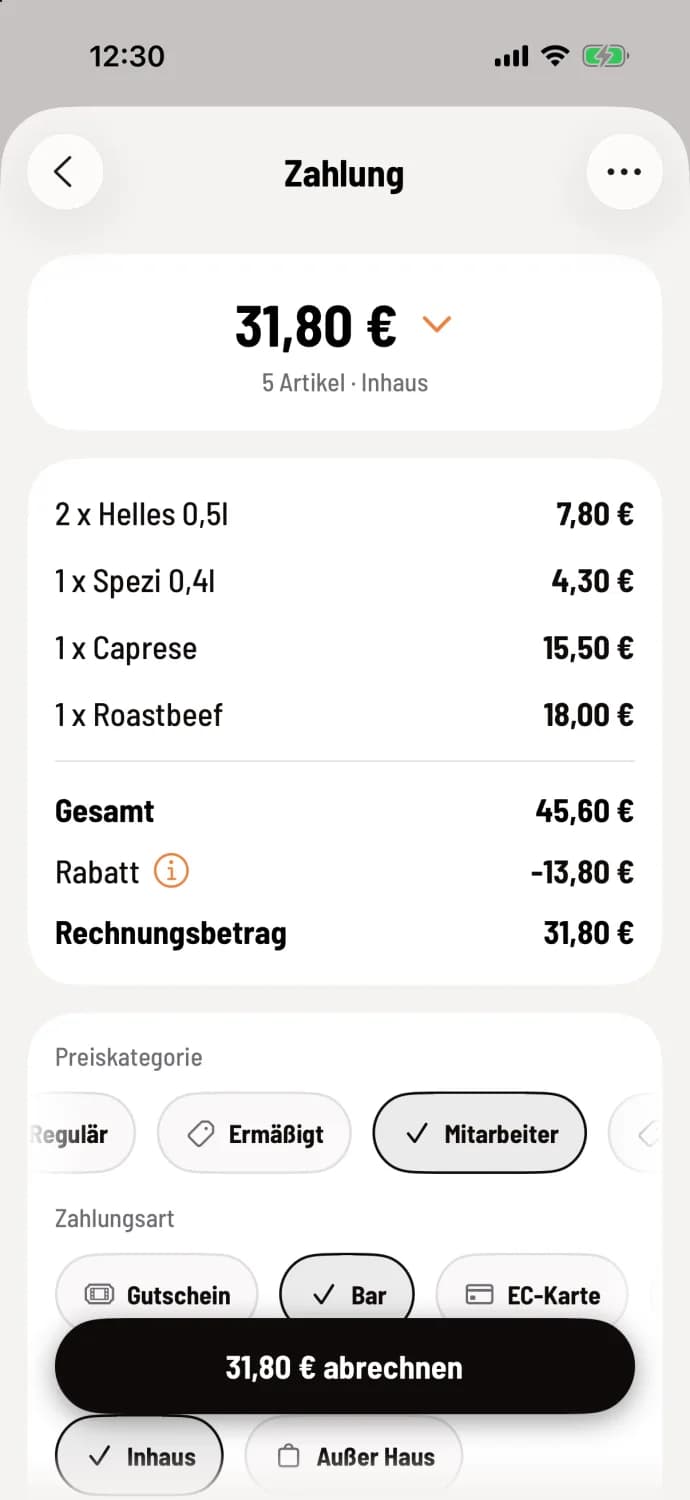
Tap category
On the Payment screen, under Price Category, tap the category, for example, Employee. The difference to the regular prices will appear as a deduction in the Discount line, for example, -€13.80.
Step 2 of 2
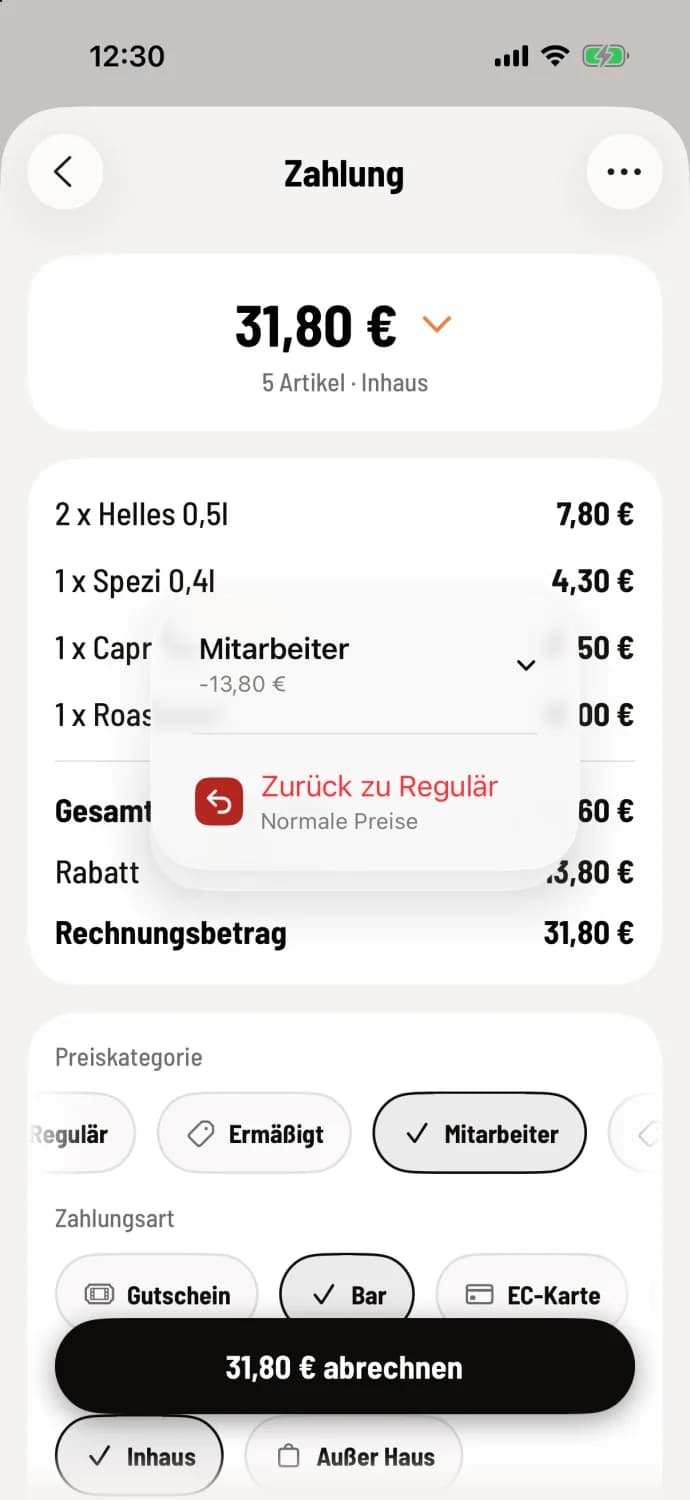
Back to normal prices
Tap on Regular or on ⓘ in the discount row, tap Back to Regular. The menu at the top will show the category with the discount, for example, Employee -€13.80.
The category applies to the entire transaction. You select it the same way on the receipt at the express checkout.
If a price category is selected, the checkout does not automatically apply a regular discount.