
Export cash book as PDF or DATEV file
Retrieve the cash book for a specific period as a PDF or DATEV CSV file from the cash register.
For your tax advisor or your records, you can export the cash book directly from the cash register.
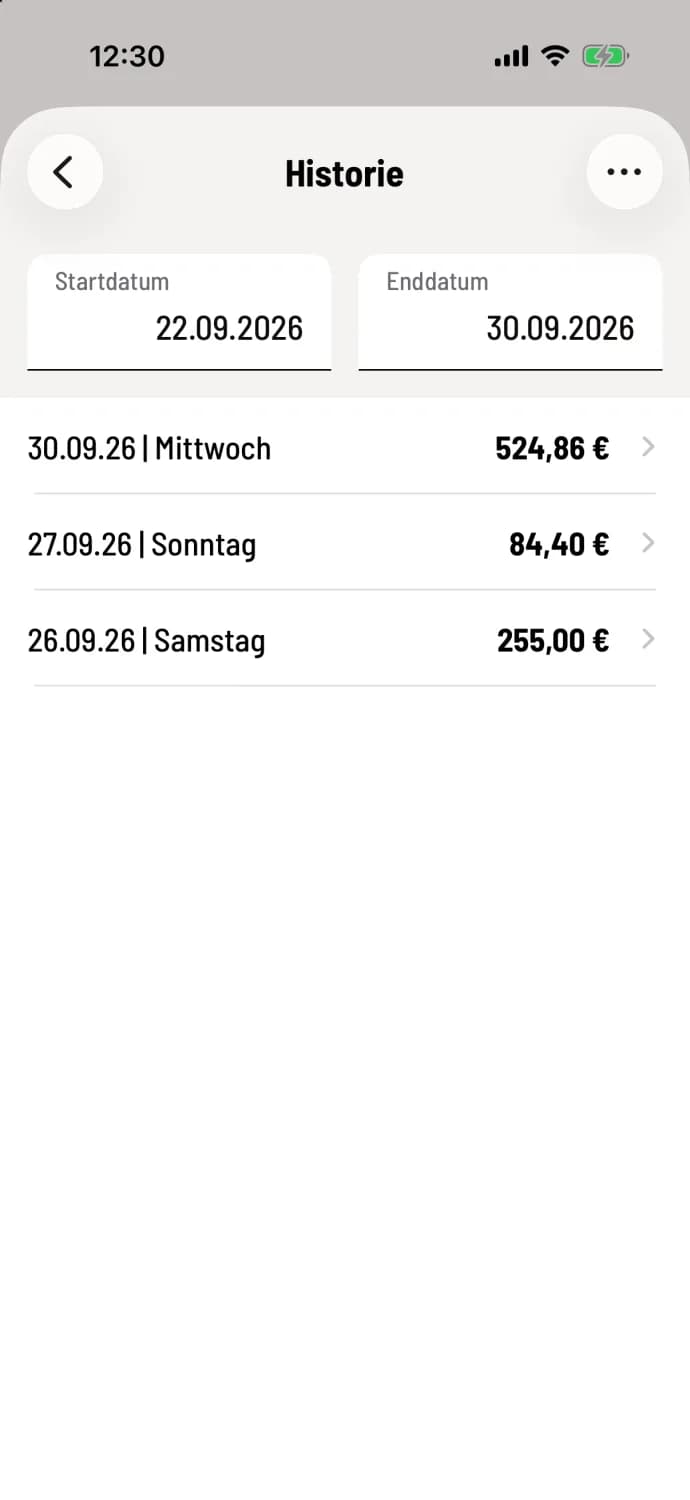
Step 1 of 3
Select time period
Open Total Cash Balance → Clock in the top right corner. In the history section, set the Start Date and End Date.
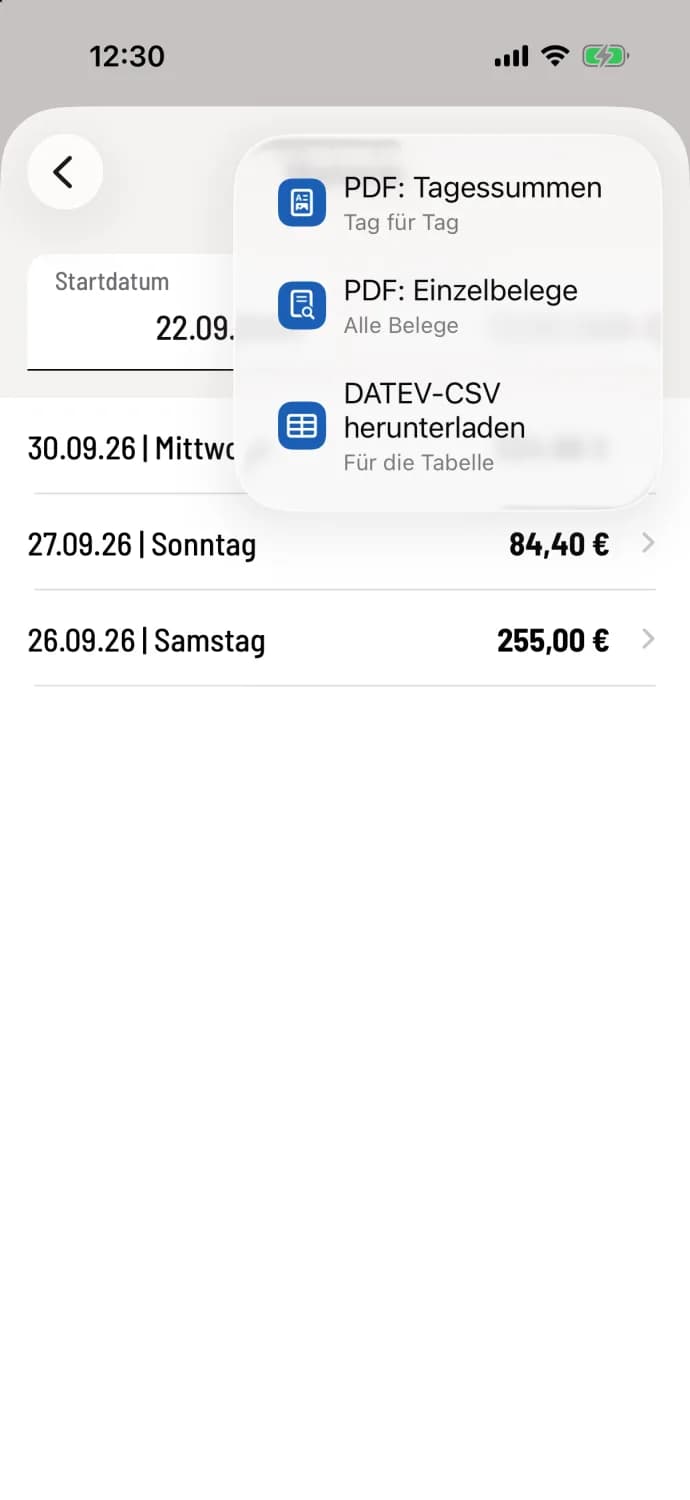
Step 2 of 3
Choose format
Tap on … in the top right corner. PDF: Daily Totals shows day by day, PDF: Individual Receipts shows all transactions, Download DATEV CSV (Android: Download CSV (DATEV)) generates the file for accounting. On Android, the POS system will first ask for Consultant Number, Client Number, and General Ledger Account Length.
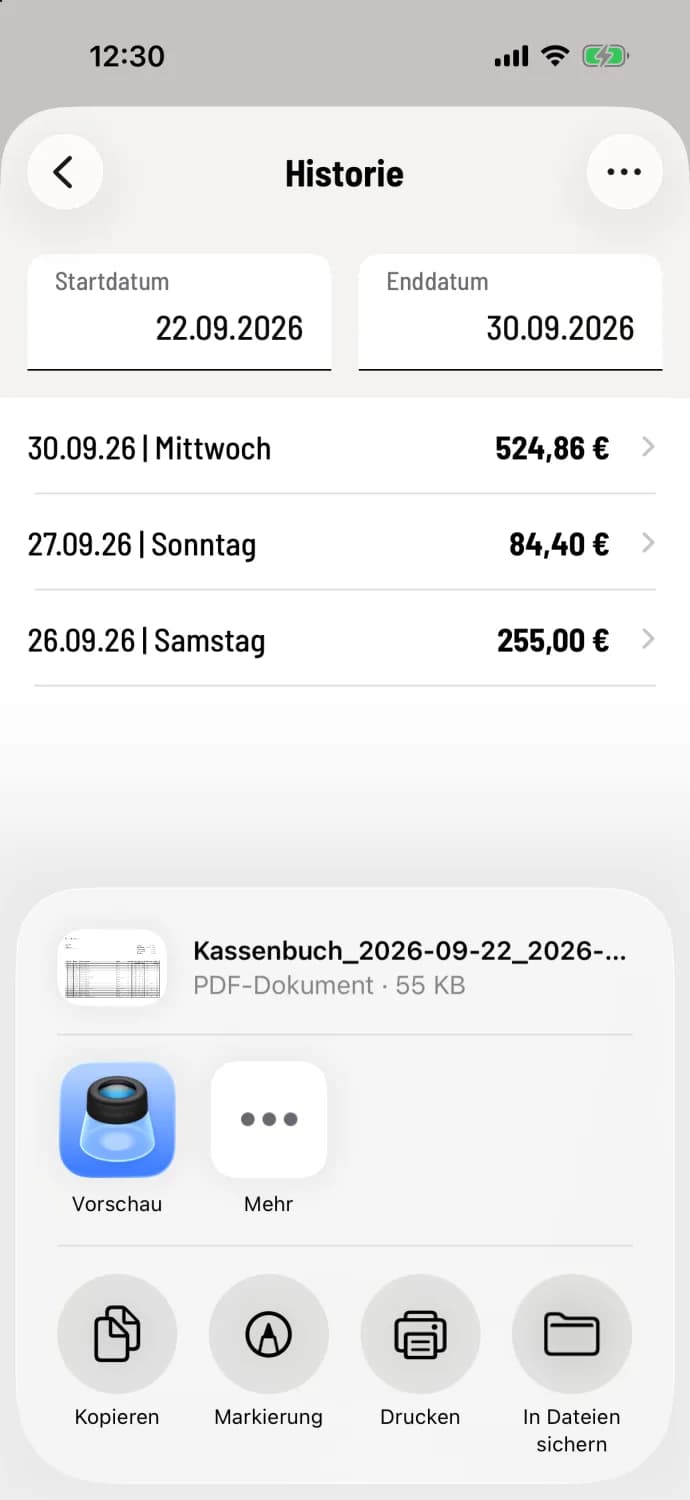
Step 3 of 3
Share file
The file will open in your device's share menu, displaying its name and size at the top, for example, Cash Book_2026-09-22_… as a PDF document. Send it by email, print it, or save it using Save to Files.
The CSV file is intended for DATEV use, not for reading. For an overview, please use the PDF. In the Web desk , you can find the cash book under Documents in the Cash Book tab with Download Cash Book as PDF and Export DATEV Cash Book: Documents.
An export shows the status at the time of creation. Subsequent entries will only appear in the next export. Exporting requires an internet connection.