
Create corridors
The order of one party is divided into aisle 1, aisle 2 and further aisles.
Courses are used to order a party's order, such as appetizer and main course. The courses are called Course 1, Course 2, and so on; there are no individual names for each course. Course 1 goes to the kitchen immediately, while later courses wait until you call for them.
When ordering
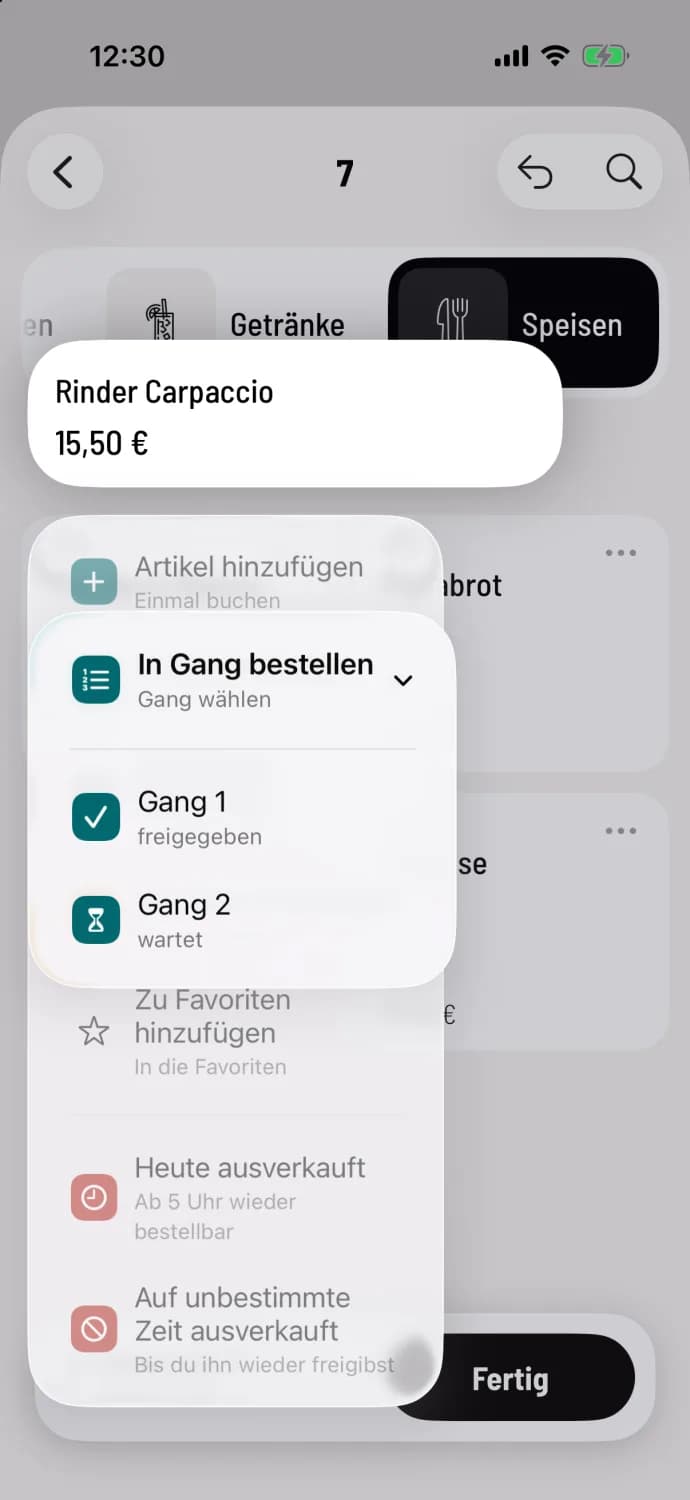
Step 1 of 2
Order in progress
Press and hold an item tile and select Order to Aisle, then the aisle. Each aisle displays its status, such as Released or Waiting. If the party has no aisles yet, Aisle 1 and Aisle 2 will be displayed; selecting one will add both. If aisles already exist, New Aisle will append another one to the end. The selected aisle applies to this item.
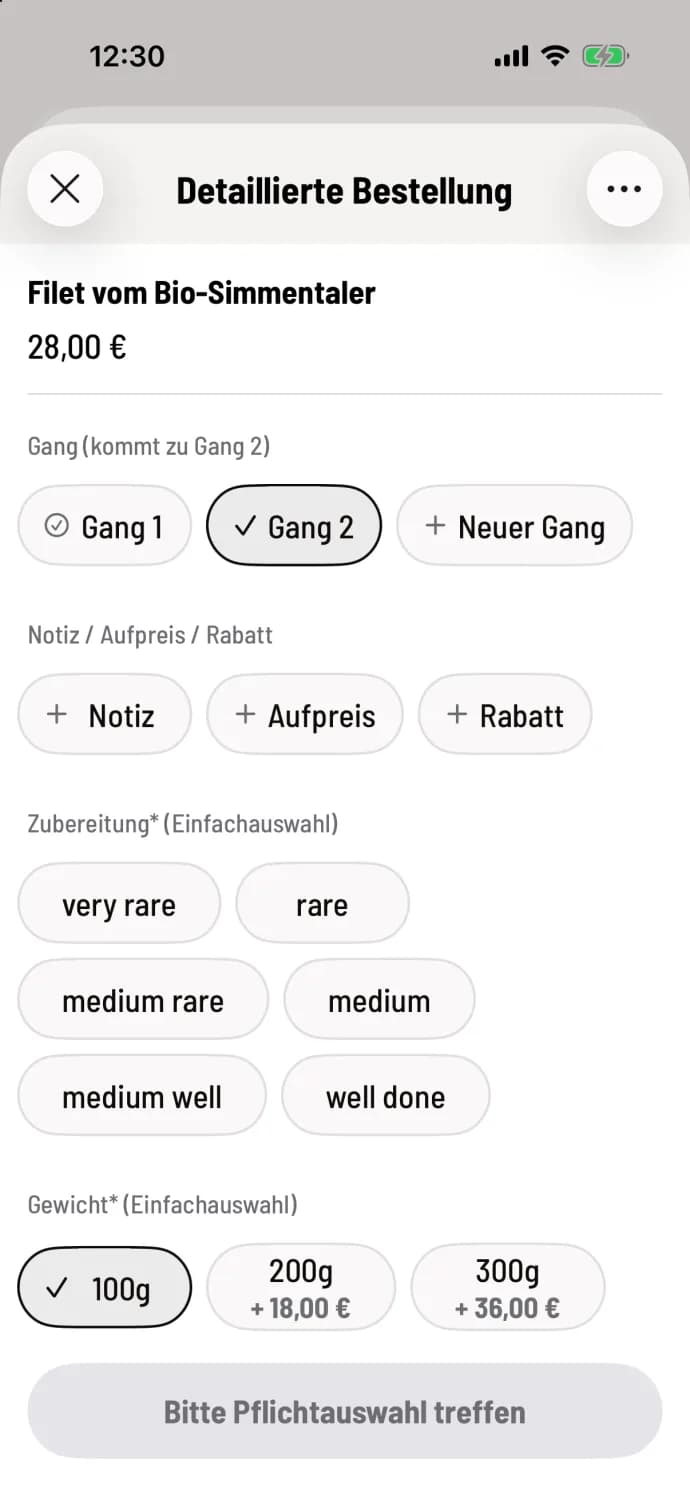
Step 2 of 2
Or in the detailed order
If the order already has courses, the course is listed at the top of the Detailed Order. What happens next is shown in parentheses, for example, goes to course 2.
item you tap without selecting an aisle will be placed in the aisle indicated by the title above, for example, Table 5 | Aisle 2. Hold down the order bar and select Move everything to one aisle to move all unsent item at once.
If the value Also in the order bar is set under Settings → General → Aisle Selection, you can additionally select the aisle at the bottom of the order bar, initially Without Aisle. Then all subsequent item will go into this aisle until you change it: Categories and aisle selection when ordering.
In table view
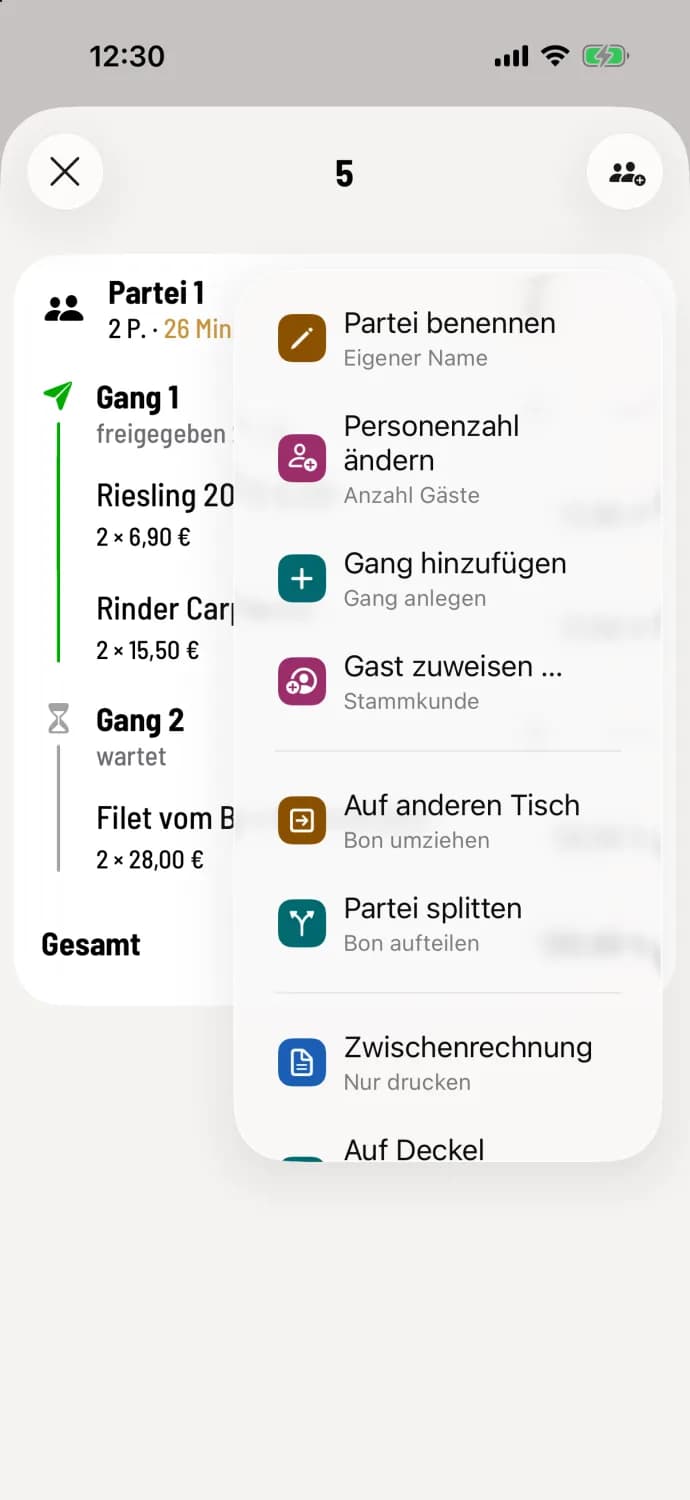
Add gears
Tap on … at the top of the party list and select Add Aisles. The first time, Aisle 1 and Aisle 2 will be created, and all existing item will be placed in Aisle 1. If the party already has aisles, the entry will be called Add Aisle and will append another one.
Using the + icon next to an aisle row, you can order directly to that aisle. You can move individual item using Move to Aisle: Move individual item.
The "Delete Course" option in a course menu is only available as long as the course hasn't been sent, and if there are more than two courses, only for the last one. If there are exactly two courses, the entry is called "Delete Courses 1 & 2". If you send an empty course, the system asks "Empty Course" and offers the option "Remove Course".
Call out and check off courses: Release and serve courses.