
Send invoice via email
Send the invoice to the guest as a PDF, including company details and business meal receipt upon request.
Instead of a paper invoice, the guest receives their bill as a PDF via email. You can also enter the company details for expense reporting directly into the email.
Prerequisite: Email is available starting with the Solo plan, even during the trial period. In the Free plan, the notification is called Email (starting with Solo) and is blocked.
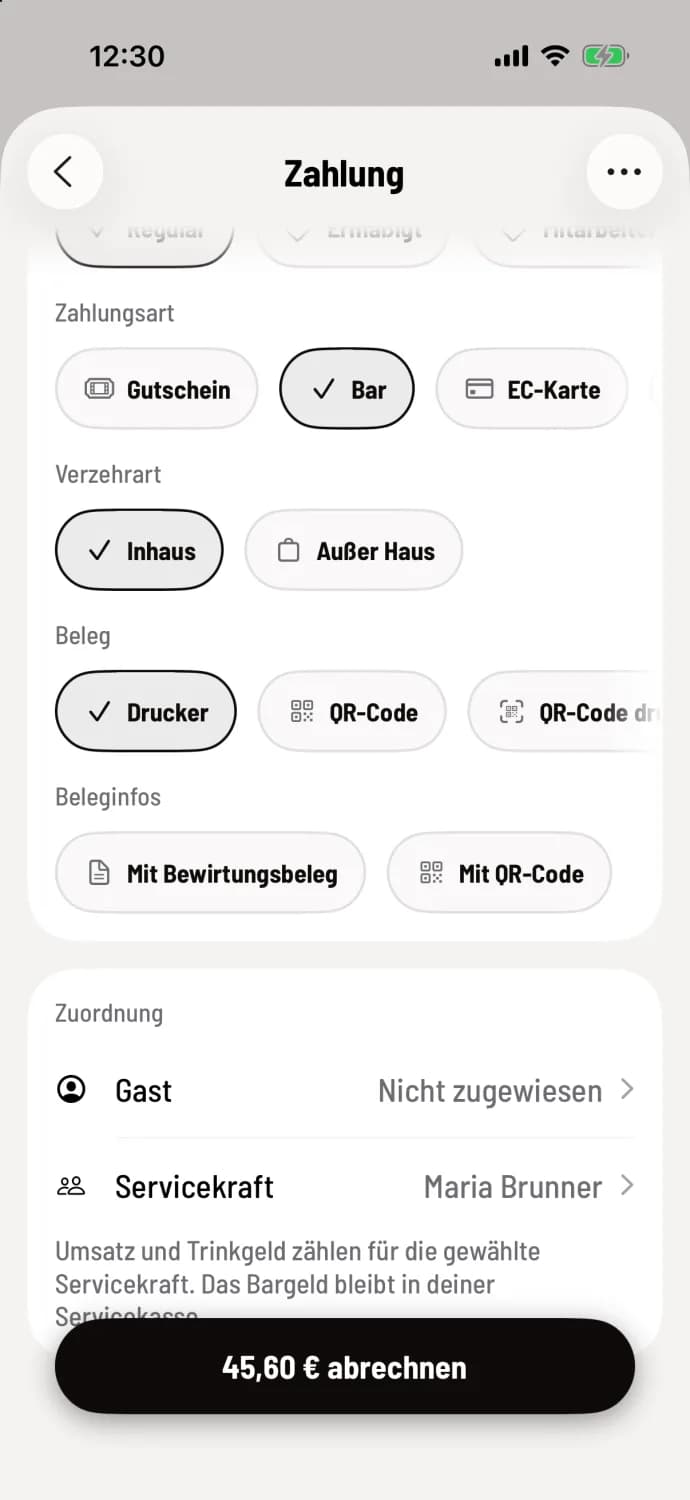
Step 1 of 2
Choose email
When submitting your receipt, swipe right under Receipt and tap Email. Under Receipt Info, check With business meal receipt if needed. Then submit your receipt.
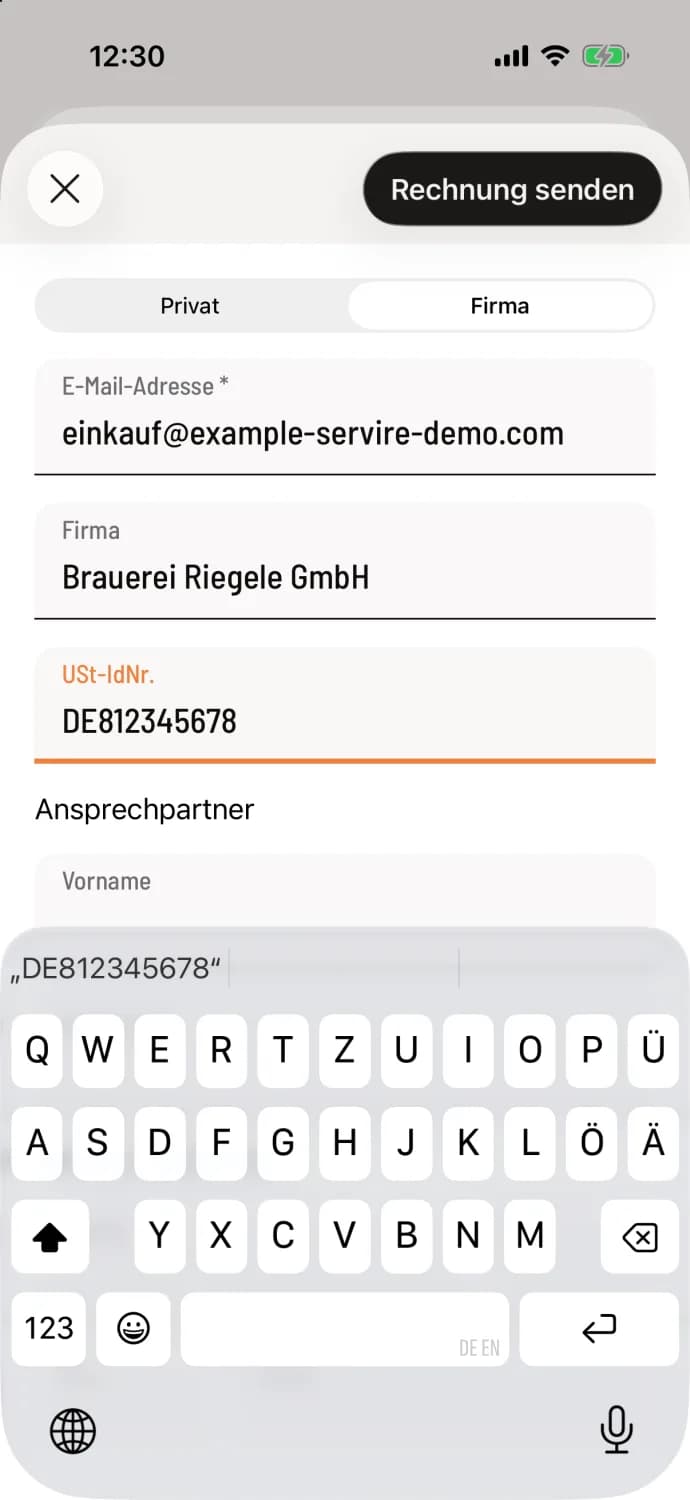
Step 2 of 2
Enter address and send
After you complete the payment, the form will open. At the top, select Private or Company. An email address is required. For Company, you will need to add Company, for example, "Riegele Brewery GmbH", VAT ID number, and a contact person; the company name is then mandatory. Tap Send invoice.
The system reports that the invoice has been sent. If you close the form without an address, it will ask for one. Selecting "Continue without email" prevents an email from being sent, but the invoice is still considered paid.
The business meal receipt PDF contains a business meal receipt , with fields for the persons entertained, the occasion, and the signature.
Once a guest is assigned, their address and company details are already entered. If they receive their invoices automatically by email, the form will notify you to prevent duplicate submissions. Forgot to send one? During your shift , you can send a receipt retroactively via … and Send by Email: View current shift. This only works for receipts with sold items.
You can also choose email for the cover letter. The invoice will then state "Cover letter – not yet paid", the outstanding amount, and the due date. This way, a company receives an invoice that it will pay later: Cover letter.