
Open print jobs and printer malfunctions
What the cash register does when a receipt cannot be printed, and how to reprint or discard open receipts.
Prerequisite: Applies if the cash registers print themselves. In hub mode, the print center handles print queues and malfunctions.
If the printer is off, the paper runs out, or the Wi-Fi connection is down, no receipt is lost. The cash register holds it and tries again automatically: kitchen receipts and messages for up to 2.5 minutes, receipts, coupons, deposit slips, and reports for up to 15 minutes. A kitchen receipt arriving much later would only cause confusion. After that, the receipt remains open until you print or delete it.
If it is unclear whether a receipt has already been printed, the cash register does not repeat it automatically to prevent it from being printed twice.
Recognize open receipts
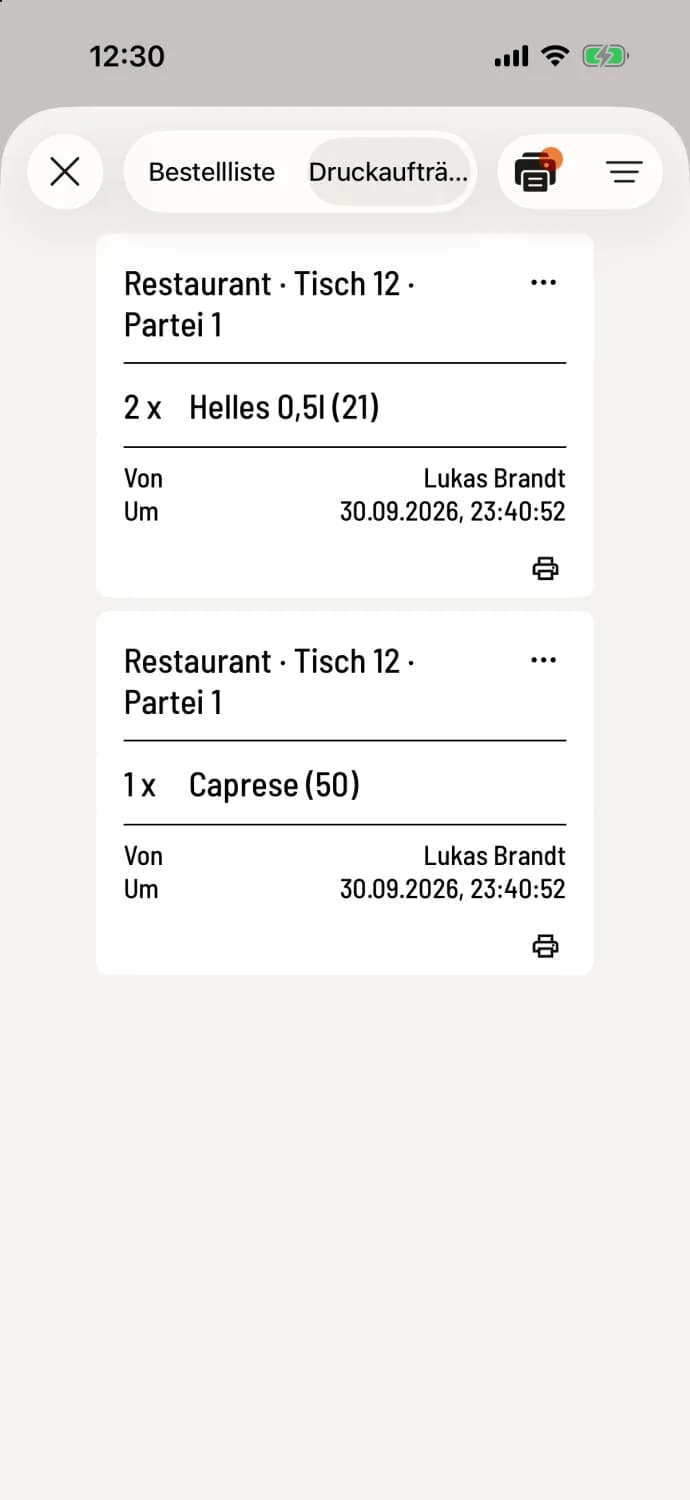
In the print jobs, each receipt that has not yet been printed has a small printer icon. A printer icon with an orange dot appears at the top as long as there are open receipts on this device.
Reprint or delete
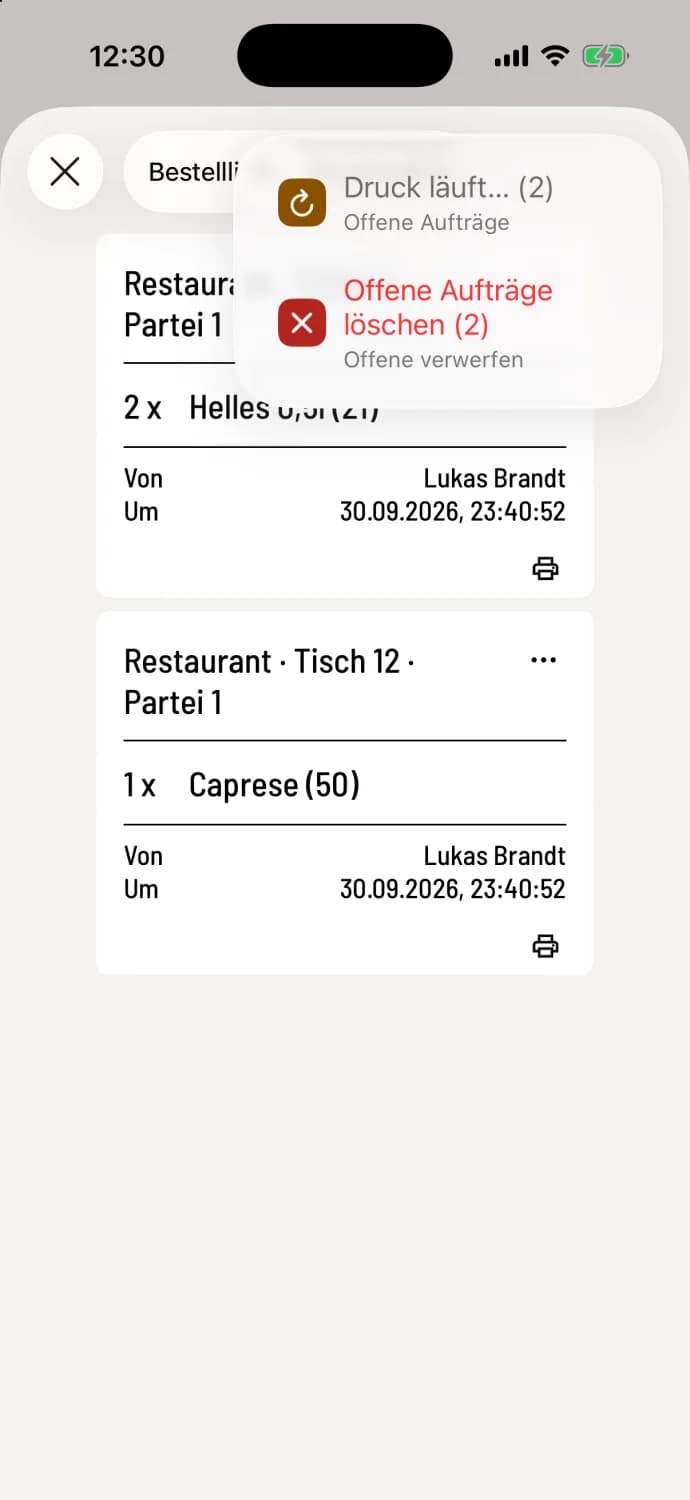
Open menu
Tap the printer icon with the dot. Print Open Orders prints the open receipts; the number in parentheses indicates how many there are. If the cash register is currently trying to print itself, it will say Printing in progress… and the entry will be locked. Delete Open Orders ("Discard Open") discards them after a confirmation prompt.
Receipts with unclear balances are not printed in the Print Open Orders function. You can print these individually via … on the receipt. If receipts are attached to a different cash register, the menu will also indicate this.
Warning: Deleted orders will no longer be printed. This cannot be undone.
Printer needs attention
If someone needs to do something at the printer, such as add paper, close the lid, or clear a jam, a red printer icon appears in the top right corner of the table plan . This opens the print jobs. On iPhones and iPads, a red banner displays the printer and the reason; on Android devices, the reason is shown in the printer icon's menu.
If there's a growing number of open receipts, first check the power, paper, and cable at the printer, then the POS system's Wi-Fi. A test print will show whether the POS system can reach the printer.