
Cash book: Open daily view
Cash balance and all cash transactions of the day with current balance.
The cash book records every cash transaction at the main cash register: cash payments, cancellations, deposits, deposits, and withdrawals. The daily view shows today's data.
Prerequisite: Cash book management must be enabled ( set up ) in the Web desk , and you must have the "Access to cash book" right. The owner always has this right.
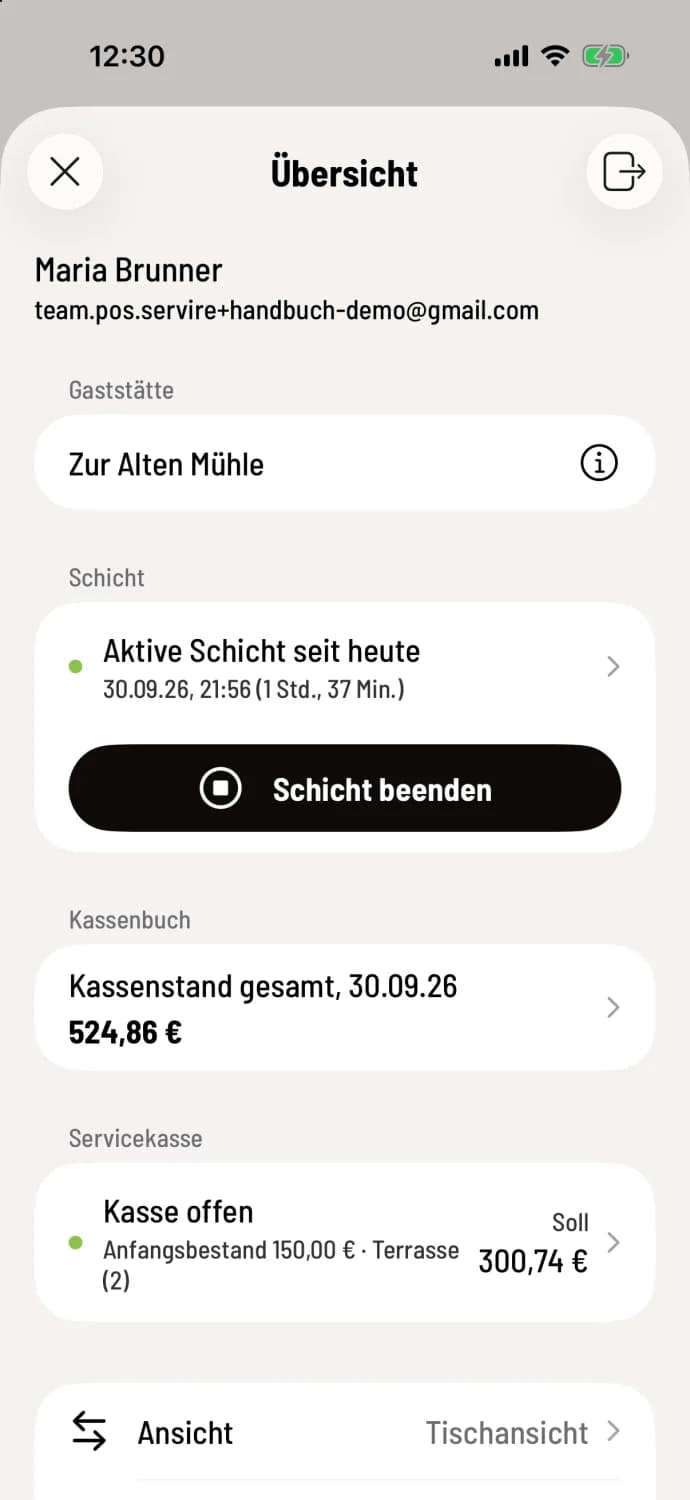
Step 1 of 3
Open cash book
In the Overview section, under Cash Book, tap on Total Cash Balance.
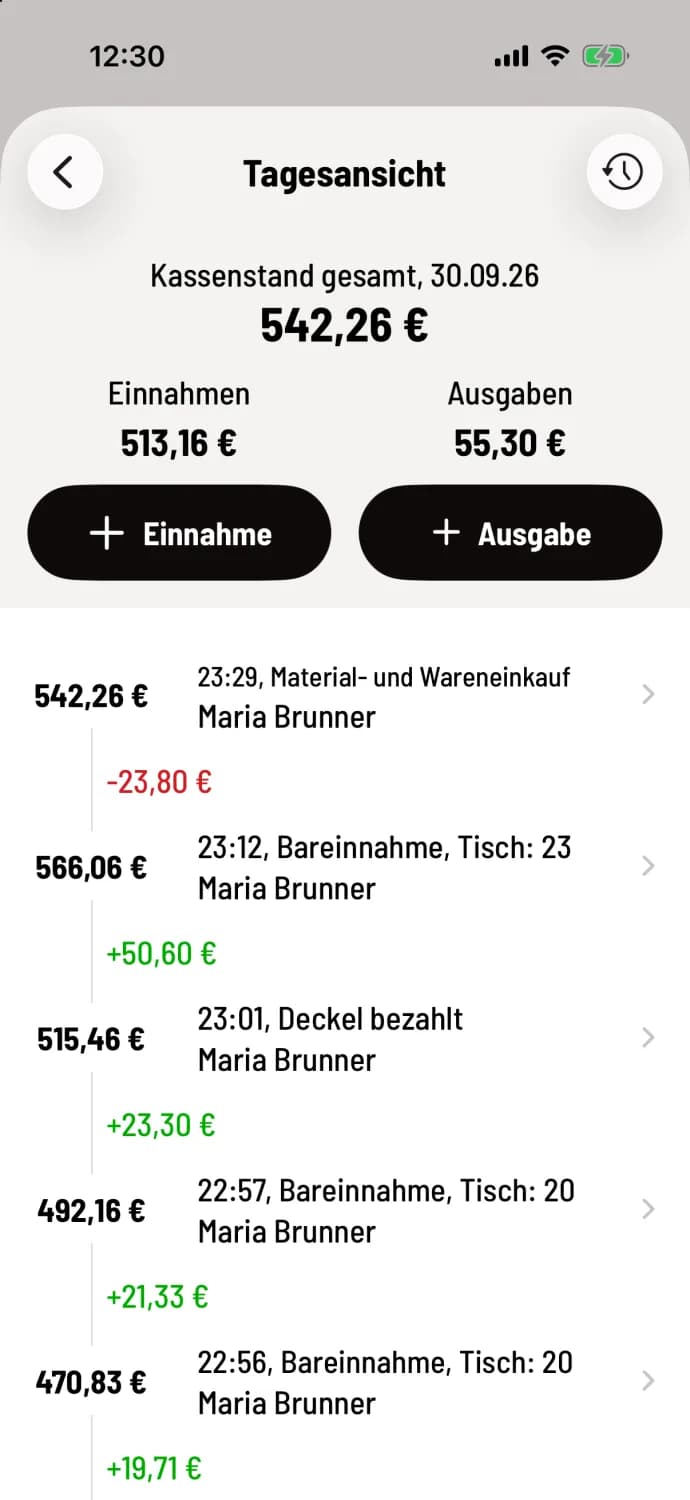
Step 2 of 3
Read day
At the top are the Total Cash Balance, Today's Receipts, and Expenses. Above these are the + Receipt and + Expenses buttons. Below this is a list of each transaction, with the most recent at the top, including the time, type, employee, amount (green plus, red minus), and the cash balance afterward, for example, 23:12, Cash Receipt, Table: 23 with +€50.60. At the very bottom, after all entries, is Start, the opening balance for the day.
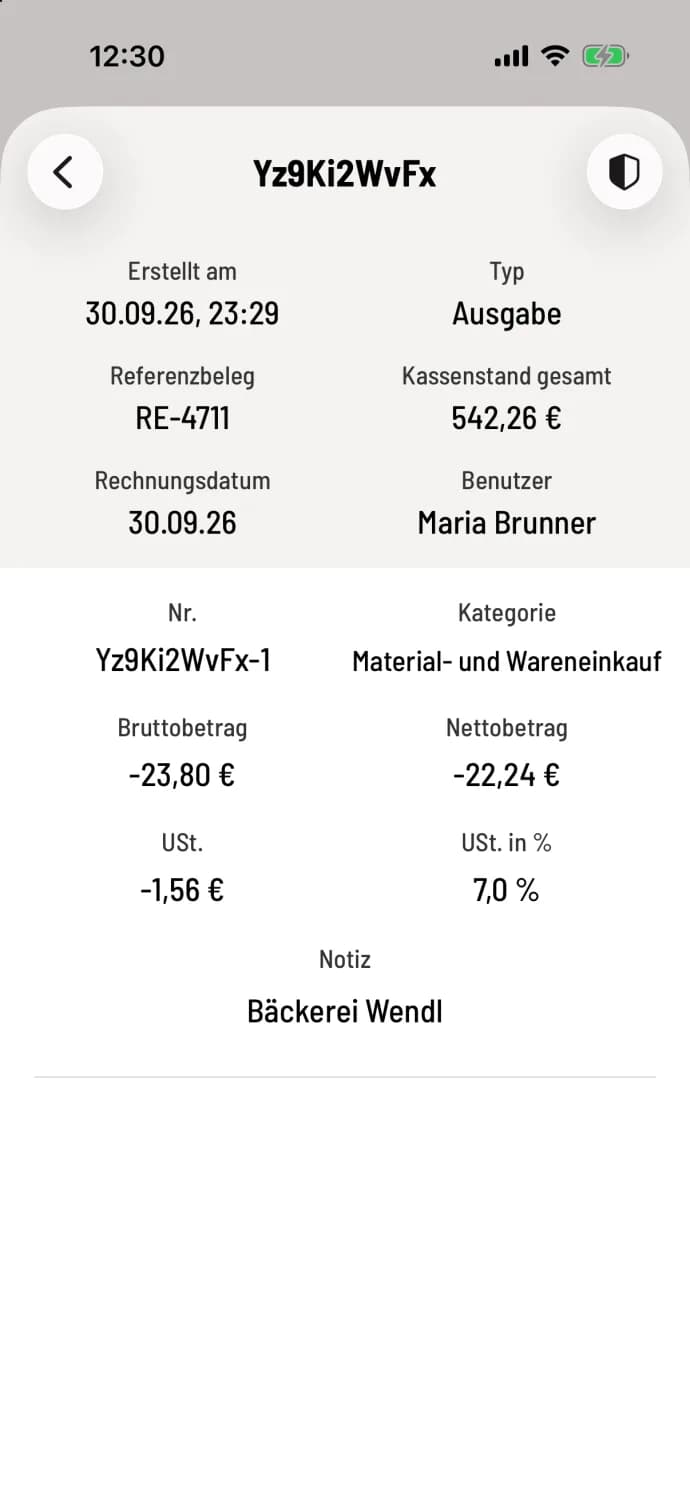
Step 3 of 3
View booking
Tap a line. The details show Created on, Reference document, Type, User and the cash balance; for your own bookings, it also shows the items with category, gross, net and tax.
Card payments are not recorded in the cash book; they do not involve cash transactions. At the bottom of the daily view, you record your own transactions using Income and Expense: Record income or expense.
You can access previous days via the clock in the top right corner: Cash book history.