
Change login details
Change the email address or password of your account in the POS app.
Your email address and password are your login details for the POS app and Web desk. You can change them in the POS system under Settings → Login Details, and in the Web desk under Web desk Settings.
Prerequisite: You need your current password and internet access. If you've forgotten it, you can reset your password.
Step 1 of 2
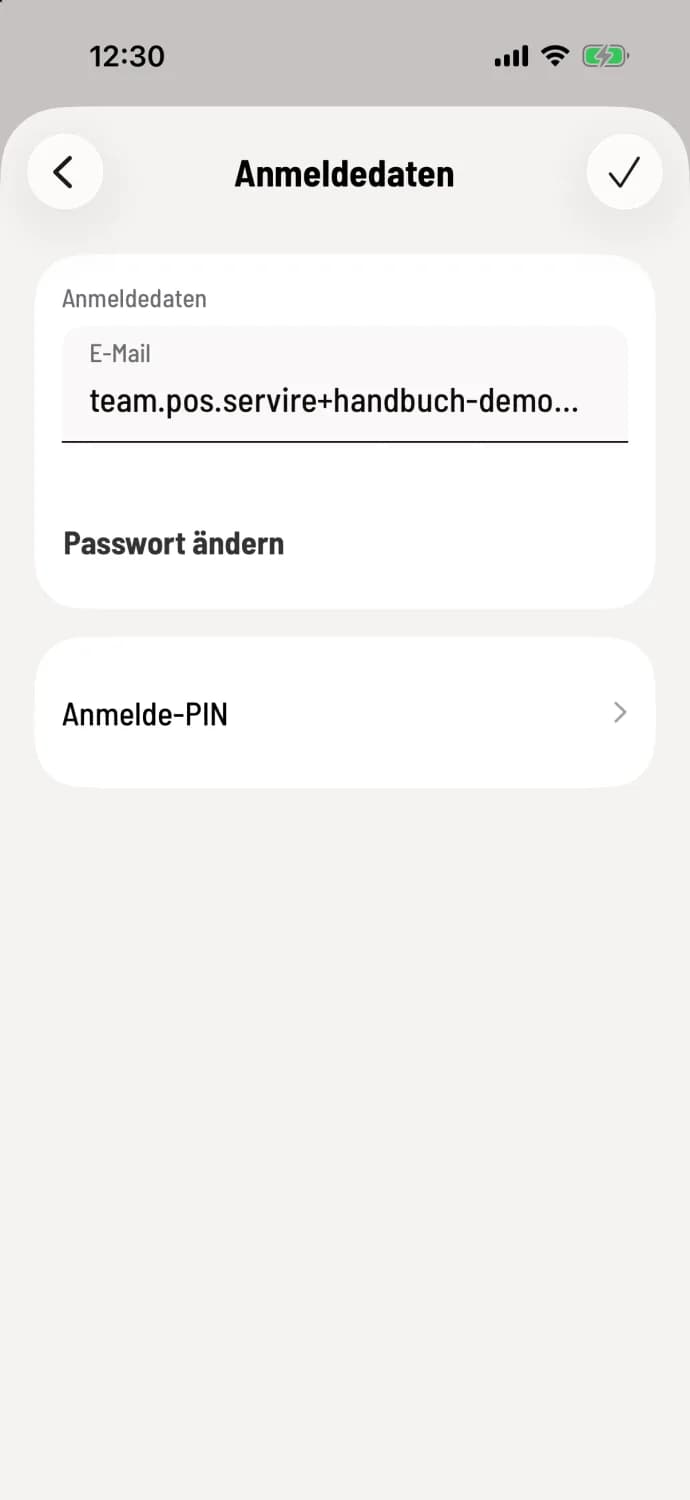
Open login details
Tap the house icon in the top left corner, then Settings and Login details. Your email address is displayed at the top, Change password below, and Login PIN at the bottom.
Step 2 of 2
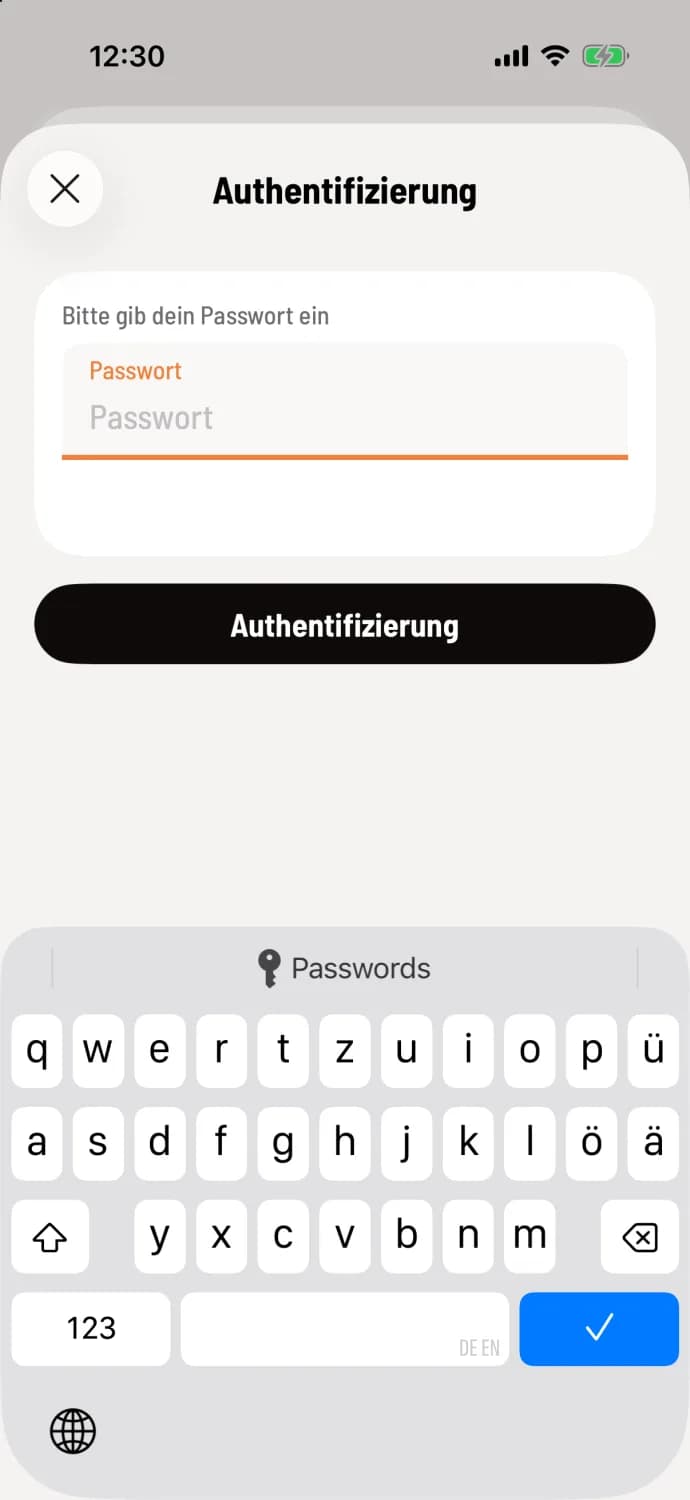
Confirm with your current password
After clicking the checkmark in the upper right corner, the checkout window will ask for your current password in the Authentication window with Please enter your password. Enter it and tap the Authentication button.
Change email address
Tap in the Email field, enter the new address, tap the checkmark, and confirm with your password. On iPhone and iPad, the new address takes effect immediately; the app will display a message indicating Email address has been changed. On Android, Servire will first send a confirmation link to the new address; it will only be valid after you click on it, after which you will need to log in again.
Change Password
Tap Change Password. In the New Password field, enter at least 6 characters; the eye icon shows what you're typing. Tap the Checkmark and confirm with your current password. The app will display Password changed. Don't change password will hide the field again.
Using a login PIN allows you to log in to the checkout device faster: Login via PIN.