
Working with collection numbers
The service process: assign a number, call the guest, complete the process.
Orders without a table will receive a collection number: counter and express checkout, to-go, order terminal, and online orders for collection. Table reservations, deliveries, and voucher sales will not receive a collection number.
Prerequisite: Collection numbers are activated: Set up collection numbers.
How the numbers are assigned
The number is generated during checkout or sending and appears on the kitchen receipt and order slip. After checkout, the cash register displays it prominently in the order area until you select the next item ; on your mobile device, it appears at the bottom in a small window, along with the change due. This allows you to tell the customer the number even without a printer. All devices count together from 1 to 999, then reset to 1. The count restarts after a break of more than eight hours, usually overnight, not during shift changes.
Call up guest
With the kitchen monitor, the kitchen marks the items as ready for pickup. The guest is called as soon as all item in their order are ready for pickup: Use the kitchen monitor. Without the kitchen monitor, you call it up at the checkout:
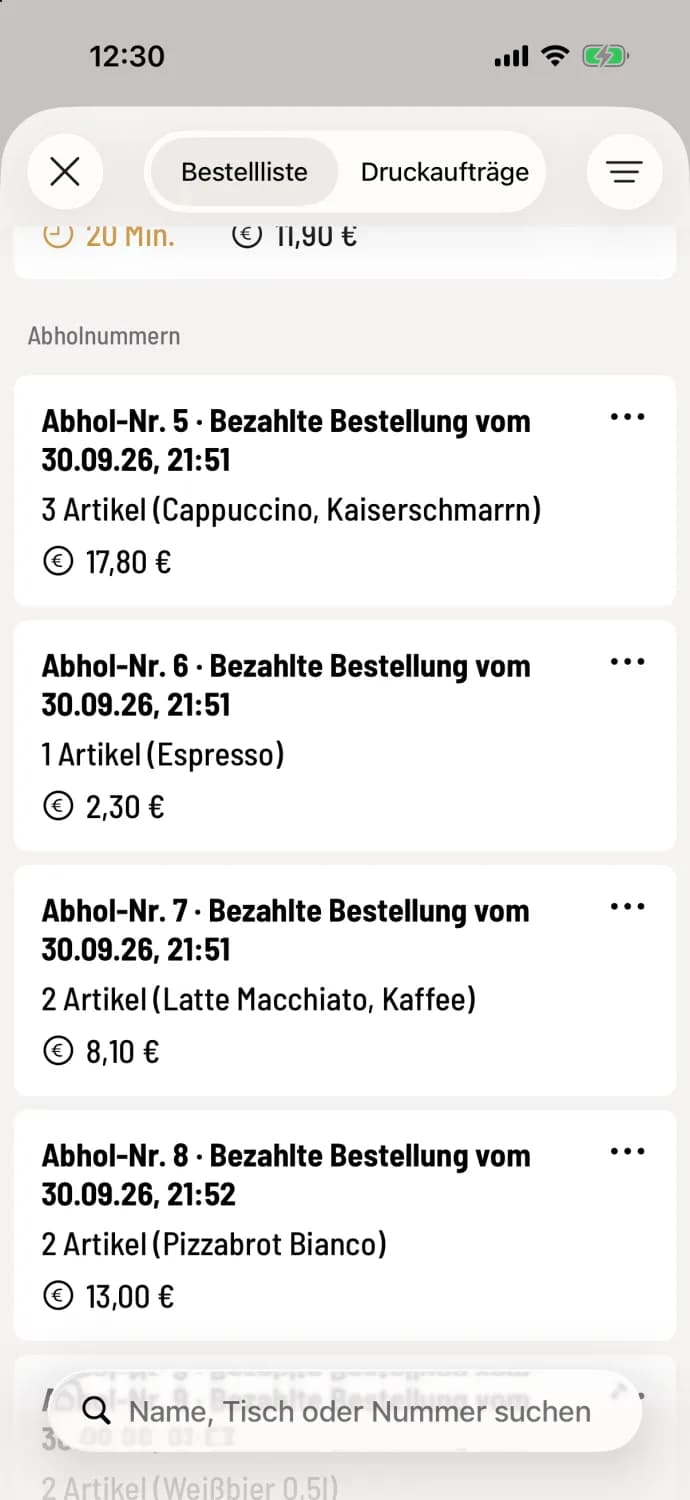
Step 1 of 3
Find the number in the cash register
Open the order list in the upper right corner. Under collection numbers, you'll find the paid but not yet collected items from the checkout, sorted in ascending order. Online orders and orders from the ordering terminal are listed at the very top under online orders: Online orders in the checkout.
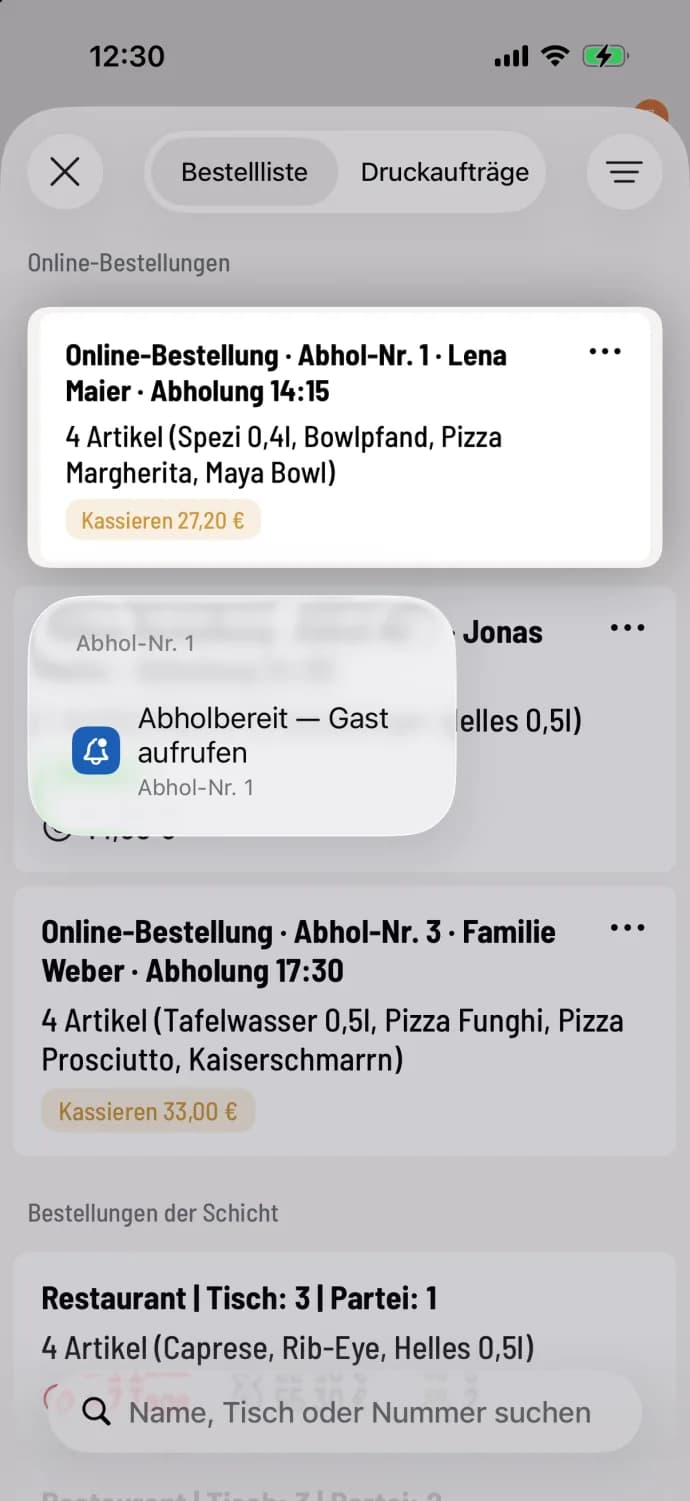
Step 2 of 3
Call
Swipe the line to the right or press and hold it, then select Ready for Collection. The number will turn green on the collection display, a tone will sound, and the cash register will announce Marked as Ready for Collection.
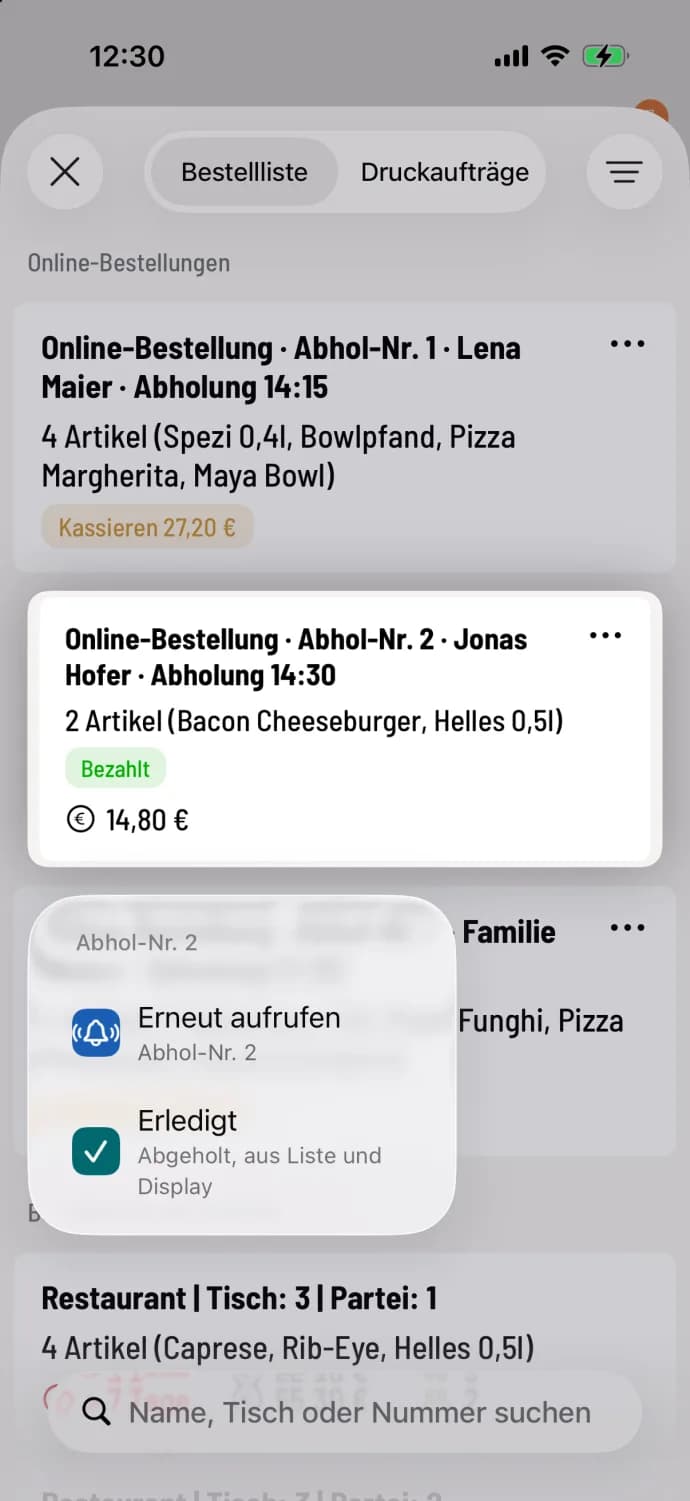
Step 3 of 3
Reopen or close
If no one arrives, select Recall. If the guest arrives, select Completed. The number will disappear from the display and the list. Completed will appear in the menu as soon as the order is paid for or marked, even without prior recall. A marked order will remain open.
A number that has been called disappears after the display time of the screen and order list has elapsed, preset to 15 minutes. A number that has never been called disappears after four hours. If an order is completely canceled, its number disappears immediately; it is not reassigned.
Second device in Servire Free: In Free, one device handles payments shift . You don't need a second cash register to access it: Open the kitchen monitor in the Hub on a tablet at the serving counter.