
Bringing parties together
Bring two parties together at the same table to form one.
If two parties pay together, you combine their contributions. The party whose menu you open is completely merged into the selected party and disappears.
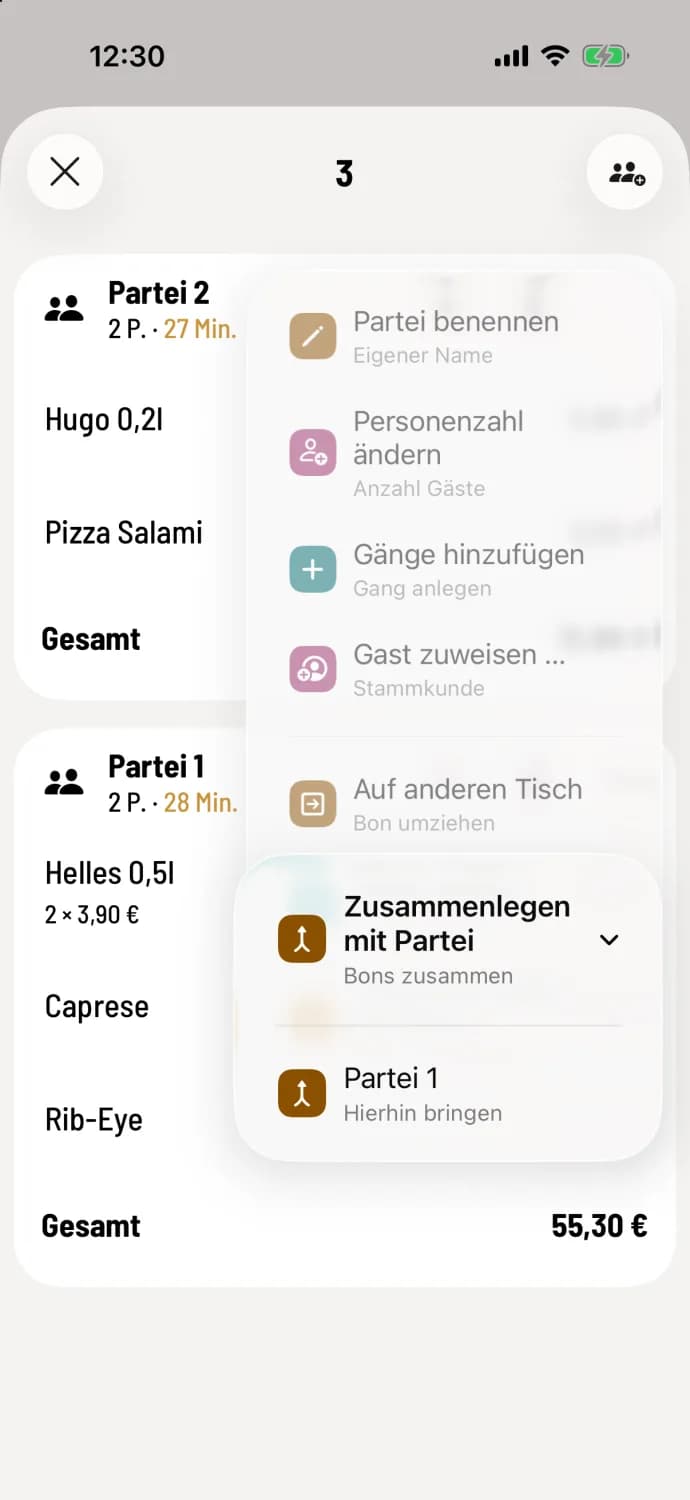
Choose target party
Tap … at the top of the party you want to dissolve, and then tap Merge with Party. Select the party to which everything should be transferred. The target party will now carry all the item. Tap Submit.
Notes, discounts, and surcharges are included with the items. The name and number of people at the destination remain the same. If the destination has aisles, the transferred item are given their own new aisle.
The entry is made as soon as at least two parties are seated at the table and neither is scheduled for cancellation. Partially paid parties can also be combined.