
item details: Price, allergens, recipe
What's inside, which allergens are present, and what sizes are available—all on one page.
The item details answer typical guest questions: What's in it, which allergens, what sizes are available? You can open it via Overview → menu by tapping on the item.
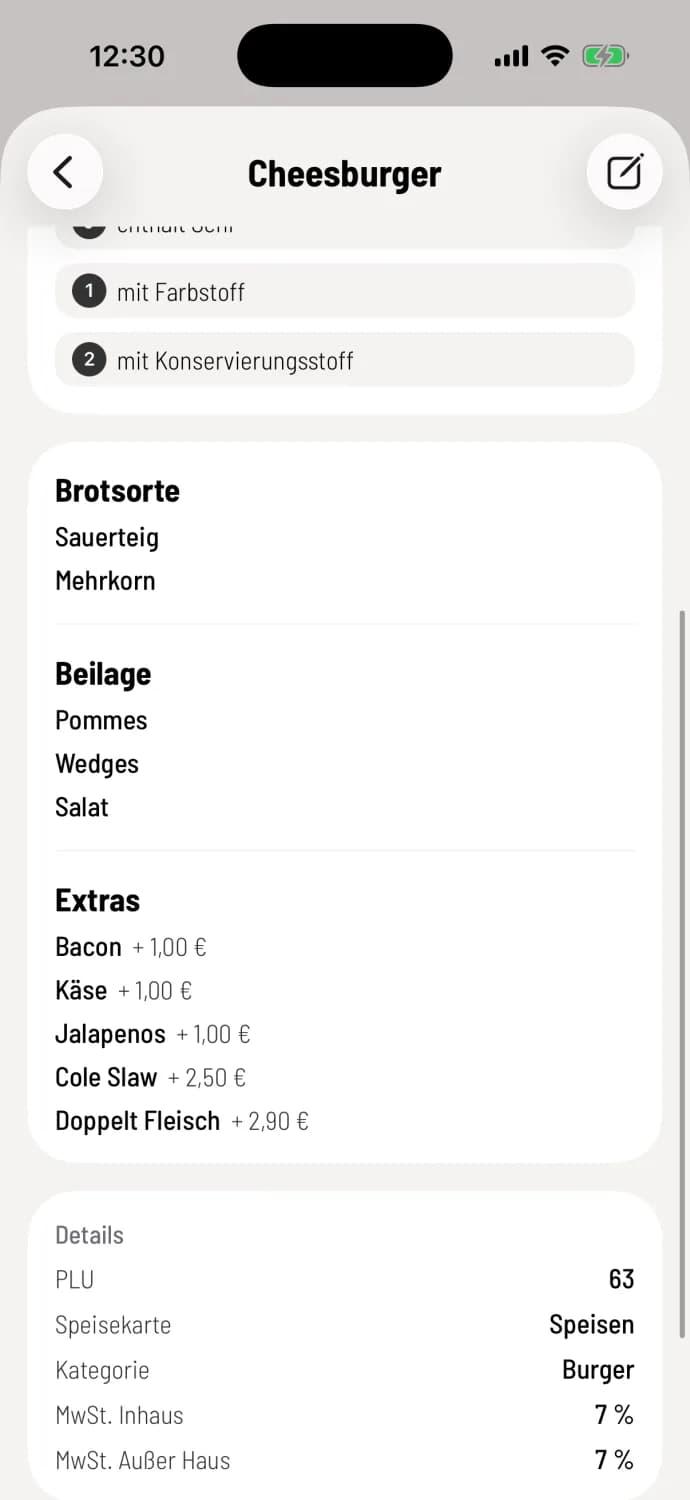
What it says in detail
Name, price, public and internal description, plus Sold Out, Sold Out Today or Inactive, if applicable.
Images are displayed as previews. Tapping the screen opens the gallery, where you can zoom in.
Allergens & Additives with their abbreviations.
Deposit and options with additional charges.
Recipe, if a recipe text is stored in the Web desk . The recipe for the ingredients does not appear here.
Details: PLU, article group (if assigned), menu, category and the tax rates VAT In-house and VAT Takeaway.
Prescription required when ordering
You can also access the recipe in the Detailed Order and in the details of an item line, each via … and Show Recipe. It can only be edited in the Web desk.
All information comes from the Web desk. If the allergens are incorrect, please correct them there: Manage labels. If in doubt, ask in the kitchen instead of answering from memory.