
Place order with variations
Select size, cooking level or side dish in the detailed order.
If a dish requires a decision, tapping the item in the checkout will open the Detailed Order. You can identify such item by the grid symbol in the top left corner of the tile. If the tile displays a price, it will say from….
Playing loads YouTube (Google).Playing loads the video from YouTube and sends data to Google. Clicking allows external media. Privacy
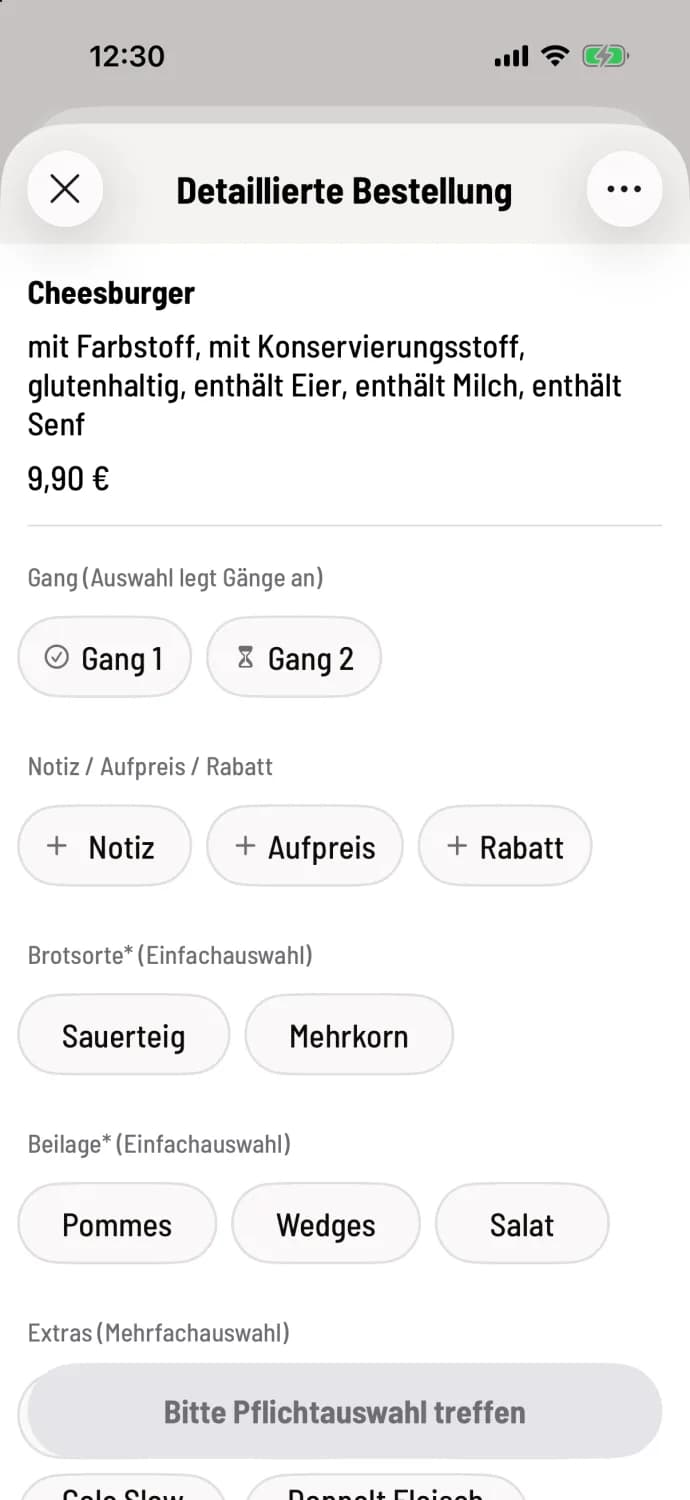
Step 1 of 2
Make mandatory selections
Groups with an asterisk next to the name must be filled in. Single selection allows one option, Multiple selection allows several. As long as something is missing, the button displays Please make a required selection.
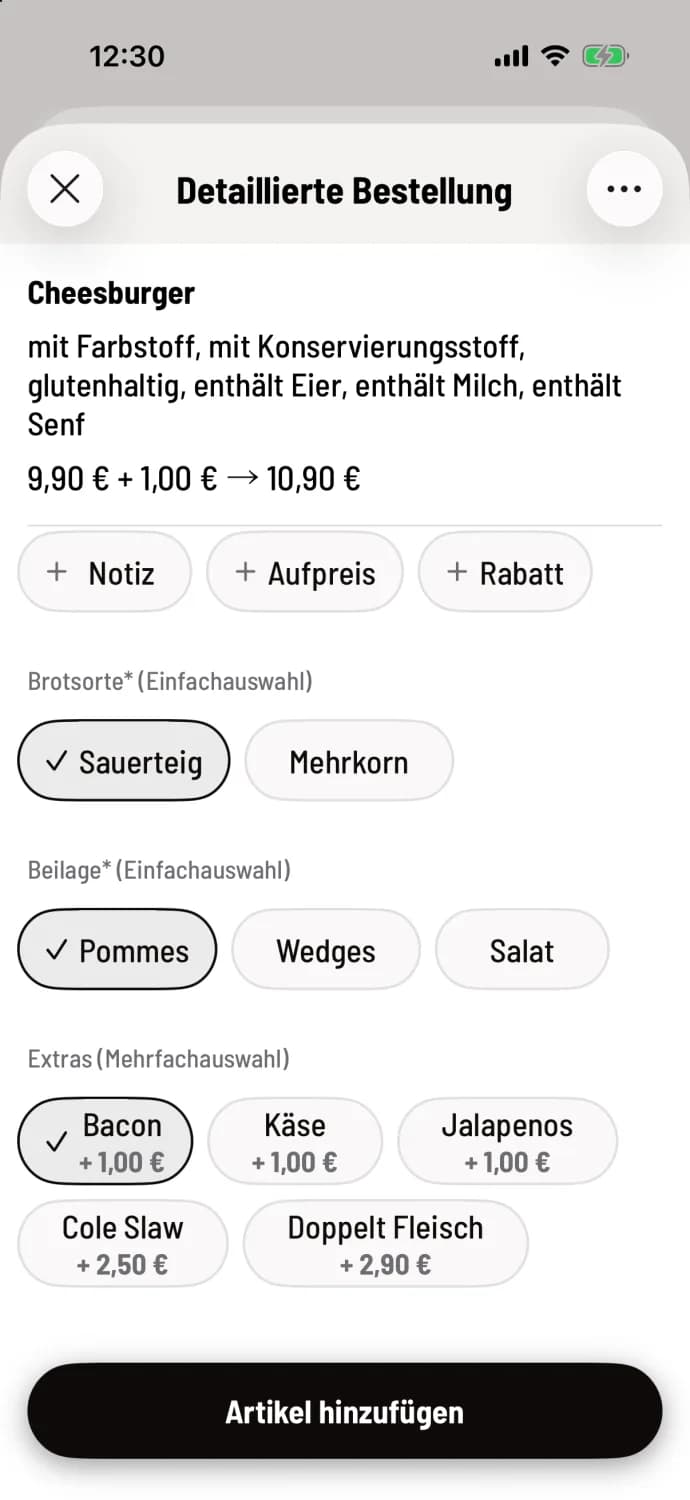
Step 2 of 2
Add item
The price line calculates automatically. Use Note, Surcharge, and Discount to add any requests. Then tap **Add item **.
Good to know
Options that are pre-selected in the Web desk are already set when opening the web desktop, such as the small pizza.
Below the name are the product's characteristics, for example, allergens.
If a group says multiple taps for quantity, you tap an option multiple times for more items.
A deposit is pre-selected. If the guest brings their own container, deselect it.
At the very top, you select the aisle. If the party doesn't have one yet, it will say Aisle (selection creates aisles) with Aisle 1 and Aisle 2; if you select one, the cash register will create both. See Creating Aisles.
You can mark the item as a favorite via … in the top right corner, or open the recipe with Show recipe.
You can open the Detailed Order for each item via … on the tile, even without variants, for example for a note or a discount.