
Create X-report
Print or share the interim status of the current shift without ending the shift .
The X report shows the same sections as the Z-report, but as an interim report. It doesn't end the shift and doesn't receive a report number. This is useful for handovers or if you want to see the figures at lunchtime.
Requirements: Ongoing shift, internet connection and the right to "access all shift data of the restaurant".
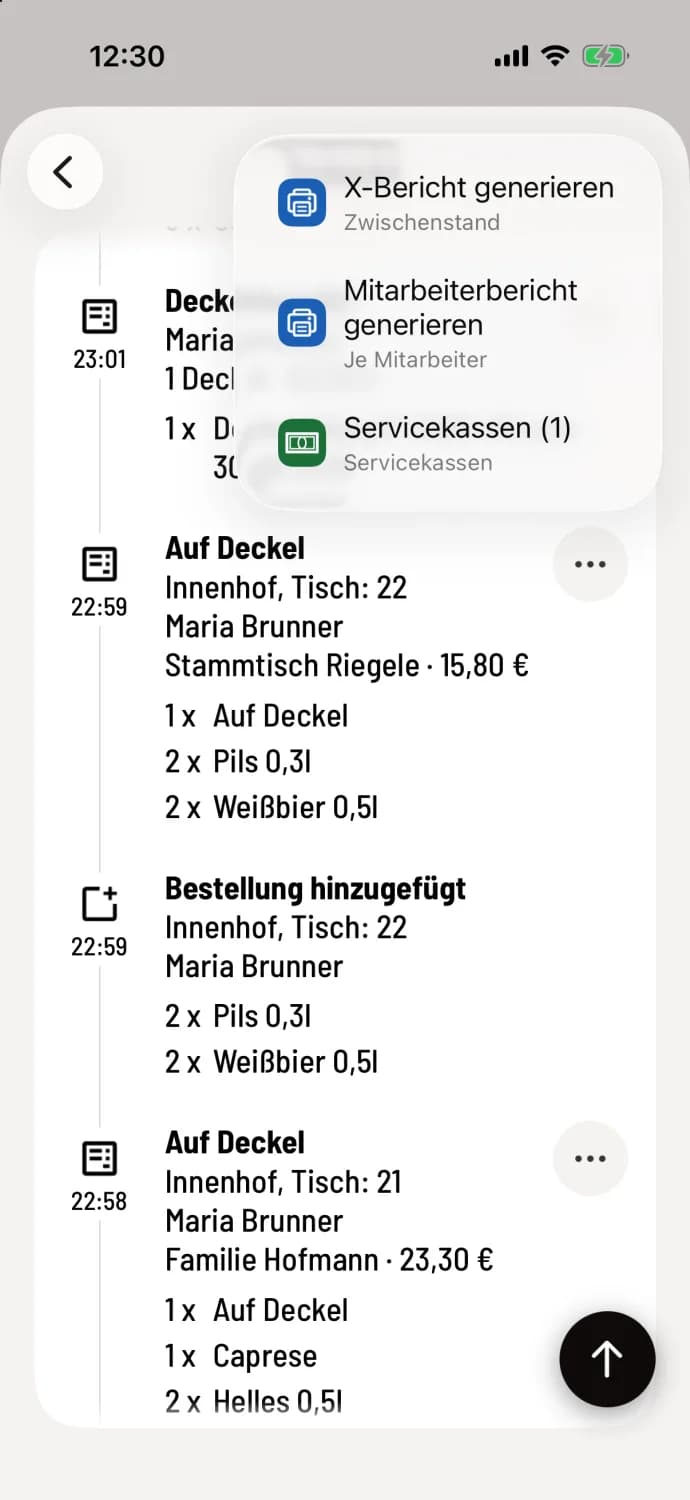
Step 1 of 3
Generate X-report
In the Overview, open the current shift. Tap … in the top right corner and then tap Generate X-Report.
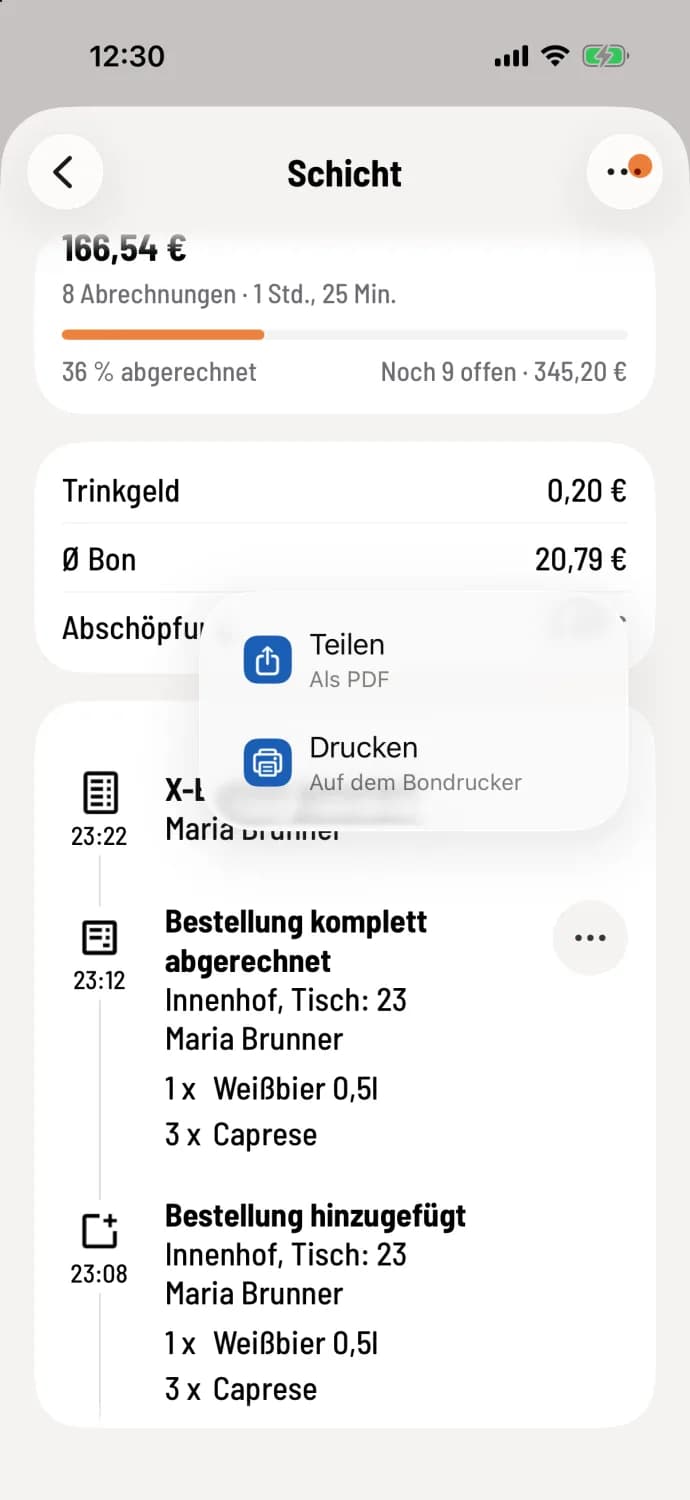
Step 2 of 3
Find report again
After a moment, X-Report generated will appear at the top of the timeline. If a printer is set up for reports, it will print immediately. Tap … on the entry: Share will give you the report as a PDF, Print will send it to the receipt printer.
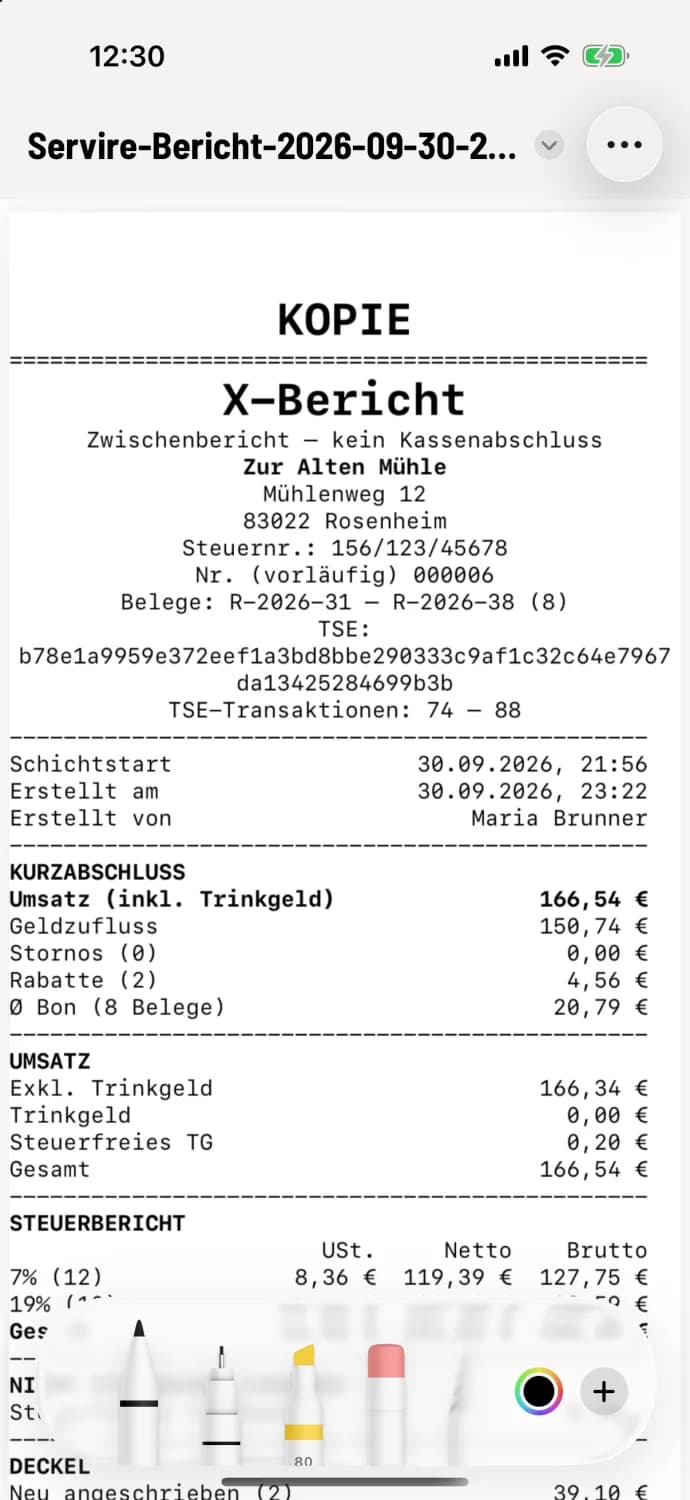
Step 3 of 3
View PDF
At the top are X-Report with the note Interim Report – Not a Cash Register Closing Report, restaurant name, receipt numbers and TSE information, shift start time and who created the report. This is followed by Short Closing Report, Sales, Tax Report, Payment Methods, Issued Items and Cash. A report that has been split or printed again has COPY at the top.
The meaning of the sections is explained under "Reading the Z-report". You can specify which additional sections are printed in the Web desk : "Setting Report Printing ".