
Cash book entry with multiple items
Record an invoice with different tax rates or categories in one transaction.
A supplier invoice often includes food items at 7% and cleaning supplies at 19%. You record it as a single transaction with multiple line items, each with its own category and tax rate.
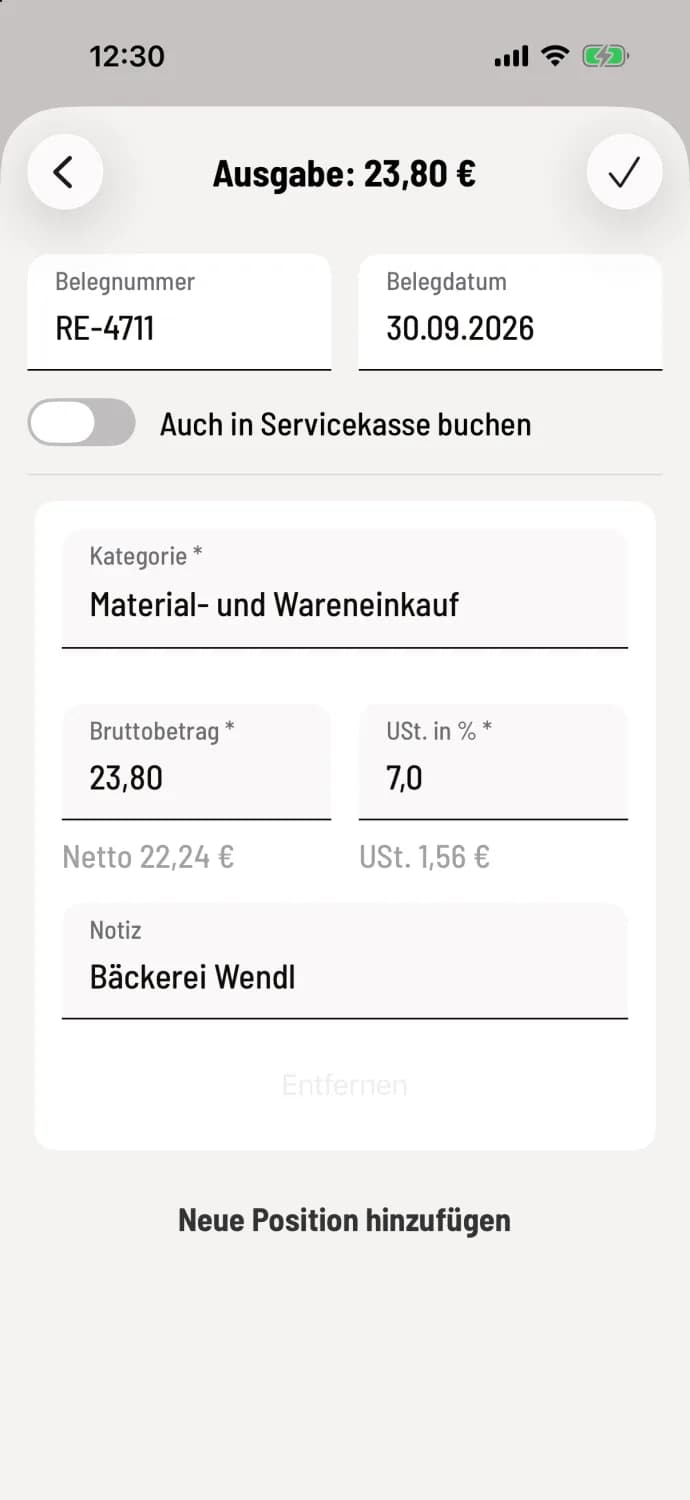
Step 1 of 3
Header data and first position
Open the Expense (or Income) section in the daily view. Enter the Receipt Number and Receipt Date at the top. The entry will be assigned the Category, Gross Amount, and VAT %.
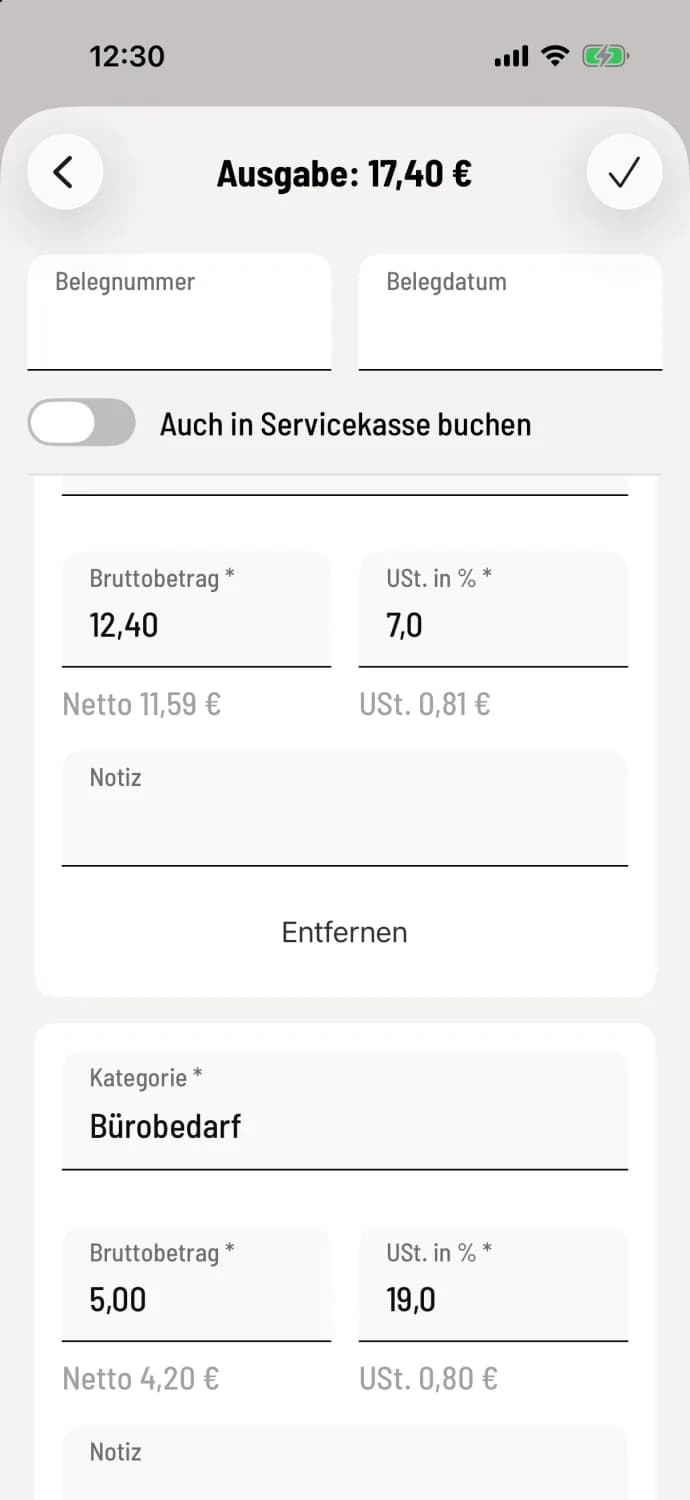
Step 2 of 3
Further position
Tap on Add new item and select the category, amount, and tax rate. The total of all items will appear at the top of the title, for example, "Expense: €17.40".
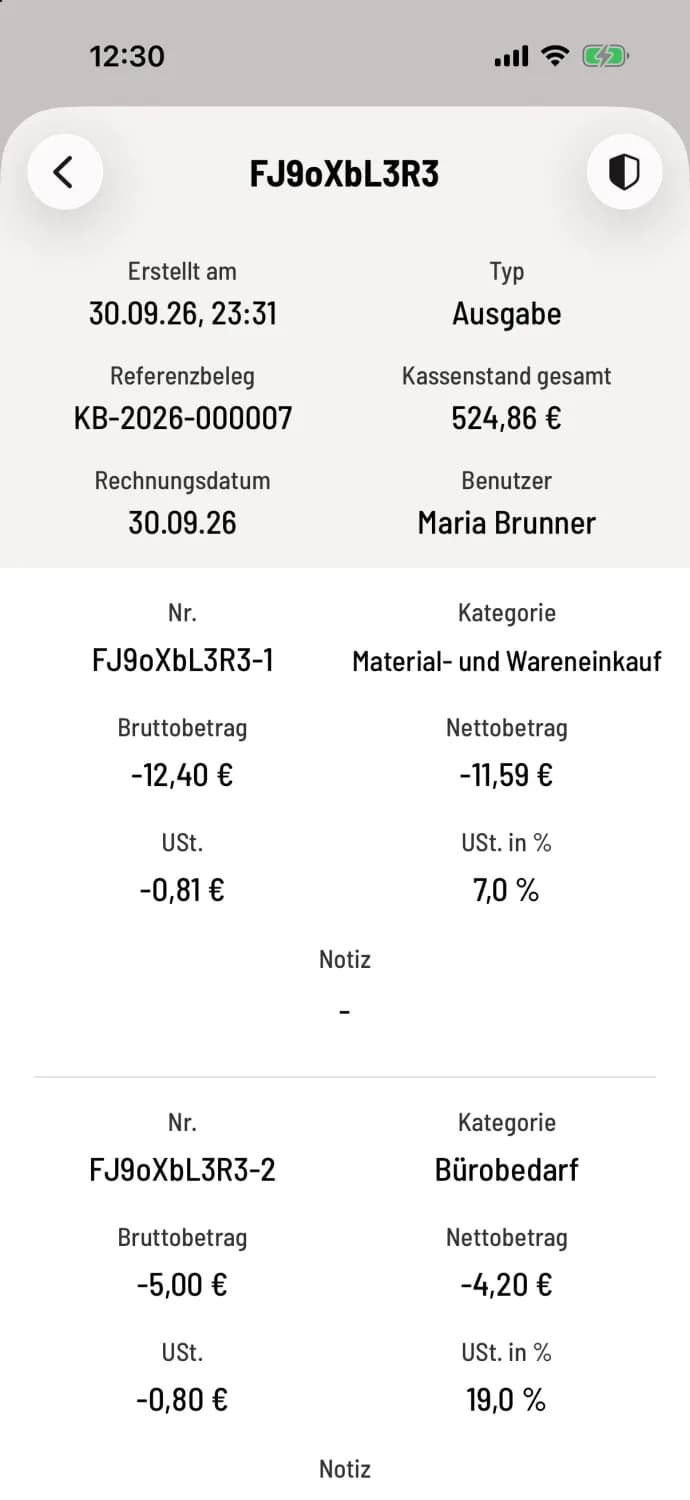
Step 3 of 3
Save and check
The checkmark in the upper right corner saves the transaction. The booking details show all items with gross, net, and tax information.
The available options are 19% standard tax rate, 7% reduced tax rate, 10.7% average rate, 0% non-taxable, and 0% VAT exempt. If there are two or more options, delete one using Remove. Write the supplier's name in the Notes field.
Saved entries cannot be changed. Correct errors with a counter-entry of the category Correction.