
Denominations: Count banknotes and coins individually
Enter the quantity of each bill and coin; the cash register will calculate the total.
Instead of calculating the total yourself, you enter the number of bills and coins of each denomination when counting the cash. The cash register adds them up and records the total as the actual amount.
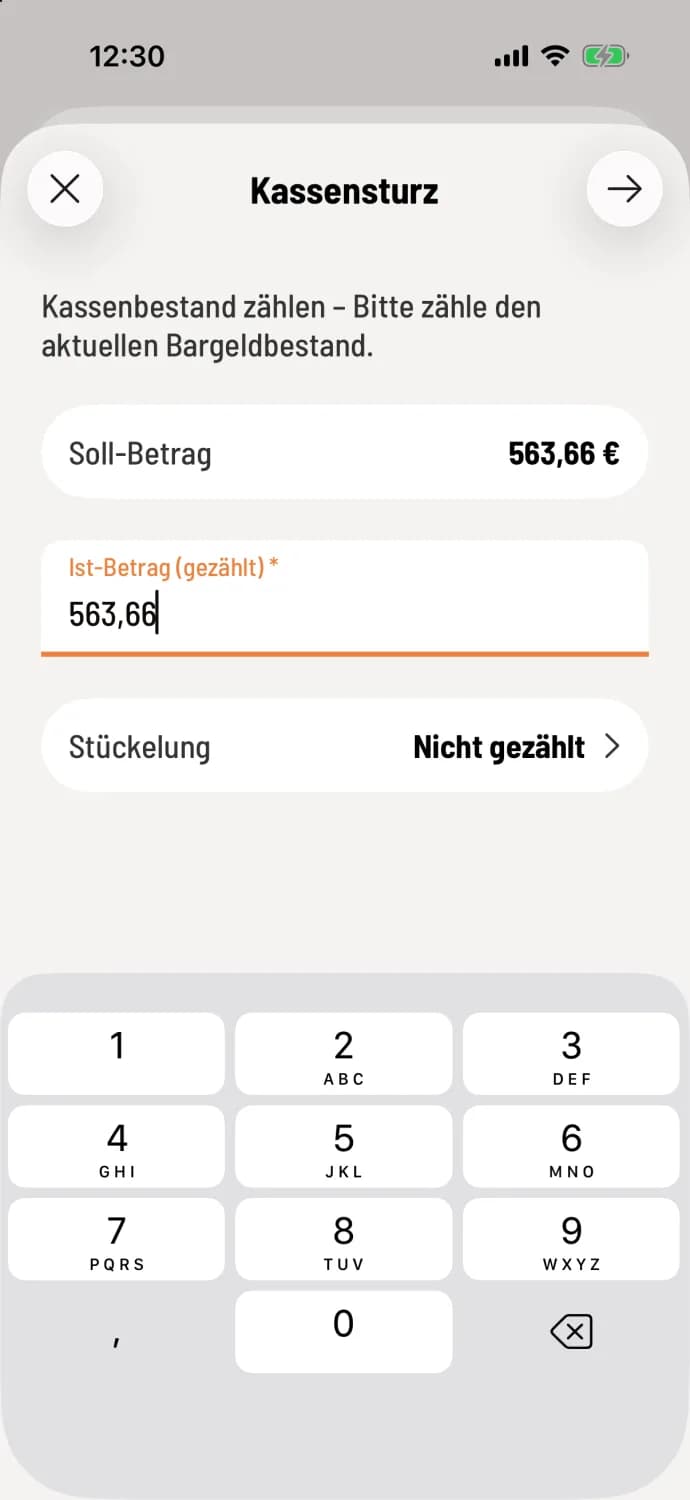
Step 1 of 3
Open the denomination
In the cash count, tap on the denomination card ("Not counted").
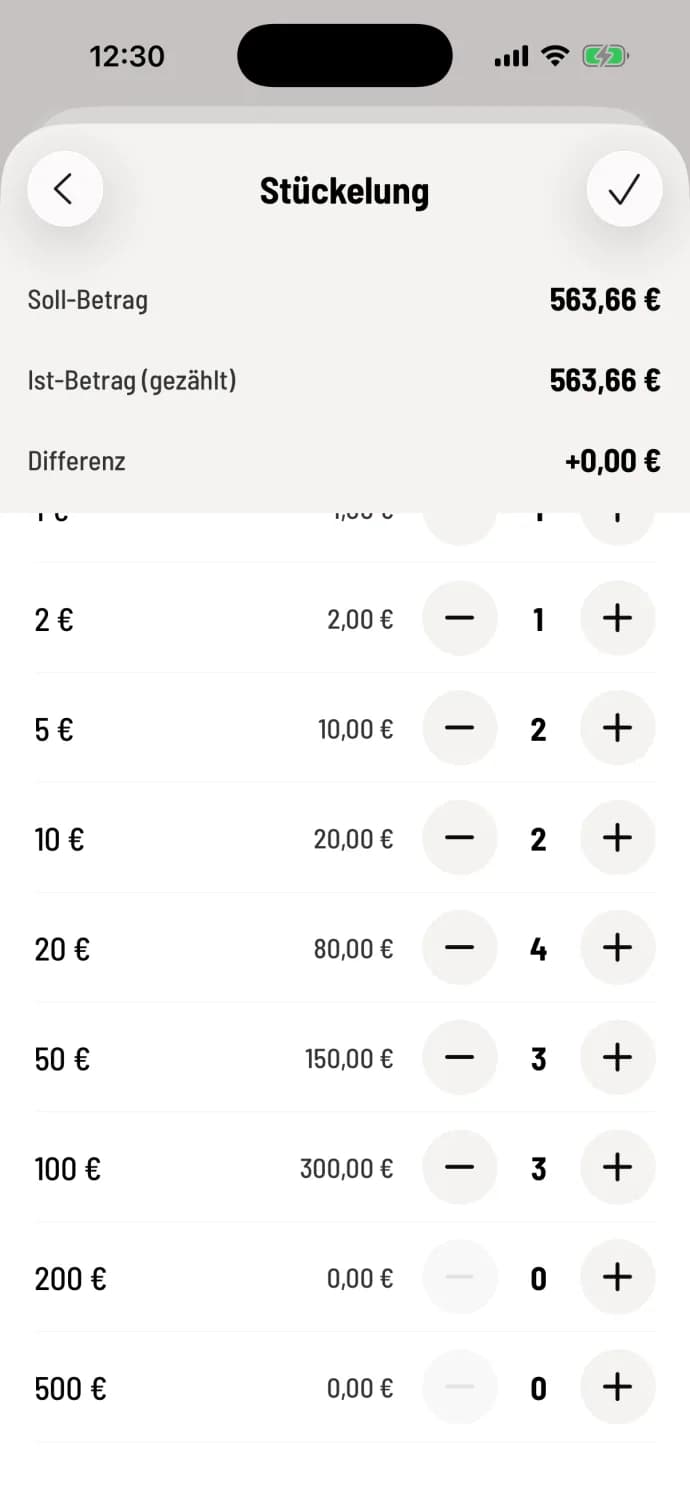
Step 2 of 3
Enter number
For each value from 1 cent to €500, there are − and +. Tapping on a number lets you enter the quantity directly. The target, actual, and difference are displayed at the top: green for surplus, red for deficit.

Step 3 of 3
Take over
Tap the checkmark in the top right corner (Android: Done). The total is now displayed as the actual amount in the cash reconciliation.
As long as a unit of measurement is selected, you can only change the amount by adjusting the unit of measurement. Use Reset Unit of Measurement to discard it. If you go back with entered values, the cash register will ask Discard Changes?, which you can select Save or Discard.
The denomination also applies when performing a cash count retrospectively. You can configure whether it appears in the Z-report in the Web desk under Print Denomination: Report Print Settings.