
Sell and redeem vouchers
Sell vouchers via the promotion button and redeem them as a payment method during checkout.
You can sell vouchers using the round promotional button. They are redeemed when you select Voucher as your payment method. Vouchers are available at checkout for all plans.
Prerequisite: The owner must display the Voucher entry in the Web desk , optionally as a separate button next to the action button: Set up action button. Amounts, voucher type, and what opens automatically upon redemption are configured under Set vouchers at checkout. A payment method of the type "Voucher" is required for redemption: Manage payment methods.
Playing loads YouTube (Google).Playing loads the video from YouTube and sends data to Google. Clicking allows external media. Privacy
Sell
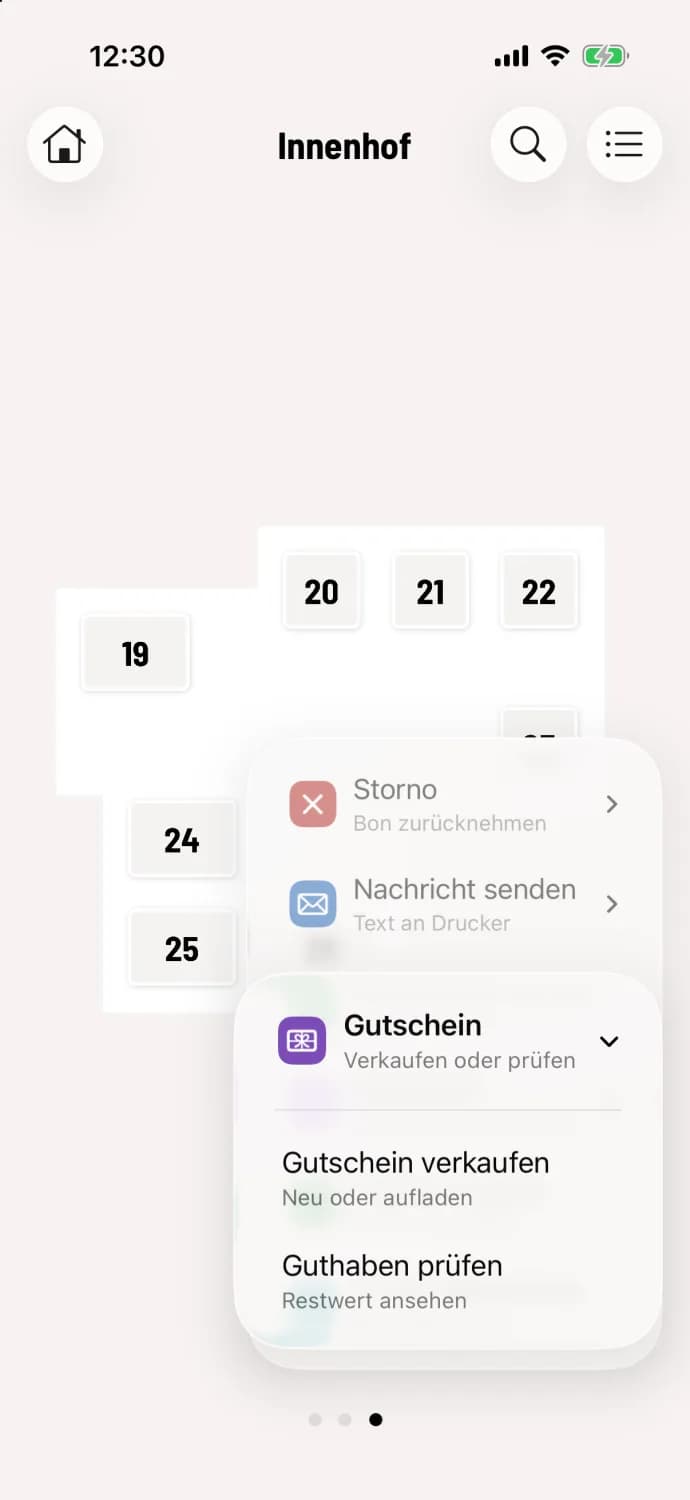
Step 1 of 2
Select "Sell voucher"
In the table plan or at the express checkout, tap the round … button, then Voucher and Sell Voucher.
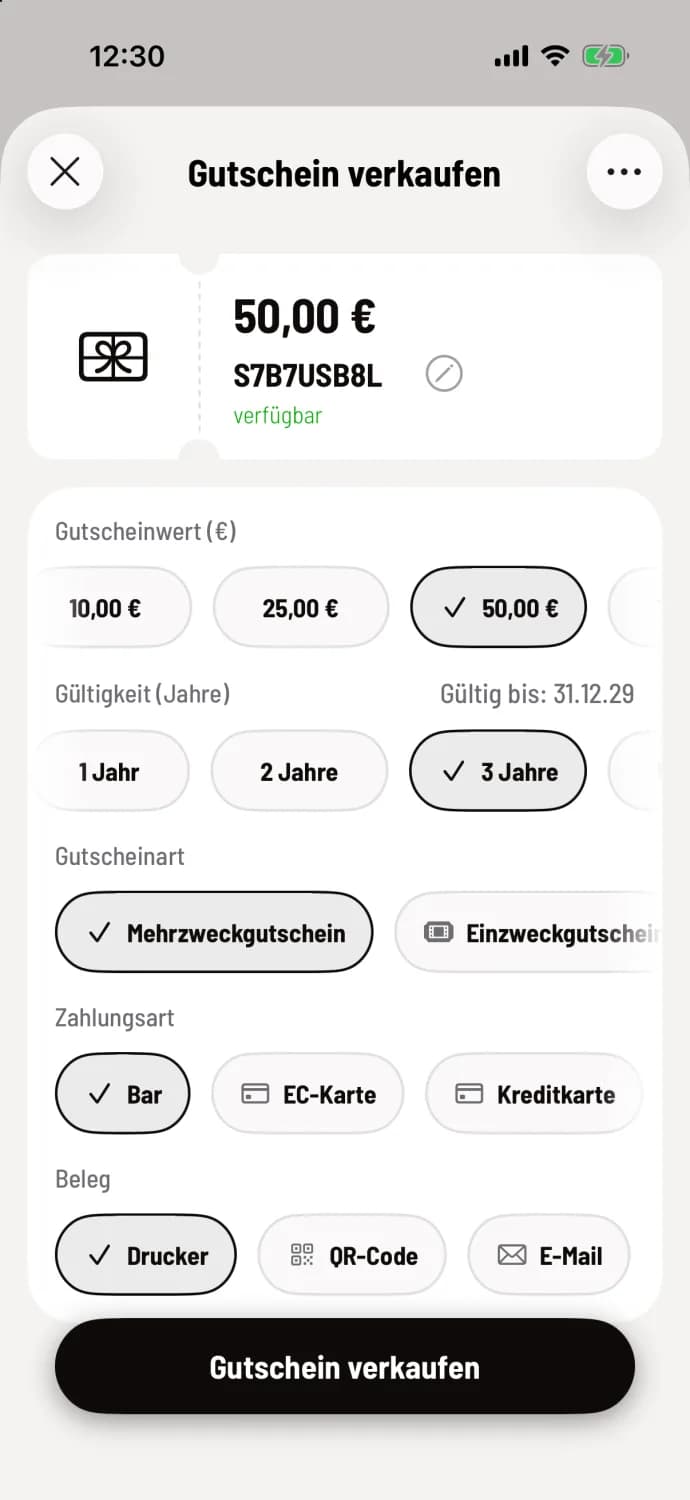
Step 2 of 2
Choose value and payment
Select Voucher Value (€), Validity (Years), and, if offered, Voucher Type. Below that, enter the buyer's payment method and the receipt. Tap Sell Voucher.
The code is generated automatically: Assign your own voucher code. The voucher itself is always printed, the sales receipt only at the printer. The default validity period is 3 years, expiring on December 31st.
A multi-purpose voucher can be used for anything; the tax is only incurred upon redemption. A single-purpose voucher has a fixed tax rate and is only valid for item with that rate. Consult your tax advisor to determine which type is right for you.
Redeem
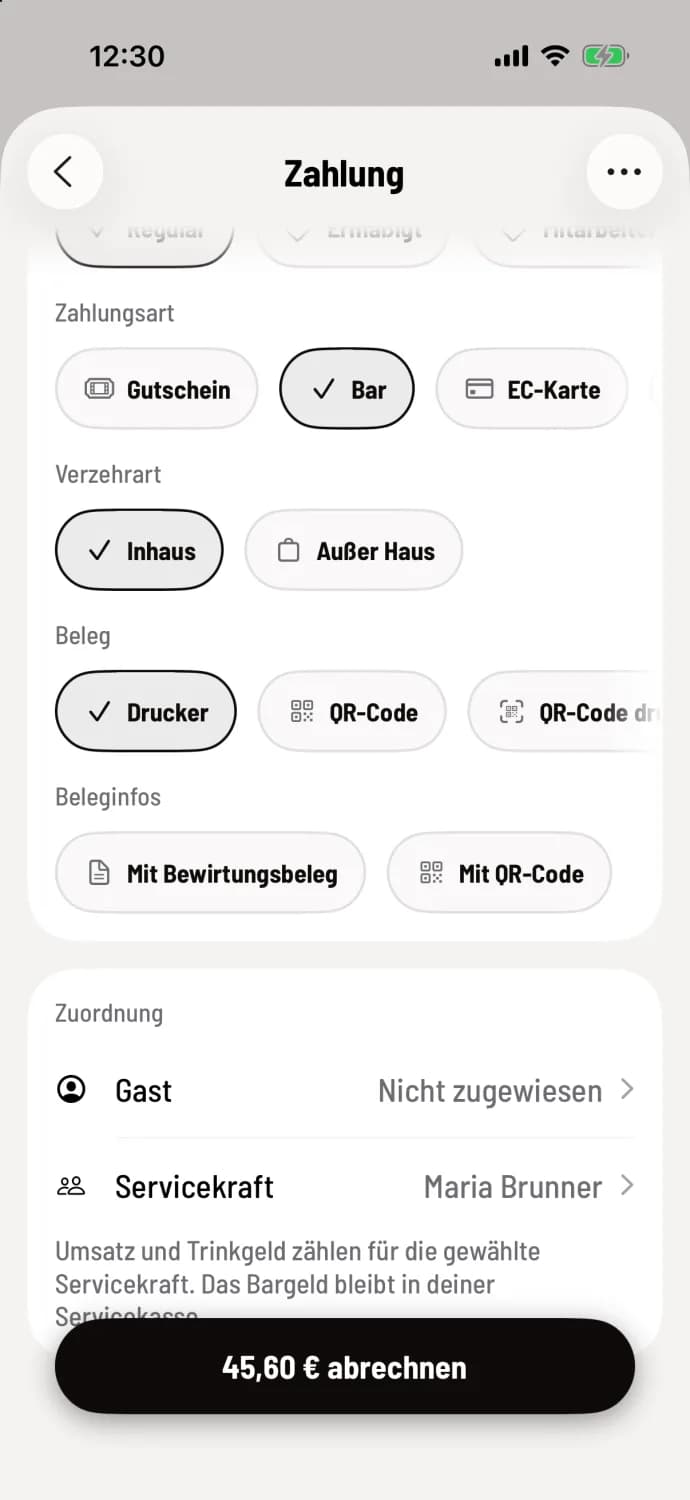
Step 1 of 2
Voucher as payment method
When checking out, tap on Voucher under Payment Method.
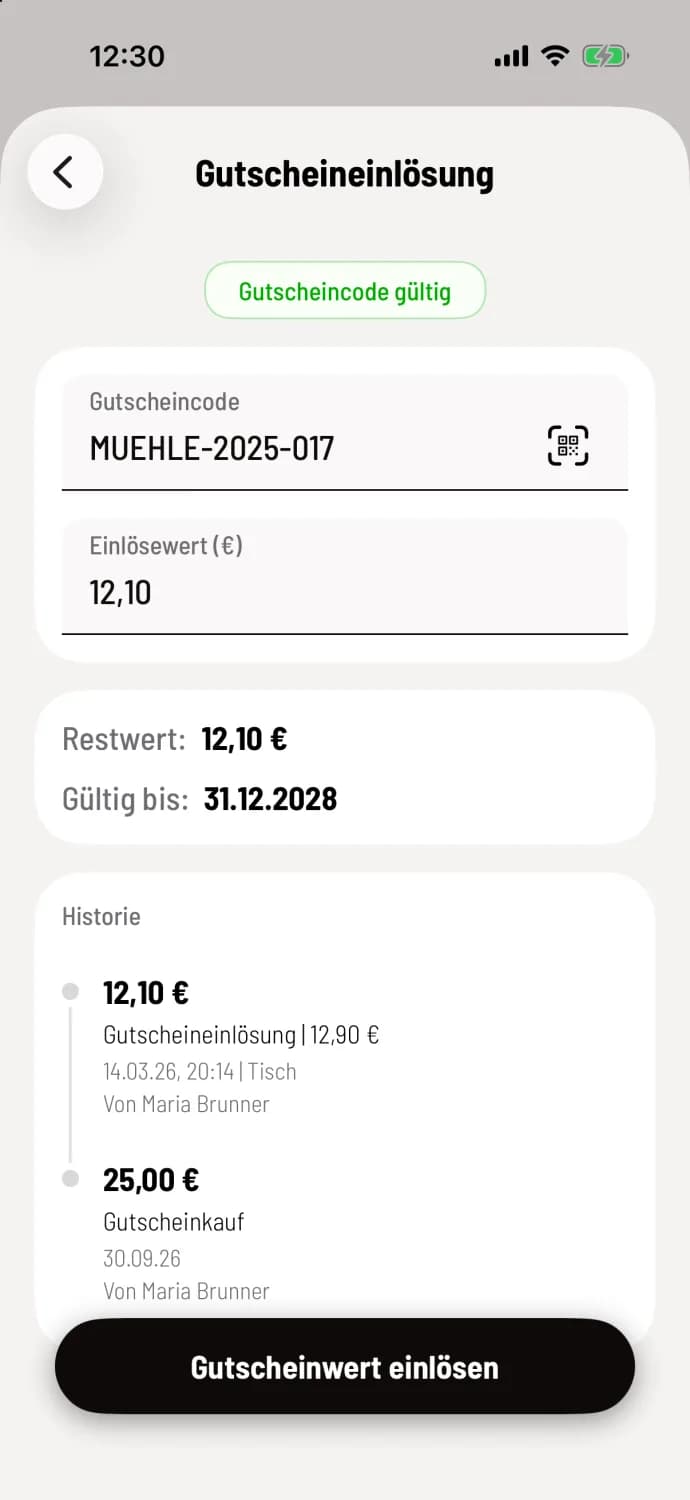
Step 2 of 2
Enter and redeem the code
Scan the QR code, hold a gift card up to the device, or type in the code, for example, MUEHLE-2025-017. If Open automatically when redeemed is enabled for the gift card scanner, the camera will open first. The POS system will display Valid Gift Card Code, Remaining Value, Expiry Date, and History, and suggest the Redemption Value, for example, 12.10. Tap Redeem Gift Card Value.
Whatever remains stays on the voucher. If it doesn't cover the bill, you choose the payment method for the remainder: Pay with two payment methods.
Gift vouchers cannot be exchanged for cash. If the voucher's value exceeds the bill, it will be reduced to the outstanding amount. tip are never paid via gift vouchers.