
View TSE information for a cash book entry
Check whether a cash book or service cash register entry is signed by the TSE .
If your restaurant has a TSE (Technical Security Device that securely signs each booking), cash book entries will also be signed shortly after being saved and without your intervention.
Prerequisite: A configured TSE: Create a Technical Security Device. Without a TSE , there is no TSE information.
Step 1 of 2
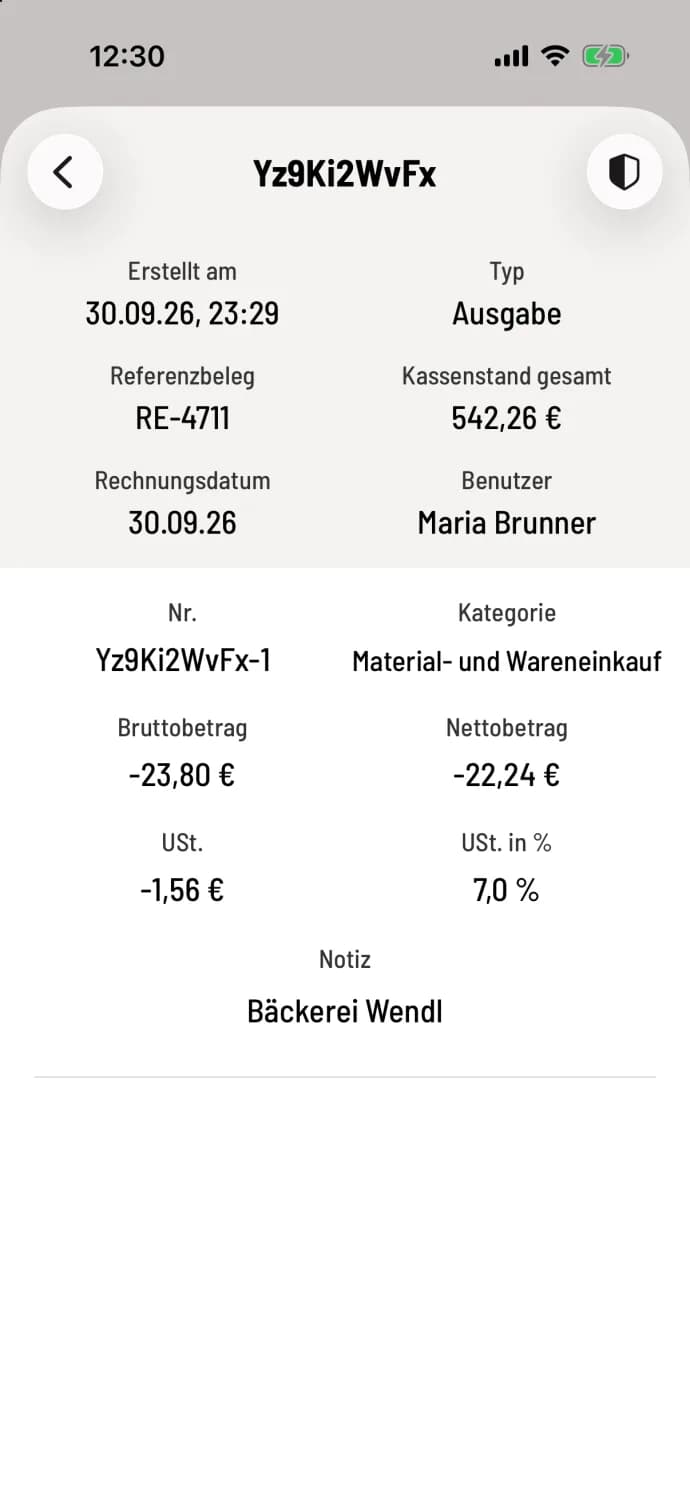
Open booking
In the cash register's daily view or the service point's timeline, tap on an entry. If it's signed or the signature is still pending, a shield icon will appear in the upper right corner. Tap on it.
Step 2 of 2
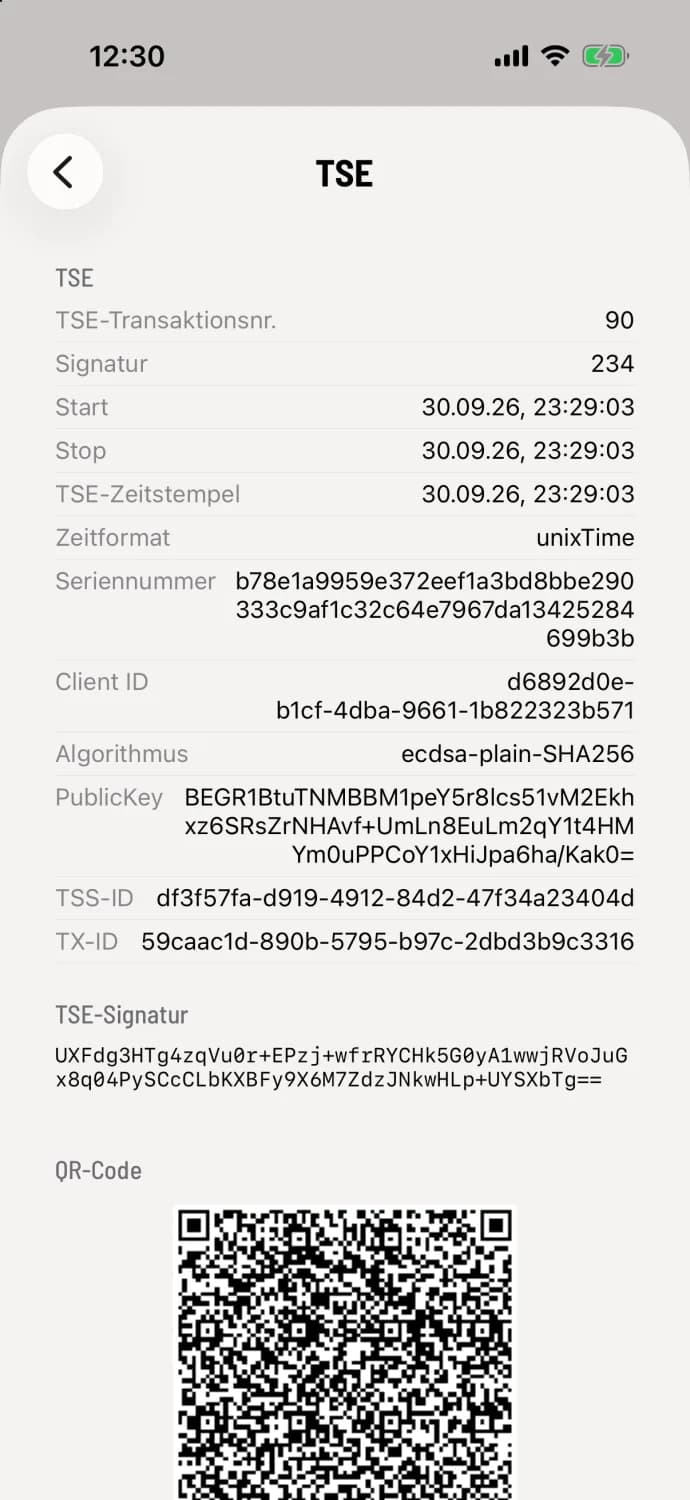
Read TSE information
If the signature is still pending, an orange message displays "TSE signing pending"; if it has failed, a red message displays "TSE signing failed". Below this are the ** TSE transaction number**, signature counter, Start, Stop, ** TSE timestamp**, Serial number, Client ID, the complete ** TSE signature**, and a QR code for verification software.
If a signature is permanently missing, resubmit failed TSE transactions. The TSE information is only for display purposes and cannot be exported.