
Select printer series and paper width
To ensure the receipt fits on the paper: the series for Epson printers, the paper width for other printers.
The width of the receipt printed at the cash register depends on the printer. For Epson printers, this is determined by the printer series; for other printers, it's determined by the paper width. If the specified width is incorrect, lines will be cut off or the receipt will appear distorted.
Epson printer series
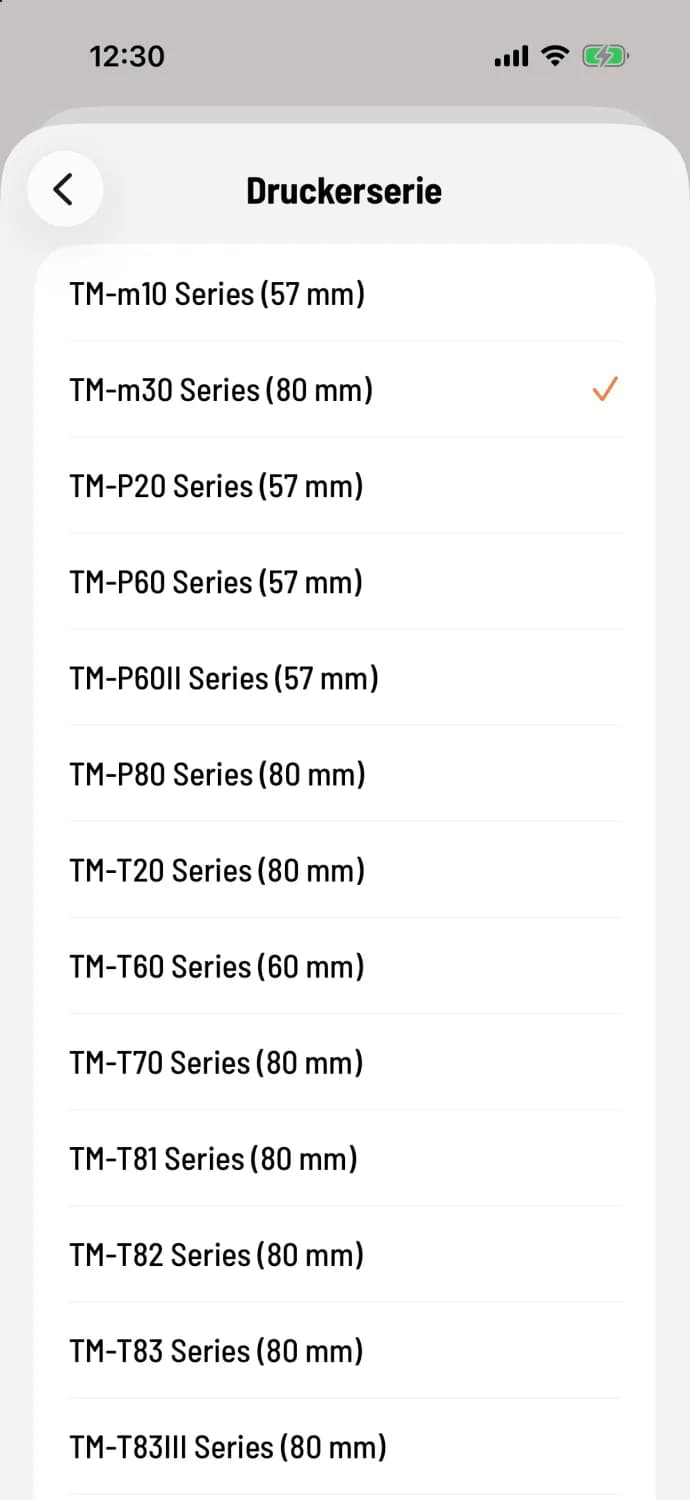
Select series
In the printer settings, tap on Printer Series and select your model, for example, TM-m30 Series (80 mm). During setup, the POS system reads the series from the printer name. If this doesn't work, it will display Unknown, in which case you'll need to select it. The number in parentheses is the paper width.
Find a model
The model name is located on the type plate on the bottom or back of the printer.
Paper width for other printers
For network printers (ESC/POS) and on Android also for Star, tap on paper width and select 58 mm or 80 mm, matching the roll in the printer. The built-in Sunmi printer measures the paper size itself. A test print will show if everything is correct.
Narrow rollers on an Epson
The Epson printer type doesn't have a dedicated paper width setting. If you want to use an 80 mm Epson printer permanently with 58 mm rolls, configure it as a network printer (ESC/POS) and set the paper width to 58 mm. You can also adjust the width in the printer settings themselves, usually via its web interface.
Only the Epson printer type reports back whether a receipt has actually been printed. With network printers (ESC/POS), a failed receipt is only noticed when it's missing.