
The round action button (…)
To-go, deposit return, voucher, cash drawer, message and cancellation – everything that doesn't belong to a table.
In the bottom right corner of the table plan is a round button with three dots. It groups together everything that doesn't belong to any table.
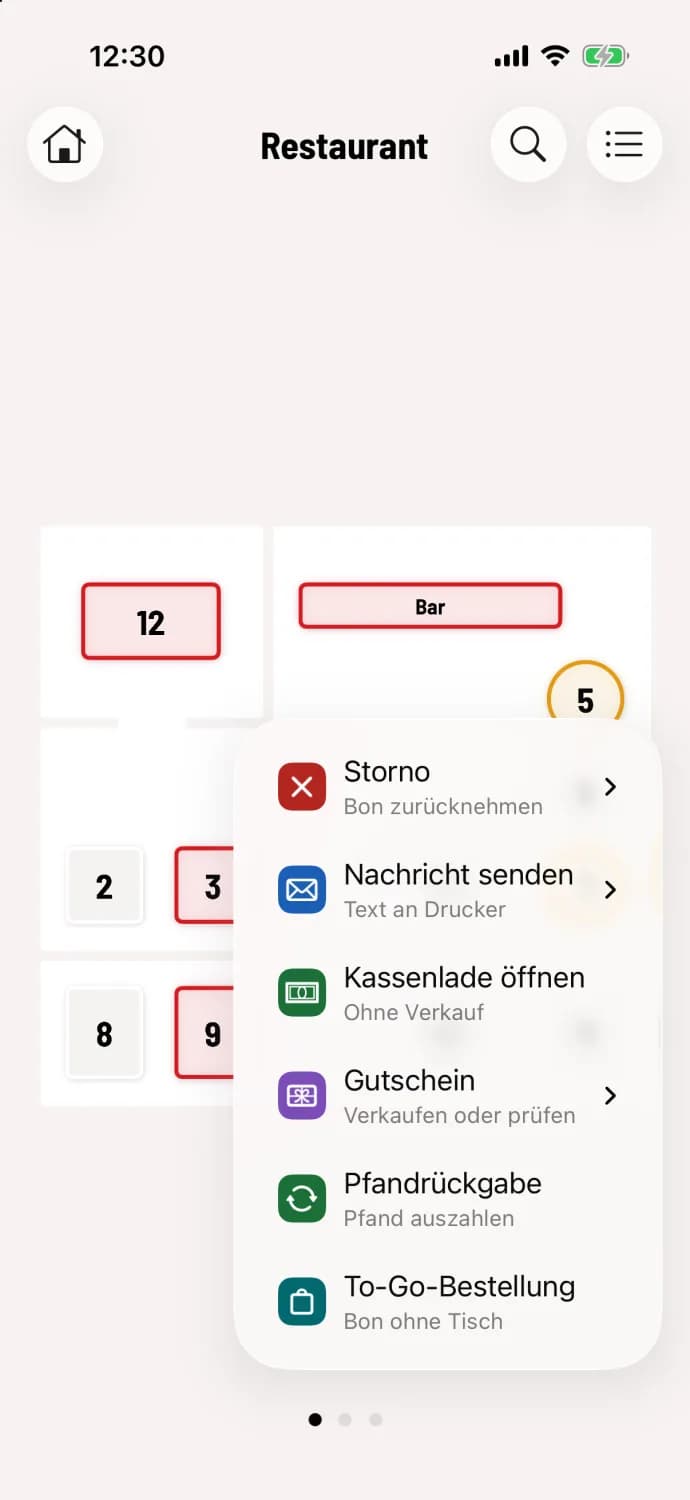
Step 1 of 3
Tap the action button
The menu opens upwards. Each entry has a short explanation below it.
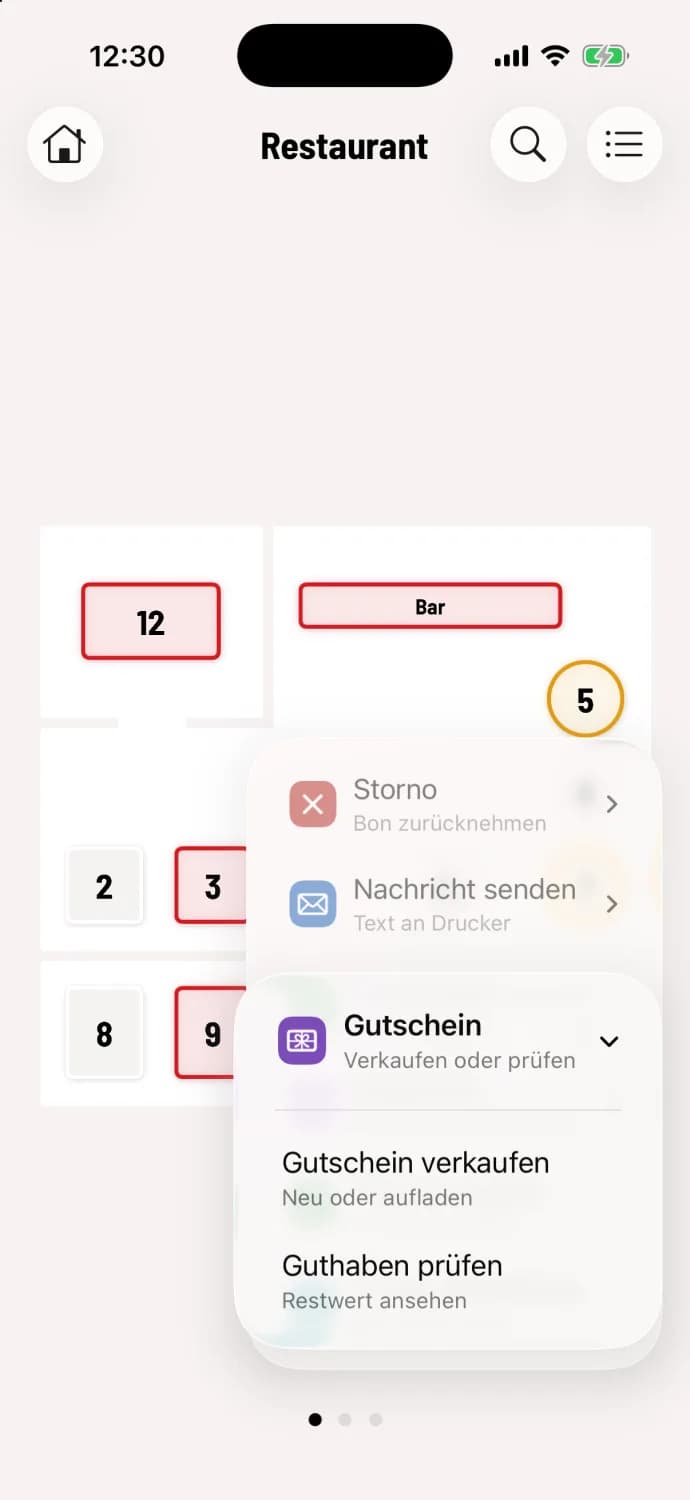
Step 2 of 3
Open submenu
Entries with an arrow open a selection, for example Voucher with Sell Voucher and Check Balance.
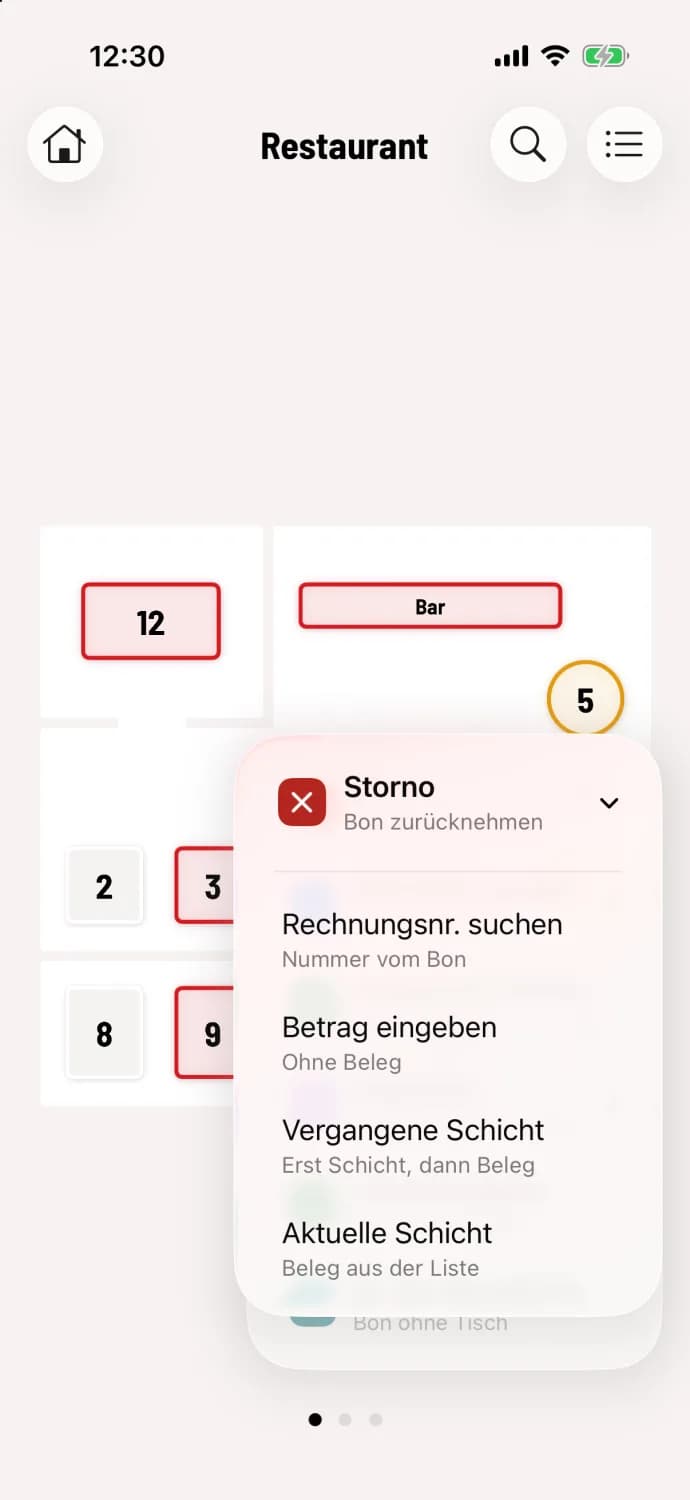
Step 3 of 3
Choose cancellation
Under Cancellation you choose how to find the receipt: Search invoice no., Enter amount for an amount without a receipt, Past shift or Current shift.
What's in the menu
Cancellation – to cancel a receipt or free amount, see Canceling already invoiced orders.
Send message – prints a short text on a printer, see Send message to printer.
Open cash drawer – opens the drawer without making a sale.
Voucher – Sell a voucher or check the remaining value, see Selling and redeeming vouchers.
Deposit Return – Accept empty containers and refund deposits, see Deposit Return.
To-Go Order – Order without a table, see Taking a To-Go Order.
Open cash drawer and Send message only appear once a printer is configured. Cancel and Open cash drawer depend on employee permissions. You define which entries are available and which two appear as separate buttons next to the action button in the Web desk : Configure action buttons and quick buttons. This setting can only hide entries; it can never replace a missing permission.
The express checkout lacks To-Go ordering, but offers parking selection, see parking receipt in the express checkout.