
Using the table plan : areas, zoom and open tables
Swipe between areas, zoom in, and open a table with a tap.
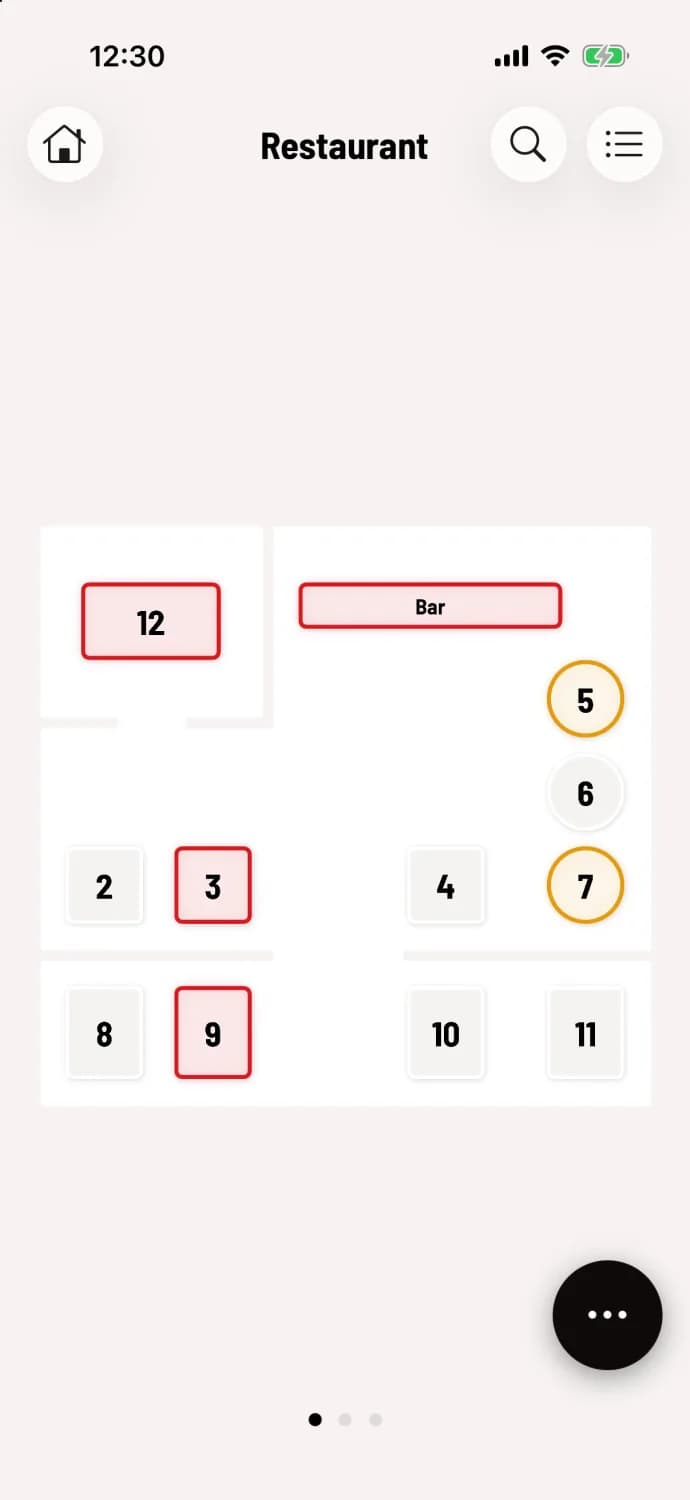
The table plan is the start page of the table view. It shows your rooms as you drew them in Web desk . The name of the area is at the top, and dots at the bottom indicate how many areas there are.
Prerequisite: The table plan requires an active shift. You create areas and tables in the Web desk : Create areas and table plan.
Switch areas
Swipe left or right to scroll to the next area, for example from the Restaurant to the Terrace.
Zoom
Pinch to zoom in on the map with two fingers, and move it with one finger. A double-tap zooms in on the tapped area, a second double-tap restores the entire area.
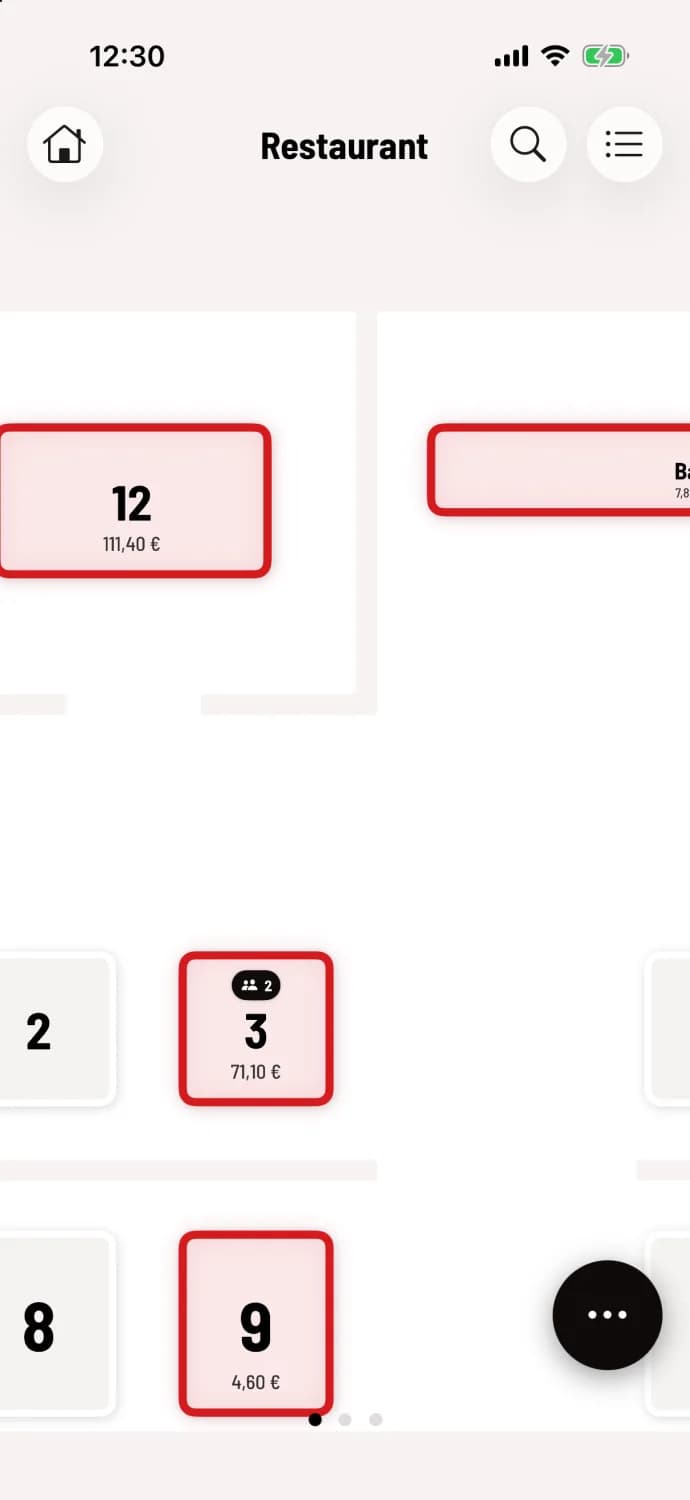
On a smartphone, the tables are small. The outstanding amount and symbols only appear when you zoom in. On a tablet, they are always displayed on the tile.
Open table
Tap on a table. If it's free, the menu opens for placing a new order. If it's occupied, you'll see their orders. If you tap and hold an occupied table, the quick menu at that table opens.