
Parties at the table: add, name, number of people
Keep several groups at the same table separate, with names and number of people.
If several groups are seated at the table and paying separately, each group receives its own bill. Each group has its own bill and is billed individually. The name and number of people in each group help to distinguish between them.
Add another party
Tap the person icon
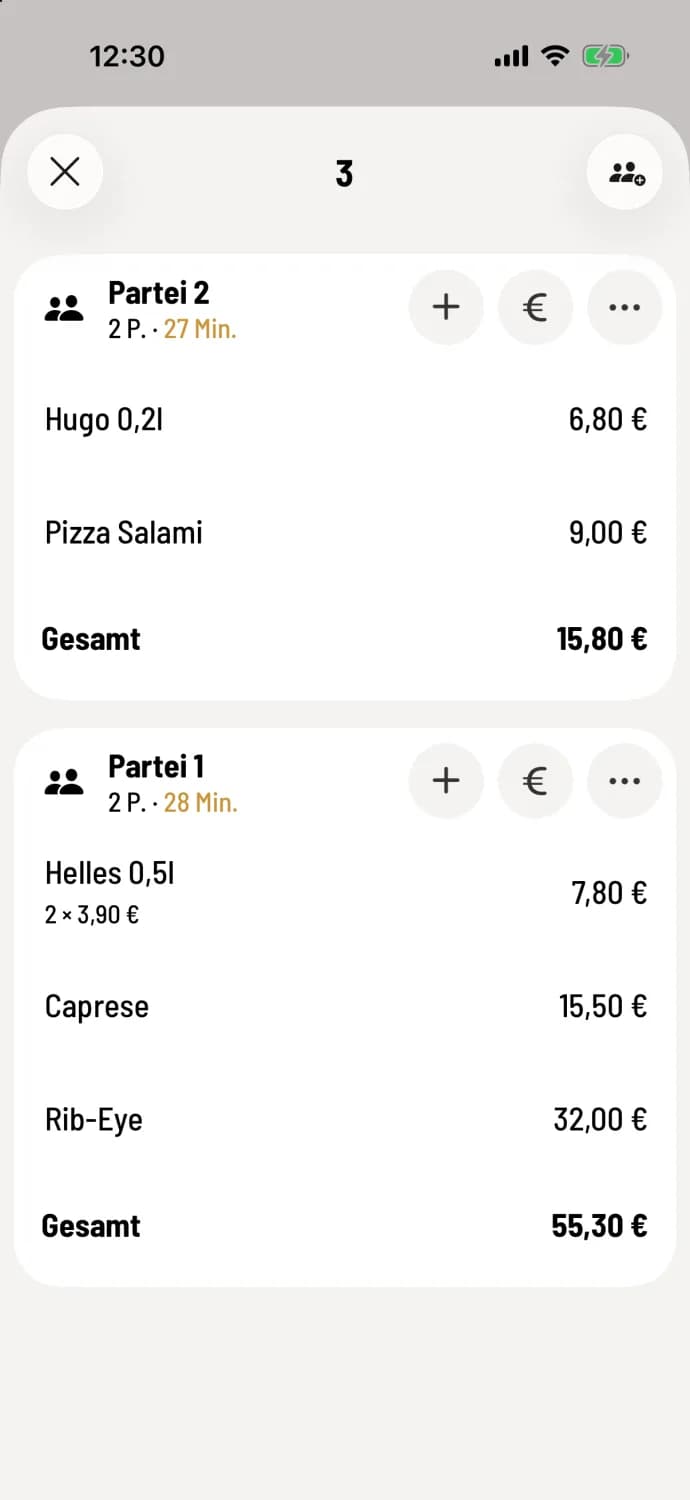
Open the table and tap the People with a Plus icon in the top right corner. The menu for the new party will open. Once Done, it will appear as a separate menu at the top of the table, for example, Party 2 above Party 1. Tap Submit New Order.
You can also add party from the table plan : hold down the table button and select Add Party, see the quick menu at the table.
name party
Tap on … at the top of the party list, then tap on Name Party, or, if using guest management, on Name / Guest. Enter the name (maximum 30 characters) and confirm; previously used names are available as templates. The name will appear in the table view, table search, order list, and on the order slip. For more information, including how to assign a guest, see: Name or Guest of a Party.
Enter number of people
Tap on … at the top of the party list and select Add number of people. Enter a number from 1 to 99 and confirm. The list will then display something like Family Hofmann · 4 people; later, the entry will be called Change number of people.
The number of people, like new item , is only saved after submission; the name of a party that has already been sent is saved immediately. In the Web desk, the number of people can be made mandatory for table reservations; the POS will then request this number the first time the menu is opened: Set number of people and service time instructions. If a guest is assigned to the party, their name will be displayed.
Using € in the header of a party only calculates the amount for that party. If you want to separate the amounts only when paying, use "split parties".