
Reprint receipt or share as PDF
Print each receipt from the current shift again or forward it as a PDF.
Lost receipt, paper run out, the guest wants the bill digitally: In the print jobs, you can reprint each receipt from the current shift or share it as a PDF.
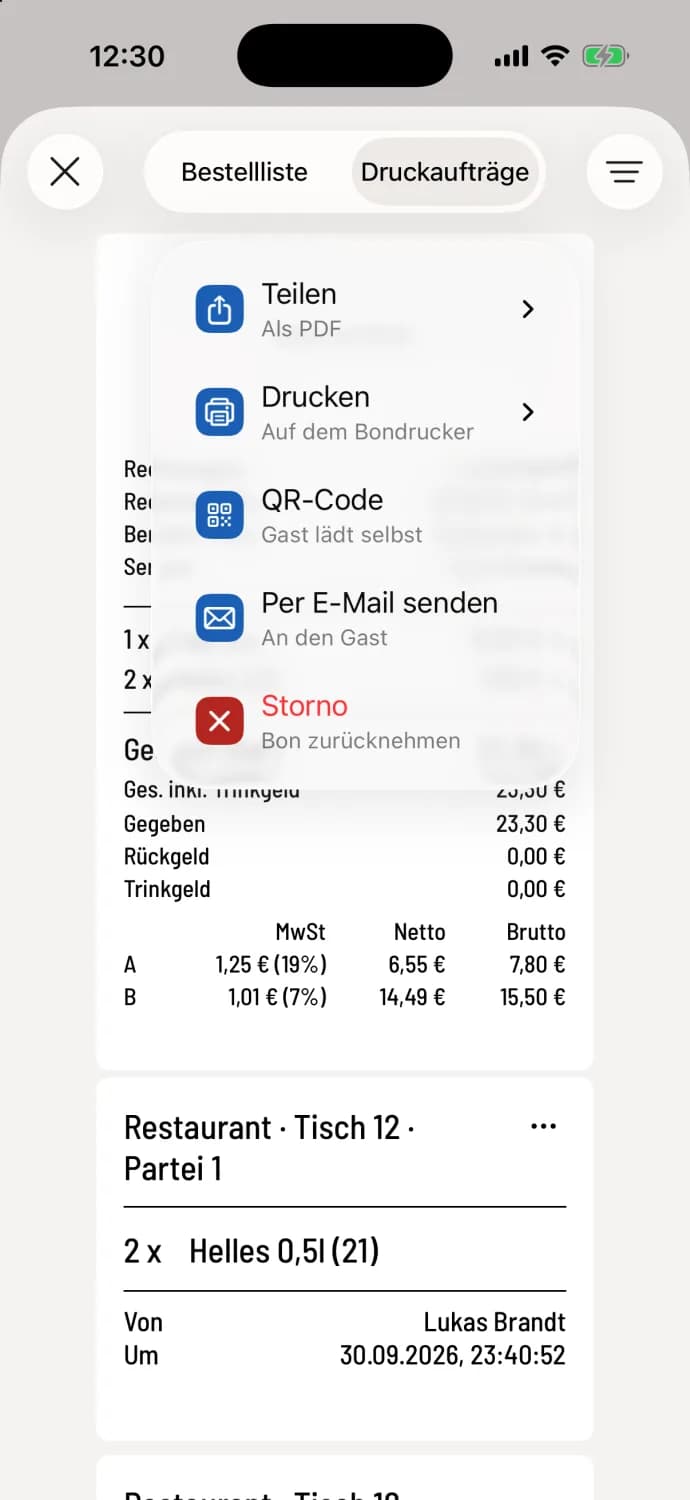
Step 1 of 2
Open menu on receipt
Open the print jobs and tap … in the top right corner of the receipt. For a receipt, the menu will show Share, Print, QR Code, Send via Email and Cancel.
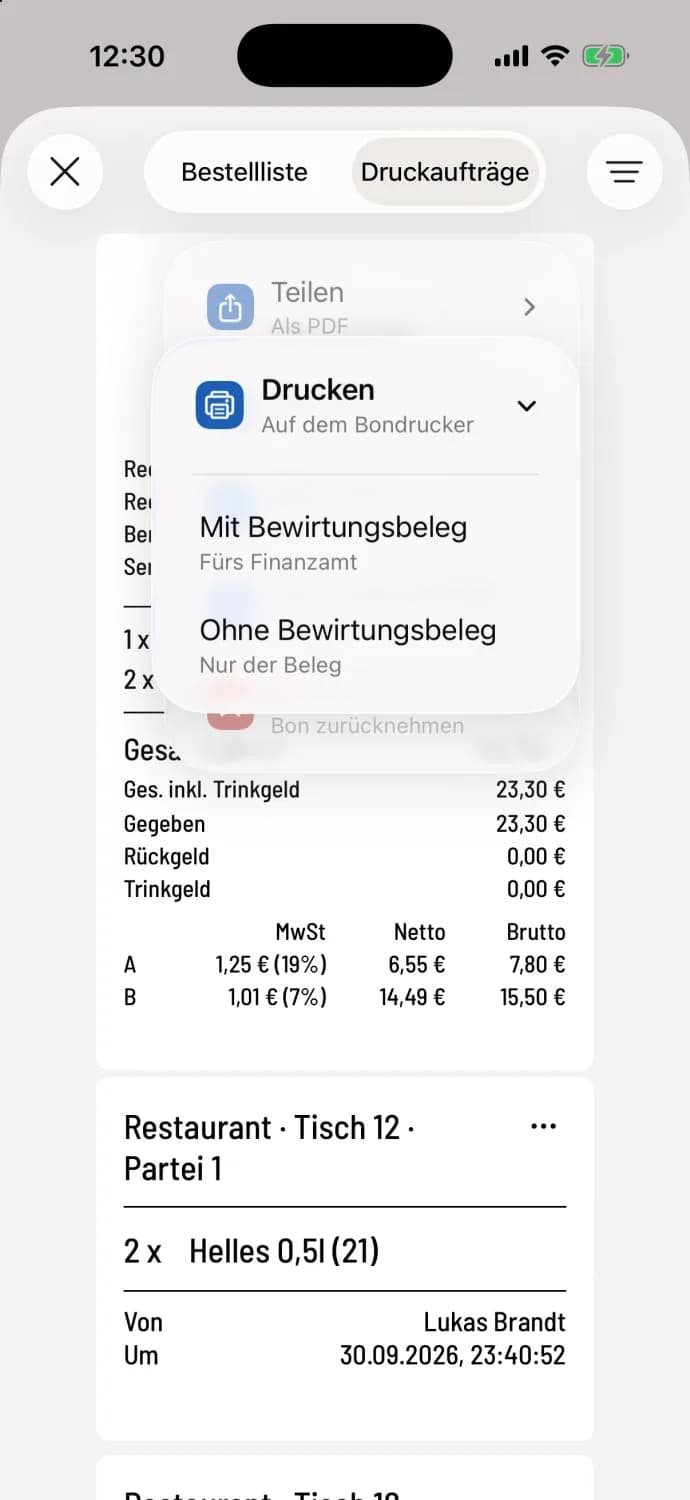
Step 2 of 2
Print or share
Share ("As PDF") creates a PDF, Print ("On receipt printer") sends the receipt to the printer. For receipts and deposit slips, you then select With business meal receipt or Without business meal receipt.
Differences: On Android, sharing is only available for receipts, deposit slips, and reports. Printing is unavailable without a configured printer.
Where the repress goes
The cash register prints the receipt on all printers that print this type of receipt. You don't need to select one. The cash drawer remains closed during reprints. If the receipt has already been printed on another device, the cash register will ask you under Already Printed: Print Anyway or No. You can configure whether reprints are marked "COPY" in the print settings.
In hub mode, the reprint is sent to the print center via iPhone and iPad.
More entries in the menu
QR code – for receipts and deposit slips, the guest downloads the receipt to their mobile phone themselves: receipt as a QR code.
Send via email – from the Solo tariff onwards, also for vouchers: invoice via email.
Cancellation (Android: Create cancellation) – with cancellation rights in the current shift: Cancel invoiced orders.
Show recipe – if an item on the receipt has a recipe.
Ready for collection — call up guest, Call up again and Completed – for receipts with collection number and for online orders, Completed only when paid: Working with collection numbers.