
To be carried out a cash count
Add any skipped counts until the start of the next shift .
If the last shift ended without a cash count, you must complete the count retroactively. This also applies if the shift ended automatically. You can only complete the count retroactively for the last completed shift and only until the next shift starts.
Prerequisite: In the Web desk , Cash book management is enabled and Cash reconciliation at the end of the shift is not set to Disabled: Setting up the cash book and cash count.
Where you start the addendum
In the cash book: Overview → Total cash balance → Card Complete cash count.
In the shift details of the last shift, same card (with the right "access to all shift data of the restaurant").
Start the next ** shift ** with Count now.
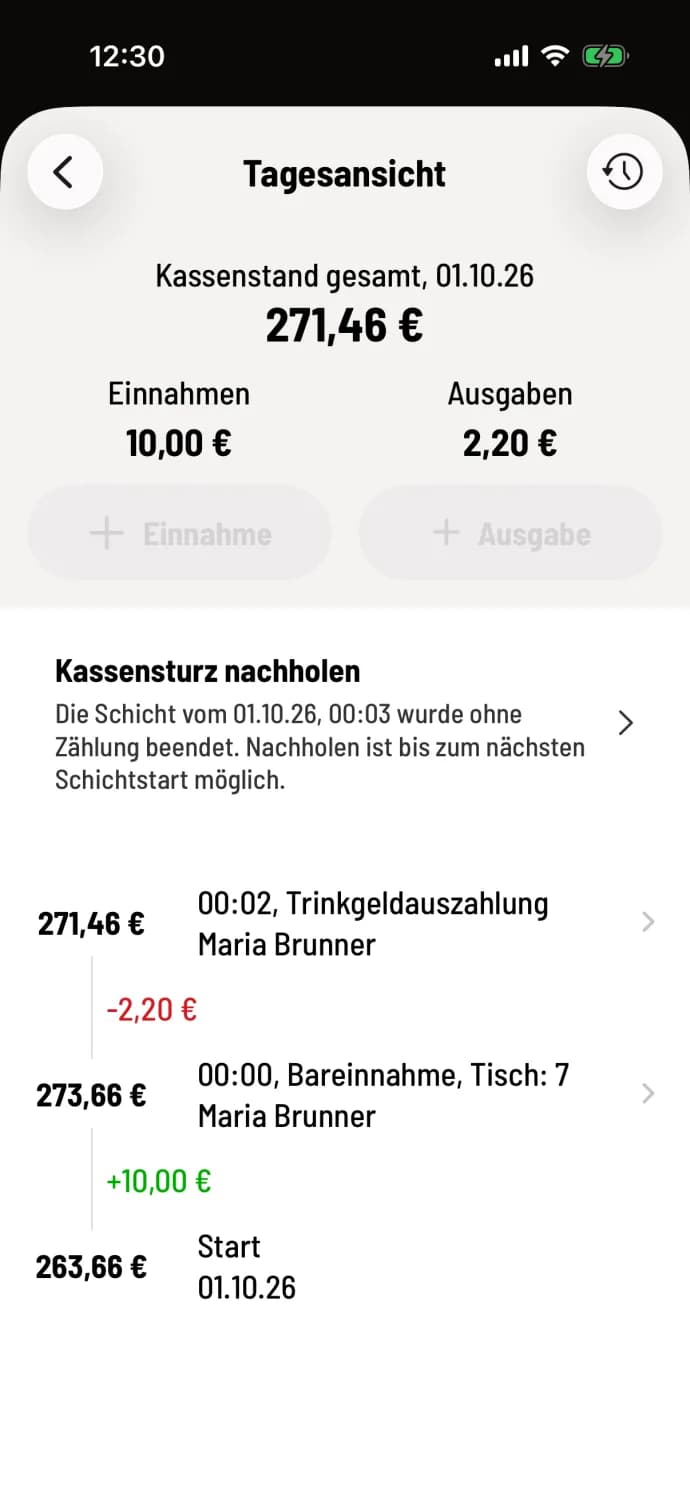
Step 1 of 3
Tap the card
The card Recap Cash Count states the shift: “The shift from … was ended without a count.”
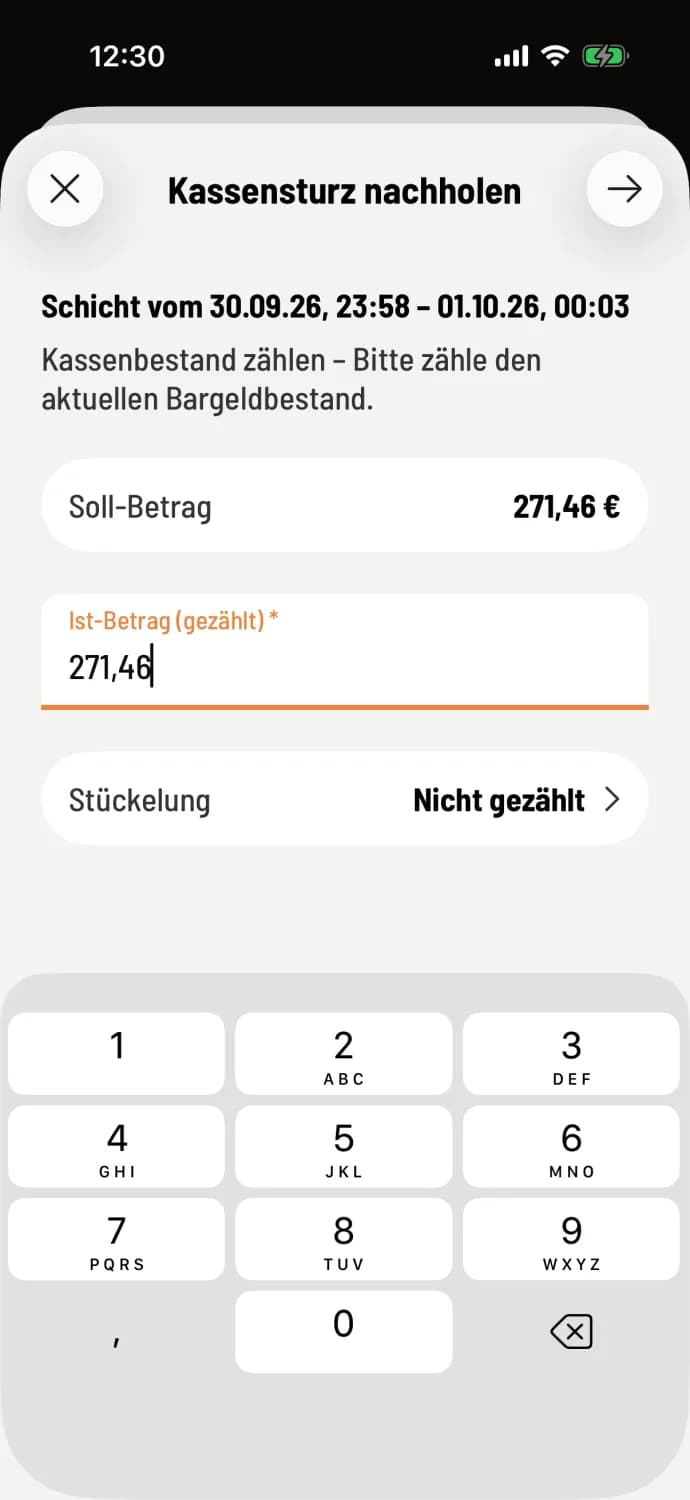
Step 2 of 3
counting cash
Enter the counted amount in Actual Amount (Counted) or count using the denominations. Skipping is not possible when adding entries. Continue using the arrow in the upper right corner.
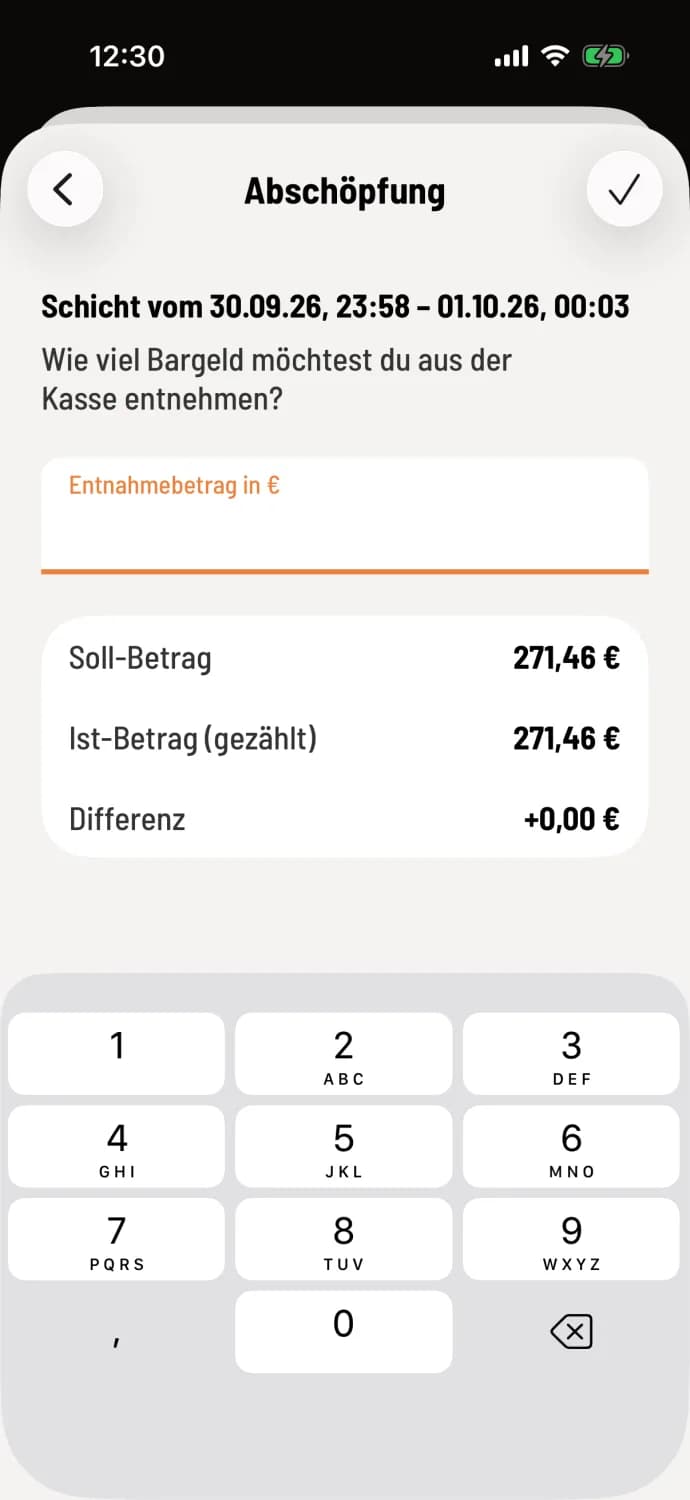
Step 3 of 3
Enter skimming
Enter how much cash you are taking, or leave the field blank. The checkmark (Android: Add cash count) completes the process, and the cash register will display "Cash count added".
The Z-report for the previous shift remains unchanged. The entries are marked "Addendum to the shift of…" and belong to the next shift. The shift details for the previous shift then show Cash Reconciliation (Addendum).
If you tap Start without counting (Android: Continue without counting) at the start of your shift, it is no longer possible to catch up afterwards.