
Several restaurants are working
One account, multiple businesses: connect more restaurants and understand the rights of each business.
If you work in two establishments or manage multiple locations, you link your account to each restaurant. You don't need a second account.
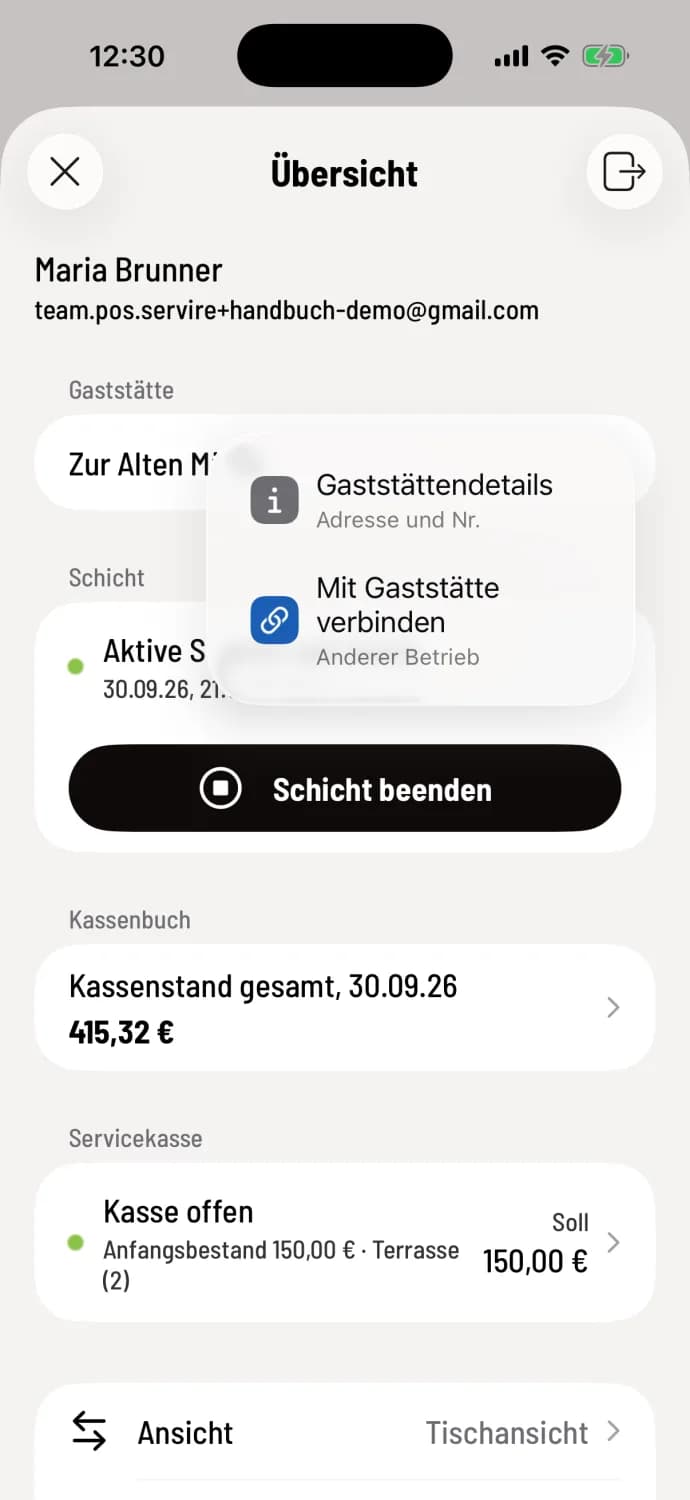
Step 1 of 2
Connect to other restaurants
Open the overview of the house, tap the i in the restaurant row and select Connect to Restaurant. Enter the PIN of the second establishment and confirm with Connect, just like the first time: Connect to a restaurant.
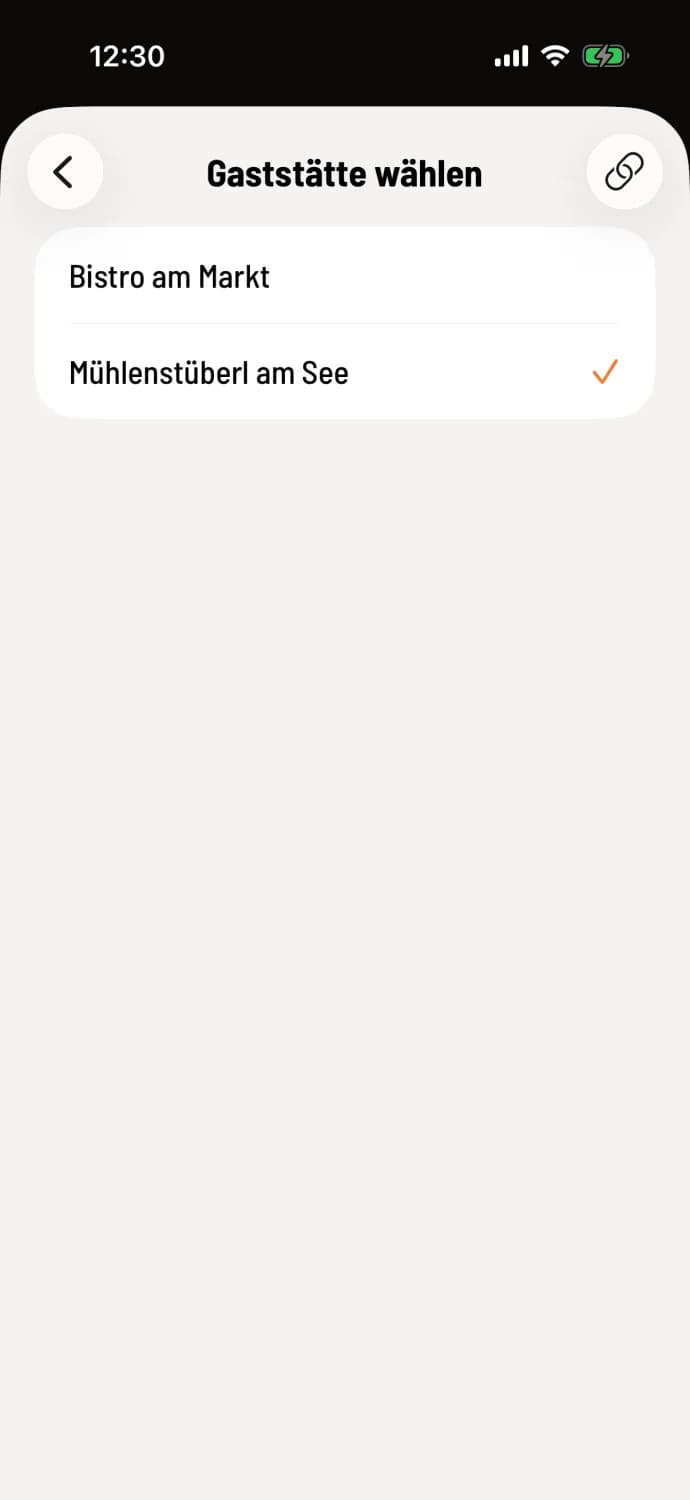
Step 2 of 2
Switching between companies
If you are connected to multiple restaurants, the restaurant row will have an arrow. Tapping it opens Select Restaurant; the active one is marked with a checkmark. The chain icon in the upper right connects another establishment.
How exactly the change works: Changing restaurants.
Rights apply to each individual restaurant. You can be authorized to process payments at location A and only take orders at location B; the POS system adjusts automatically when switching between locations. One account can be linked to up to 50 restaurants.
You only need to create your own restaurant in the POS app the first time. You create additional businesses in the Web desk: Add more restaurants.