
Reprint or share receipt from shift
Reprint a receipt from the timeline, share it as a PDF, or provide it via QR code or email.
If a guest needs their receipt again, you can find it in the shift's timeline. This applies to the current shift and to past shifts from the shift history.
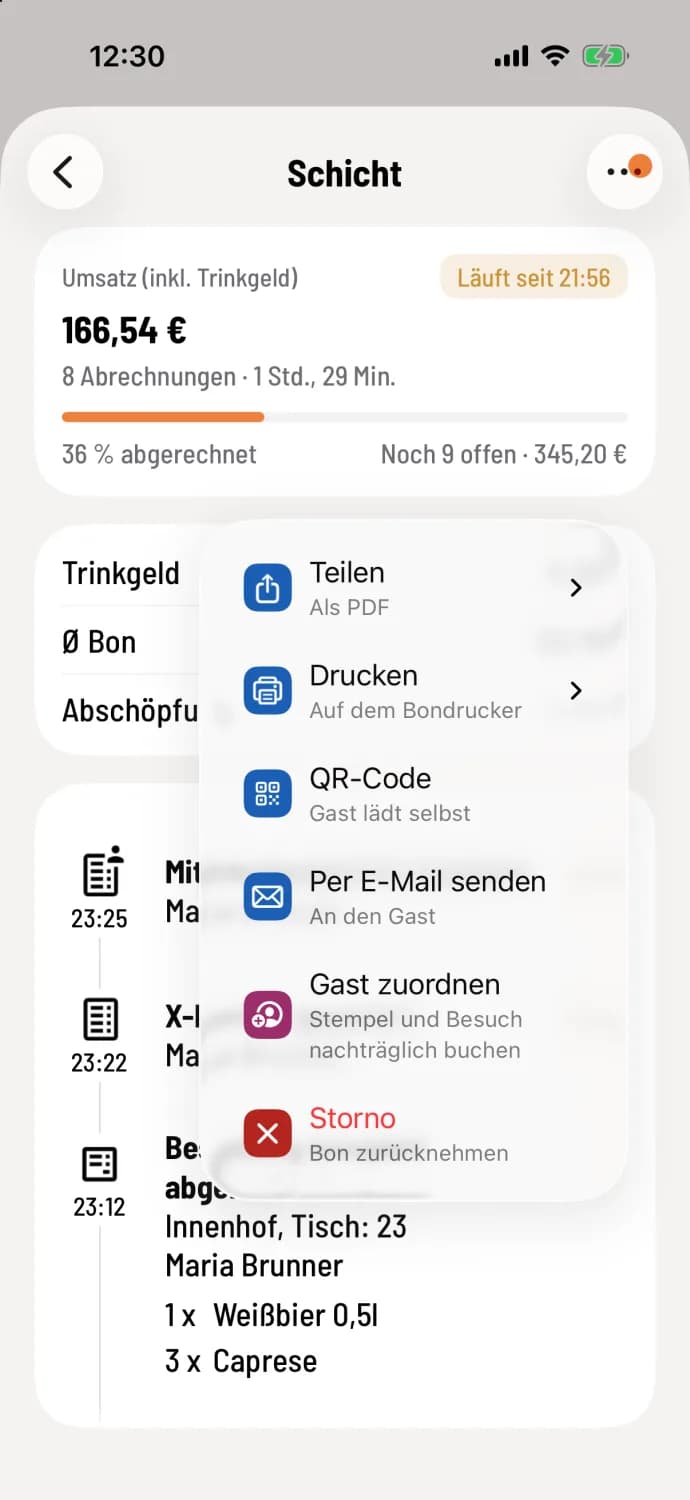
Step 1 of 2
Select action
Open the shift details and tap … on the right side of the receipt. Share gives you a PDF, Print sends the receipt to the receipt printer, QR Code lets the guest download the receipt themselves, Send via Email sends it to the guest.
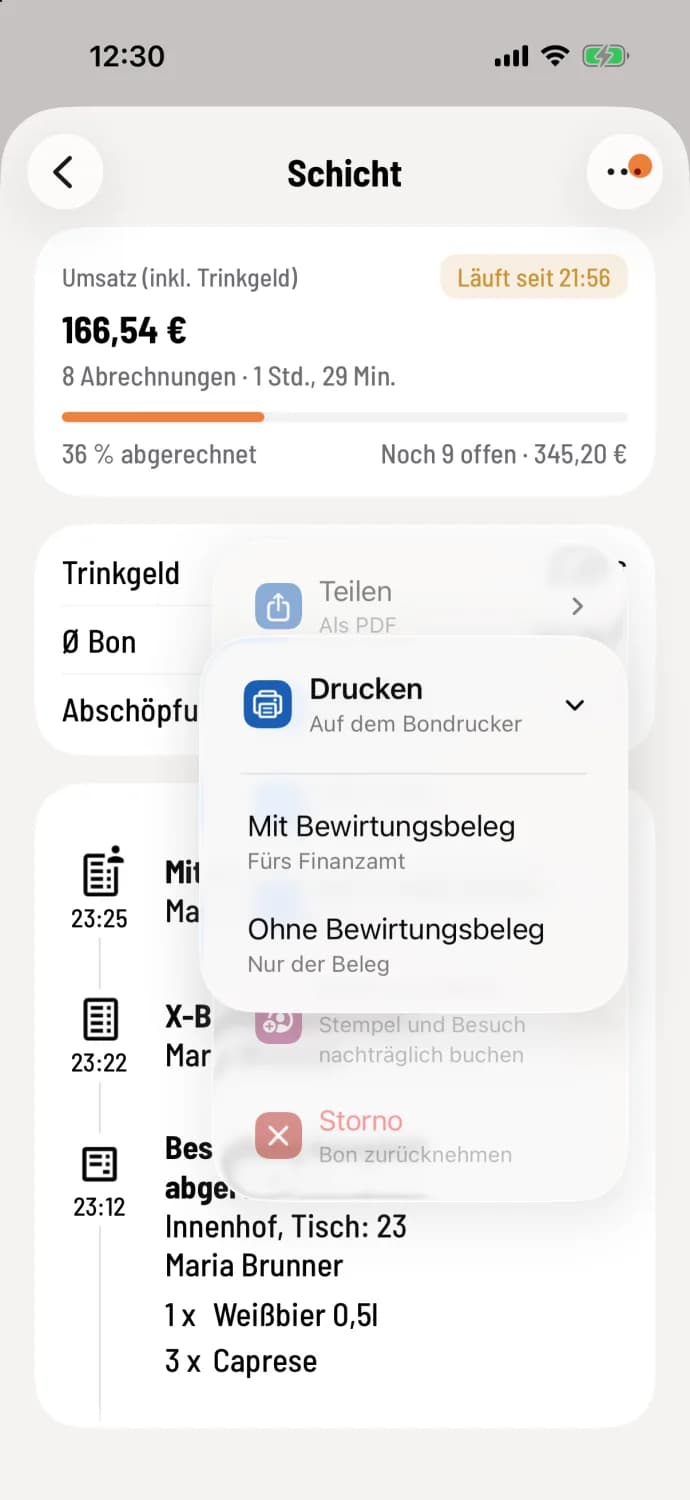
Step 2 of 2
With or without a business meal receipt
When submitting receipts and returning deposit items, Share and Print will ask: With business meal receipt or Without business meal receipt. When sharing, your device's share menu will then open, for example, for email or messaging apps.
Printing is only possible with a configured receipt printer or print center. The cash drawer will not open during reprinting.
Send via email is available from the Solo tariff; in the Free tariff it says "Send via email (from Solo)".
A reprinted receipt will only bear the notation "COPY" if the option "Copy on Receipts" is enabled in the cash register's print settings under Copy Instructions: Cash Register Print Settings. Reports will always bear this notation.
The same menu contains Cancellation (with cancellation rights and only during a shift: Cancel invoiced orders ) and, with active guest management, Assign guest to book stamps and visits up to 7 days retroactively.