
Take your to-go order
Take an order without a table and pay immediately.
For guests ordering takeaway, the table plan includes a "To-Go" order option. This order isn't tied to a specific table: you select your item and pay directly. It will receive a pick-up number if the restaurant uses pick-up numbers.
Prerequisite: You need the rights "Allow to accept orders" and "Allow to process orders." The owner can hide the To-Go Order entry in the Web desk or add it as a shortcut button next to the action button: Setting up action buttons and shortcut buttons.
Playing loads YouTube (Google).Playing loads the video from YouTube and sends data to Google. Clicking allows external media. Privacy
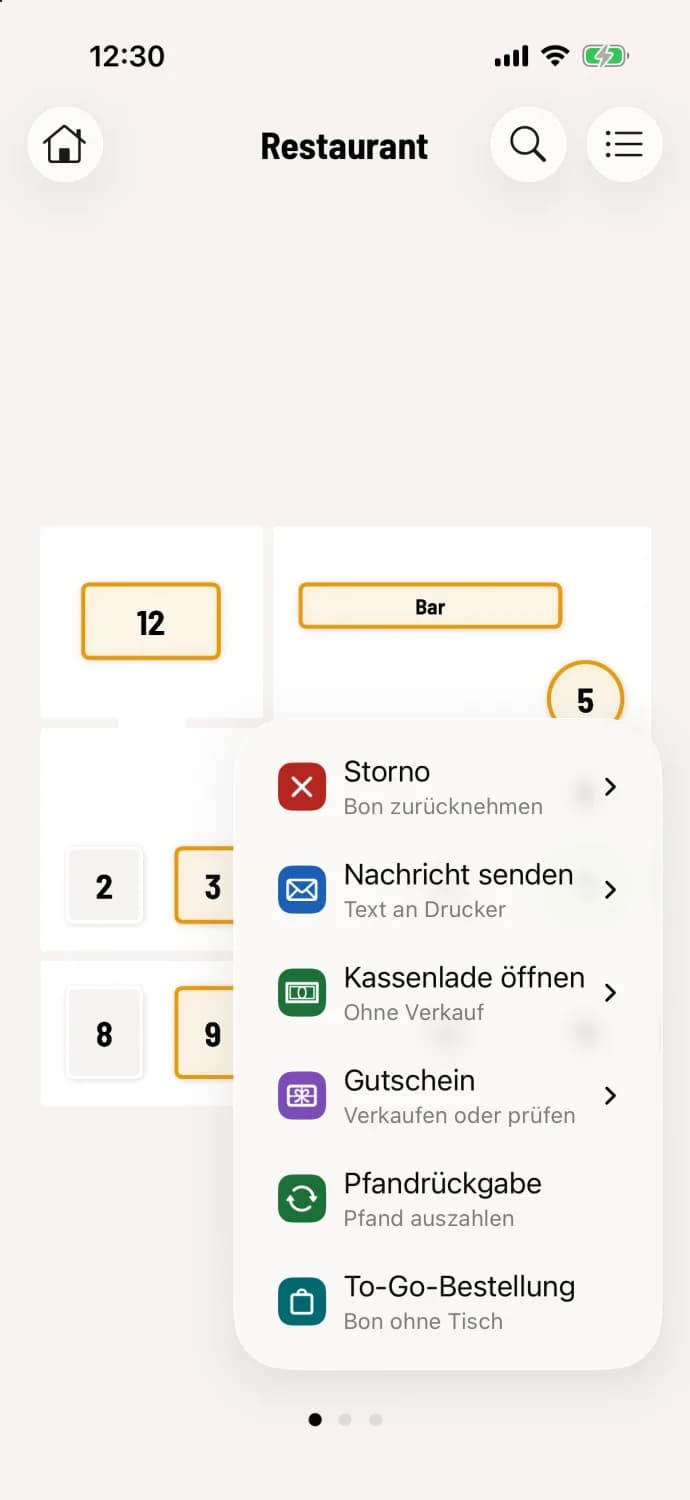
Step 1 of 3
Tap the action button
Tap the round … button in the bottom right corner of the table plan and select To-Go Order.
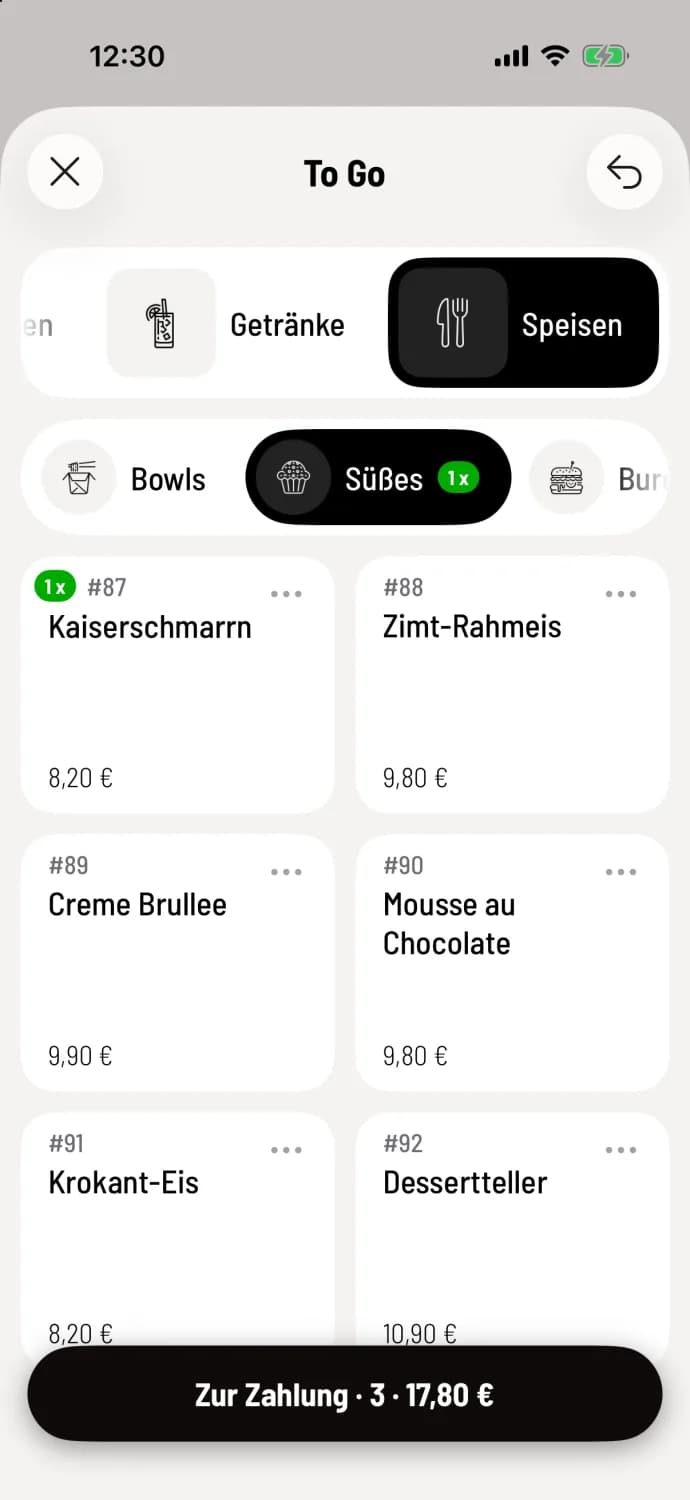
Step 2 of 3
Select item
The To Go window opens with the menu. Tap the item as you would at the counter. On your smartphone, To Payment appears at the bottom with the quantity and amount; on a tablet, the receipt appears to the right.
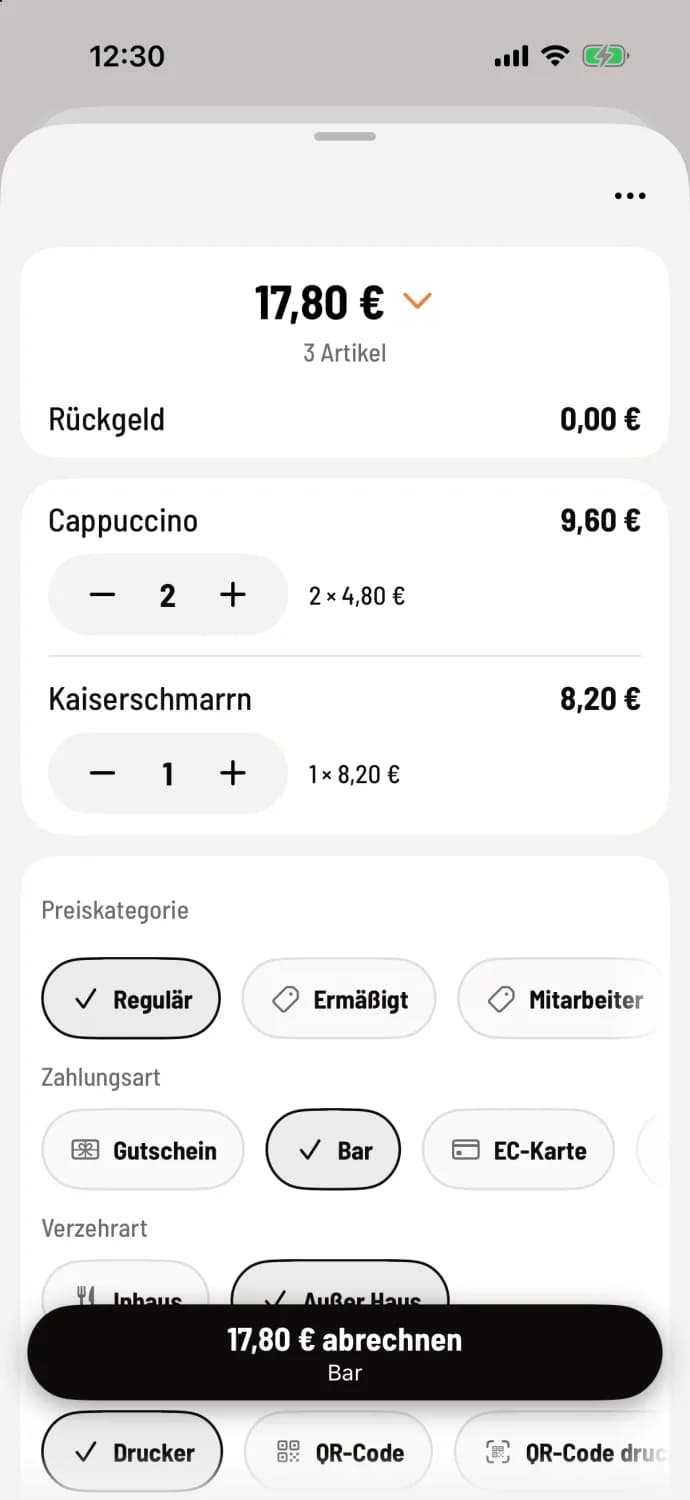
Step 3 of 3
Billing
Check the items, payment method, and type of meal. Tap the button with the amount, for example, Bill €17.80.
If you close the window containing items on the receipt, the cash register asks Discard entry?. Selecting Yes removes the selection. If no menu is visible , the menu available" appears.
If you primarily work without tables, switch the device to express checkout: Change view.