
Mark item as favorite
Collect frequently ordered item on a separate favorites card.
item you frequently order can be saved as favorites. They will then appear at the top of a separate Favorites card.
Step 1 of 2
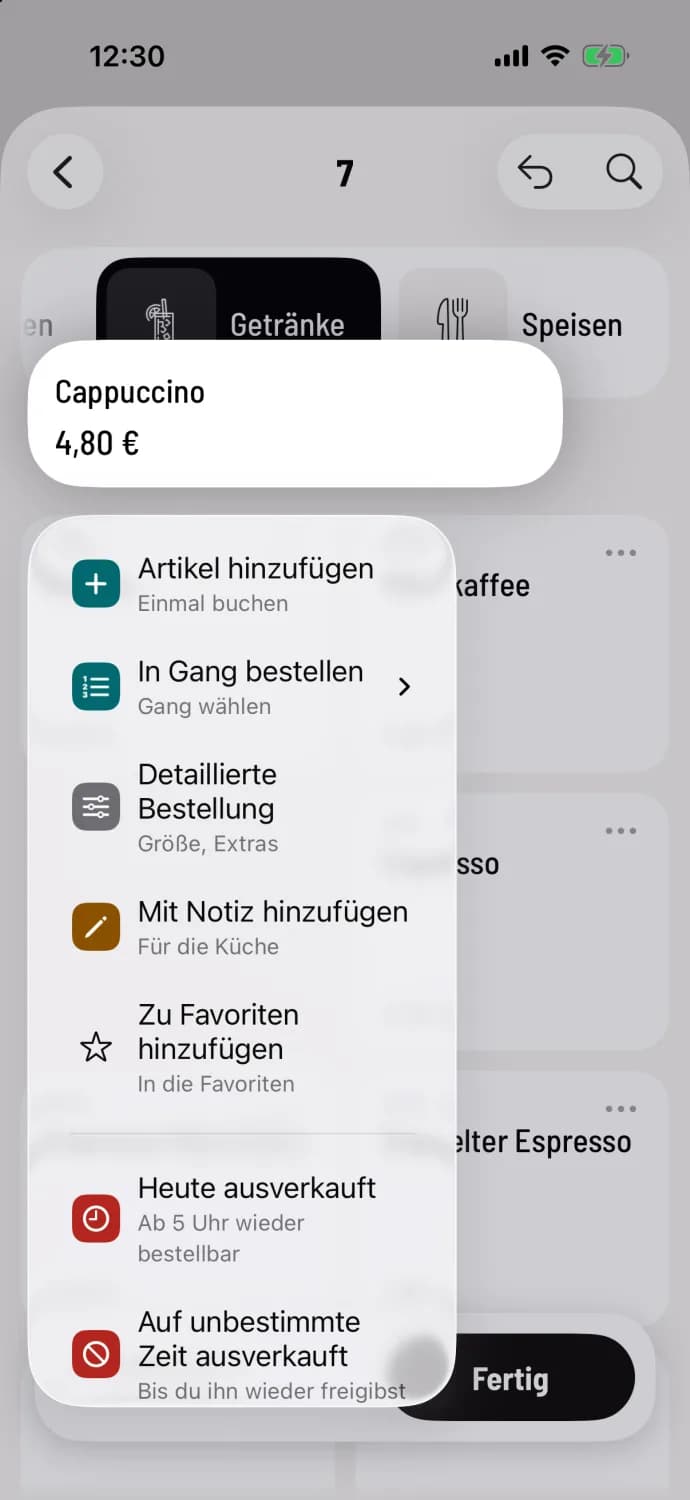
Hold down the tile
When ordering, press and hold the item tile and tap Add to Favorites. You'll find the same entry in the Detailed Order via the … icon in the top right corner.
Step 2 of 2
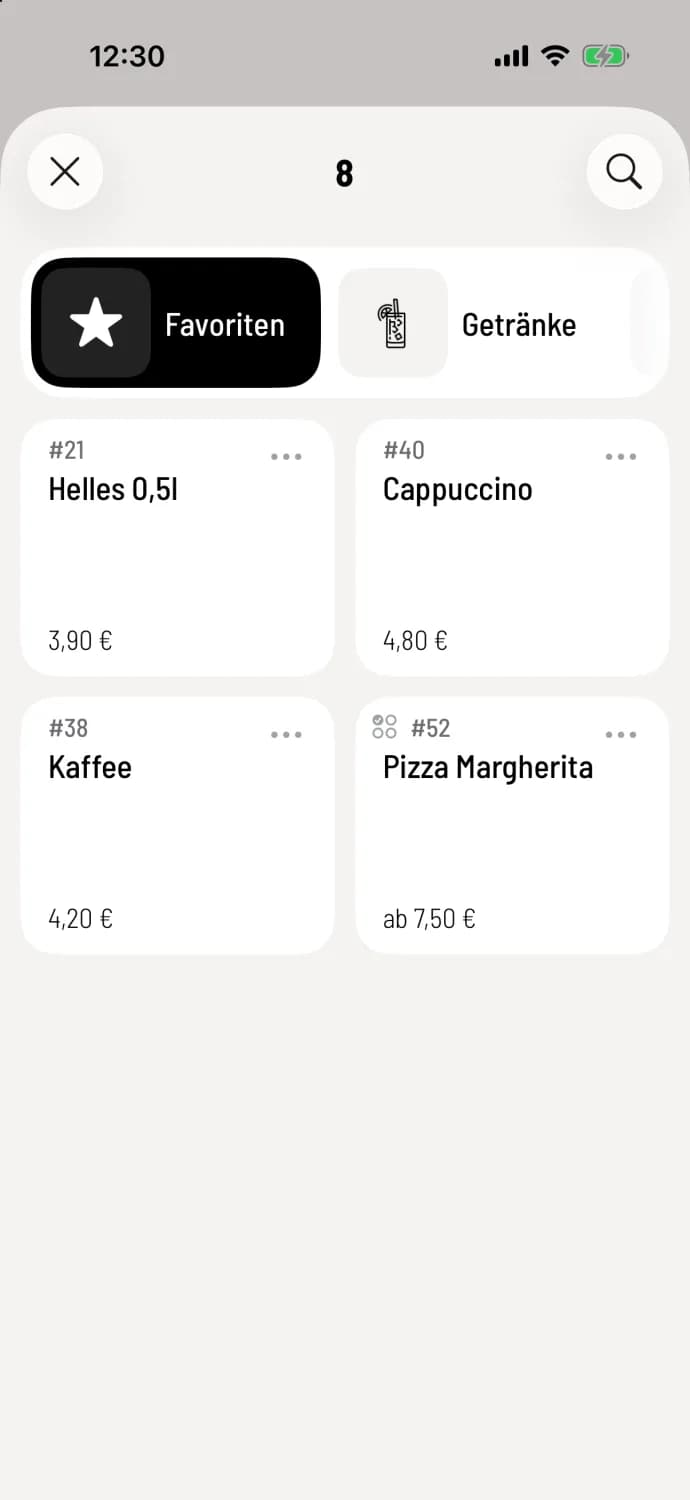
Use favorites
The Favorites pill with a star appears before the other menus. The menu at the table starts directly there, with the first menu at the counter .
To remove, select Remove from Favorites in the same location.
Favorites are part of your account and the restaurant; each colleague has their own. Deleted item disappear from favorites automatically. A favorite always refers to the entire item, not a specific selection of variations.