
Assign your own voucher code
During the sale, you can use the automatic code, change it, or activate a prepared voucher.
When a sale is made, the cash register generates a 9-character code, without easily confused characters like I, O, 0 and 1. You can replace it, for example with your own numbers or pre-printed cards.
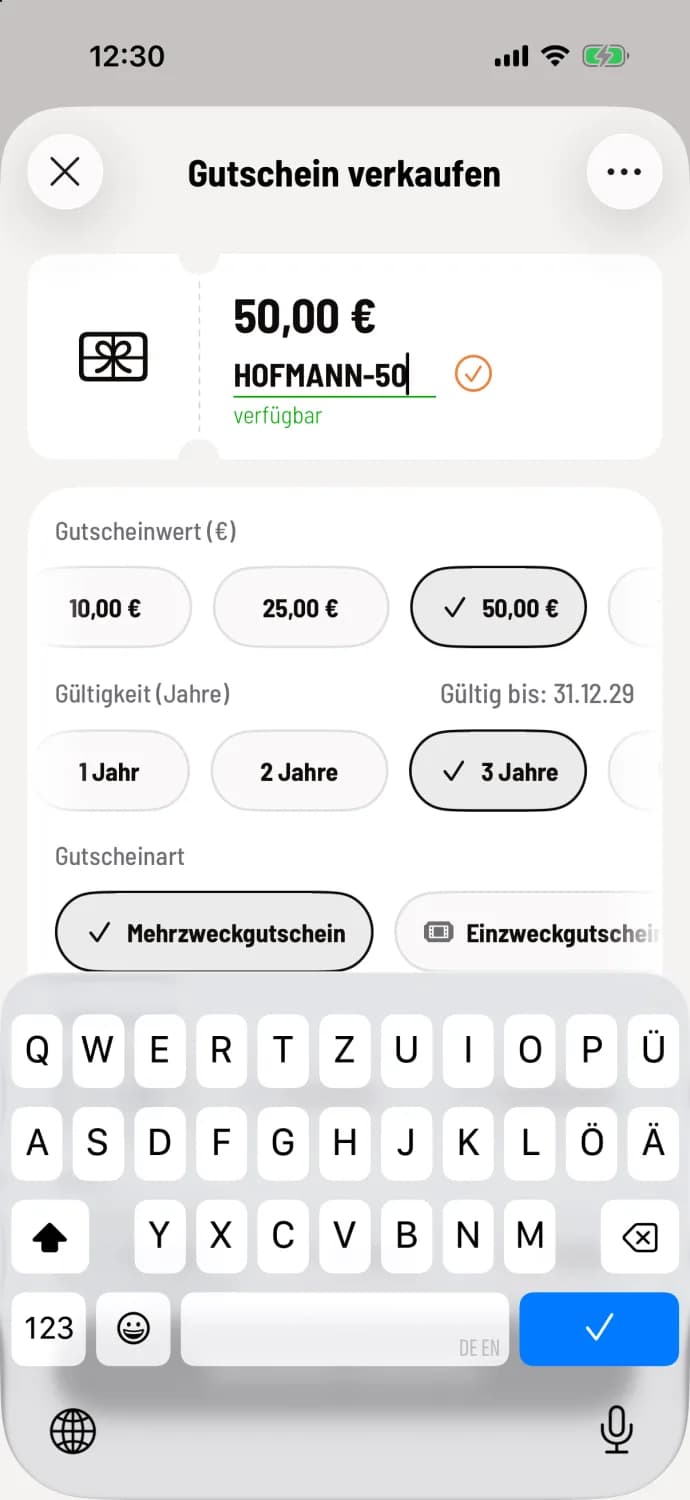
Step 1 of 2
Change code
In the voucher preview, tap the pencil icon next to the code, enter the new code, and confirm with the checkmark. The system will then immediately check if it is available.
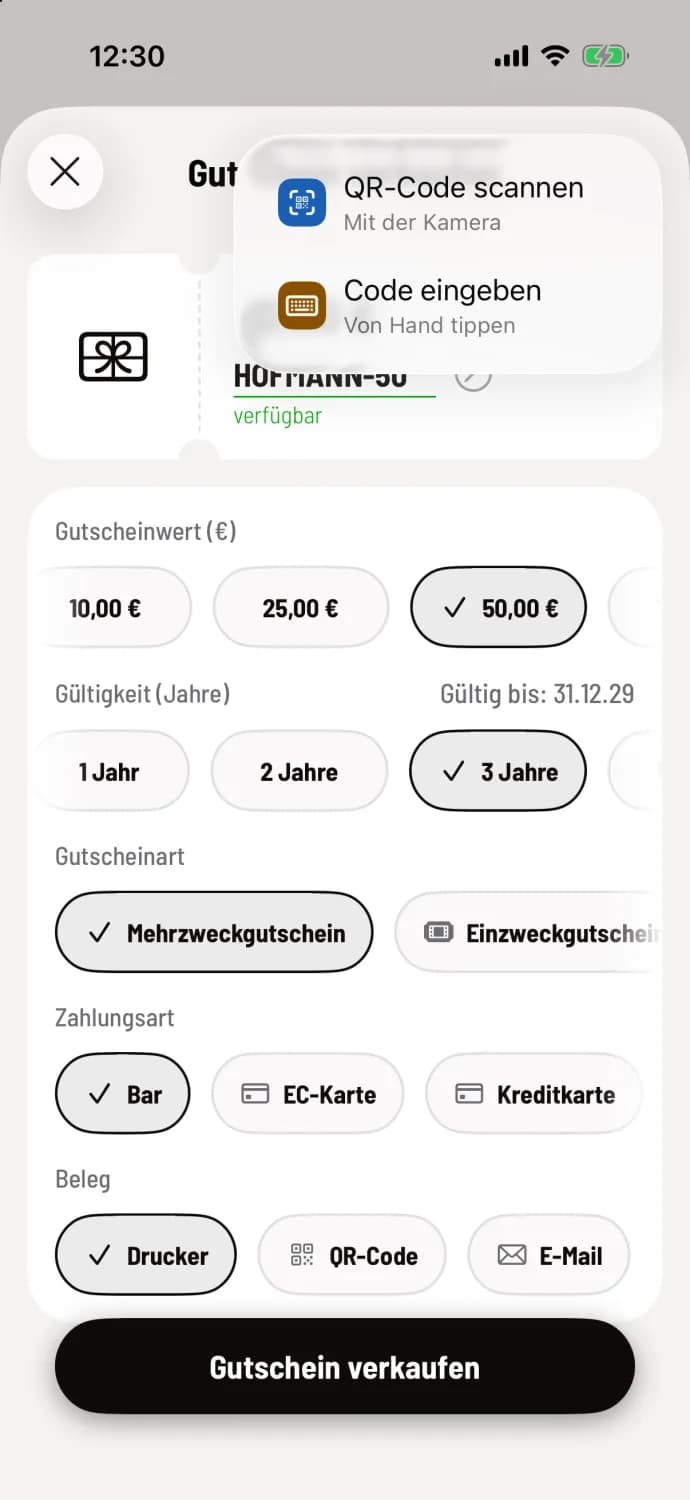
Step 2 of 2
Copy existing code
In the top right corner, select Scan QR code, Enter code or, on devices with NFC, Scan NFC card.
Rules for codes
3 to 20 characters.
Letters, numbers, hyphens, and underscores are allowed. Spaces and umlauts are not allowed.
The code is saved in capital letters. The spelling doesn't matter when redeeming the code.
Each code can only be used once. If it is already in use, the cash register displays Already sold.
Prepared vouchers
If you have prepared vouchers in the Web desk , such as printed cards, you enter their code when selling. The POS system automatically selects the value, type, and validity period; only the selling price remains editable. Promotional vouchers, vouchers sold externally, or vouchers sold online cannot be activated this way. Learn more: Managing vouchers in the Web desk.