
Generate employee report
A report only about your own actions during a shift.
The employee report only analyzes your own transactions: sales, payment methods, tip , and cash. It helps with your daily closing and with settling accounts with your boss. You don't need any special permission to use it.
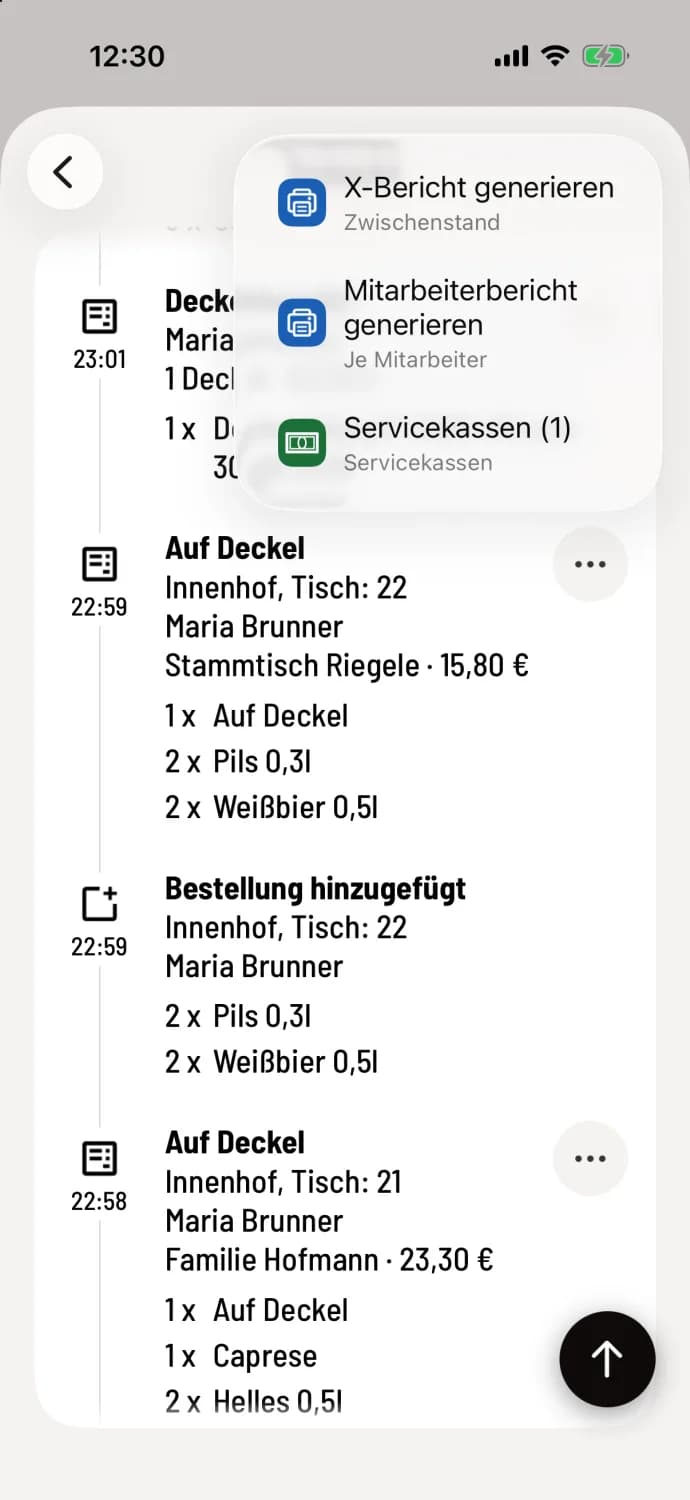
Step 1 of 2
Generate report
Open the shift details: during a current shift via the Overview, during a completed shift via the Shift History. Tap on … in the upper right corner and then on Generate Employee Report.
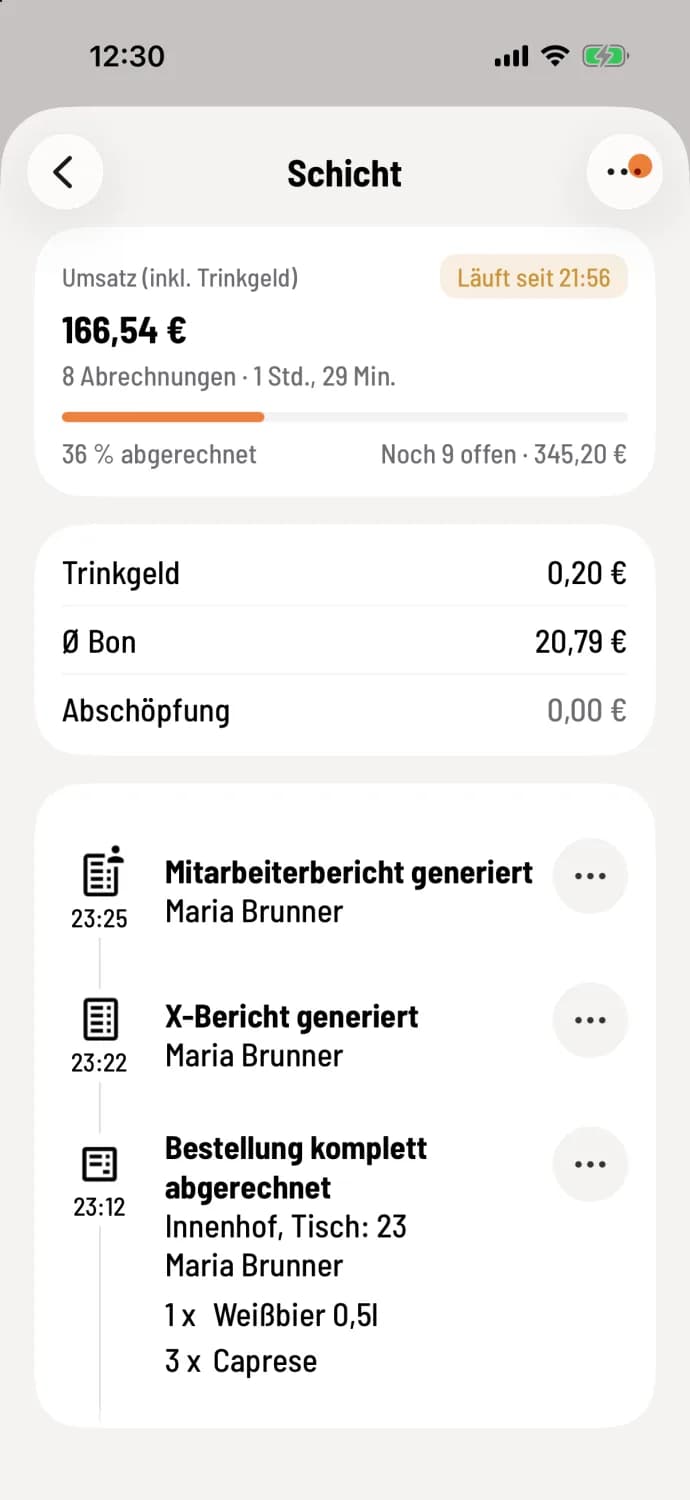
Step 2 of 2
Share or print
The timeline displays Employee report generated. If a printer is set up for reports, it will print immediately. You can share it as a PDF or print it again via … on the entry.
If the service cash register is selected, the report will show the section Service Cash Register; otherwise, it will be Cash Settlement. Payments allocated to another server during settlement will be counted for that employee. If the kitchen delivery function is activated, the report will calculate it accordingly.
The employee report does not replace the Z-report . In the Web desk, the owner can configure employee reports to be printed automatically at the end of a shift: Configure report printing. They are available for download under Documents in the Employee Reports tab.