
Find a table
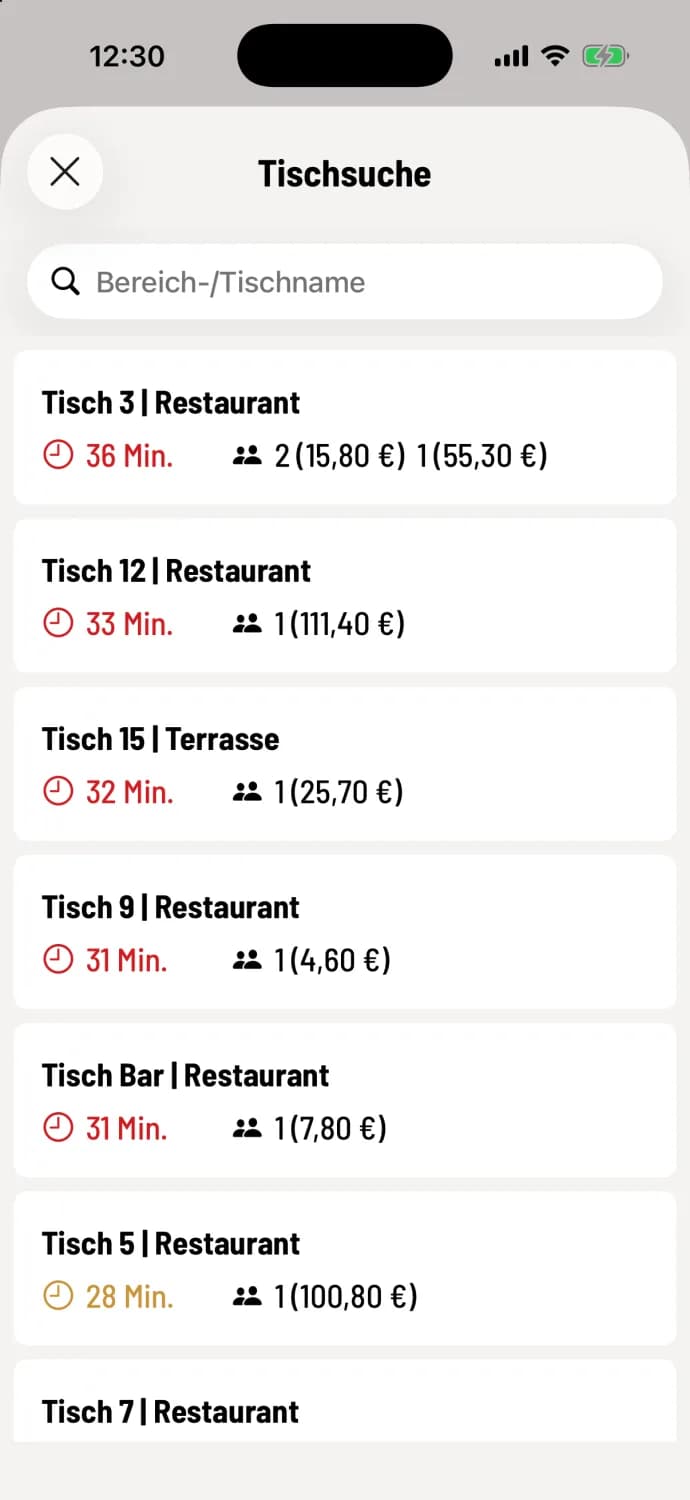
All tables listed – sorted by waiting time, with outstanding amounts.
For many tables, you can find a table faster using the search function than by swiping and zooming. The list also shows which table has the longest wait.
Open table search
Tap the magnifying glass icon in the top right corner of the table plan . Each row shows the table and area, the time since the last order, and the parties involved, along with the amount they ordered. The table with the longest wait is at the top; if multiple parties are seated at the same table, their amounts are shown next to each other.
Type a table or area name into the search field, for example 12 or Terrace. Use 123 and ABC to switch between the number and letter keyboards; the system remembers your choice. Tapping a line opens the table.
Available tables are listed at the end without time or price. The time is indicated by green, yellow, or red, as shown in the table plan ; see the service indicator.