
Give discounts
Fixed or custom discounts on the entire receipt or a single item.
You can apply a discount to the entire bill when settling the account, or beforehand to a single item in the table view.
Prerequisite: You need the permission Allow to grant discounts, otherwise the Discount entry will be missing. The owner sets the fixed discounts in the Web desk : Manage discounts.
Playing loads YouTube (Google).Playing loads the video from YouTube and sends data to Google. Clicking allows external media. Privacy
The entire bill
Step 1 of 4
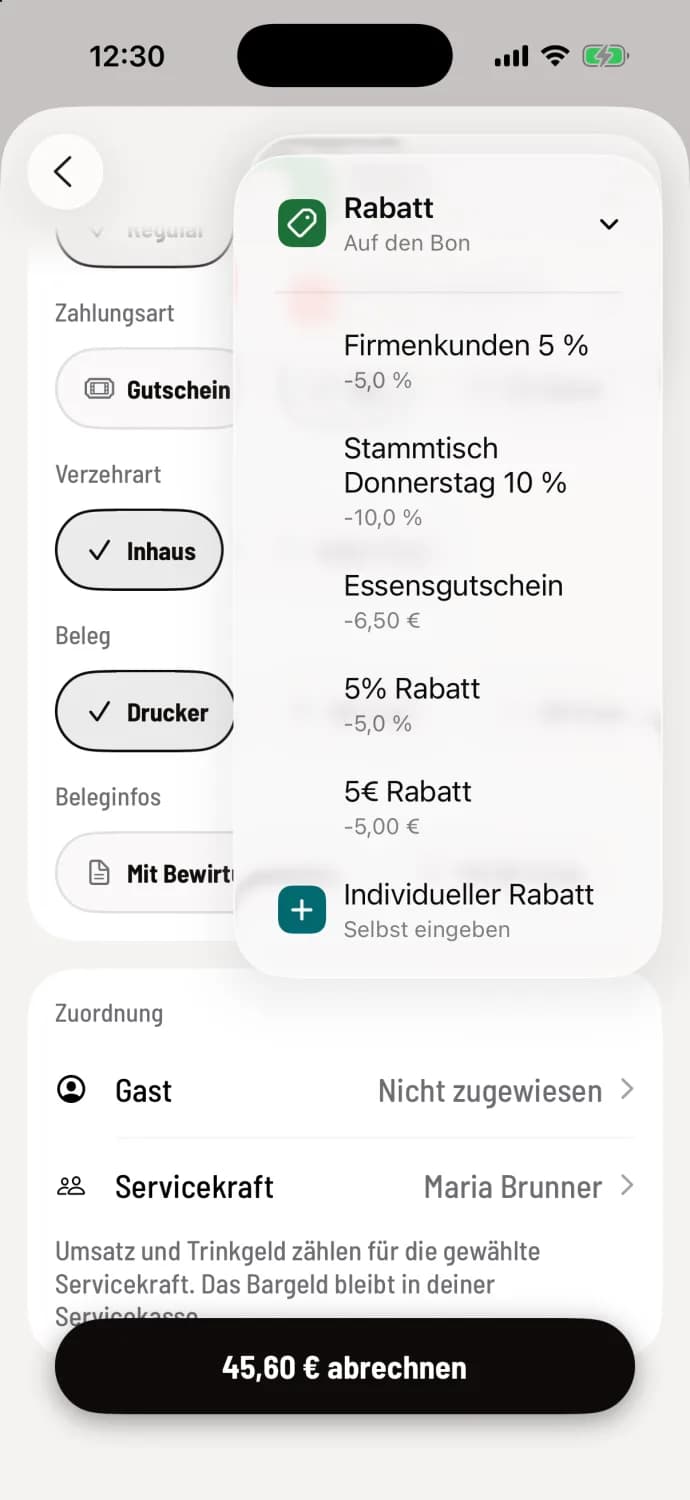
Choose discount
On the Payment screen, tap … in the top right corner and then Discount. Choose a fixed discount, such as Regulars' Table Thursday 10% or Food Voucher worth €6.50, or Individual Discount at the very bottom.
Step 2 of 4
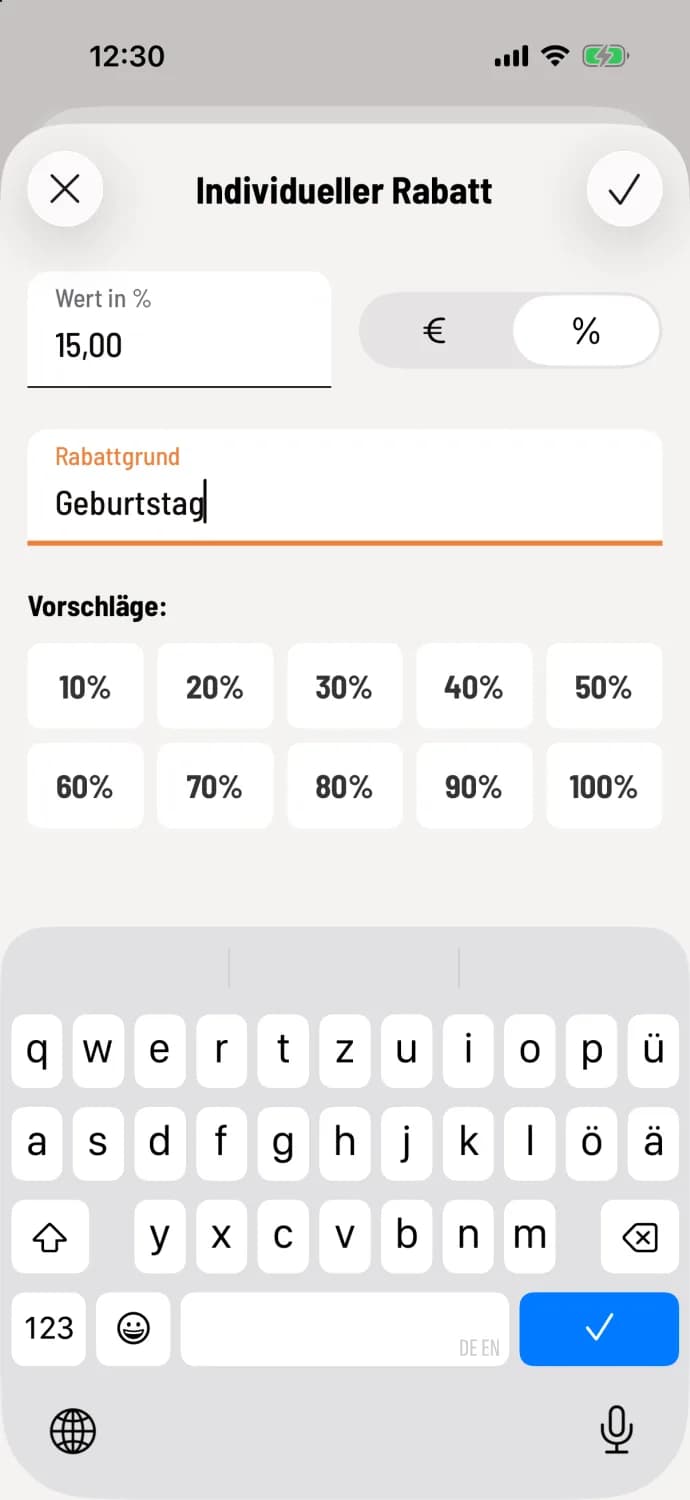
Enter your own discount
Switch between € and %, enter the value or tap a suggestion (10% to 100%). The value field fills from the right; 1500 results in 15.00. The reason for the discount is optional and will be shown on the receipt. Confirm with the checkmark.
Step 3 of 4
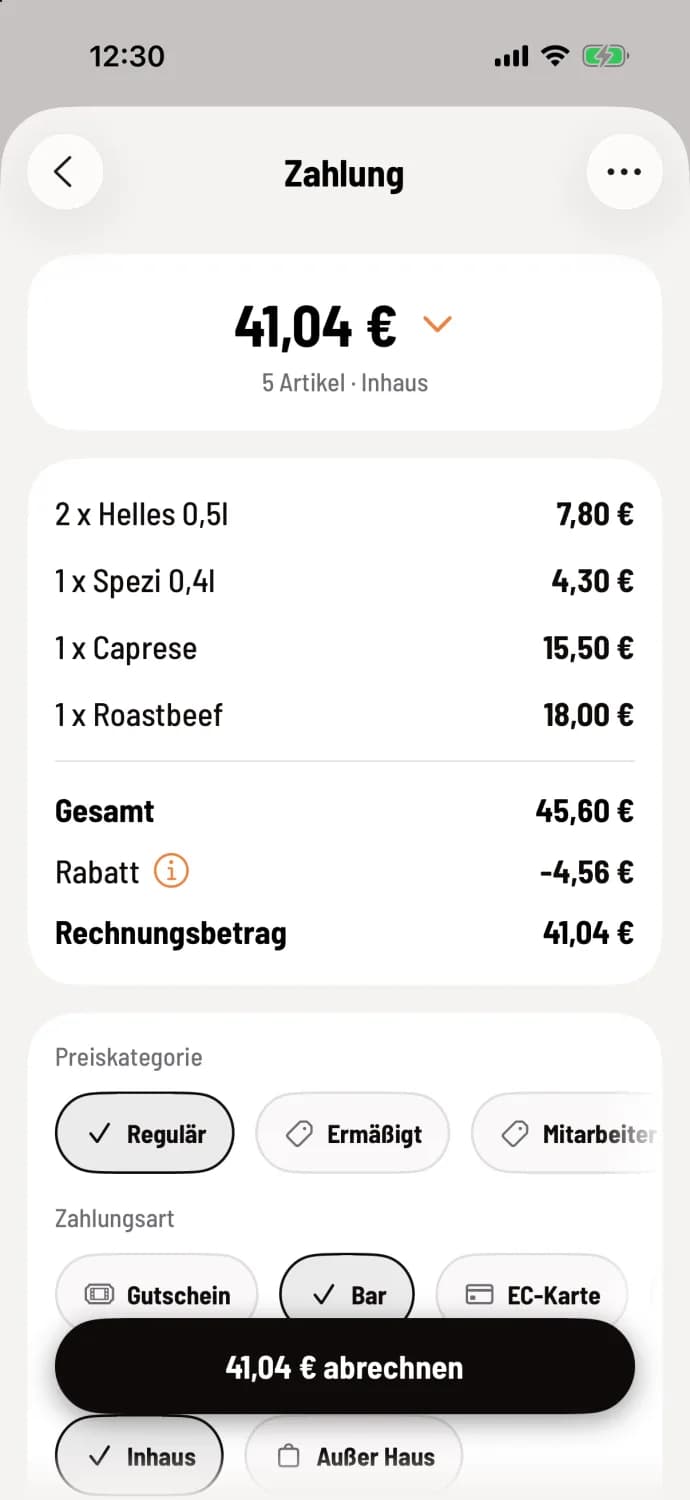
Check result
Under Total is the line Discount, below which is the new Invoice Amount, for example €45.60 minus €4.56 equals €41.04.
Step 4 of 4
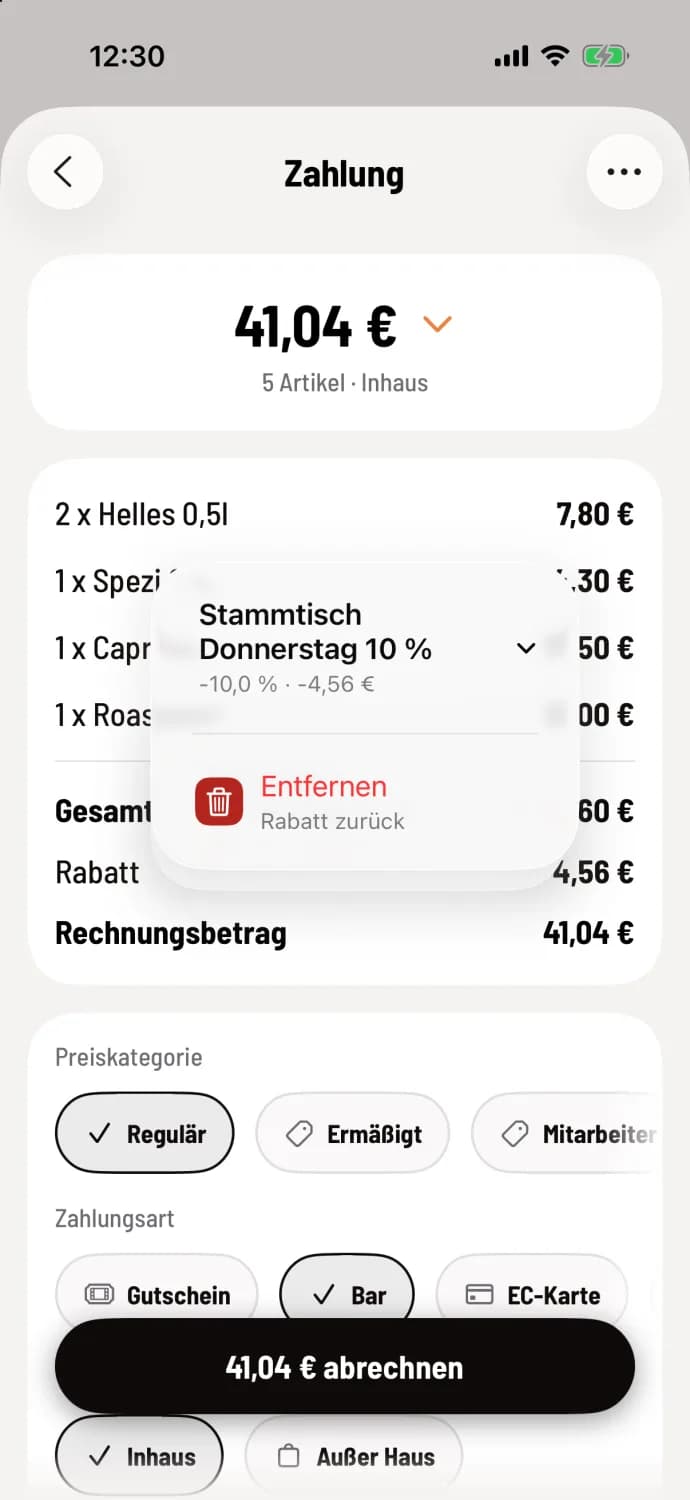
Remove discount
Tap the ⓘ of the discount row, select the discount and then Remove.
Multiple discounts can be combined, but never applied to the entire invoice amount. Deposits and item groups excluded by a discount remain unaffected; the cash register will then indicate the amount the discount applied to. At the express checkout, one discount applies per receipt; a new discount replaces the old one.
On an item
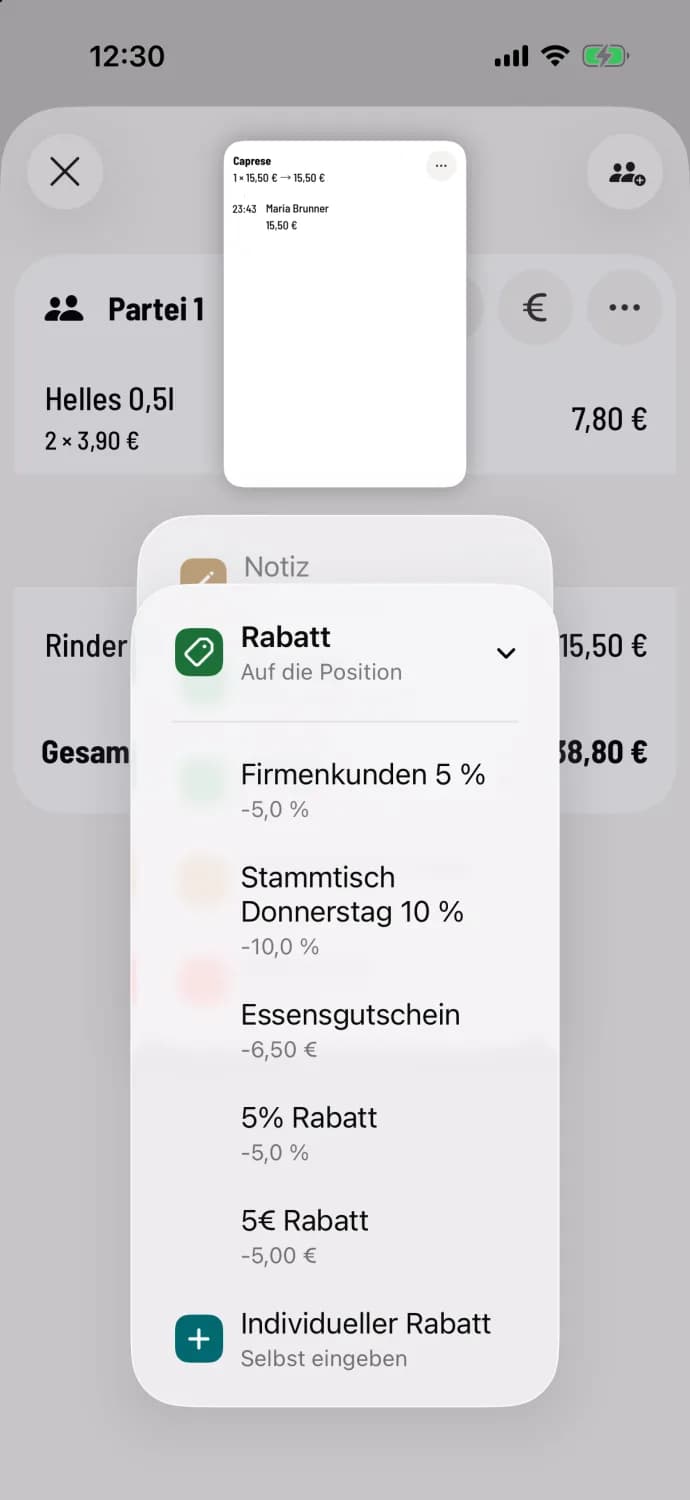
Hold down the article line
In the table view, press and hold the item row and select Discount. When ordering, go to Detailed Order: change the quantity and edit the item.
Regular customers with a regular discount receive it automatically as soon as you assign them: Assign guest at checkout.
The Web desk shows which discounts were given, when, and on which item under Statistics → Control → Discounts → Individual: Evaluate statistics.