
View shift history
Open past shifts by month, with figures, processes and reports.
Completed shifts remain accessible in the cash register. This allows you to see what happened on a given day, reprint a receipt, or retrieve the Z-report .
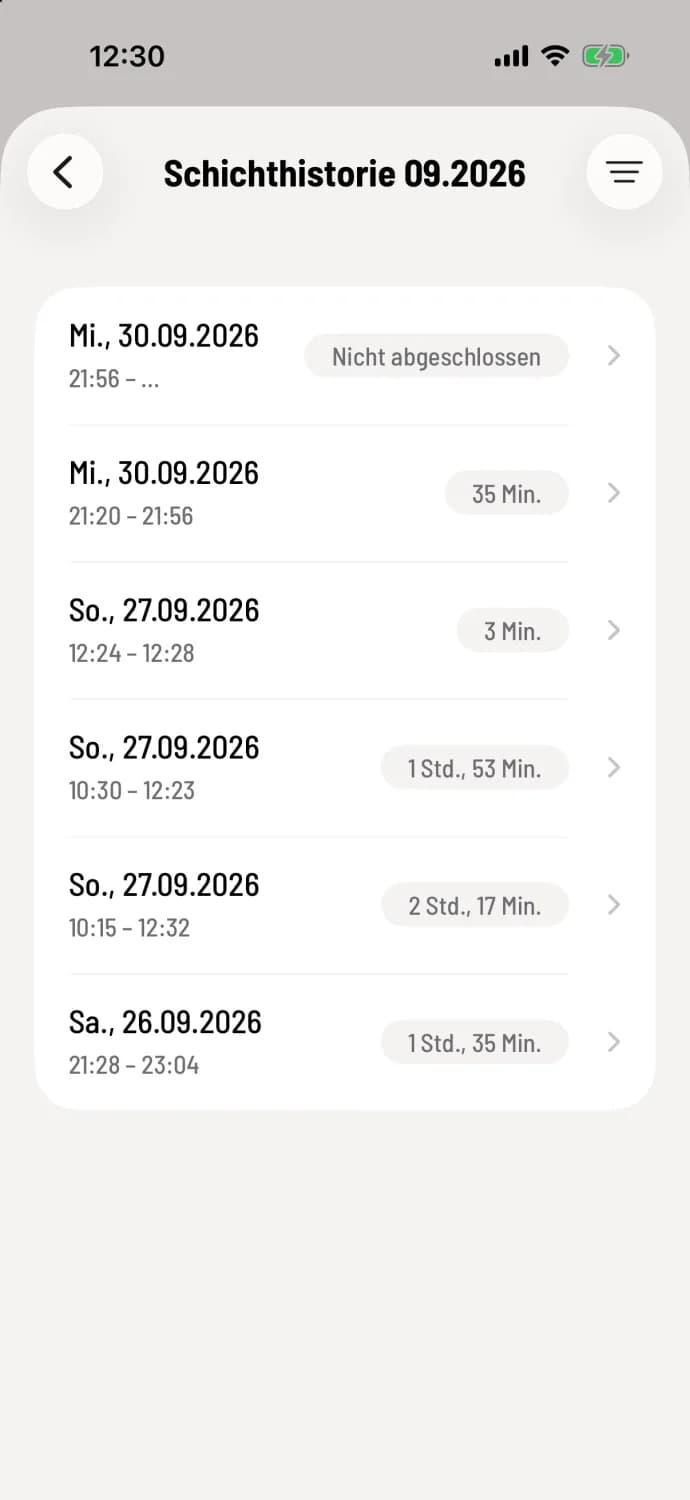
Step 1 of 3
Open history
In the Overview, tap on Shift History. The list shows the shifts for the current month, with the most recent at the top, including date, time, and duration. The current shift is at the very top, marked Not Completed. The title indicates the month, for example, "Shift History 09.2026".
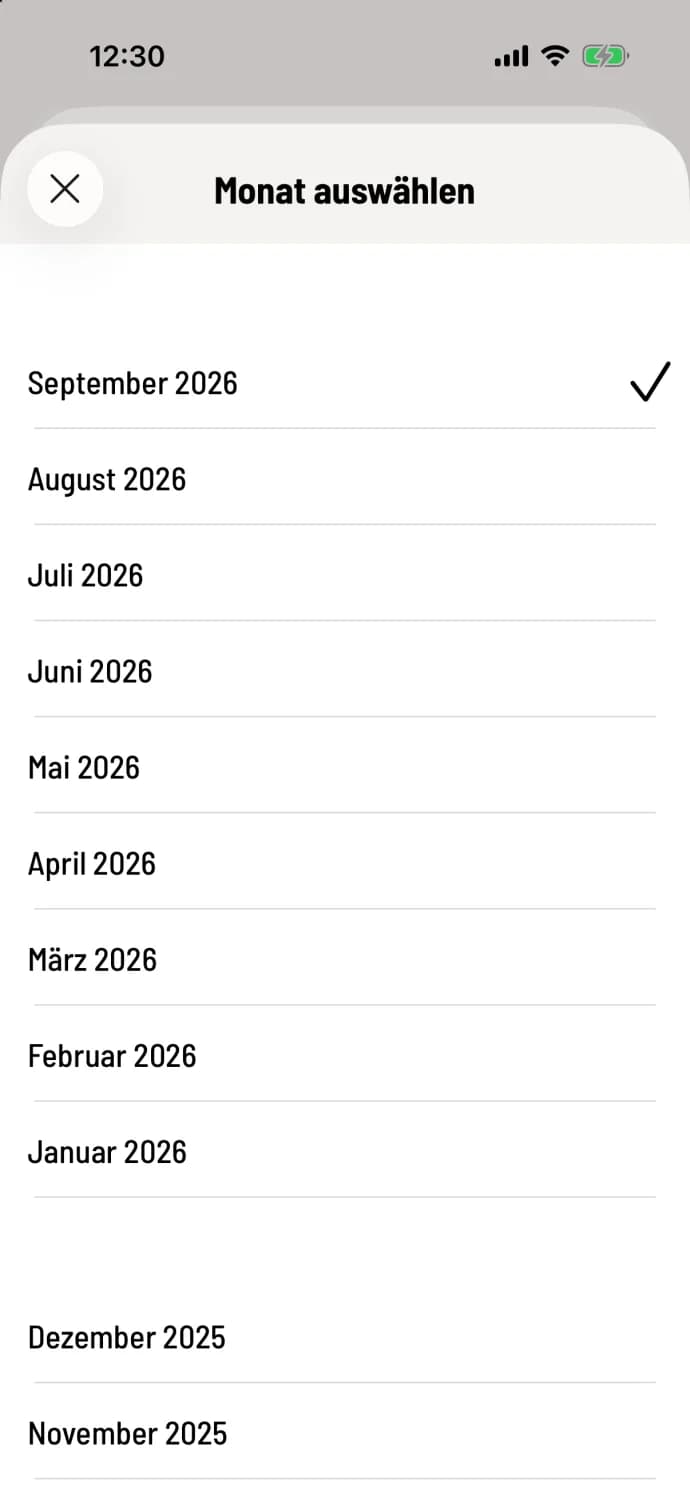
Step 2 of 3
Choose another month
Tap the filter icon in the upper right corner. In the Select Month tab, the months are grouped by year, going back up to ten years; the selected month has a checkmark. Tap a month to load its layers. The X closes without changing anything.
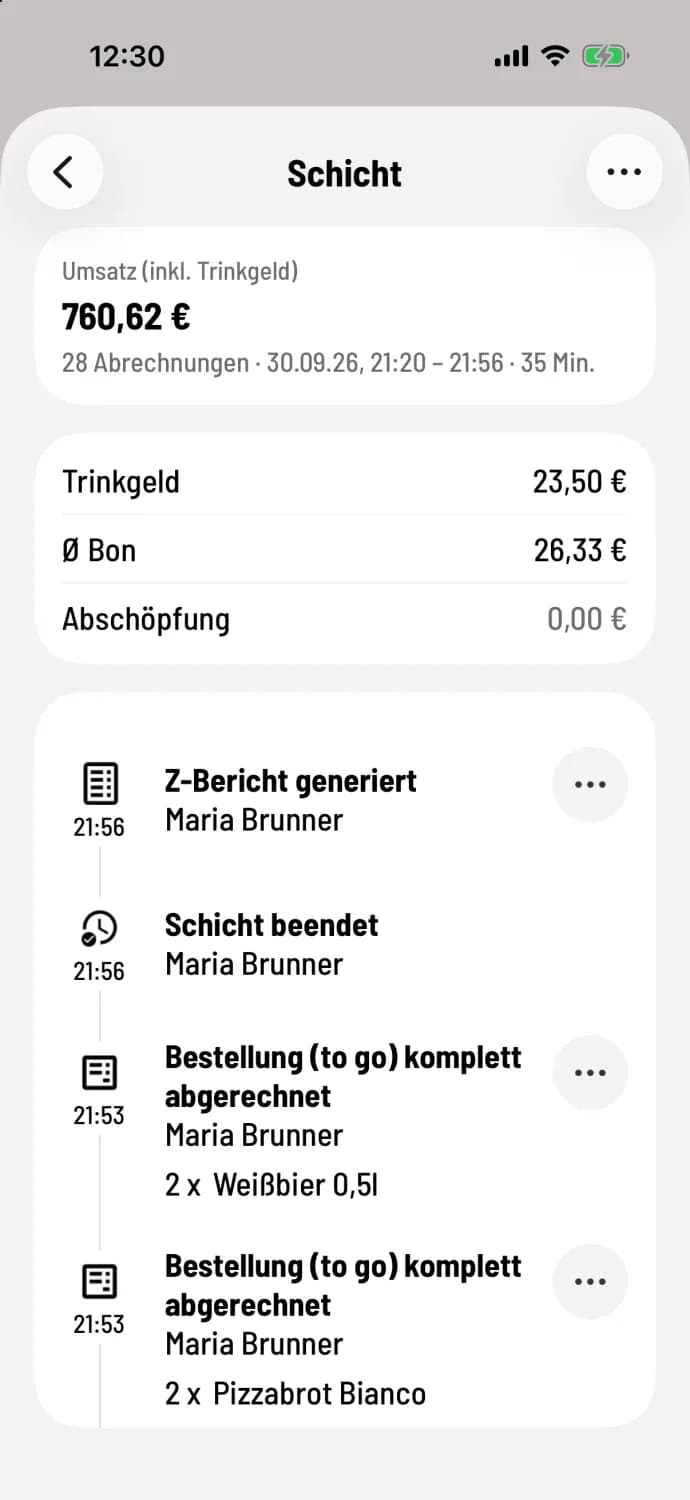
Step 3 of 3
Open shift
Tap on a shift . You'll see sales, tip, cash withdrawals, and all transactions up to ** Z-report generated** and ** shift ended**. Use the … icon in the top right corner to generate your employee report and open the service cash registers for that shift.
If no shift is listed for a given month, the message "No shifts in the specified month" will appear. Then check the adjacent month, for example, if there is a shift spanning the end of the month.
A shift that was never completed will appear as Not Completed in the list. It will not have a Z-report; however, you can still generate X-reports and employee reports. For the cash register closing report, please contact support.
Past shifts can no longer be edited. You can cancel receipts from them via the action menu: Cancel from previous shift. For analyses over longer periods, the Web desk is better suited: Receipts.