
Pay with two payment methods
Combine cash and card, or pay the remainder using a voucher.
Each invoice has one payment method. If a guest pays partly in cash and partly by card, you process the payment in two steps. Only if a voucher or credit balance is used will the remaining balance be included in the same invoice.
Cash and card
Step 1 of 2
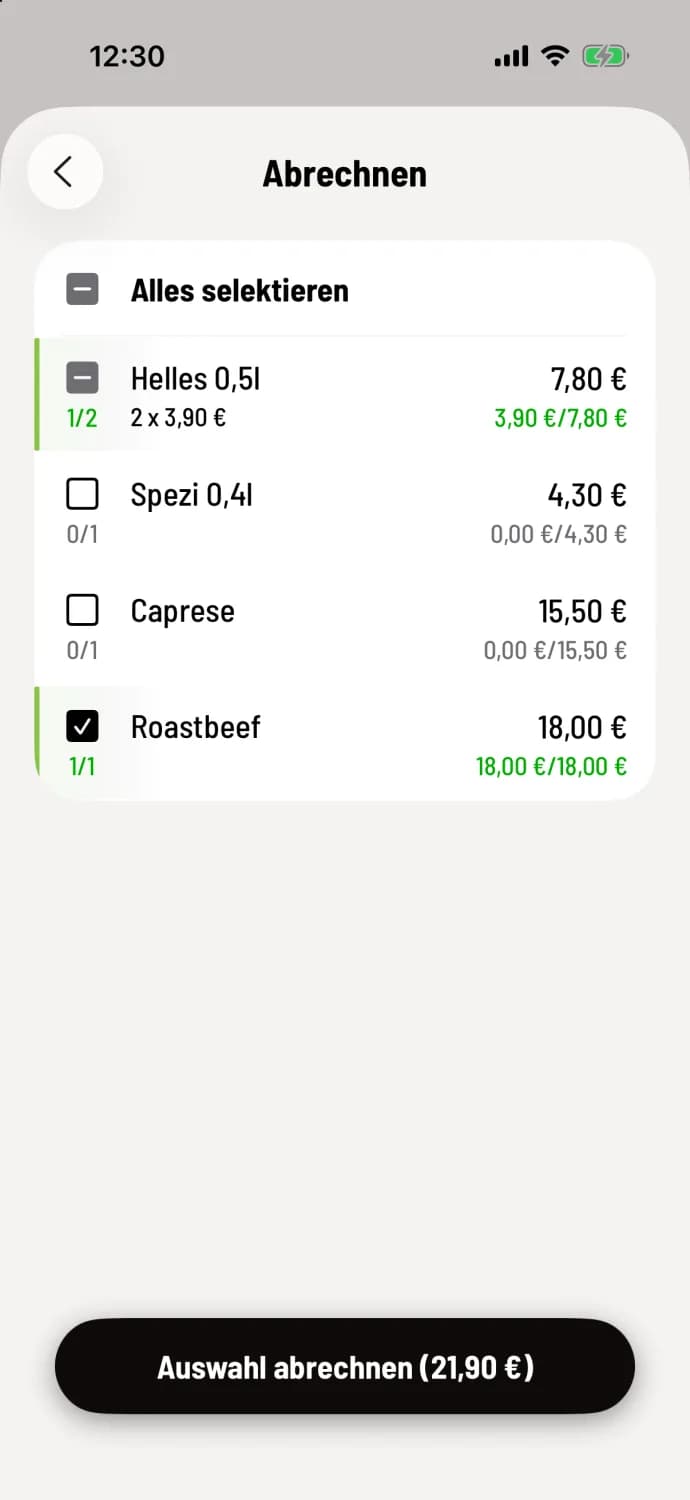
Bill the first part
Select the item that will be paid for in cash, such as a 0.5l light beer and the roast beef, and settle the bill with Cash.
Step 2 of 2
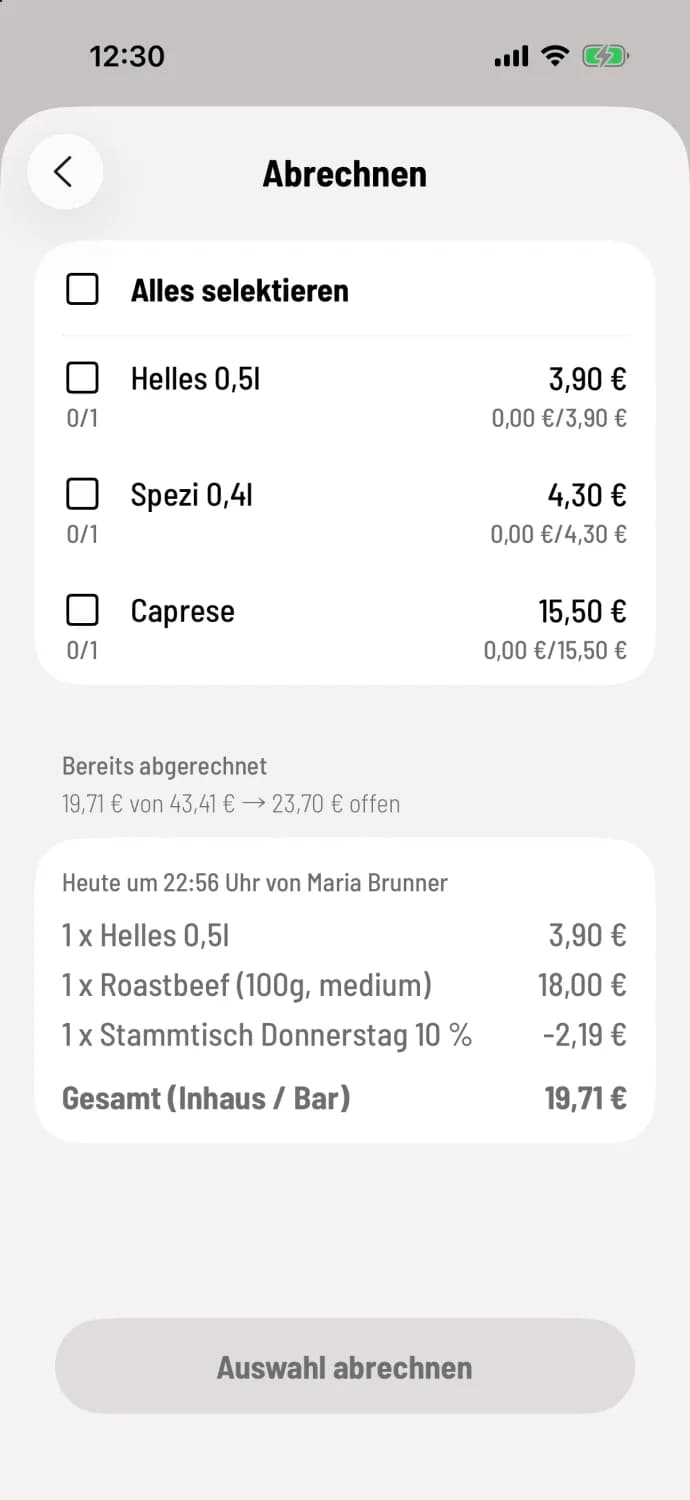
The rest with card
Back in the selection menu, Already billed shows the paid portion and what is still outstanding. Select the remaining amount and pay by card.
This results in two receipts. The cash register won't accept a payment amount under the receipt, so you split it across the item.
Remaining balance after a voucher
Step 1 of 2
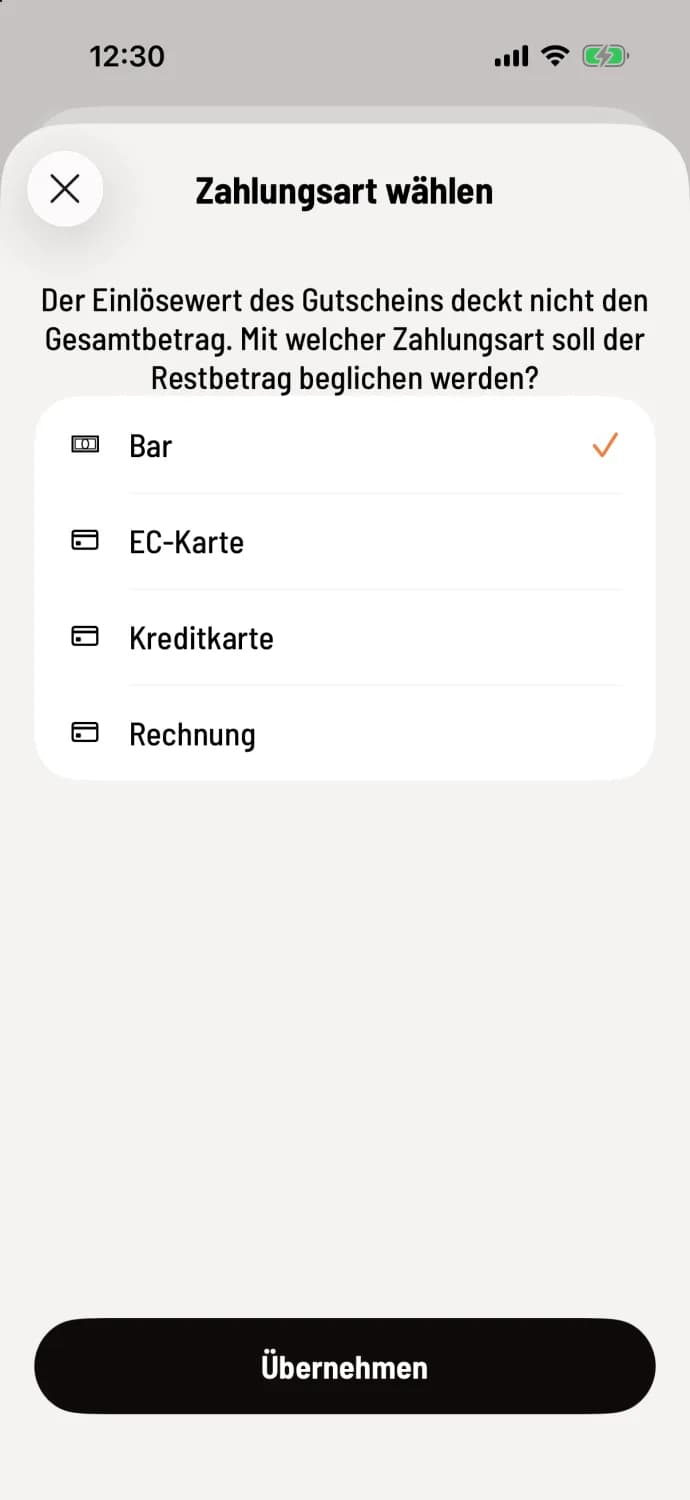
Payment method for the remainder
If the voucher doesn't cover the entire amount, the checkout will ask how the remaining balance will be paid. Select Cash, for example, and tap Apply.
Step 2 of 2
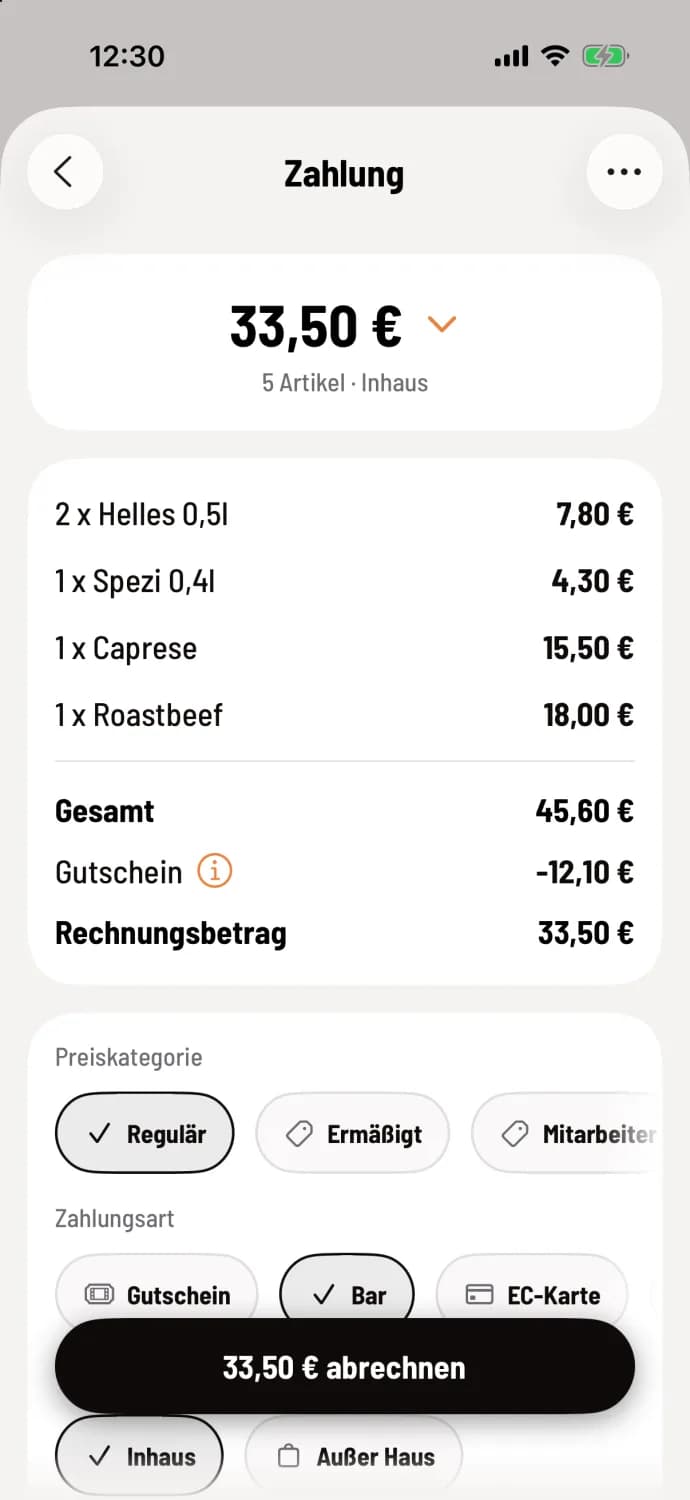
Billing
The Voucher line deducts the redemption value, for example, -€12.10. The Invoice Amount is the remaining balance, for example, €33.50. Under Payment Method, the payment method for the remaining balance is now selected, for example, Cash. Process the payment as usual.
If everyone pays for themselves, splitting the costs is often faster for parties.